
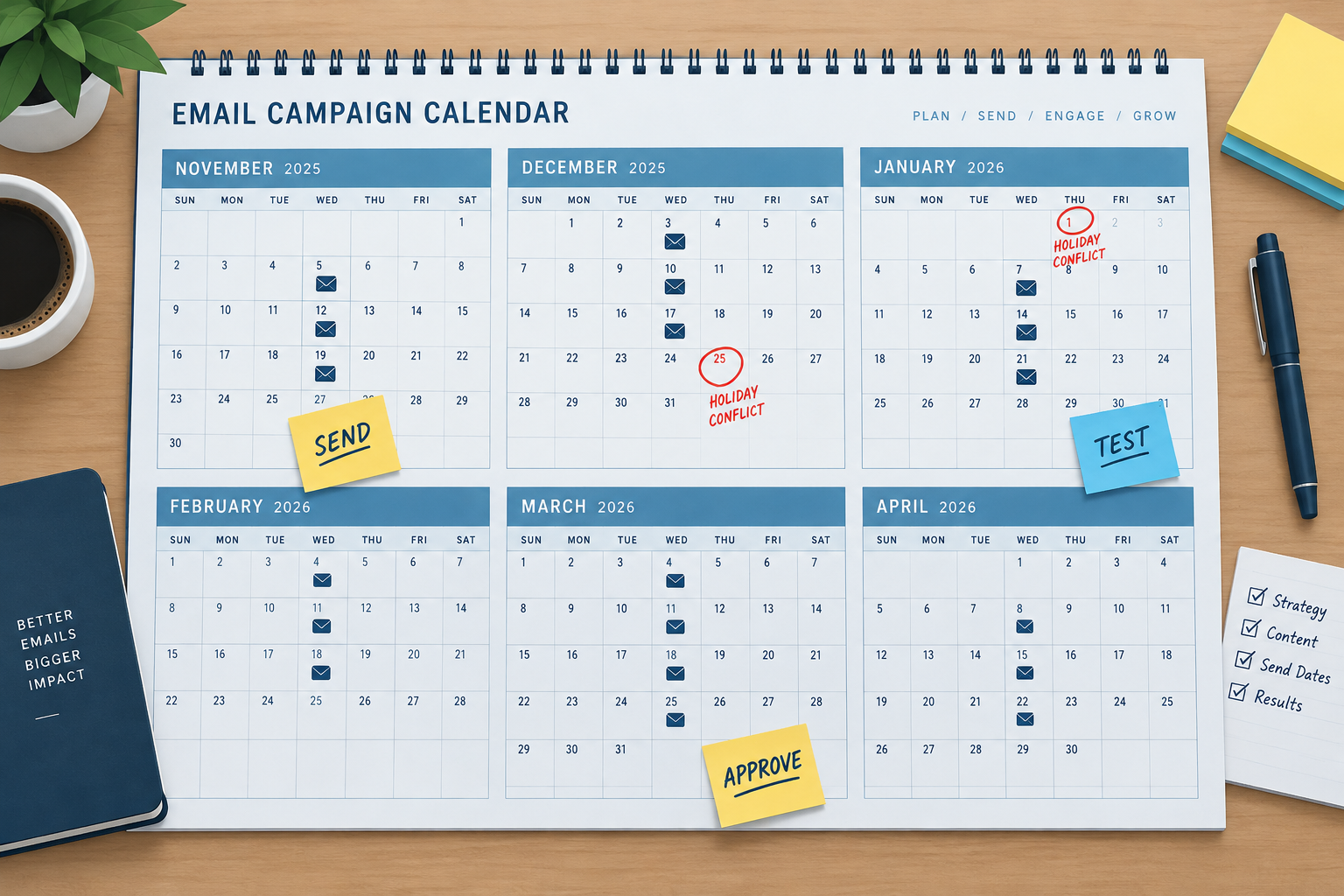
An email editorial calendar is a dated plan of every send for the year. For each send day it sets the content deadline, the test date and the approval date, counting backwards from the send. It is still the easiest way to spot holiday clashes early, such as a monthly newsletter landing in Thanksgiving week, so they don’t turn into last-minute rewrites. The inbox has changed since this advice was first written: Gmail sorts newsletters into tabs, Apple Mail Privacy Protection has inflated open rates since 2021, and since 2024 Gmail and Yahoo have required bulk senders to use SPF, DKIM and DMARC, offer one-click unsubscribe and keep spam complaints under 0.3%. Those checks now belong on the calendar too.
When you plan the long-term goals for your email marketing program, decide how often you will send, then build an editorial calendar around that frequency.
What an editorial calendar shows you
A well-planned editorial calendar gives you a view of the whole year, with enough warning to change or move planned sends. It is also where you set out your testing plan, approval dates and content deadlines.
Today, each send on the calendar should carry these dates and checks:
- Send date, time and segment. Who gets the email and when.
- Content due date. Copy, images and offers locked.
- Test date. Check rendering in Gmail, Apple Mail and Outlook, on phones and in dark mode, and check every link. Testing once meant fighting Outlook 2007’s Word-based rendering. Today the bigger variables are small screens and dark mode.
- Approval date. Legal, brand and the offer owner sign off.
- Deliverability check. SPF, DKIM and DMARC pass. The one-click unsubscribe header is present. The spam rate in Google Postmaster Tools is well under 0.3%.
- Results review date. Judge the send on clicks and conversions. Opens are inflated by Apple’s privacy proxy, so they are a weaker signal.
Example: a newsletter sent on the third Wednesday of each month
Picture a newsletter scheduled for the third Wednesday of every month. It sounds simple, but once you lay it out on a calendar you may find a few send days need to move. In some years, the third Wednesday in November is the day before Thanksgiving. That is a poor day for a newsletter. It is one of the busiest travel days of the year, so many subscribers will be on the road, and your email can end up buried in a crowded inbox. In Gmail, that often means sinking in the Promotions or Updates tab before anyone looks.
The clash only happens in years when November 1 falls on a Thursday. That was the case in 2018, when the third Wednesday was November 21 and Thanksgiving fell on November 22, and the next one is 2029, with the same dates. In 2026 the third Wednesday is November 18, a week before Thanksgiving on November 26. The day before Thanksgiving is the fourth Wednesday, November 25. The travel crush is real: the TSA screened a record 3,133,924 people on Sunday, November 30, 2025, the Sunday after Thanksgiving. It had forecast more than 17.8 million travelers for the full Tuesday-to-Tuesday holiday period.
If you plan the calendar ahead, you can see early on when the November send needs to move, for example to the second Wednesday in a clash year. You can then shift content due dates, testing and approvals to match, and avoid the fire drill that would have happened without that planning.
The same view shows a newer problem. A November 18, 2026 send lands just over a week before Black Friday (November 27) and Cyber Monday (November 30), when retail email volume peaks. A newsletter in that window competes with every promotional email your subscribers get. An earlier, tighter issue often works better than a long one.
Third-Wednesday send dates for 2027
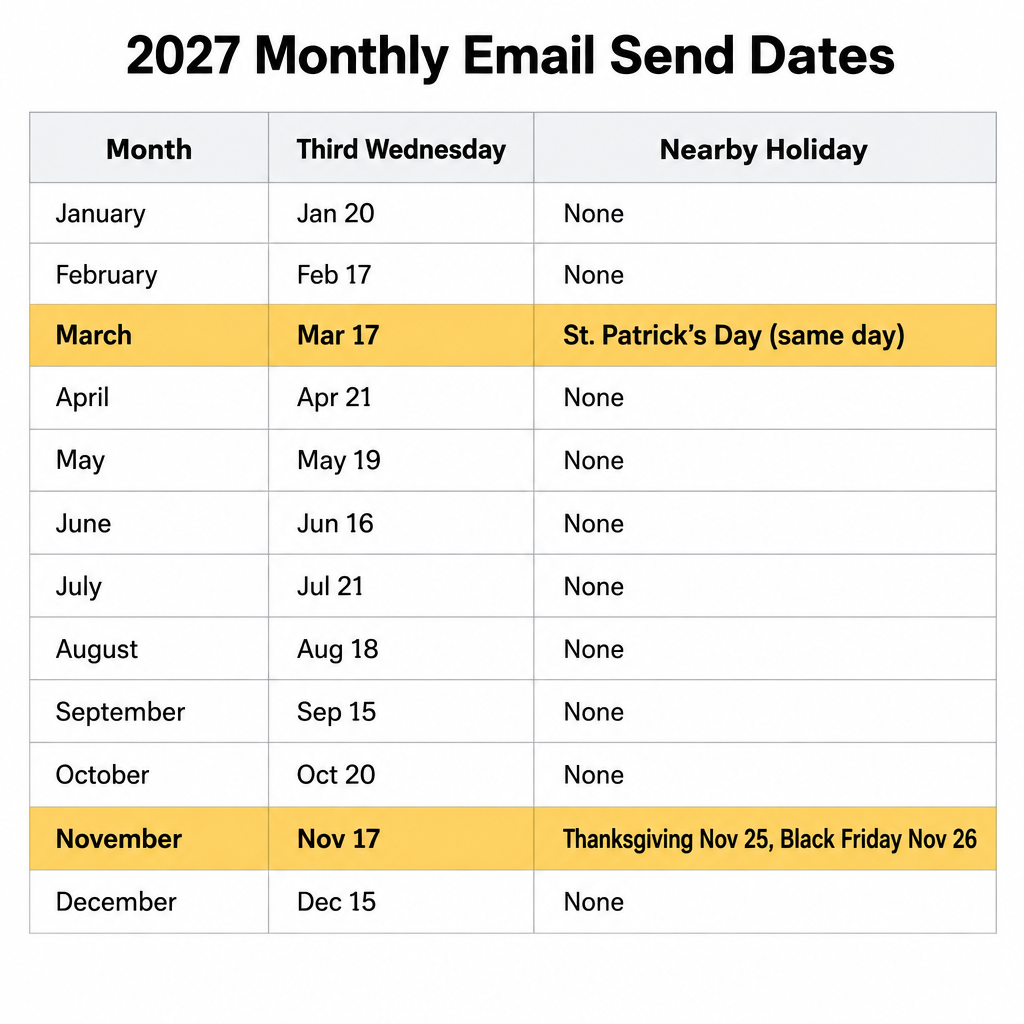
For a monthly third-Wednesday schedule, these are the 2027 send dates and the nearby dates worth checking before you lock the calendar.
| Month | Third Wednesday | Nearby date to check |
|---|---|---|
| January | January 20 | Martin Luther King Jr. Day, January 18 |
| February | February 17 | Valentine’s Day, February 14 |
| March | March 17 | St. Patrick’s Day, the same day |
| April | April 21 | US tax day, April 15 |
| May | May 19 | Mother’s Day, May 9; Memorial Day, May 31 |
| June | June 16 | Father’s Day, June 20 |
| July | July 21 | Independence Day observed, July 5 |
| August | August 18 | Back-to-school period |
| September | September 15 | Labor Day, September 6 |
| October | October 20 | Halloween, October 31 |
| November | November 17 | Thanksgiving, November 25; Black Friday, November 26; Cyber Monday, November 29 |
| December | December 15 | Christmas, December 25 |
In 2027 the November send again falls the week before Thanksgiving rather than the day before, so it can stay where it is. The real decision is how it fits next to your Black Friday campaign.
Leave room for news
A fixed calendar has a downside: it can make a program rigid. That shows when a product launch, a price change or industry news needs an email that isn’t on the plan. The fix is to block one flexible slot a month, with the same test and approval steps, so unplanned sends still go through the checks that protect your sender reputation. Plan the year now, review it every quarter, and treat each date as a deadline you can move on purpose rather than by accident.
FAQ
How far ahead should you plan an email editorial calendar?
Map the full year at a high level, with send dates, themes and key holidays. Then fill in detailed content one or two months ahead. Revisit the plan every quarter so product launches and seasonal campaigns can move without breaking deadlines.
What tool should you use for an email editorial calendar?
A shared spreadsheet in Google Sheets or Excel works for most teams, as long as it has columns for send date, segment, content due, test, approval and results. Project tools such as Asana, Trello or Airtable add task owners and reminders. Many email platforms also show scheduled campaigns in a calendar view, which helps you spot overlaps.
Should you send a newsletter the day before Thanksgiving?
Usually not. Many US subscribers are traveling or offline, and inboxes that week fill with Black Friday promotions. Send earlier in November, or save a short, timely message for later in the holiday weekend if it fits your audience.
Do open rates still show whether a send date worked?
Only roughly. Apple Mail Privacy Protection loads remote content, including tracking pixels, through Apple’s proxy whether or not the reader opens the email, so opens are inflated for Apple Mail users. Compare send dates on clicks, conversions and revenue per email instead.
Does a consistent sending schedule help deliverability?
Yes. Steady, predictable volume is easier for mailbox providers to trust than sudden spikes, especially around the holidays. Gmail asks bulk senders to keep their spam rate below 0.1% and never reach 0.3%, and a regular schedule that subscribers expect helps keep complaints low.
What rules apply to every send on the calendar?
In the US, CAN-SPAM requires an accurate sender, a non-deceptive subject line, a physical postal address and a working opt-out honored within 10 business days. Senders of 5,000 or more messages a day to Gmail must also authenticate with SPF, DKIM and DMARC and support one-click unsubscribe. Microsoft has applied similar authentication rules to high-volume senders to Outlook.com, Hotmail.com and Live.com addresses since May 5, 2025.
Sources
- Google Workspace Admin Help: Email sender guidelines
- Yahoo Sender Hub: Sender best practices
- Microsoft Tech Community: Outlook’s new requirements for high-volume senders
- Federal Trade Commission: CAN-SPAM Act, A Compliance Guide for Business