
What CAN-SPAM requires from your opt-out
Every commercial email you send needs a “clear and conspicuous” opt-out that works, plus a valid physical postal address. If either one is missing, the message breaks the law. This is true for one email and for a million.
Under the Federal Trade Commission’s CAN-SPAM compliance guide, the rules are:
- The opt-out must be clear and conspicuous. Readers must be able to spot it and understand it.
- It must keep working for at least 30 days after you send. An unsubscribe link that dies after a week is a violation.
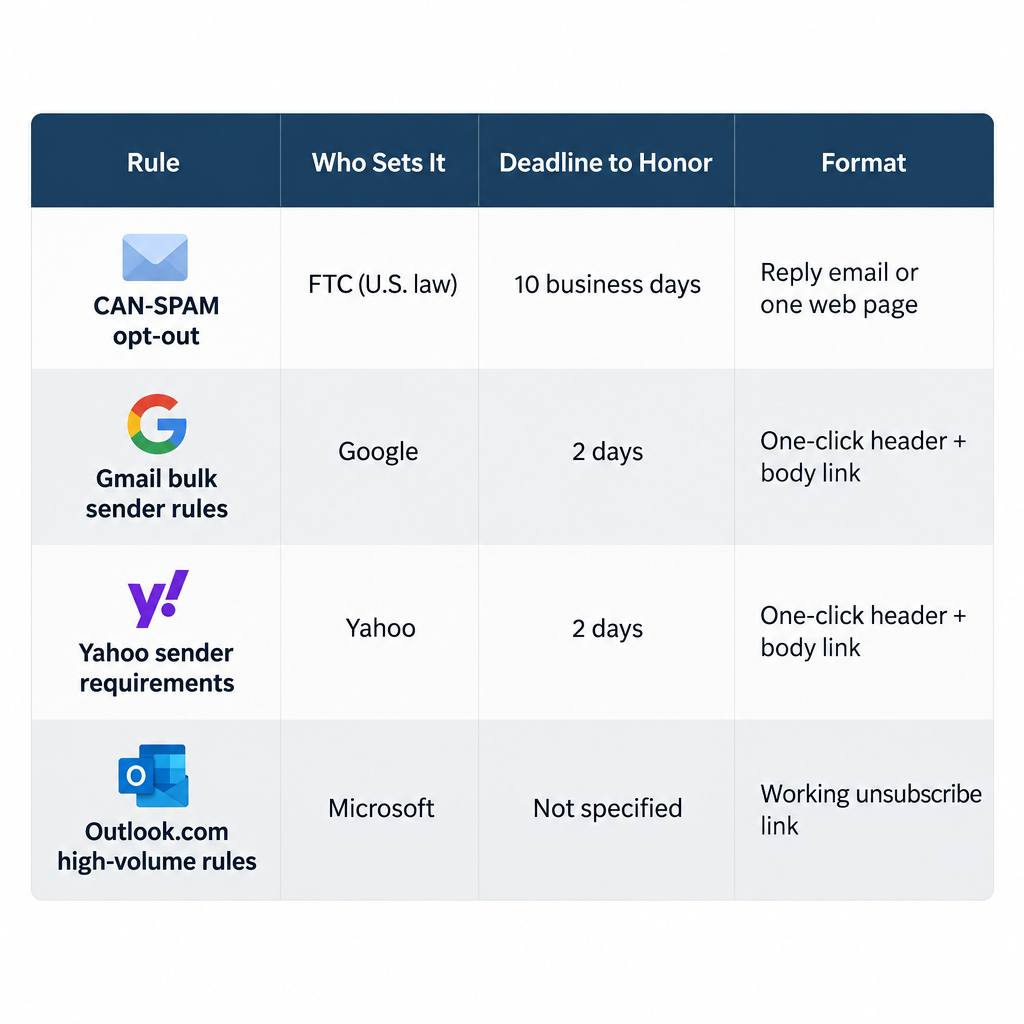
- You must honor requests within 10 business days.
- You can’t charge a fee to opt out. You also can’t ask for any personal information except the email address and opt-out preferences. And you can’t make the recipient do anything beyond replying to an email or visiting one web page.
- Once someone opts out, you can’t sell or transfer their address. The one exception is a company you hired to help you comply with the Act.
- You must include a valid postal address. This can be a street address, a P.O. box registered with the U.S. Postal Service, or a private mailbox registered with a commercial mail receiving agency.
The law applies to B2B email too. It also applies to a single sales pitch sent to one person, not only to bulk campaigns. Each email that breaks the rules can bring a civil penalty of up to $53,088. That figure was set in the FTC’s January 2025 inflation adjustment. It still applies in 2026 because the FTC confirmed in a September 2026 Federal Register notice that it made no adjustment this year.
Mailbox providers now ask for more than the law does. Google’s email sender guidelines apply to anyone sending more than 5,000 messages a day to Gmail addresses. These senders must support one-click unsubscribe (RFC 8058) on marketing and subscribed messages, show a visible unsubscribe link in the message body, and process requests within two days. Google also says your spam rate must never reach 0.3%. Yahoo’s Sender Hub sets the same one-click and two-day expectations, and it doesn’t publish a volume threshold. Microsoft began enforcing SPF, DKIM and DMARC on May 5, 2025 for high-volume senders to Outlook.com addresses. It also lists a working unsubscribe link among its best practices.
| Rule | Who sets it | Deadline to honor | Format |
|---|---|---|---|
| CAN-SPAM opt-out | FTC (U.S. law) | 10 business days | Reply email or one web page, working for 30+ days |
| Gmail bulk sender rules | 2 days | One-click header (RFC 8058) plus visible body link | |
| Yahoo sender requirements | Yahoo | 2 days | One-click header, POST method recommended, plus body link |
| Outlook.com high-volume rules | Microsoft | Not specified | Working unsubscribe link recommended |
Follow the three rules below and you can be confident your opt-out meets the law and the mailbox provider rules.
Make it easy to find
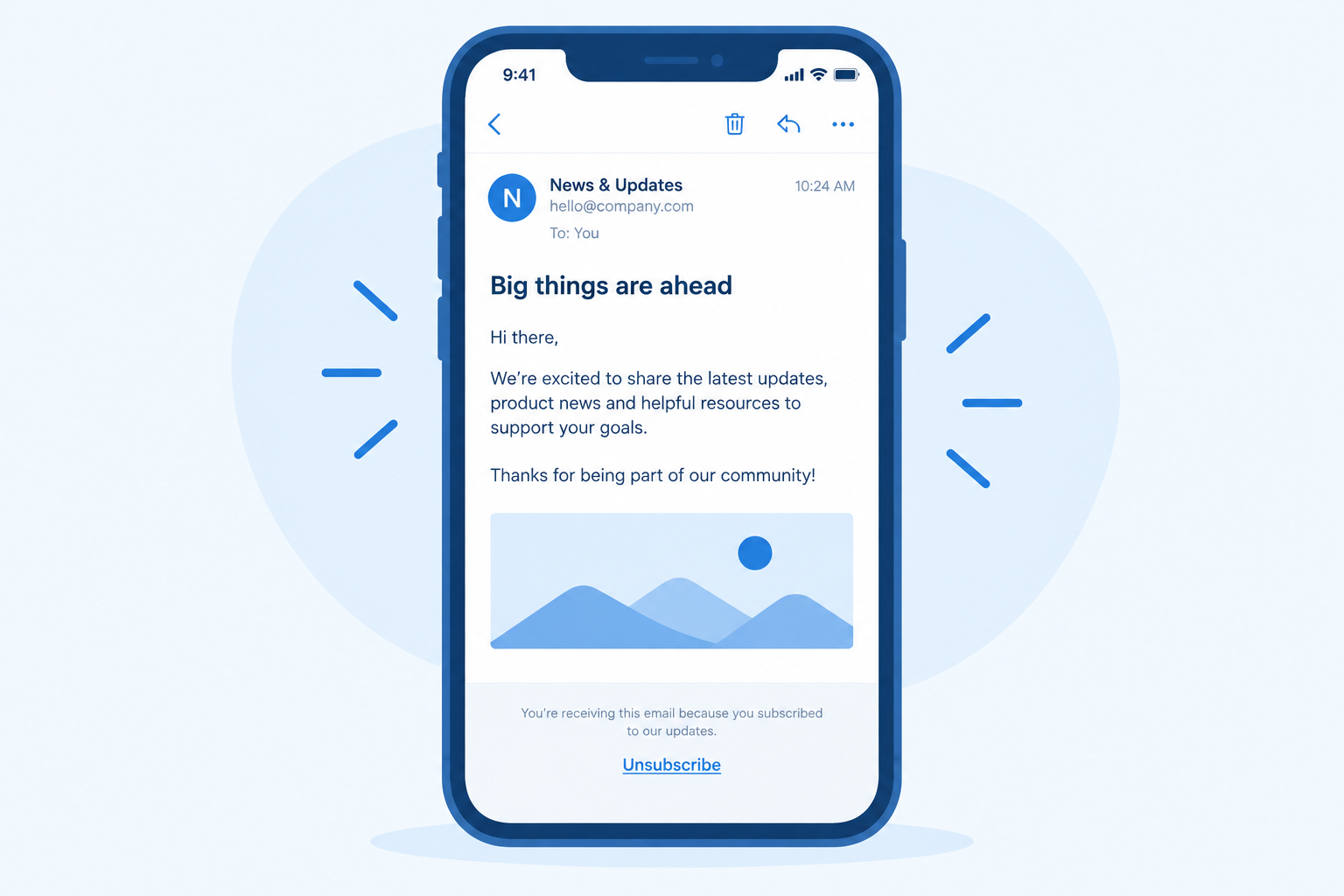
Put the unsubscribe link where a scanning reader expects it, usually in the footer, and never inside terms, conditions or legal disclaimers.
Commercial email gets only a few seconds of attention, and most of it is read on a phone. The original version of this advice pointed out that a link doesn’t have to be “above the fold.” That still holds. What matters is that someone scrolling quickly can find the link without hunting for it.
These days, people also look for it outside the message body. If your email carries a List-Unsubscribe header, Gmail shows an unsubscribe option next to the sender’s name, and Yahoo and other clients show similar controls. That header is the one-click mechanism Google and Yahoo require:
List-Unsubscribe: <https://example.com/unsubscribe?id=abc123>, <mailto:[email protected]?subject=unsubscribe>
List-Unsubscribe-Post: List-Unsubscribe=One-Click
Most email service providers add these two headers for you. Check that yours does, especially if you send through your own SMTP server or a transactional API.
A hidden opt-out doesn’t keep subscribers. It turns them into spam complaints. If people can’t find “unsubscribe,” they press “Report spam.” Those reports push you toward Google’s 0.3% limit. Google advises staying below 0.1%.
Make it easy to read
Write the opt-out in live text that is big enough and has enough contrast to read on a phone in light or dark mode. Keep the wording short.
The old advice still applies: use text, not an image, for the opt-out copy. Many email clients block images by default. Apple Mail Privacy Protection and Gmail’s image proxy change how images load and get counted, so you can’t rely on an image to show up when you want it to.
Some of the old details need updating for today’s email clients:
- Font size. “Standard size” used to mean whatever looked fine on a desktop screen. Now it means text that is readable on a phone, so don’t shrink footer copy to a tiny size just because it’s in the footer.
- Color and dark mode. Pale gray on white was always risky. In dark mode, Apple Mail, Gmail and Outlook may invert or recolor your text, and hard-coded light colors can disappear or clash. Test the footer in both modes.
- Style sheets. The original warning not to depend on the style sheet came from a time when many clients, including desktop Outlook from the Outlook 2007 era, removed or ignored CSS. Support is much better now, but inline styles are still the safest way to keep the opt-out visible everywhere.
- Wording. Plain words like “Unsubscribe” or “Manage preferences” work better than clever phrases. People should know exactly what the link does.
This post was first written when spam filters scanned the content of each message. Back then, image-heavy emails with tiny, hard-to-read print were a common filter trigger, and some analyzers even checked whether opt-out copy was present. That kind of keyword and layout filtering is mostly history. Gmail, Yahoo and Microsoft now judge mail mainly by authentication and sender reputation, which comes from engagement and complaints. Hard-to-read opt-out copy still hurts you, only now it does so through those complaints.
Make it easy to use
Give subscribers more than one way to opt out. Make the main way take one click, with no login and no form to fill in.
The original advice was to offer at least two online methods: a link to click, plus replying with “remove” or “unsubscribe” in the subject line. That was a sensible backup when anti-spam tools sometimes disabled links. The idea of having two routes still holds, but the routes are different now:
- The one-click header (List-Unsubscribe with List-Unsubscribe-Post). This is required by Gmail for bulk senders and expected by Yahoo. When someone clicks it, the opt-out happens immediately.
- A visible link in the body that goes to one web page. It can offer a preference center, but it must also offer a single option to unsubscribe from everything. CAN-SPAM doesn’t allow you to require a login or ask for more than the email address.
- Reply-to-unsubscribe, as an optional third route. If you offer it, someone must monitor that mailbox and act on requests within your deadlines. An unmonitored “remove” address is worse than having none.
Process opt-outs within two days so you meet Gmail and Yahoo as well as the law’s 10 business days. Apply each opt-out to every system that can still email that person: your ESP, your CRM, and any sales or support tools. Otherwise you’ll “honor” the request in one place and break it in another.
Keep the opt-out easy to find, easy to read and easy to use. That keeps your campaigns CAN-SPAM compliant and keeps them in good standing with the providers that decide whether you reach the inbox.
FAQ
Does CAN-SPAM require one-click unsubscribe?
No. CAN-SPAM allows an opt-out by return email or by visiting a single web page, and it gives you 10 business days to process it. Gmail and Yahoo set the one-click requirement for bulk senders, through the RFC 8058 List-Unsubscribe header. In practice you need both: a body link that meets the law and a header that meets the providers’ rules.
How fast do unsubscribes have to be processed?
The legal maximum under CAN-SPAM is 10 business days. Google and Yahoo ask bulk senders to process unsubscribe requests within two days, so two days is the real target. Most ESPs suppress the address instantly, and that is the safest setting.
Can I send a confirmation email after someone unsubscribes?
A single confirmation that the request worked is widely treated as acceptable, as long as it contains no marketing. Any promotional content after the opt-out is still commercial email to someone who said no. A confirmation message on the unsubscribe web page is the cleaner option.
Can I make people log in or give a reason before they unsubscribe?
No. The FTC says you can’t ask for more than the email address and opt-out preferences, or require any step beyond a reply email or visiting one page. An optional “why are you leaving” question on the confirmation page is fine, as long as the opt-out already works without it.
Is a preference center enough on its own?
Only if it includes a clear option to stop all commercial email from you. The FTC lets you offer a menu of choices, but one of them must be opting out of everything. A preference center also doesn’t replace the one-click header that Gmail and Yahoo expect.
Do these rules apply to transactional email?
Mostly not. CAN-SPAM’s opt-out rules cover commercial messages, and Gmail and Yahoo apply one-click unsubscribe to marketing and subscribed mail. Password resets, receipts and shipping notices are generally exempt. If you add promotional content to a transactional email, though, it can become commercial and need an opt-out.
Sources
- Federal Trade Commission: CAN-SPAM Act: A Compliance Guide for Business
- Federal Register: FTC Civil Penalty Inflation Adjustments (September 15, 2026)
- Google Workspace Admin Help: Email sender guidelines
- Yahoo Sender Hub: Sender best practices
- RFC 8058: Signaling One-Click Functionality for List Email Headers