
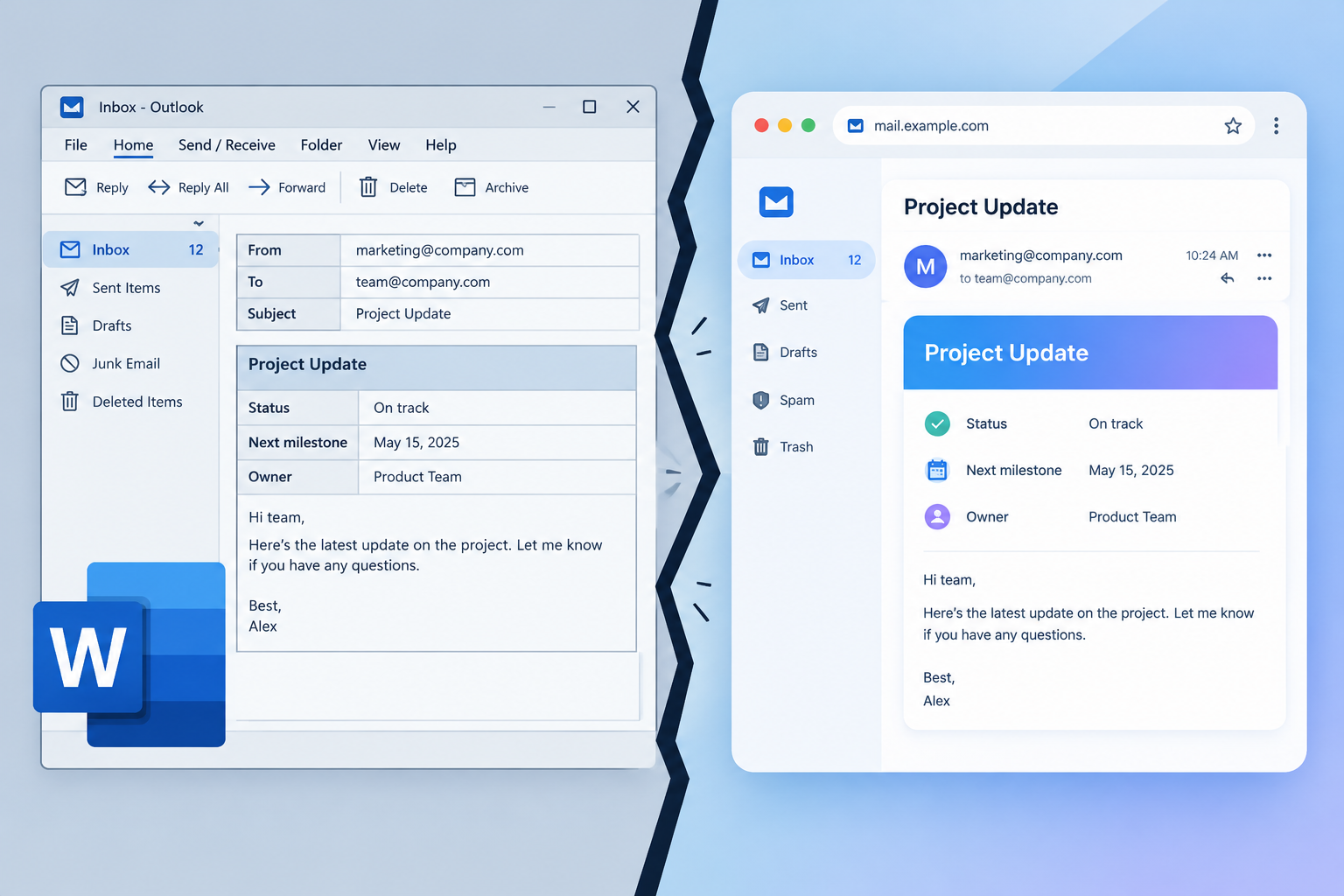
Outlook 2007 swapped Internet Explorer for Microsoft Word as its HTML rendering engine, and classic Outlook for Windows still uses that Word engine in November 2026. If your subscribers include business readers on Windows desktops, you still have to code for it, with VML for background images, table layouts and conditional comments. The new Outlook for Windows uses a browser-based engine and renders much like Outlook on the web, but Microsoft has pushed its enterprise opt-out phase to March 2027 and says it will support classic Outlook until at least 2029. Two other things have changed since this post was written: open rates are inflated by Apple Mail Privacy Protection, and Gmail, Yahoo and Microsoft now require SPF, DKIM and DMARC from bulk senders.
What Microsoft changed in Outlook 2007
You have probably heard by now that Microsoft changed how Outlook 2007 displays email. The main change was that it used Word as the rendering engine in place of Internet Explorer. This blog covered the switch in our January 16th post. eROI reported at the time that 3% of people already using Outlook had adopted Outlook 2007 in the first 10 days after release. MarketingSherpa put all versions of Outlook at about 79.6% of business email clients back then. Those numbers showed how much this could affect an email marketing campaign.
The prediction at the time was that adoption would keep rising over the next six months, and that email design standards would have to change quickly to keep up. That turned out to be right, and then some. Outlook 2010, 2013, 2016, 2019, 2021, 2024 and the Microsoft 365 desktop app all kept the Word engine. Outlook 2007 itself has been out of support since its extended support ended in October 2017. Office 2016 and 2019 followed on October 14, 2025, and Office LTSC 2021 on October 13, 2026.
The share figures are very different now. Litmus measures email client market share by tracked opens, and its 2026 figures put Apple Mail and Gmail together at close to 90% of opens, with Outlook desktop at roughly 6%. Apple’s share is inflated by Mail Privacy Protection, so treat these numbers as a rough guide. Your own list may have far more Outlook users than average, especially if you send B2B email.
What your design team should know
The most important thing to remember is that Outlook 2007 does not support CSS background images. The original advice was this: if text sits over an image that is not one solid colour, hard-code the text into the image.
That advice is out of date. Text baked into images disappears when images are blocked. Screen readers can’t read it, it can’t be searched, and it often looks wrong in dark mode. These days you keep the text live and add the background image for the Word engine with VML (Vector Markup Language), placed inside a conditional comment that only Outlook reads. Campaign Monitor’s backgrounds.cm generator and Beefree’s guide both produce this code. Other clients get a standard CSS background image plus a solid fallback colour.
Here is a simplified version of the pattern:
<td background="https://example.com/bg.jpg" bgcolor="#1f3a5f" style="background-image:url('https://example.com/bg.jpg');">
 <!, [if gte mso 9]>
 <v:rect xmlns:v="urn:schemas-microsoft-com:vml" fill="true" stroke="false" style="width:600px;height:300px;">
 <v:fill type="frame" src="https://example.com/bg.jpg" color="#1f3a5f" />
 <v:textbox inset="0,0,0,0">
 <![endif], >
 <div>Live, readable headline text</div>
 <!, [if gte mso 9]>
 </v:textbox>
 </v:rect>
 <![endif], >
</td>
Some limits still apply. Outlook doesn’t support nested VML, so you can’t layer one VML background on top of another. Always pick a fallback colour that keeps the text readable on its own.
Other points to keep in mind
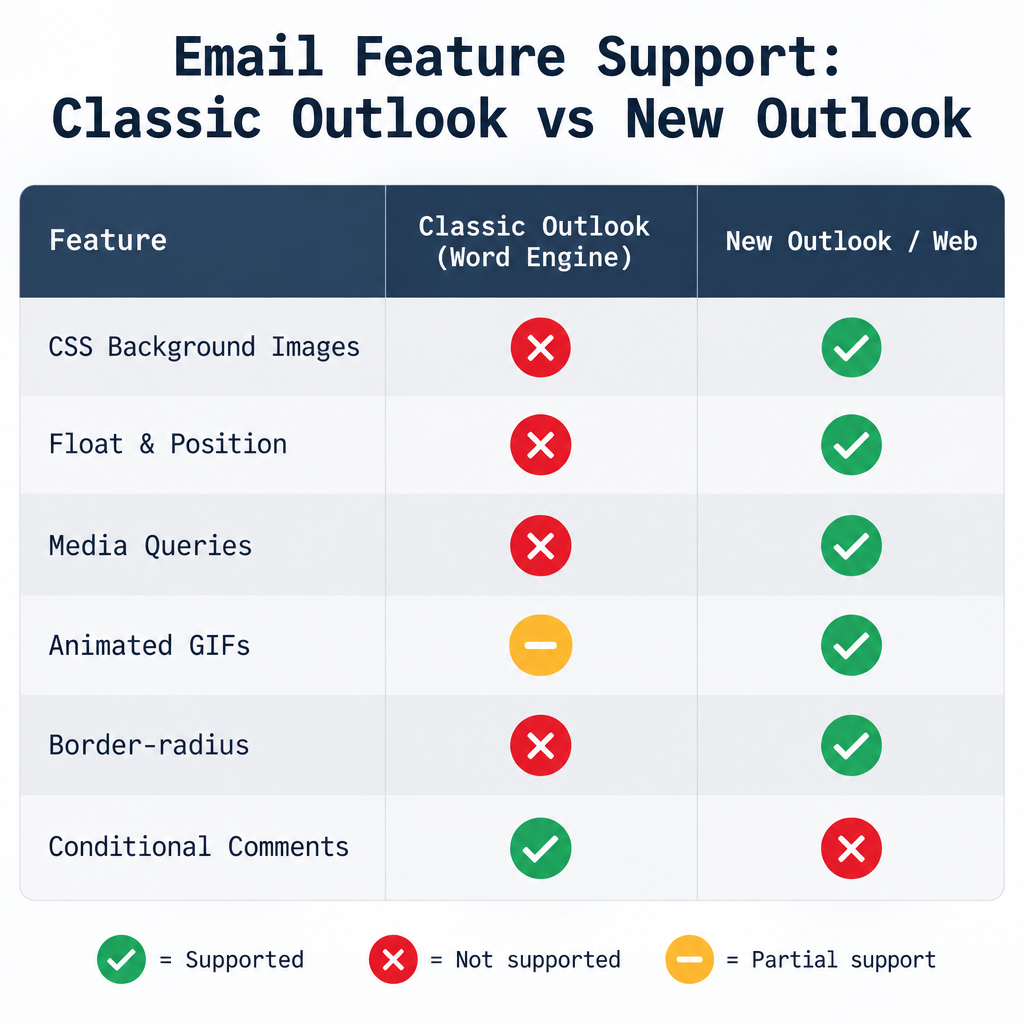
The Word engine brings more limits than missing backgrounds. These are the ones that still matter today.
Classic Outlook for Windows also has these quirks:
| Feature | Classic Outlook (Word engine) | New Outlook for Windows, Outlook on the web |
|---|---|---|
| CSS background images | Not supported, use VML | Supported |
| Padding and margin on div elements | Unreliable, use table cells | Supported |
| Float and positioning | Not supported | Mostly supported |
| Media queries | Ignored | Supported |
| Animated GIFs | Outlook 2007 to 2013 show only the first frame | Animate |
| Rounded corners (border-radius) | Ignored, use VML for buttons | Supported |
Conditional comments (<!, [if mso]>) |
Read | Ignored |
In practice, build with nested tables, put inline styles on table cells and use fixed widths for the Outlook version. Test in both engines, because many companies run classic and new Outlook side by side during Microsoft’s move to the new app. Check dark mode as well. Classic Outlook on Windows can fully invert colours, so transparent PNG logos and dark text on transparent backgrounds are common failures.
For the original background reading on the Word engine change, click here and here.
What changed beyond rendering
Rendering is now only part of getting into the Outlook inbox. Since February 2024, Gmail and Yahoo have required bulk senders to authenticate with SPF and DKIM and to publish a DMARC policy, along with other requirements. They also require one-click unsubscribe (RFC 8058, mandatory from June 1, 2024) and expect you to keep spam complaint rates below 0.3%. Gmail tightened enforcement in November 2025 and now rejects more non-compliant mail outright.
Microsoft brought in similar rules for Outlook.com, Hotmail.com and Live.com on May 5, 2025. Microsoft’s rules apply to domains sending more than 5,000 messages a day to its consumer email services, while Gmail and Yahoo define bulk senders by their own criteria. Microsoft’s updated announcement says mail that fails is rejected with a 550 5.7.515 error. A minimum DMARC record looks like this:
_dmarc.example.com. TXT "v=DMARC1; p=none; rua=mailto:[email protected]"
Start at p=none, fix every sending source that fails in your reports, then move to quarantine or reject. Open rates also mean less than they did. Apple Mail Privacy Protection preloads images, so clicks, conversions and Outlook-specific rendering checks are better signs of whether an email worked.
FAQ
Does Outlook still use Word to render HTML email?
Classic Outlook for Windows does, in every version from 2007 to the current Microsoft 365 desktop app. The new Outlook for Windows, Outlook on the web and Outlook for Mac, iOS and Android use other engines that handle modern HTML and CSS far better. Plan for both engines until your audience data shows that classic Outlook use has faded.
When will classic Outlook go away?
Microsoft has not set a final cutover date. It moved the enterprise opt-out phase, when new Outlook becomes the default but users can still switch back, to March 2027. It says it will support existing classic Outlook installs until at least 2029, and admins get at least 12 months’ notice before the final cutover.
How do I get a background image to show in Outlook?
Use VML inside an <!, [if gte mso 9]> conditional comment, and use CSS background-image with a solid bgcolor fallback for every other client. Keep the text live, not baked into the image, so it stays readable when images are blocked and in dark mode.
Is Outlook 2007 still worth testing?
Not on its own. It has been unsupported since 2017 and barely shows up in client data. The Word engine it introduced is still worth testing, so check current classic Outlook builds on Windows at a few DPI settings, plus new Outlook and Outlook.com.
Why do my emails look fine in Outlook.com but broken in desktop Outlook?
Outlook.com and new Outlook render in the browser, while classic desktop Outlook uses Word. Layouts that depend on div padding, floats, media queries or CSS backgrounds can break in Outlook on Windows, though support varies by Outlook version and platform. Table-based layouts with conditional comments fix most of these problems.
Do Microsoft’s sender rules affect rendering?
No. They decide whether your message is delivered at all. A perfectly coded email still gets rejected by Outlook.com if your domain sends more than 5,000 messages a day to Microsoft’s consumer addresses without passing SPF, DKIM and DMARC.
Sources
- Google Workspace Admin Help: Email sender guidelines
- Yahoo Sender Hub: Sender best practices and requirements
- Microsoft Tech Community: Outlook’s new requirements for high-volume senders
- Microsoft Tech Community: Office 2016 and 2019 support ends, Office LTSC 2021 end of support
- Microsoft Learn Q&A: Classic Outlook rendering compared with Outlook on the web
- Federal Trade Commission: CAN-SPAM Act, A Compliance Guide for Business
- Litmus: Email client market share
- Campaign Monitor: Bulletproof background images (backgrounds.cm)