
The cheapest way to avoid a correction email is a short pre-send review: check the copy, test every link, address and offer code, and get a second person to approve the campaign before it goes out. If a mistake still gets through, send one clear correction to only the people who got the original, and decide up front whether you will honor a wrong offer. What has changed since this post first ran is the cost of resending. Under the bulk sender rules Gmail and Yahoo introduced in 2024 (SPF, DKIM, DMARC, one-click unsubscribe and a spam rate below 0.3%), every extra send to an annoyed list counts against you, and Gmail started rejecting non-compliant mail more often from November 2025.
Why this topic deserved a second look
An earlier post covered reviewing the quality control basics. Then two separate correction emails arrived in one morning, and both showed mistakes that basic checklist had not covered. That made it worth coming back to the topic.
Mistake one: a wrong RSVP email address
The first correction replaced a message sent the day before. That earlier email asked subscribers to RSVP for an upcoming event by writing to an email address. The address was wrong: it had an extra “s” at the end. The correction asked subscribers who wanted to attend to reply to the new message instead.
A quick review of the copy before the email went out would have caught the typo. It would also have saved the brand some embarrassment and a second send.
Today this mistake is easier to catch and more expensive to miss. Most email service providers, Mailchimp among them, let you send a test email to yourself before launch. Clicking every link and mailto address in that test copy takes a couple of minutes. If your fix tells people to “reply to this email”, check first that the reply-to address is a real, monitored inbox and not a no-reply address.
Mistake two: the wrong offer went out
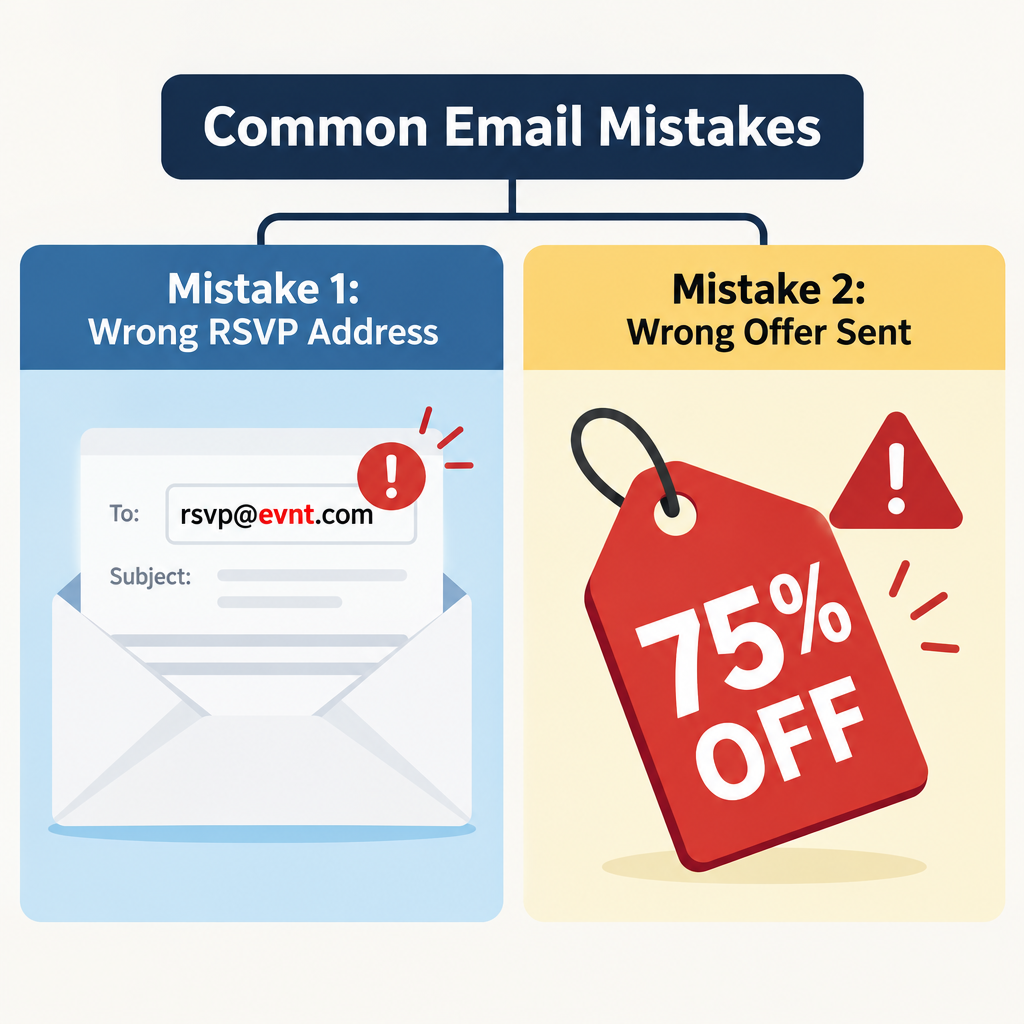
The second correction was about an incorrect offer. The recipient had opted in to this brand’s emails only two days earlier and had never received the original message.
The brand decided to honor the wrong offer, 75% off, which was generous. But the correction then opened that offer to everyone on the list, including people who signed up after the first email went out.
Honoring the offer was a fair choice. Sending the correction to the whole list was not needed. A tighter fix would have gone only to the people who received the original message. Most ESPs now let you build a segment from the recipients of one past campaign, so limiting a correction like this takes a few clicks. That approach also keeps a costly discount from spreading to new subscribers who never saw the mistake.
How to minimize the risk
Mistakes happen, because people send email. Still, there are ways to lower the risk:
Reviewing the copy and getting approvals would have prevented both of these correction emails.
FAQ
Should you always send a correction email after a mistake?
No. Send one when the mistake stops people from acting, such as a broken link, a wrong address, a wrong date or a wrong price. Small typos that change nothing usually aren’t worth a second email, because every extra send adds a chance of spam complaints and unsubscribes.
Who should receive the correction email?
Only the people who got the original message. Build a segment from that campaign’s recipient list so new subscribers don’t get a fix for an email they never saw. In the offer example above, mailing the whole list also handed a 75% discount to people who were never meant to get it.
Can a correction email hurt deliverability?
Yes, if it causes complaints. Google asks bulk senders (more than 5,000 messages a day to personal Gmail accounts) to keep the spam rate shown in Postmaster Tools below 0.3% and ideally under 0.1%. Yahoo uses the same 0.3% figure. A short, honest correction sent to the right segment rarely causes trouble, but a string of resends to your whole list can.
Does a correction email still have to follow CAN-SPAM?
Yes, if it is commercial. It needs an honest subject line, a working opt-out and your physical postal address. Under the FTC’s January 2025 inflation adjustment, penalties can reach $53,088 for each email that breaks the rules. A plain subject line such as “Correction: the right RSVP address” meets the rules and tells readers exactly why they’re getting a second email.
Can you just resend to people who didn’t open the first email?
Not reliably. Apple Mail Privacy Protection, launched with iOS 15 in 2021, preloads images, so many Apple Mail users show up as “opened” even if they never read the email. If the mistake matters, send the correction to everyone who received the original, not only to the apparent non-openers.
What belongs on a pre-send QA checklist in 2026?
Proofread the copy. Click every link and mailto address. Check offer codes, prices and dates against the brief, and confirm the reply-to inbox is monitored. Then send a test email and check it on mobile and in dark mode. Also confirm the one-click unsubscribe header is in place, because Gmail and Yahoo have required it for bulk marketing mail since 2024.
Sources
- Google Workspace Admin Help: Email sender guidelines FAQ
- Yahoo Sender Hub: Sender best practices
- Federal Trade Commission: CAN-SPAM Act, A Compliance Guide for Business
- Microsoft Outlook Blog: Outlook’s new requirements for high-volume senders
- Mailchimp Help Center: Preview and test your email campaign