
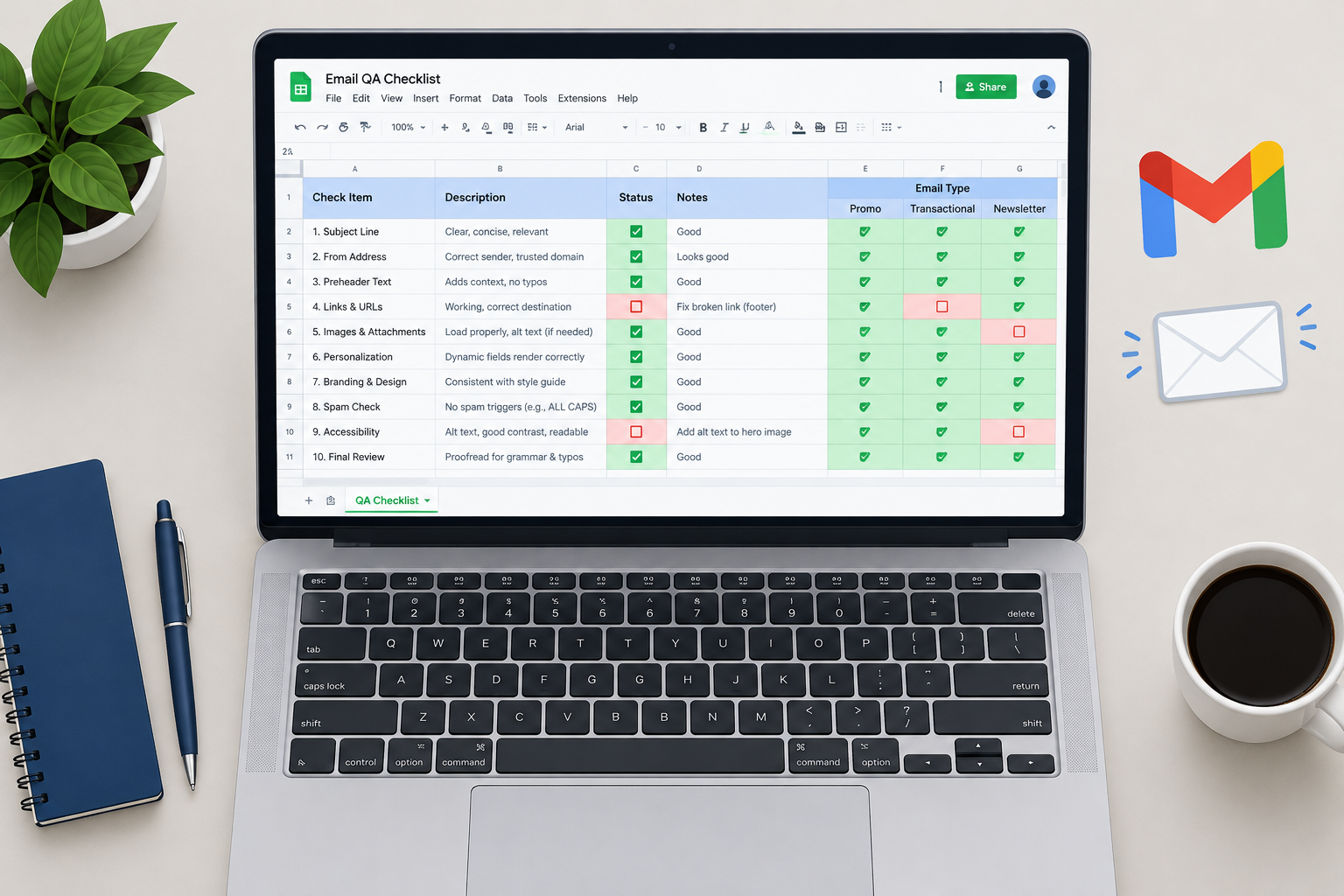
As of November 2026, Google Sheets is still a good free tool for a shared email QA checklist. It’s the spreadsheet app in the family once called simply Google Docs, and Google Forms gives each reviewer a quick way to log a sign-off. What has changed is what the checklist has to cover. Since February 2024, Gmail and Yahoo have required bulk senders to authenticate with SPF and DKIM, publish a DMARC record, offer one-click unsubscribe and keep spam complaints below 0.3%, and Microsoft began enforcing similar rules for Outlook.com on May 5, 2025. A current QA sheet needs rows for those checks alongside the classic ones for links, images, mobile and dark mode.
Another Google tool for email marketers
You can use another Google tool to support your email marketing. When this post first appeared, BlueSkyFactory had a clever way of using AdWords and the Wonder Wheel to come up with subject lines. ExactTarget had also suggested that Google Docs suits quality assurance management.
Both examples are now history. Google took the Wonder Wheel offline in mid-2011, and the same summer WhatCounts acquired Blue Sky Factory. AdWords has since become Google Ads. Salesforce bought ExactTarget in 2013 for about $2.5 billion, and its email tools continue as Email Studio inside Salesforce Marketing Cloud Engagement. The advice about QA has lasted longer than any of those brands.
Why a browser-based sheet works for QA
A free Google Account is all you need for creating forms and spreadsheets here. You don’t need a Gmail address to sign up. Every Google Account comes with 15 GB of free storage, shared across Gmail, Google Drive and Google Photos, and that’s far more than a checklist will ever use.
The original case against Excel or Numbers was that you didn’t need to run another program, because the app was already in your web browser. That argument is weaker now, since Excel also runs in a browser. The stronger reason today is collaboration:
- One live file. Designers, copywriters and whoever presses send all work on the same checklist. Nobody emails “final_v3.xlsx” around.
- Comments and version history. You can see who signed off on which check, and when.
- Forms feed Sheets. Each reviewer can fill in a short Google Form, and every answer lands as a row in a linked sheet.
Tracking what works and what breaks
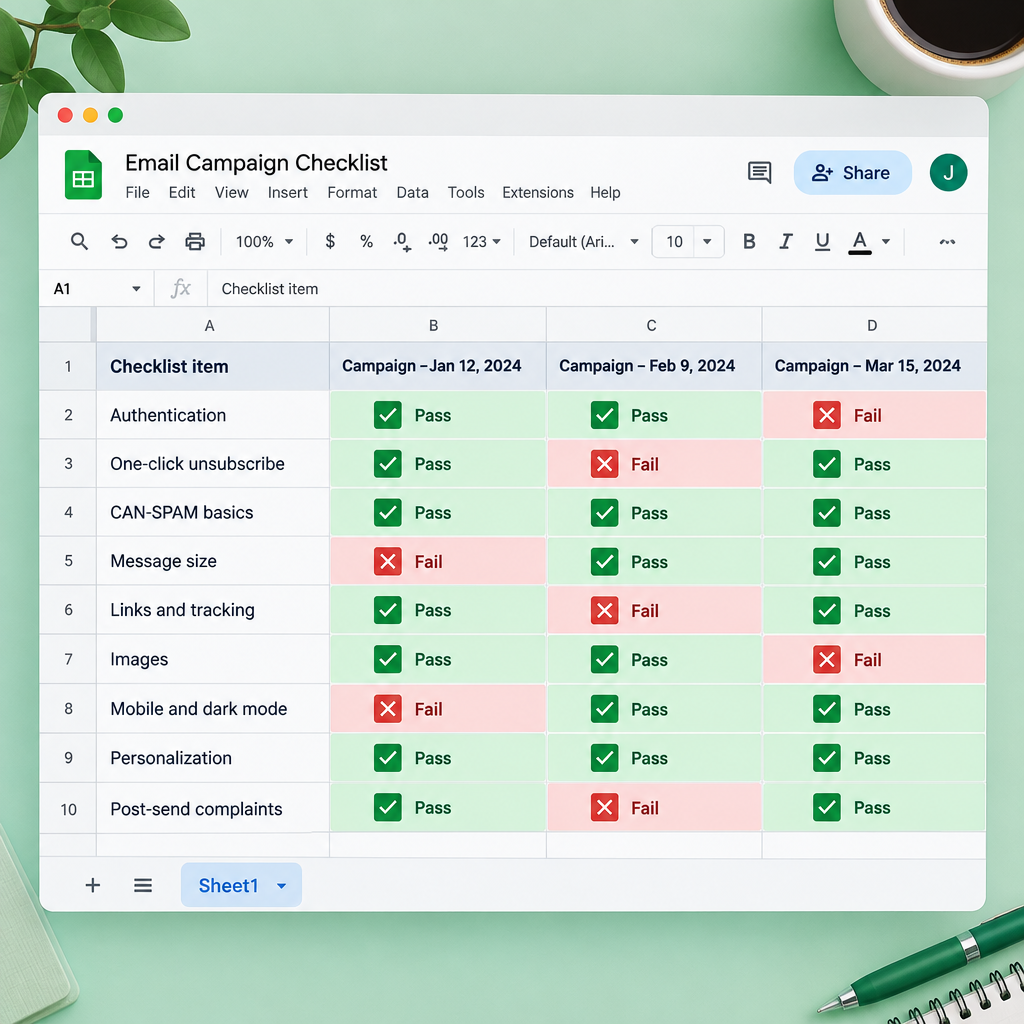
The best approach is to keep every campaign’s checks and errors in one shared list instead of loose notes. Many teams track what works and what doesn’t in Excel, and moving that file to Google Sheets adds the efficiency and collaboration a desktop file lacks.
The original post asked readers how they track changes and breakages in their campaigns. Did they just list the errors, or collect them in lists shared with co-workers? Shared lists win. If each person keeps a private list of errors, the same mistake comes back three campaigns later. A shared sheet with one row per check and one column per campaign shows patterns, like a footer link that breaks every month.
A sample QA checklist for 2026
The checks that matter most now are authentication, unsubscribe handling and message size. A broken link costs clicks. A failed DMARC check can cost delivery to every Gmail, Yahoo and Outlook.com address on your list.
| Check | What to verify before sending | Why it matters now |
|---|---|---|
| Authentication | SPF and DKIM pass, a DMARC record exists, the From domain aligns | Required for bulk senders by Gmail and Yahoo since February 2024, and by Outlook.com (domains sending 5,000+ messages a day to its consumer addresses) since May 5, 2025 |
| One-click unsubscribe | List-Unsubscribe and List-Unsubscribe-Post headers present, plus a visible link in the body | Gmail and Yahoo expect bulk senders to process unsubscribes within two days |
| CAN-SPAM basics | Accurate From and subject line, valid physical postal address, working opt-out | The FTC requires opt-outs to be honored within 10 business days |
| Message size | HTML under roughly 102 KB | Gmail clips larger messages behind a “View entire message” link, which can hide the footer and the open-tracking pixel |
| Links and tracking | Every link resolves, UTM tags are correct | Broken links waste the clicks you worked for |
| Images | Alt text on every image, layout holds with images off | Many readers see an email before its images load |
| Mobile and dark mode | Text is readable on small screens, logos stay visible on dark backgrounds | Most opens happen on phones, and dark mode is common |
| Personalization | Merge fields have fallbacks, no “Hi FIRSTNAME” | Broken merge tags look careless and get reported as spam |
| Post-send complaints | Spam rate in Google Postmaster Tools | Google asks senders to stay below 0.1% and never reach 0.3% |
For the authentication row, the DMARC check comes down to whether a record like this one exists in DNS:
_dmarc.example.com. IN TXT "v=DMARC1; p=none; rua=mailto:[email protected]"
For the unsubscribe row, view the raw source of a test send and confirm both headers are there:
List-Unsubscribe: <https://example.com/unsubscribe?id=12345>, <mailto:[email protected]>
List-Unsubscribe-Post: List-Unsubscribe=One-Click
How to build the sheet
You can set up a working checklist in Google Sheets in about ten minutes.
- Create a new spreadsheet. Put the checks in column A and add one column per campaign or send date.
- Select the campaign columns and choose Insert > Checkbox so reviewers tick items off instead of typing “OK”.
- Add a “Status” column with a dropdown (Data > Data validation) using values such as Pass, Fail and Fixed.
- Use Format > Conditional formatting to turn any Fail cell red so problems stand out.
- Optionally, build a Google Form for reviewer sign-off and link it from the form’s Responses tab with Link to Sheets.
- Share the sheet with your team and use comments on failed cells to assign fixes.
What to record in the results columns
Track clicks, bounces and complaints rather than opens. Apple Mail Privacy Protection, introduced with iOS 15 in September 2021, preloads images, so many Apple Mail users register an “open” whether they read the email or not. Gmail’s image proxy also changes what open data can tell you. If your results columns compare open rates from before and after 2021, the trend shows a change in measurement more than a change in reader behavior.
Start with a free checklist
If you don’t have a QA process yet, build one, and a Google Sheet is a sensible place to start. It’s free, quick to set up and easy to share.
There is a fair counter-argument. Teams sending complex campaigns usually need rendering previews from a dedicated testing tool, and many ESPs now include their own approval workflows. A spreadsheet can’t show you how an email renders in Outlook or on an Android phone. Use the sheet as the record of what was checked and who signed off, and let the testing tools do the rendering.
The first rows to add are the ones the mailbox providers enforce: authentication, one-click unsubscribe and spam rate. Get those right before you worry about pixel-perfect buttons.
FAQ
Is Google Sheets better than Excel for an email QA checklist?
For most small teams, yes, because it’s free and several people can edit the same file at once. Excel now also runs in a browser, so the gap is smaller than it used to be. Choose whichever tool your team already shares files in.
What should every email QA checklist include in 2026?
At a minimum: SPF, DKIM and DMARC passing, a working one-click unsubscribe, a valid postal address, checked links, image alt text, a mobile and dark mode check, and a message size under about 102 KB. After sending, track your spam complaint rate in Google Postmaster Tools.
Who counts as a bulk sender under the Gmail and Yahoo rules?
Google defines bulk senders as those sending close to 5,000 or more messages a day to personal Gmail accounts. Yahoo doesn’t publish a fixed number in its Sender Hub. Microsoft’s Outlook.com rules apply to domains that send more than 5,000 emails a day to Outlook.com consumer addresses. Smaller senders still benefit from following the same rules.
Can Google Forms replace a QA sign-off process?
It can handle the sign-off part. Each reviewer submits a short form confirming their checks, and the responses collect in a linked sheet with timestamps. It doesn’t test rendering or deliverability, so pair it with test sends and a preview tool.
Should a QA sheet track open rates?
Track them if you like, but don’t rely on them. Apple Mail Privacy Protection inflates opens for Apple Mail users, so clicks, conversions, bounces and spam complaints give a more reliable view of what’s working.
Sources
- Google Workspace Admin Help: Email sender guidelines and the email sender guidelines FAQ
- Google Postmaster Tools Help
- Yahoo Sender Hub: Sender best practices and FAQs
- Microsoft Outlook Blog (Microsoft Tech Community): new requirements for high-volume senders, April 2025
- Federal Trade Commission: CAN-SPAM Act, A Compliance Guide for Business
- Google Docs Editors Help: Google Sheets and Google Forms
- Salesforce Trailhead: Get Started with Email Studio