
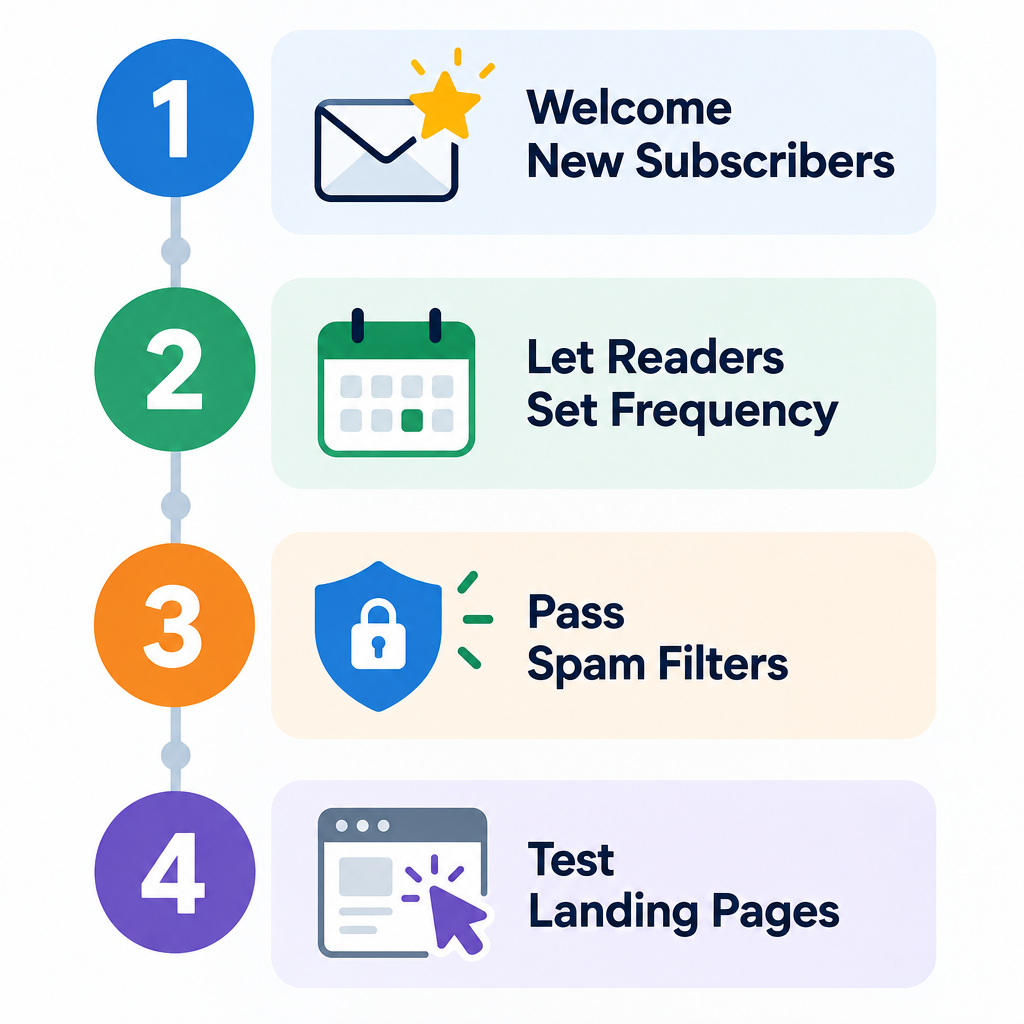
The four steps still work in November 2026: put the most effort into new subscribers, let readers control how often they hear from you, get past spam filters, and test the landing pages your emails send people to. The filtering step has changed the most. Since February 2024, Gmail and Yahoo have required bulk senders to use SPF, DKIM and DMARC, offer one-click unsubscribe and keep spam complaints below 0.3%. Microsoft added similar rules for Outlook.com in May 2025. Apple Mail Privacy Protection also inflates open rates, so clicks and conversions are now better measures of results than opens.
When this post was first written, a common industry claim was that email list sizes were growing by about 40% a year. Whatever your list’s growth rate is today, the four steps below still help you get the most responses from it.
1. Pay special attention to your newest subscribers
New subscribers respond more than anyone else on your list, so your welcome message is one of the most valuable emails you send. The original version of this post said welcome messages got almost twice the response of regular emails, and that people who had been on a list for less than 90 days responded the most. Both patterns still show up in current data.
Omnisend’s benchmark data puts welcome emails at a 35.53% open rate and $6.16 in revenue per email, well above regular campaigns. Keep in mind that Apple Mail Privacy Protection preloads tracking pixels. That makes many opens look real when they aren’t, so judge your welcome series mainly by clicks and first purchases.
Many welcome messages still just say “Welcome to our list.” Give new subscribers something they can use instead:
- A coupon or a specific first-order offer
- The latest issue of your newsletter, or your most popular past issue
- A short note on what you will send and how often
- A link to your preference center, so they can choose topics from day one
Today the welcome message is usually the first email in an automated series of two to four emails, not a single send. Every ESP worth paying for, including Mailchimp, Klaviyo, Omnisend and MailerLite, can trigger the series automatically when someone signs up.
2. Select the best email frequency
The best frequency is the one your readers choose. People only open and read emails that have useful content, and successful email marketers spend time and money finding out what their subscribers want to read.
Some marketers offer a list of topics their readers care about. That lets subscribers decide how much email they get based on relevance, not a fixed schedule. Marketers who give subscribers this kind of control often end up sending more email than those who don’t, because each message goes to people who asked for it.
You can also find out what your readers want through:
- Surveys. Ask how often people want to hear from you, and about which topics.
- Segmentation. Split your list by interest, purchase history or engagement, and give each segment its own schedule.
- Testing. Try different frequencies with matched groups and compare clicks, conversions, unsubscribes and spam complaints.
Once you have this information, give your readers what they asked for.
Frequency now affects deliverability as well as response. Gmail’s inbox tabs and engagement-based filtering mean that mailing people who never interact can push your messages into the Promotions tab or the spam folder. A sunset policy helps: send a re-engagement email to subscribers who have been inactive for several months, then remove the ones who don’t respond. Yahoo’s sender best practices also recommend reconfirming or pruning inactive subscribers instead of mailing them forever.
3. Avoid false positives and get past spam filters
Today, getting past filters depends mostly on authentication, low complaint rates and easy unsubscribes. Asking people to whitelist you matters much less.
The old approach
In business-to-business email, it is hard to know whether your messages are being blocked by filters behind company firewalls. This post’s original advice was to send a plain-text version if your open or click-through rates dropped sharply. If results improved, you could assume your HTML emails were being blocked.
The post also cited a Silverpop study that found 78% of companies did not ask subscribers to whitelist them, and it called whitelisting the best way to avoid being labeled a spammer. Silverpop was bought by IBM in 2014. In 2019, IBM sold its marketing business, which became Acoustic. Both the study and the plain-text test date from an earlier period of email.
What works now
Asking subscribers to add you to their contacts or safe senders list still helps a little. But the major mailbox providers now publish rules that decide whether your mail is delivered at all:
| Provider | Applies to | Key requirements | In effect since |
|---|---|---|---|
| Gmail | About 5,000+ messages a day to personal Gmail accounts | SPF, DKIM and DMARC (at least p=none) with alignment; one-click unsubscribe; unsubscribes honored within 2 days; spam rate below 0.3% | February 2024, with stricter enforcement from November 2025 |
| Yahoo | Bulk senders (no public volume threshold) | SPF, DKIM, DMARC (at least p=none) with alignment; one-click unsubscribe; low complaint rate | February 2024 |
| Outlook.com (including Hotmail and Live addresses) | More than 5,000 messages a day | SPF and DKIM must pass; DMARC published at p=none or stricter, aligned with SPF or DKIM | May 5, 2025 |
Since November 2025, Gmail has increased enforcement against mail that doesn’t meet these rules. Non-compliant mail can now be temporarily or permanently rejected, and Google Postmaster Tools shows the rejection reasons.
A basic DMARC record to start with looks like this:
_dmarc.example.com. TXT "v=DMARC1; p=none; rua=mailto:[email protected]"
After the reports show that all your legitimate mail passes, move to p=quarantine and then p=reject.
To check whether filters are blocking you, use Google Postmaster Tools for Gmail, Yahoo Sender Hub for Yahoo, and Microsoft SNDS for Outlook.com. Add an inbox placement test using seed accounts. These tools show your spam rate, authentication results and reputation directly, so you don’t have to guess from an HTML versus plain-text comparison. Aim for a spam rate below 0.1% and treat 0.3% as the absolute ceiling.
4. Test your landing pages
The click is only half the job. The page it leads to decides whether you get the conversion. Stefan Tornquist, then Research Director at MarketingSherpa, said that “landing pages are a huge part of our interaction with consumers.” The original post also cited figures showing that testing email landing pages could change conversion rates by an average of 40%. Treat that number as old and directional, because your own tests are the only figures that count for your list.
Use both kinds of test:
- Classic A/B tests compare two versions of one element, such as the headline, offer or call to action. They need less traffic and give clear answers.
- Multivariate tests change several elements at once to find the best combination. They need a lot more traffic to reach reliable results.
Match the landing page to the email that sent the click. Use the same offer, the same wording and the same visual style. Build and test it for phones first, because most people open email on mobile, and a page that loads slowly or breaks on a small screen loses the click you worked to get. Check your email in dark mode too, since many readers now use it in Apple Mail, Gmail and Outlook.
Where to start
If you only have time for one step this month, start with authentication and your spam rate. A great welcome series and well-tested landing pages are worth nothing if your mail is rejected before it reaches the inbox. Once Postmaster Tools shows your domain is healthy, build the welcome series, because that is where new subscribers respond the most.
FAQ
Do the Gmail and Yahoo sender rules apply to small senders?
Some of them do. Every sender to Gmail needs SPF or DKIM, valid DNS records and a spam rate below 0.3%. The full set of rules, including DMARC, alignment and one-click unsubscribe, applies to senders of roughly 5,000 or more messages a day. Following all of the rules is still the safest choice at any volume.
Are open rates still a reliable measure of results?
Not on their own. Apple Mail Privacy Protection loads tracking pixels automatically, which records opens that never happened, and Apple Mail accounts for a large share of the opens tracked in Litmus’s email client data. Use clicks, conversions, revenue per email and unsubscribe rate as your main measures, and use opens only to spot trends.
How often should I send marketing emails?
Base it on what your subscribers say they want and how they respond. A preference center that lets people choose topics and frequency usually beats one fixed schedule for everyone. Watch your spam complaint rate as you send more, because complaints affect where your mail lands faster than unsubscribes do.
What does one-click unsubscribe mean technically?
It means sending both the List-Unsubscribe and List-Unsubscribe-Post headers defined in RFC 8058, so the mailbox provider can unsubscribe the reader with a single click, without opening a web page. Most major ESPs add these headers automatically. Gmail expects unsubscribe requests to be processed within two days.
Does CAN-SPAM still apply if I follow the Gmail and Yahoo rules?
Yes. The mailbox provider rules are separate from the law. The FTC’s CAN-SPAM guide requires accurate header and subject lines, a valid physical postal address, a clear way to opt out, and opt-outs honored within 10 business days. It also applies to business-to-business email, and penalties are counted per violating email.
How many emails should a welcome series have?
Two to four emails over the first one to two weeks is a common pattern. Send the first email immediately with the offer or content you promised at signup. Use the later emails to introduce your best content or products and to ask about preferences.
Sources
- Google: Email sender guidelines FAQ
- Yahoo Sender Hub: Best practices
- Microsoft Tech Community: Outlook’s new requirements for high-volume senders
- Microsoft Outlook.com Postmaster: Policies, practices and guidelines
- FTC: CAN-SPAM Act, a compliance guide for business
- Omnisend: Email marketing benchmarks