
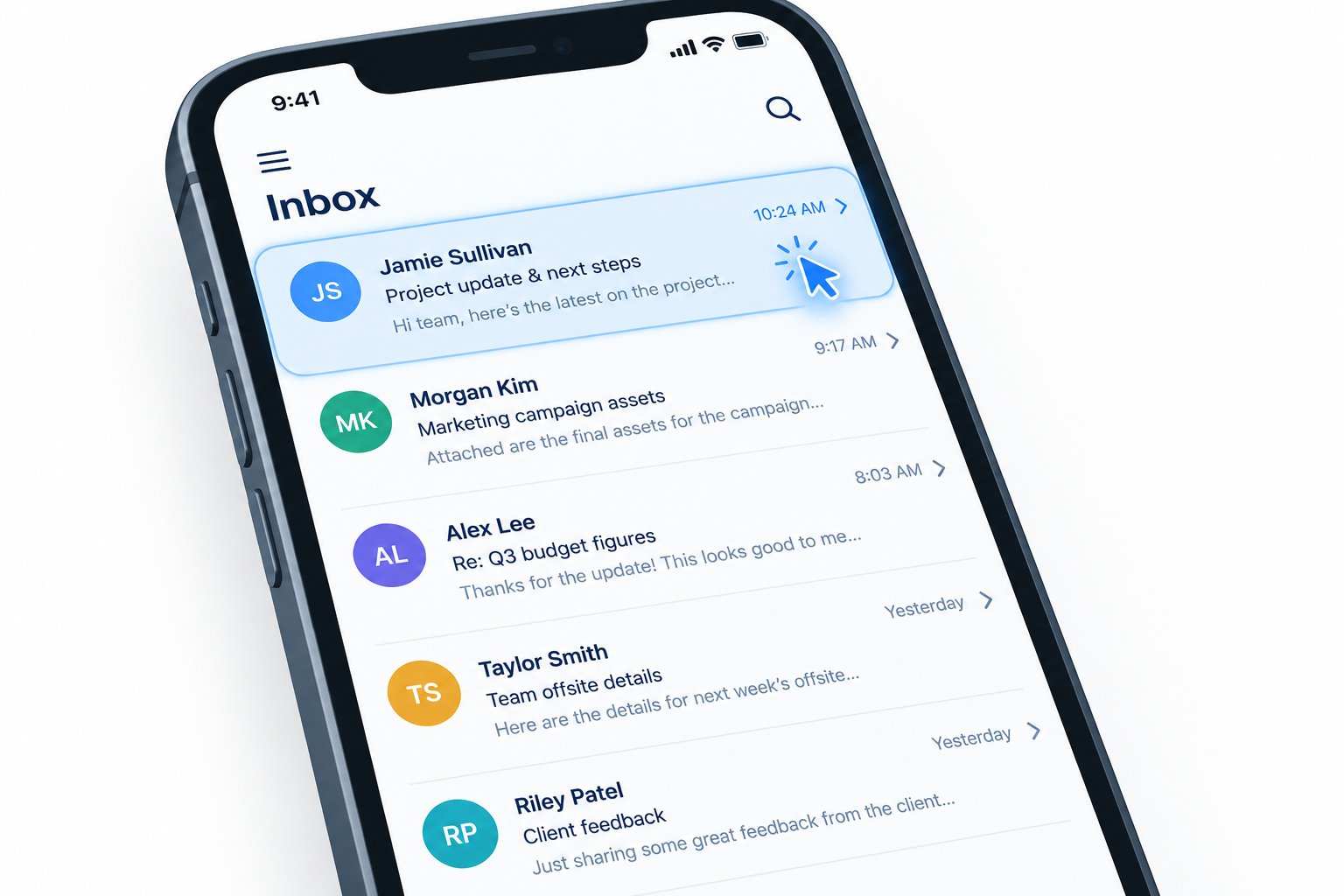
A good subject line still decides whether your email gets opened. In November 2026 it needs to be short (about 25 to 30 characters show on most phones), honest about what’s inside, sent from a name people recognise, and A/B tested. The bigger change since this post first ran is in how you measure success. Apple Mail Privacy Protection has inflated open rates since 2021, and Apple Mail’s AI summaries now often replace your preview text. Since February 2024, Gmail and Yahoo have also required bulk senders to authenticate their mail, offer one-click unsubscribe and keep spam complaints low, and no subject line will rescue an email that fails those checks.
As your business turns to email marketing campaigns to get the most out of your advertising budget, your campaigns need to be clearly defined and targeted to your audience. The goal is to send the right message to the right people, so that your message gets opened and read.
Inboxes keep getting more crowded, and getting your message noticed is hard. Getting it opened is half the battle. The subject line is the customer’s first contact with your message, so it has to be interesting and believable.
Today it competes with more than other emails. Gmail sorts many marketing messages into its Promotions tab. Apple Mail on supported iPhones, iPads and Macs can show an AI summary under the subject line instead of the preview text you wrote. So the subject line and the sender name are the two parts of the inbox view you fully control.
So how do you make the best first impression with your subject line?
Emphasise user benefits
Tell readers what they get by opening, in plain words. Specific benefits beat clever wording and brand-speak.
- Be direct and write as if you’re speaking to one person.
- Name immediate benefits or rewards, such as coupons, discounts or free shipping, when you’re actually offering them. “Free shipping on orders over $50 until Sunday” tells the reader more than “Big news inside.”
- Don’t sell your product with company or brand-specific feature names. Highlight benefits that are easy to understand.
- Make sure the email delivers what the subject line promises. Under the US CAN-SPAM Act, the FTC says a subject line must not mislead people about what’s in the message. According to the FTC, each email that violates the law can incur civil penalties of up to $53,088.
Keep the subject line concise
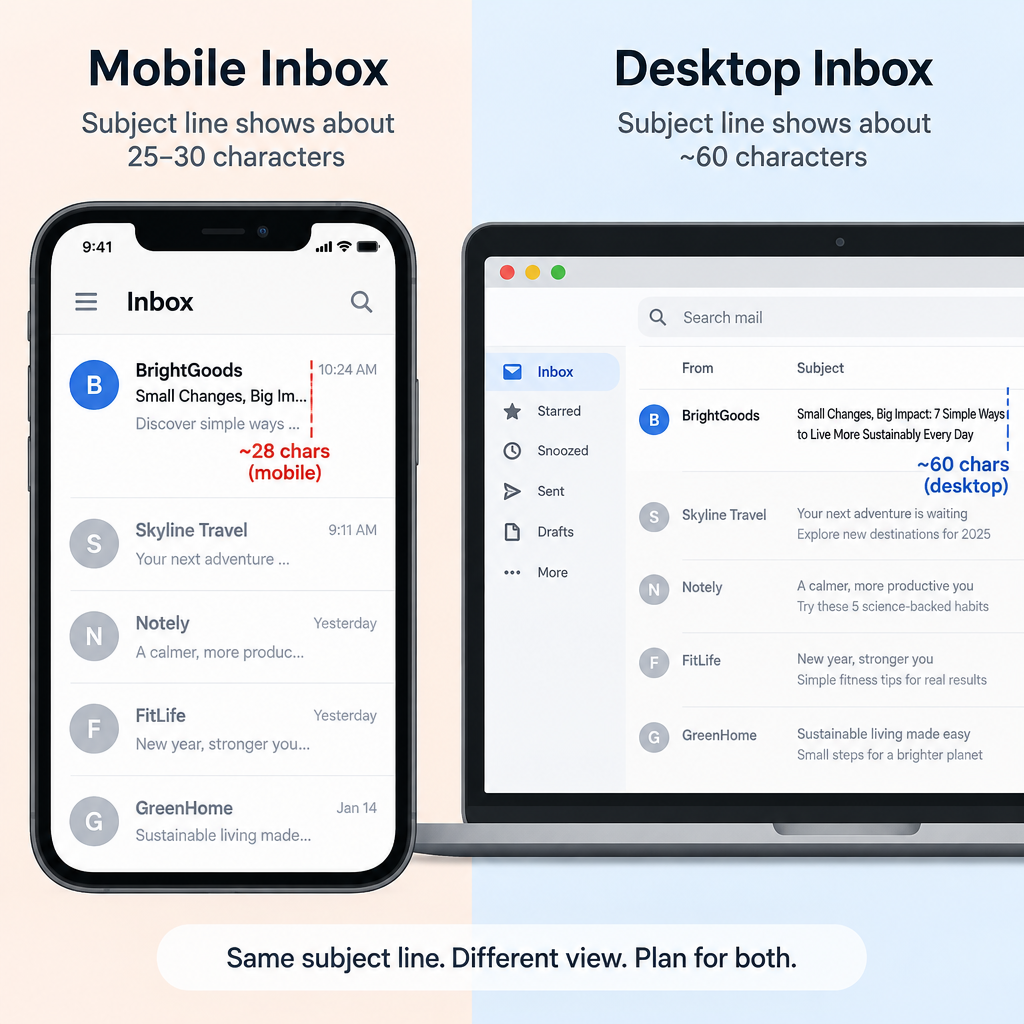
Short subject lines survive the small screens where most people read email. According to Litmus, a desktop inbox shows about 60 characters of a subject line, but mobile devices show only 25 to 30. Put the words that matter first.
- Keep the subject line short. Intuit’s QuickBooks email guidance, based on Mailchimp open-rate data, says subject lines under 9 words perform best.
- Avoid hard selling and sensationalism. Skip needless capitals and strings of exclamation points. Mailchimp’s guidance suggests no more than 3 punctuation marks per subject line, because heavy punctuation looks like spam to readers.
- Stick to the facts and use simple, descriptive words.
- Write the preview text too. Many people, especially on desktop and in Gmail, still see it, but don’t rely on it. Apple Mail’s summaries can replace it, so the subject line has to make sense on its own.
The original version of this tip said capitals and exclamation points were the first things anti-spam filters caught. That was truer of older word-based filters. Gmail, Yahoo and Outlook.com now weigh sender reputation, authentication and how recipients react much more heavily. Shouting in the subject line still hurts you, mostly because people ignore those emails or mark them as spam, and those spam reports damage your reputation.
Brand your message
People open mail from brands they know and trust. The sender name usually shows before the subject line, so it does much of the branding work.
- Customers are more open to messages from brands they recognise.
- If your company is well known, use its name in the From line, and in the subject line when it helps. A consistent From name such as “Acme Outdoors” builds recognition with every send. A different name each time works against you.
- Your From domain matters as much as the name. Since May 5, 2025, Microsoft has required domains that send more than 5,000 emails a day to Outlook.com addresses to pass SPF, DKIM and DMARC. Mail that fails goes to Junk and can be rejected if the problems continue. Gmail and Yahoo have had similar rules for bulk senders since February 2024.
Test your campaign
Testing subject lines is still the most reliable way to find what your own list responds to. What has changed is how you judge the winner.
- Once your goals are defined, measure how well your email campaign performs against them.
- Use your email platform’s A/B test feature to send two subject lines to small samples of your list, then send the winner to everyone else. The original advice here was to test dynamic content “in real time.” Most email platforms now handle split tests and personalised content automatically.
- Pick winners by clicks or conversions, not opens alone. Apple Mail Privacy Protection, launched with iOS 15 in September 2021, downloads emails in the background (including the tracking pixel) for users who turn it on. That counts an open whether or not anyone read the message. Clicks are largely unaffected.
- Keep testing. Test and test again should be the rule in email marketing, and it’s still often overlooked.
- Watch your spam complaint rate alongside open and click rates. Google’s sender guidelines ask bulk senders to keep the user-reported spam rate below 0.1% and never let it reach 0.3%, which you can track in Google Postmaster Tools. A clever subject line that draws complaints costs you more than it gains.
FAQ
How long should an email subject line be?
Aim to get the key message into the first 25 to 30 characters, because Litmus reports that’s roughly what mobile inboxes show. Desktop inboxes show about 60 characters. Data cited from Mailchimp suggests subject lines under 9 words tend to perform best.
Are open rates still a reliable way to judge a subject line?
Not on their own. Apple Mail Privacy Protection records opens for many Apple Mail users whether they read the email or not, so open rates run higher than real reading. Compare subject lines by click rate, conversions or revenue per email, and use opens only as a rough signal.
Do spam trigger words in the subject line send email to junk?
A single word like “free” rarely decides where your email lands on its own. Gmail, Yahoo and Outlook.com rely mainly on authentication (SPF, DKIM, DMARC), sender reputation and complaint rates. Misleading or shouty subject lines still hurt you, because they lead people to mark the email as spam.
Should I use emojis in subject lines?
Use them sparingly, and only when they fit your brand and add meaning. One relevant emoji can help a subject line stand out, but it can display differently across email apps. Don’t let it replace the words that explain the benefit. Test an emoji version against a plain version before you make it a habit.
Does the preview text still matter?
Yes, but you can’t count on it showing. Gmail and many desktop apps still display it after the subject line. Apple Mail’s AI summaries can replace it on supported devices, so the subject line has to work by itself, and the opening lines of your email should state the main point clearly.
Can a subject line break the law?
Yes. The FTC’s CAN-SPAM guidance says a subject line must accurately reflect what’s in the message, and civil penalties can reach up to $53,088 per violating email. Promising a prize, a refund or a personal reply that the email doesn’t deliver is a clear risk.
Sources
- Google Workspace Admin Help: Email sender guidelines
- Yahoo Sender Hub: Best practices for senders
- Microsoft Outlook.com Postmaster: Policies, practices and guidelines
- Microsoft Tech Community: Outlook’s new requirements for high-volume senders
- Federal Trade Commission: CAN-SPAM Act, a compliance guide for business
- Litmus: Email subject line best practices, and Apple Mail Privacy Protection for marketers
- Intuit QuickBooks Help: Best practices for email subject lines