
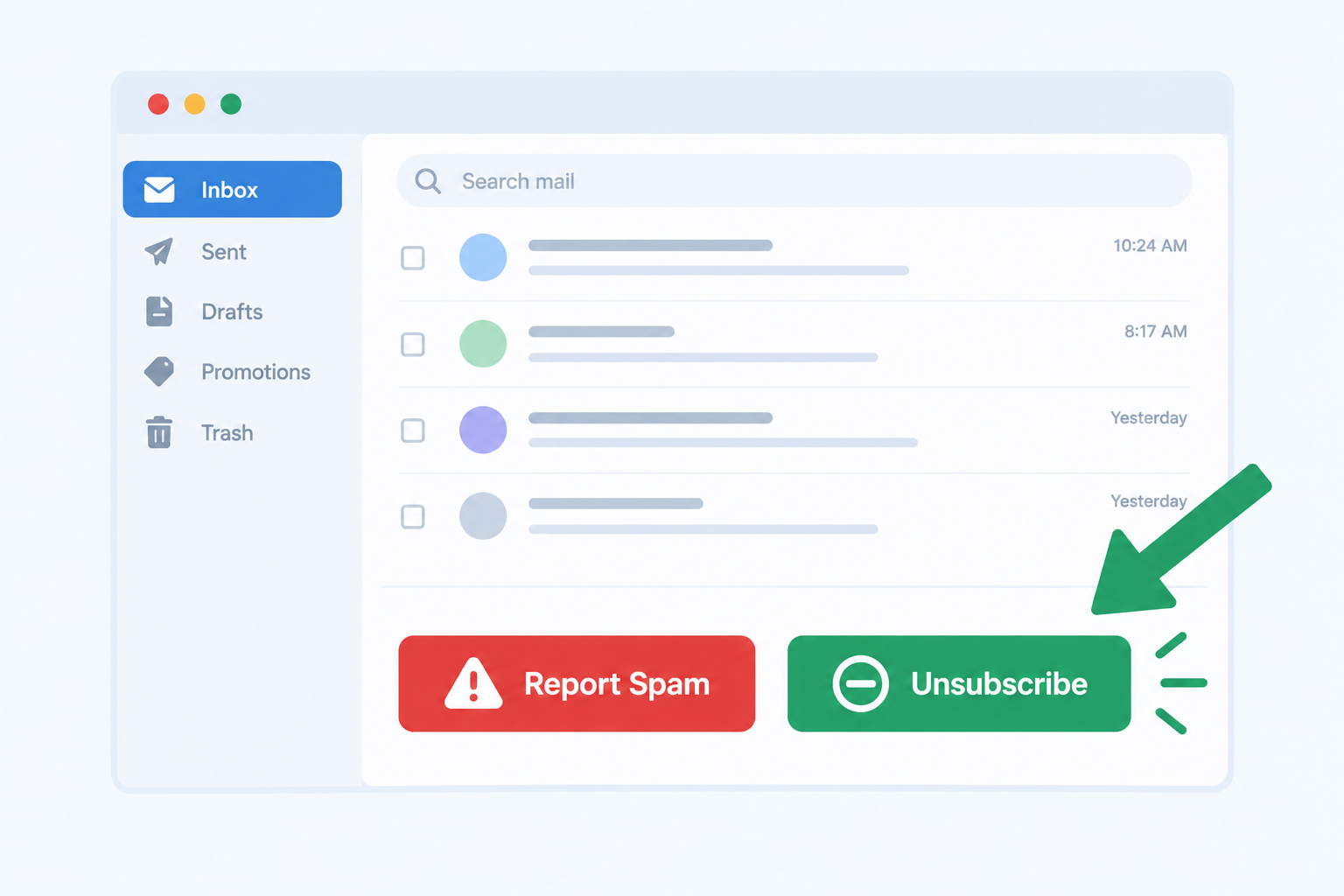
Yes. An unsubscribe button inside the inbox gives readers a quicker way out than the spam button, so fewer of them file complaints. The idea Microsoft tested in 2006 is now the industry standard. Since 2024, Gmail and Yahoo have required bulk senders to support one-click unsubscribe through the List-Unsubscribe header, to process opt-outs within two days, to authenticate with SPF, DKIM and DMARC, and to keep reported spam rates below 0.3%. Microsoft’s Outlook.com added its own SPF, DKIM and DMARC requirements for high-volume senders in May 2025.
How the Windows Live unsubscribe button worked in 2006
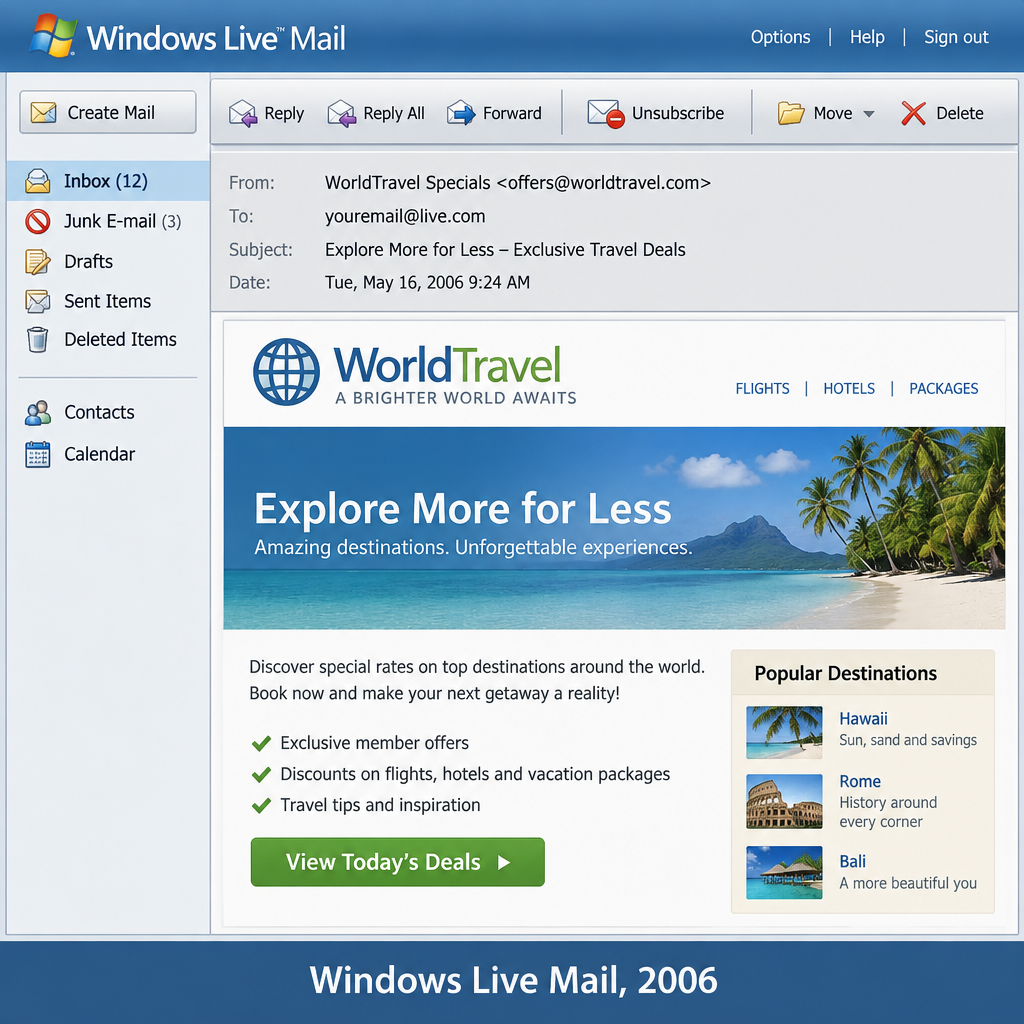
In 2006, email marketers asked the big inbox providers, especially Yahoo! and AOL, to change how their mail interfaces worked. Microsoft had just added an unsubscribe button to Windows Live Mail, the free webmail service then replacing Hotmail, and marketers wanted the same treatment from every other provider. Windows Live Mail later became Windows Live Hotmail and then Outlook.com, so this interface is history now.
Microsoft was the first mailbox provider to respond. In early August 2006 it added an unsubscribe button to its interface, so readers would be less likely to report permission-based commercial email as spam by mistake. On some messages in Windows Live, the new unsubscribe link took the place of the “report and delete” button.
The problem was real. People often used the spam button instead of unsubscribing, even for mail they had signed up for. In a Return Path survey covered by the trade press at the time, nearly 79% of consumers said they had hit the “spam” or “junk” button to get rid of email they didn’t want. Nearly 37% said they did it to unsubscribe from mail they had asked to receive. Every complaint counts against the sender, and enough of them can get a sender blocked. Microsoft said a click on the Windows Live unsubscribe button would not count as a spam complaint.
The button showed up only when two conditions were met:
- The message carried a valid List-Unsubscribe header. This header lets the mailbox provider pass the reader’s unsubscribe request straight back to the sender.
- The sender passed Microsoft’s internal reputation check, which judged whether the sender was a spammer.
Messages without a valid List-Unsubscribe header got the spam complaint button instead. The feature was still in beta at launch. The basic idea of a header-driven unsubscribe that skips the complaint system is what every major provider uses today.
What changed: unsubscribe buttons in 2026
The calls for Yahoo and AOL to follow Microsoft were answered long ago, and the button is no longer optional for high-volume senders. In 2026 the in-inbox unsubscribe is a requirement, a ranking signal and a consumer feature all at once.
The 2024 Gmail and Yahoo bulk sender rules
Google and Yahoo (which now runs AOL Mail as well) started enforcing new rules for bulk senders in February 2024. One-click unsubscribe became required for marketing and promotional mail by June 1, 2024. Google counts anyone who sends more than 5,000 messages a day to personal Gmail accounts as a bulk sender. Senders now have to:
- Authenticate mail with SPF, DKIM and DMARC.
- Support one-click unsubscribe under RFC 8058 and show a visible unsubscribe link in the message body.
- Process unsubscribe requests within two days.
- Keep the spam rate reported in Google Postmaster Tools below 0.3%. Google advises staying under 0.1%.
Google’s guidelines say that senders whose spam rate goes above 0.3% lose access to mitigation support. A few complaints are now enough to cause damage, so making unsubscribe easier than reporting spam is the cheapest way to protect your inbox placement.
Microsoft Outlook.com in 2025
Microsoft brought in its own high-volume sender requirements on May 5, 2025. They cover domains sending more than 5,000 messages a day to consumer addresses such as outlook.com, hotmail.com and live.com. Those senders need SPF, DKIM and a DMARC policy of at least p=none that aligns with SPF or DKIM. Microsoft lists a working unsubscribe link as best practice for bulk mail.
Gmail’s Manage subscriptions view
Gmail launched a “Manage subscriptions” view on July 8, 2025, rolling out on the web, Android and iOS. It lists the senders a user is subscribed to and lets them unsubscribe from any of them in one click, with Gmail sending the request for them. A reader can now drop your list without opening a single email, so the List-Unsubscribe header has to work reliably.
The headers that make the button appear
What used to be called “a line of code” is now two headers, defined in RFC 8058:
List-Unsubscribe: <https://example.com/unsubscribe?id=abc123>, <mailto:[email protected]?subject=unsubscribe>
List-Unsubscribe-Post: List-Unsubscribe=One-Click
The HTTPS address has to accept a POST request and unsubscribe the reader without a login, a confirmation page or a preference center. RFC 8058 also requires a valid DKIM signature that covers both headers. Most major email platforms add these headers automatically. If you run your own sending setup, you have to add them yourself.
As in 2006, having the header doesn’t guarantee the button will show. Gmail and Outlook.com still use the sender’s reputation to decide whether to display it, so a sender with poor reputation can lose the easy exit even when the headers are correct.
Why some readers still hit spam
An unsubscribe button reduces complaints but doesn’t remove them. People still report mail they don’t remember signing up for, mail that arrives too often, and mail from a sender name they don’t recognize. The steps that do the most to cut complaints are:
- Send only to people who opted in, and confirm signups where you can.
- Use a From name readers recognize.
- Set expectations at signup about what you’ll send and how often.
- Stop mailing inactive subscribers before they get annoyed.
Never buy lists or scrape addresses. Mail sent to people who never asked for it is the fastest way to go past 0.3%.
FAQ
Does a one-click unsubscribe count as a spam complaint?
No. Gmail, Yahoo and Outlook.com treat an unsubscribe through the List-Unsubscribe header as a separate action from “Report spam.” Microsoft said the same when it launched the Windows Live button in 2006. The reader is removed from your list, and no complaint is added to your spam rate.
What spam complaint rate is too high in 2026?
Gmail and Yahoo set the limit at 0.3% and recommend staying below 0.1%. That works out to about one complaint per 1,000 messages delivered. Watch the rate in Google Postmaster Tools and in Yahoo’s Complaint Feedback Loop, which you can join through Yahoo Sender Hub.
Is an unsubscribe link in the footer still required?
Yes. Google’s guidelines ask for a visible unsubscribe link in the message body as well as the one-click header. Under the FTC’s CAN-SPAM rules, commercial email in the US must include a clear opt-out and honor it within 10 business days. Gmail and Yahoo set a stricter two-day window for bulk senders.
Do the rules apply if I send fewer than 5,000 emails a day?
The strictest bulk sender rules start at 5,000 messages a day, but every sender has to meet the basic rules. Google expects all senders to use SPF or DKIM and to keep spam rates low. Setting up one-click unsubscribe and DMARC now also means you’re ready if your list grows.
What are the penalties under CAN-SPAM?
The FTC can seek civil penalties for each email that breaks the law. Under the FTC’s most recent inflation adjustment, which took effect in January 2025, the maximum is $53,088 per email. Both the company being promoted and the company that sends the mail can be held responsible.
Sources
- Google Workspace Admin Help: Email sender guidelines
- Google blog: Declutter your inbox with Gmail’s newest feature
- Yahoo Sender Hub: Best practices
- Yahoo Sender Hub: FAQs
- Microsoft Tech Community: Outlook’s new requirements for high-volume senders
- IETF RFC 8058: Signaling One-Click Functionality for List Email Headers
- FTC: CAN-SPAM Act, A Compliance Guide for Business