
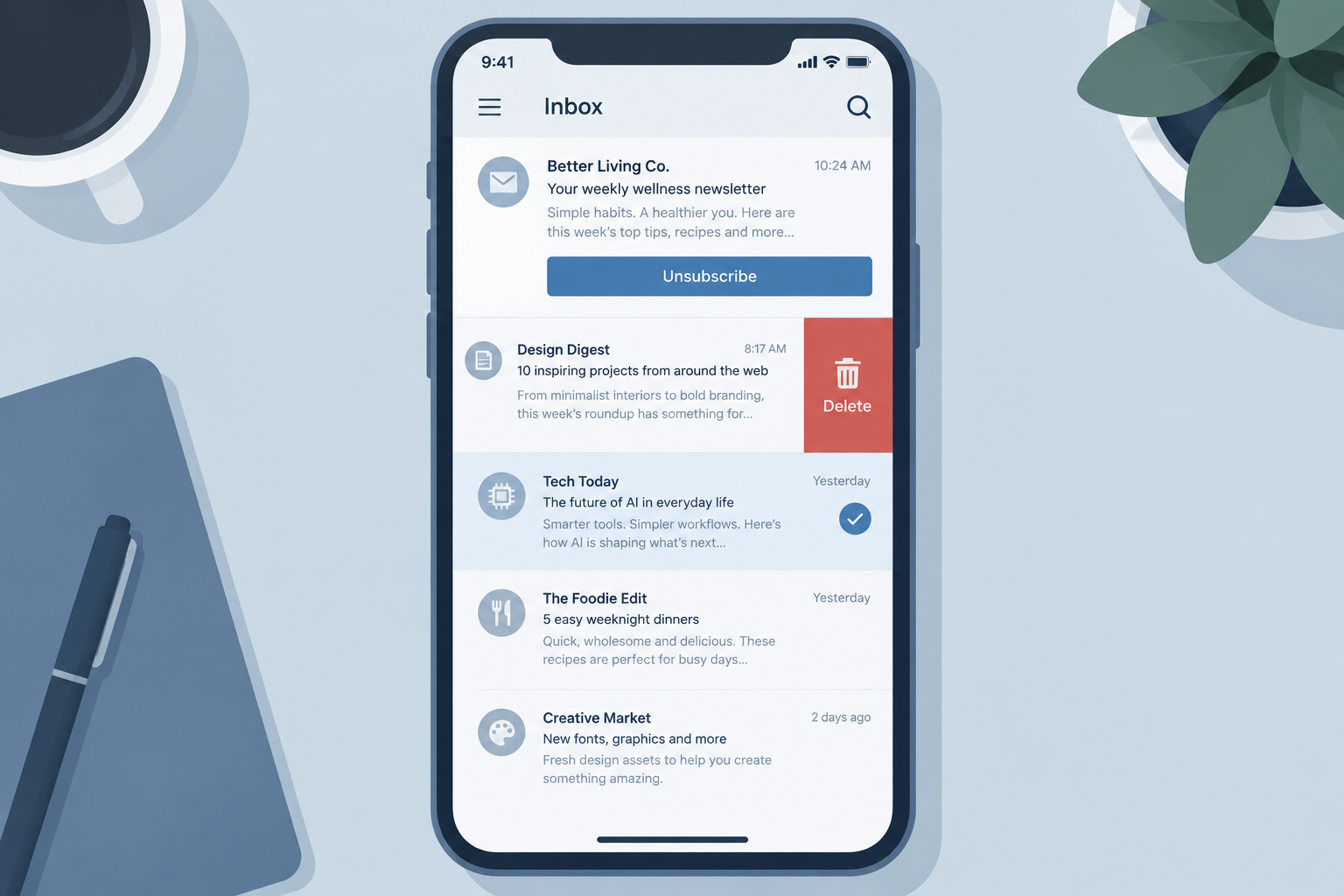
When subscribed email arrives and there’s no time for it, most people ignore it, delete it, mark it as read, or unsubscribe. A growing number let filters, Gmail’s tabs and Gmail’s “Manage subscriptions” view do the sorting for them. The big change since this question was first asked is that mailbox providers now track those reactions closely: since 2024, Gmail and Yahoo have required bulk senders to offer one-click unsubscribe and to keep spam complaints low, with Gmail asking for a rate below 0.1% and both providers treating 0.3% as a ceiling. For marketers, how subscribers deal with mail they don’t want now has a direct effect on whether future campaigns reach the inbox.
The question: what happens to email you don’t have time for
This question isn’t about spam. Mailbox providers such as Gmail, Yahoo Mail and Outlook.com filter most of that automatically. In the past this job was credited to “your ISP.” Today, filtering is done by whichever company hosts your mailbox, not by your internet provider.
The question is about email you chose to subscribe to but don’t have time for right now. Do you delete it? Do you leave it sitting unread in your inbox? Do you mark it as read and move on?
Clearing the inbox fast
People who look after their inbox don’t let it get cluttered for long. Marking unwanted messages as read is one of the fastest ways to clear an inbox in one go. In Gmail, you tick the select-all box above the message list, choose to select every conversation, and pick “Mark as read.” The unread counter drops to zero, but nothing is deleted.
That tidy-up has a cost for the sender, which the old version of this question didn’t consider. A message marked as read without being opened tells the sender nothing useful. To the mailbox provider, it can look like one more sign that the subscriber has stopped caring about that sender.
How sophisticated has the average inbox become
The obvious guess was that most people delete unwanted email or mark it as read. The more interesting question was how sophisticated ordinary users would get, for example how many would set up filters. Since then, much of that sophistication has been built into the inbox itself:
- Gmail tabs (launched in 2013) move promotional mail into a separate Promotions tab, so many subscribers never see marketing email next to personal mail.
- Filters in Gmail, Outlook.com and Yahoo Mail can archive, label or mark messages as read automatically, based on the sender or keywords.
- Gmail’s “Manage subscriptions” view, rolled out from July 2025 on the web, Android and iOS, lists the senders you’re subscribed to, ranks them by how often they email, and puts an unsubscribe option next to each one.
- One-click unsubscribe links now appear at the top of many marketing messages in Gmail and Yahoo Mail, because bulk senders have been required to support them since 2024.
To build a basic Gmail filter that keeps a newsletter out of your inbox without unsubscribing, follow these steps:
- Click the “Show search options” icon in the Gmail search bar.
- Enter the sender’s address in the “From” field.
- Click “Create filter.”
- Tick “Skip the Inbox (Archive it),” “Mark as read,” and “Apply the label,” then pick or create a label.
- Click “Create filter” again to save it.
What each reaction tells senders and mailbox providers
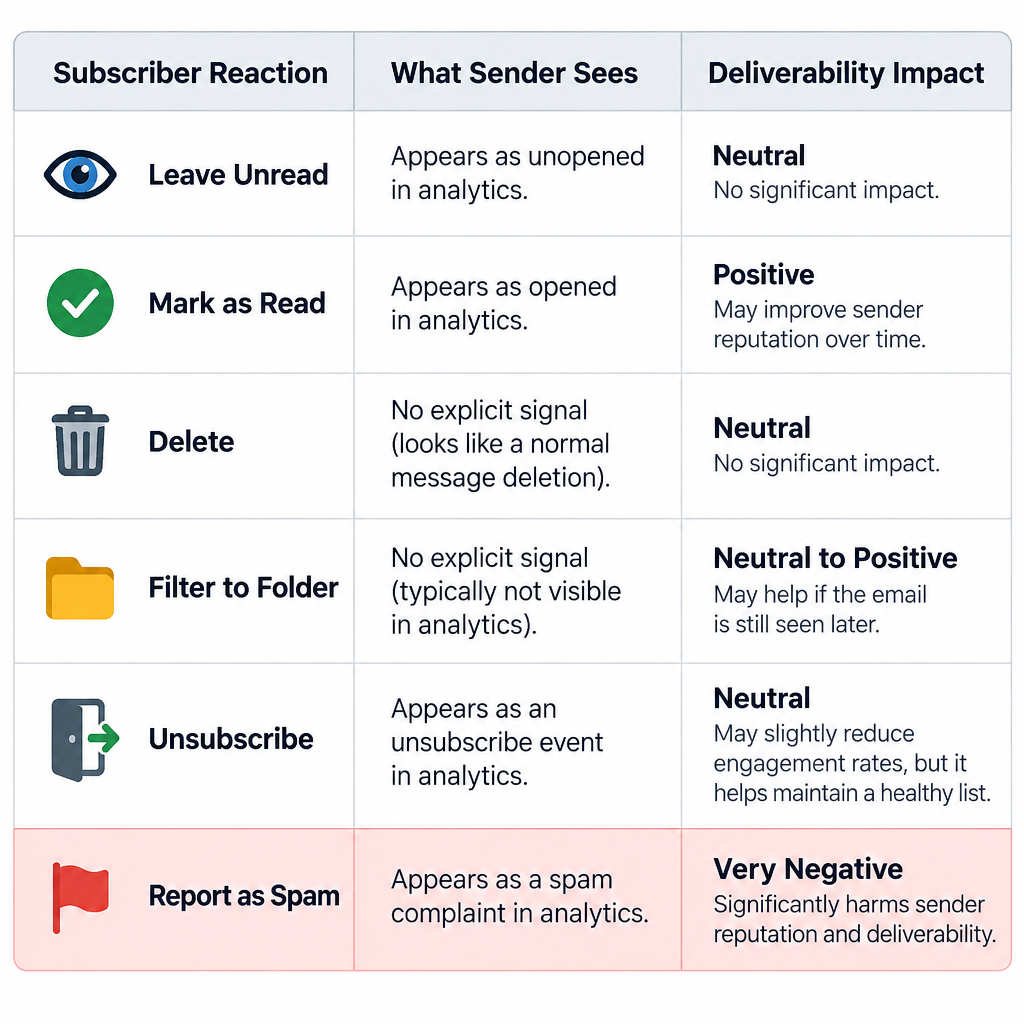
Each way of dealing with unwanted email leaves a different trace. Senders see some of these traces, and mailbox providers see others. The table below shows the most common reactions.
| Reaction | What the sender sees | What it means for deliverability |
|---|---|---|
| Leave it unread | Usually nothing, or a fake “open” from Apple Mail Privacy Protection | Long-term non-engagement can weaken the sender’s standing with the provider |
| Mark as read without opening | Nothing | Same as above: no sign of interest |
| Delete without opening | Nothing | Repeated deletions point to low interest |
| Filter to a folder or archive | Nothing | The mail never reaches the inbox, so the subscriber never engages |
| Unsubscribe | An opt-out | A healthy outcome: the list gets smaller but cleaner |
| Report as spam | A complaint, if feedback loops are set up | Counts toward the spam rate that Gmail and Yahoo watch |
The last row matters most. Google’s sender guidelines ask senders to keep the user-reported spam rate in Postmaster Tools below 0.1% and never let it reach 0.3%. Google calculates spam rates daily. A bulk sender that goes over the limit only becomes eligible for mitigation after staying below 0.3% for seven days in a row. Yahoo’s Sender Hub uses the same 0.3% ceiling.
What senders should do about it
The best response to subscribers who don’t have time for your mail is to make leaving easy, and to stop sending to people who have quietly moved on. A subscriber who can’t find the unsubscribe link usually ends up clicking “Report spam” instead.
Support one-click unsubscribe
Gmail and Yahoo started enforcing their bulk sender rules in February 2024. One-click unsubscribe enforcement followed in June 2024. Google defines bulk senders as those sending close to 5,000 messages or more to personal Gmail accounts within a 24-hour period. Yahoo doesn’t publish a number. Promotional mail must carry RFC 8058 one-click unsubscribe headers, and opt-outs must be processed within two days. Most email service providers add these headers for you. If you send through your own system, the headers look like this:
List-Unsubscribe: <https://example.com/unsubscribe?id=12345>, <mailto:[email protected]>
List-Unsubscribe-Post: List-Unsubscribe=One-Click
Keep a visible unsubscribe link in the body of the email as well. The FTC’s CAN-SPAM rules require you to honor opt-outs within 10 business days and to keep the opt-out working for at least 30 days after each send. The two-day window from Gmail and Yahoo is stricter, so it is the one to follow.
Authenticate every send
Gmail, Yahoo and Microsoft all require bulk senders to authenticate their mail. Since May 5, 2025, Outlook.com has required domains sending more than 5,000 messages a day to its consumer addresses to pass SPF and DKIM and publish a DMARC record of at least p=none, aligned with the From domain. A minimal DMARC record looks like this:
_dmarc.example.com. IN TXT "v=DMARC1; p=none; rua=mailto:[email protected]"
Stop trusting opens to find disengaged subscribers
Apple Mail Privacy Protection launched with iOS 15 in 2021. It preloads images, including tracking pixels, through Apple’s proxy servers, so many “opens” are recorded whether or not anyone read the email. That makes open rates a poor way to spot subscribers who mark everything as read. Use clicks, replies, purchases and the date of each subscriber’s last real action instead. Then send a re-engagement message to inactive subscribers before you remove them.
Send less, or let people choose
Gmail’s subscription view ranks senders by volume, so the brands that send the most are the ones subscribers notice first when they clean up. A preference center that lets people pick a weekly digest instead of daily mail keeps more of them on your list than an all-or-nothing unsubscribe.
FAQ
Does marking an email as read hurt the sender?
Not directly. It doesn’t trigger a complaint or an unsubscribe. But it also shows no interest, and mailbox providers weigh how users engage with a sender when filtering. If a large share of a list never interacts with a sender, that sender’s inbox placement tends to weaken over time.
Is it better to unsubscribe or to mark marketing email as spam?
Unsubscribe from mail you actually signed up for. Spam reports count against the sender’s complaint rate, which Gmail and Yahoo cap at 0.3%. Save the spam button for mail you never agreed to receive. For senders, an unsubscribe is far less damaging than a complaint.
Does Gmail’s Manage subscriptions view unsubscribe you automatically?
Only when you choose the unsubscribe option for a sender. Gmail then sends the opt-out request on your behalf, using the sender’s unsubscribe headers. You find the view in the navigation menu at the top left of Gmail.
How fast do senders have to process an unsubscribe?
Gmail and Yahoo expect bulk senders to honor one-click unsubscribes within two days. The US CAN-SPAM Act allows up to 10 business days. Senders who mail Gmail or Yahoo users at volume should meet the two-day standard.
Why do some emails show open rates that seem too high?
Apple Mail Privacy Protection loads tracking pixels automatically, so many Apple Mail users show up as “opens” even if they never looked at the message. Clicks and conversions give a more accurate picture of real interest. That is especially true when you’re deciding which subscribers to re-engage or remove.
Should senders remove subscribers who never engage?
Yes, after a re-engagement attempt. Sending to people who ignore, delete or filter every message adds no revenue and puts inbox placement at risk for everyone else on the list. Many senders use 90 to 180 days without a click or purchase as the point to trigger a win-back email, then suppress subscribers who still don’t respond.
Sources
- Google Workspace Admin Help: Email sender guidelines and sender guidelines FAQ
- Gmail Help: Top 10 Gmail sender issues
- Google Workspace Updates: Manage email subscriptions in Gmail (July 2025)
- Yahoo Sender Hub: Sender best practices and FAQs
- Microsoft Tech Community: Outlook’s new requirements for high-volume senders
- Federal Trade Commission: CAN-SPAM Act, A Compliance Guide for Business
- Postmark Support: Open tracking and Apple Mail Privacy Protection