
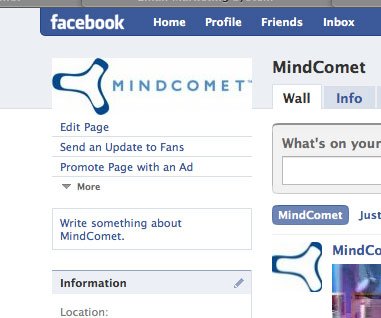
Yes, you can still turn Facebook followers into email subscribers in November 2026, but the old method of pasting a form into a custom Page tab is gone. Today there are two routes. You can add a “Sign Up” action button to your Facebook Page that links to a signup form your email provider hosts, or you can run Meta lead ads with an Instant Form that syncs to Mailchimp, Klaviyo or another ESP. Two things have changed since this post was written. Static FBML was shut down in 2012, and custom tabs aren’t supported on Pages using the New Pages Experience. And since February 2024, Gmail and Yahoo require anyone sending 5,000 or more messages a day to set up SPF, DKIM and DMARC, offer one-click unsubscribe and keep spam complaints below 0.3%.
The original method: a Static FBML signup tab
This section describes how the trick worked around 2010 and 2011. It is kept here as history, because none of these steps work on Facebook today.
The process was simple and took a few minutes. You needed two things: a Facebook fan page and the HTML code for an opt-in (signup) form from your email provider.
If your fan page didn’t already have the Static FBML app, you had to add it here. Once the app was added, you could create an “email list” tab on your Page.

- After adding the app, you clicked “edit page” below your Page’s main graphic.

- Next, you picked FBML from your list of apps (click the pencil, then Edit).

- You could change the tab’s name in the “box title” field. In the FBML section you pasted your form code. If you knew some HTML, you could restyle the form to match the rest of the Page. Then you clicked Save Changes.
If the signup form didn’t display correctly for you or a colleague, the usual fix was to click “add another FBML box”. That normally solved the problem.
And that was it. Check it out for yourself, though only as a piece of history now, because the tab no longer exists.
Thanks for the inspiration, returnonsubscriber!
Why the FBML tab method stopped working
Facebook dropped FBML in stages, and its replacement, the custom tab, has since been retired as well.
- March 2011: Facebook stopped letting Pages add new Static FBML tabs and moved custom tabs to iframe-based apps.
- 2012: Facebook’s developer changelog says FBML itself was removed that year. The Static FBML Page app was then removed on December 5, 2012, and any tabs built with it disappeared.
- Iframe tabs: For years marketers used iframe tab apps such as Woobox’s free Static HTML tab to show signup forms. ESPs including Mailchimp also offered their own Facebook form tabs.
- New Pages Experience: Facebook’s Graph API documentation says its Page tabs endpoint does not work for Pages moved to the New Pages Experience. Woobox’s help center confirms that custom and third-party tabs are no longer supported there.
So a form-in-a-tab guide from that era, this one included, describes a feature your Page doesn’t have.
How to collect email opt-ins from Facebook today
For most senders, the best free option is a Sign Up action button linked to a hosted signup form. Lead ads are the paid option, and they make sense when you want to grow the list faster than your organic reach allows.
Option 1: Add a Sign Up button to your Page
The action button sits near the top of your Page, where the old custom tab used to be. Facebook introduced Sign Up as one of its original seven call-to-action buttons in December 2014, with the rollout reaching Pages worldwide in 2015.
- In your ESP, create a hosted signup form or landing page. Mailchimp, Klaviyo, Kit and similar tools all offer one, and it gives you a stable URL.
- Open your Facebook Page while you’re switched into the Page profile.
- Open the action button setting. In the New Pages Experience it is usually in the three-dot menu, labeled “Add action” or “Edit action button”. Meta moves these menus around from time to time.
- Choose Sign Up and paste in your form’s URL.
- Save, then test the button on a phone. Most people who tap it will be using the Facebook app.
To edit the button, you need the right task access to the Page. If the option is missing, the Page admin can change your access in Meta Business Suite.
Option 2: Run Meta lead ads with an Instant Form
Lead ads open a short form inside Facebook or Instagram. The form fills in the person’s email address from their Meta account, which cuts down on typing on mobile. Meta requires a link to your privacy policy before an Instant Form will publish. You can also add a custom disclaimer, which is the right place to say plainly that people are signing up for marketing email.
Most ESPs connect to lead ads directly:
| ESP | Where the connection lives | Notes |
|---|---|---|
| Mailchimp | Integrations, then search for Meta lead ads | Leads go to your audience and can be tagged by form. Some features depend on your paid plan. |
| Klaviyo | Integrations, then Meta Ads, then the Lead ads tab, then Add connection | Each lead ad form syncs future signups to the list you pick. |
| Other ESPs | Zapier or similar connectors | Useful when your ESP has no native Meta connection. |
The trade-off is lead quality. Because the form fills itself in, some people sign up without thinking about it. If you send a welcome or confirmation email right away (double opt-in where you can), people who weren’t really interested drop off before they can hurt your complaint rate.
Option 3: Organic posts and pinned links
You can also share your signup form URL in posts, pin a post about the newsletter, and put the link in your Page’s intro. This costs nothing. A specific offer works much better than “join our list”, for example a discount code, a template or early access.
Keep Facebook signups deliverable
Subscribers you collect from Facebook count toward the same mailbox provider rules as everyone else on your list. Gmail’s email sender guidelines and Yahoo Sender Hub set these rules for bulk senders from February 2024:
- Authenticate with SPF and DKIM, and publish a DMARC record (
p=noneis the minimum). - Offer one-click unsubscribe using the List-Unsubscribe header (RFC 8058), and honour requests within two days.
- Keep the spam complaint rate shown in Google Postmaster Tools below 0.3%. Healthy senders aim for under 0.1%.
Microsoft began enforcing similar authentication rules on May 5, 2025, for domains that send more than 5,000 messages a day to Outlook.com, Hotmail.com and Live.com addresses. A minimal DMARC record to start with looks like this:
_dmarc.example.com. TXT "v=DMARC1; p=none; rua=mailto:[email protected]"
In the US, CAN-SPAM still applies to every commercial email. The FTC’s compliance guide requires an accurate “From” line, a valid physical postal address, and a working opt-out that you honour within 10 business days. Never upload Facebook profile data you didn’t collect through your own form. Only people who chose to join should go on the list.
FAQ
Can you still add a signup form tab to a Facebook Page?
No. Static FBML tabs were removed in December 2012, and custom or third-party tabs aren’t supported on Pages using the New Pages Experience. Use a Sign Up action button that links to a hosted form, or run lead ads with an Instant Form.
Is the Sign Up button free?
Yes. Adding an action button to your Page costs nothing. You only pay if you promote the Page or run lead ads.
Are Facebook lead ad subscribers lower quality?
They can be, because the email field fills in automatically and signing up takes one tap. A clear disclaimer, a welcome email sent within minutes and double opt-in all filter out casual signups. Watch complaint rates for these segments separately from the rest of your list.
Do lead ad signups need a privacy policy?
Yes. Meta won’t publish an Instant Form without a privacy policy URL. The policy should explain how you’ll use the email address, and your disclaimer should say that people are joining a marketing list.
How do you measure whether Facebook signups are worth it?
Track clicks, revenue and unsubscribe or complaint rates for the Facebook segment. Don’t rely on opens. Apple Mail Privacy Protection has inflated open rates since 2021, so opens alone don’t show whether these subscribers are engaged. Tag each signup by source in your ESP so you can compare cohorts over 60 to 90 days.
Sources
- Google, Email sender guidelines (Gmail Help)
- Yahoo Sender Hub, Sender Best Practices
- Microsoft, Outlook.com requirements for high-volume senders (Microsoft Tech Community)
- Federal Trade Commission, CAN-SPAM Act: A Compliance Guide for Business
- Meta for Developers, Graph API Page Tabs reference and non-versioned changes (December 5, 2012)
- Mailchimp, Meta lead ads integration
- Klaviyo Help Center, syncing Meta lead ads to Klaviyo