
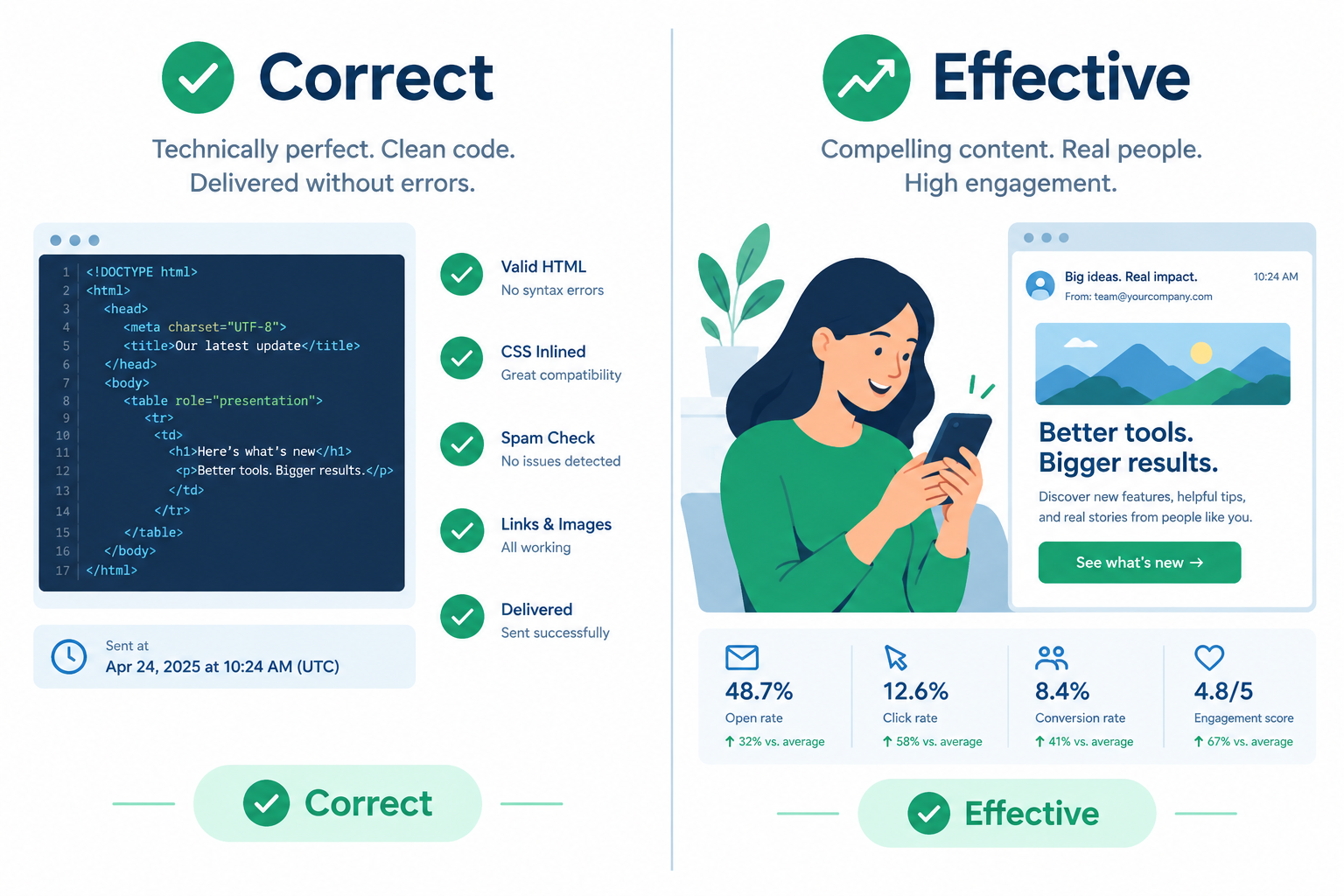
Sending an email “correctly” (on time, clean code, no errors) does not make it effective. What makes it effective is relevance, a welcome message people actually want to read, and a sender reputation that gets you into the inbox. That was true at MarketingSherpa’s 2008 Email Summit, and it is still true in November 2026. What has changed is how strictly the inbox is enforced. Gmail and Yahoo began enforcing SPF, DKIM, DMARC, one-click unsubscribe and spam-rate limits for bulk senders in 2024, Microsoft followed for Outlook.com in May 2025, and Apple Mail Privacy Protection has made open rates far less reliable than they were in 2008.
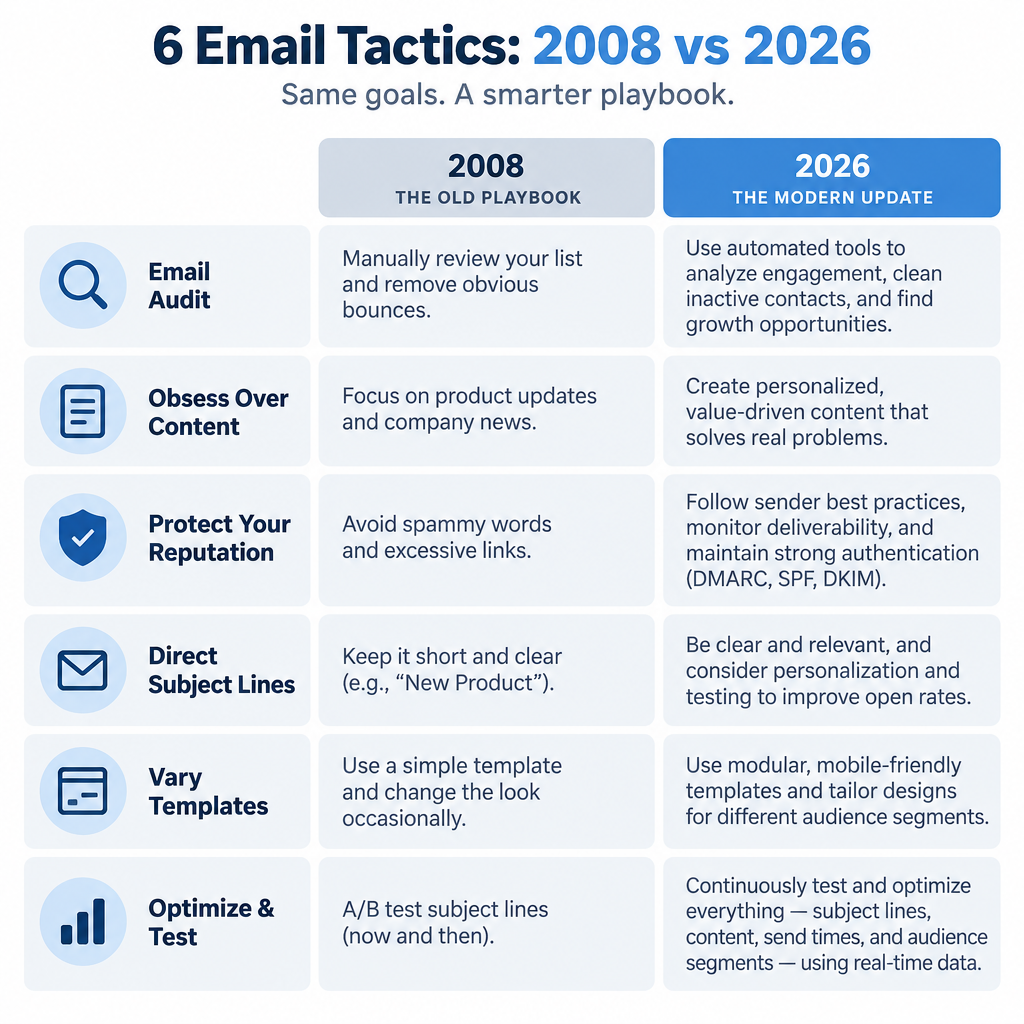
Six email tactics from the 2008 Email Summit
At the opening of the
3rd Annual MarketingSherpa Email Summit
in Miami, which ran February 24 to 26, 2008 and drew more than 800 marketers, Stefan Tornquist, then research director at MarketingSherpa, finished his keynote with
TO DOs
for 2008.
- Conduct an email audit. This still holds. Today an audit should also cover authentication (SPF, DKIM and DMARC), how your list was collected, and whether your unsubscribe process meets current mailbox provider rules.
- Obsess over content. Content still carries the program. In 2008 that meant the copy and the offer. Now it also means how the message reads on a phone and in dark mode, since much of your list will see it that way.
- Protect your reputation by monitoring delivery across multiple ISPs. In 2008 this mostly meant watching bounces and seed tests at AOL, Yahoo, Hotmail and Gmail. Today the mailbox providers publish formal requirements and their own dashboards. Google Postmaster Tools reports your Gmail spam rate every day, and Google’s guidelines ask senders to keep that rate below 0.1% and never let it reach 0.3%. Yahoo uses 0.3% as its spam-rate threshold for bulk senders. Bulk senders to Gmail (5,000 or more messages a day to personal Gmail accounts), Yahoo and Outlook.com (5,000 or more a day, enforced since May 5, 2025) need SPF, DKIM and a DMARC record aligned with the From domain. A minimal DMARC record looks like this:
_dmarc.example.com. TXT "v=DMARC1; p=none; rua=mailto:[email protected]"
p=none is the minimum the providers accept. Once your reports show all legitimate mail passing, move to p=quarantine or p=reject.
- Write subject lines that get to the point. Don’t waste space restating who the email is from, because that is what the From line is for. This advice has aged well. Phone inboxes show even less of the subject line than desktop clients did in 2008, and the preheader text now sits next to it, so treat the From name, subject line and preview text as one unit.
- Vary your email templates. This still works against template fatigue. The rendering worries have changed, though. In 2008 the big problem was Outlook 2007, which had just switched to Microsoft Word’s rendering engine. That part is history now. Your current checklist is dark mode, small screens and accessible alt text.
- Optimize. Testing is still the core of email improvement. What changed is the metric. Tornquist told the 2008 audience that click-to-open rate was a key measure of content quality. Apple Mail Privacy Protection, which launched in 2021, can automatically download remote content, including tracking pixels, for users who enable it. That inflates reported opens, and because click-to-open rate divides clicks by opens, the extra opens generally push that rate down. Use clicks, conversions and revenue per email as your main test results.
This list came up again in several other presentations over the course of the summit.
Other takeaways from the summit
Other strong statements from the
- “Relevance drives campaign performance.”
Kimberley Talbot, Adobe Systems Inc.
- Make the most of your “thank you” email when people subscribe to your newsletter. Don’t waste it on a one-line message. Add white papers and useful, relevant content while the subscriber’s interest is at its peak. Today this is called the welcome email or welcome series, and it is still among the most-read messages a list ever gets.
Stefan Tornquist, MarketingSherpa
- “The first email communication your subscribers receive is the one they spend the most time on.”
Randall Huff, Intuit Inc.
- Use salesperson photos in the service (not sales) emails you send. It creates a stronger connection with the customer. This still works, but don’t let the message depend on the image. Gmail has loaded images automatically through its image proxy since 2013, while some corporate and desktop clients still block images by default, so write alt text and keep the key message in live text.
-Dave Wieneke, Thomson Compumark
Correct versus most effective
You may well be running your email campaigns correctly. The better question is whether each campaign is doing everything it can to be effective. In 2008 the gap between those two came down to content, relevance and testing. In 2026 compliance is part of “correct” too: authenticated mail, a visible one-click unsubscribe, a spam rate under 0.1% and a physical mailing address under CAN-SPAM. Getting those right only gets you to the starting line. Pick one of the six tactics above, such as rebuilding your welcome email, and run a click-based test on it this month.
FAQ
Is the 2008 advice still relevant to email marketing today?
Most of it is. Auditing your program, putting content first, protecting your reputation, writing direct subject lines, refreshing templates and testing all still work. The parts that have aged are the specifics: Outlook 2007 rendering problems, informal ISP monitoring and open-based metrics have been replaced by dark mode testing, Postmaster Tools dashboards and click-based measurement.
What do Gmail and Yahoo require from bulk senders?
Since 2024, bulk senders must authenticate with SPF and DKIM, publish a DMARC record aligned with the From domain, offer one-click unsubscribe and keep spam complaints low. Google defines bulk senders as those sending 5,000 or more messages a day to personal Gmail accounts. Yahoo gives no fixed number. Both treat 0.3% as the spam-rate ceiling, and Google recommends staying below 0.1%.
Does Microsoft Outlook.com have similar rules?
Yes. Since May 5, 2025, domains sending more than 5,000 emails a day to Outlook.com, Hotmail.com and Live.com addresses must pass SPF and DKIM and publish a DMARC record of at least p=none that aligns with one of them. Microsoft says mail that fails these checks can be junked or rejected.
Are open rates still a reliable way to measure email performance?
Not on their own. Apple Mail Privacy Protection preloads email content and tracking pixels for users who enable it, so many recorded opens never involved a person reading the email. Use opens to spot broad trends, and judge tests and campaigns on clicks, conversions and unsubscribe or complaint rates.
What should a welcome email include?
Confirm the subscription, tell people what you will send and how often, and give them something useful right away, such as a guide, a resource or a first-order offer. Since this is the email subscribers spend the most time on, it is the best place to set expectations and ask them to add your address to their contacts.
What does CAN-SPAM require in marketing emails?
The FTC’s CAN-SPAM rules require accurate header and From information, subject lines that are not misleading, identification of the message as an ad where that applies, a valid physical postal address and a clear way to opt out. Opt-out requests must be honored within 10 business days. Gmail and Yahoo set a stricter two-day window for one-click unsubscribes.
Sources
- Google Workspace Admin Help: Email sender guidelines
- Google Postmaster Tools Help
- Yahoo Sender Hub: Sender Best Practices and FAQs
- Microsoft Tech Community: Strengthening the Email Ecosystem, Outlook’s New Requirements for High-Volume Senders
- Microsoft Outlook.com Postmaster: Policies, Practices, and Guidelines
- Federal Trade Commission: CAN-SPAM Act, A Compliance Guide for Business
- MarketingSherpa: 2008 Email Summit coverage and wrap-ups