
Image-heavy emails, long emails and emails with nothing special in the top-left corner can all still work in November 2026. Your audience and your testing should decide which one you send, not a blanket rule. What has changed is where the real risk sits. Gmail has shown images by default through its image proxy since December 2013, but Apple Mail Privacy Protection now inflates open rates. Since February 2024, Gmail and Yahoo also require bulk senders to use SPF, DKIM and DMARC, offer one-click unsubscribe and keep spam complaints low, so the old design myths matter less than those rules.
Myth 1: image-heavy emails never reach the inbox
Many industry “experts” insist that image-heavy, all-graphic emails are a no-no. Some argue that nobody will read them because mail services block the images or send the whole message to spam. Their advice is simple: “Just say NO to graphics.” That is not true across the board. Some campaigns do better with graphical emails. It depends on the situation, your audience and your goals.
Why this advice made sense once
When this myth started, most big clients blocked images by default. Outlook 2007 and Gmail both showed a blank box until the reader clicked to load pictures, so an all-image email often opened as an empty frame. That is history now. In December 2013 Gmail began loading images automatically through Google’s own proxy servers. Readers who want the old behaviour can still turn on “Ask before displaying external images” in Gmail’s settings, so some of your audience will always see your email without pictures.
What still holds true today
Graphics are fine. An email that is one big image is still a risk, for three reasons:
- Spam filtering. Spammers have long hidden their text inside images, so an email with almost no live text looks suspicious to some filters. Email on Acid tested its emails against 23 spam filters and found that once an email has about 500 characters of live text, the text-to-image ratio stopped affecting delivery.
- Accessibility. Screen readers can’t read text inside an image. Without alt text, those readers get nothing.
- Image-off views. Anyone who has images turned off sees only your alt text and your live text.
The practical rule: design with as many images as the campaign needs, but keep your headline, your offer and your call to action in live HTML text. Give informative images short, meaningful alt text that reflects their purpose, and give purely decorative images empty alt text (alt=””).
Myth 2: your best content must sit in the top-left corner
One of the most common myths says your most important, compelling content must sit at the top left of the email so it shows in the preview area. That is not a universal rule, and your design often won’t allow it anyway. Testing different layouts with your audience in mind is the best way to get high open rates and click-through rates, whatever ends up in the top-left corner.
How the preview has changed
The top-left rule came from desktop preview panes in Outlook and Windows Live Hotmail, where readers saw only a small slice of the email before deciding to open it. Today the first thing most people see is the inbox list on a phone: the sender name, the subject line and the preheader text that follows it. Gmail also sorts a lot of marketing mail into its Promotions tab. So the space that decides whether people open your email is now the subject line and the preheader, not a corner of the layout. Write the preheader on purpose. If you leave it out, many clients fill it with whatever text comes first, often “View in browser.”
Test with clicks, not opens
Testing is still the answer. But open rates can no longer tell you who won a layout test. Since iOS 15 and macOS Monterey in 2021, Apple Mail Privacy Protection loads email images on Apple’s servers whether or not the person ever reads the message, and every one of those loads counts as an open. Judge layout and design tests on click-through rate, conversions and revenue.
Myth 3: every email must be short
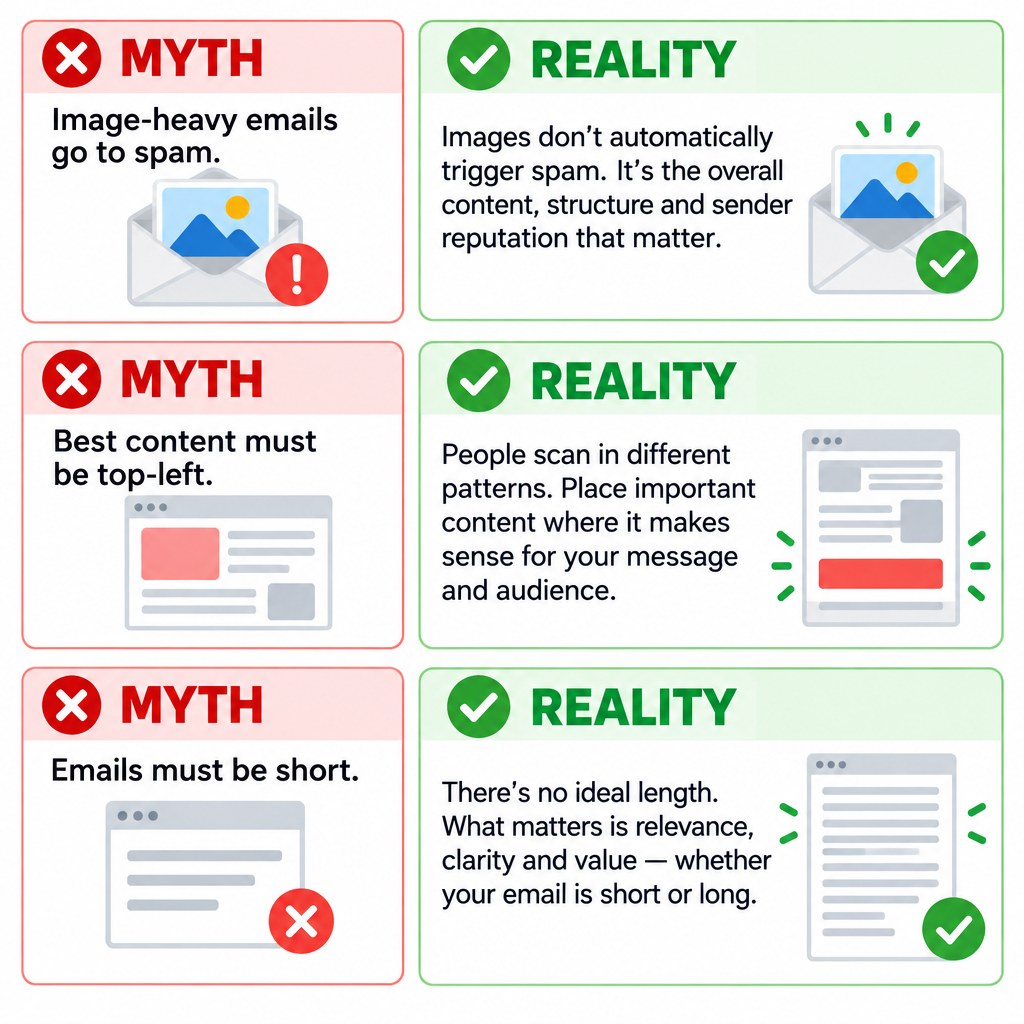
Another popular myth is about length: “Keep your email short and sweet, because nobody has time to read more than a paragraph.” That couldn’t be further from the truth, because it doesn’t apply to every message. As Teresa Caro wrote in a MediaPost Email Insider column, “The value of some products cannot be conveyed in just a few sentences.” Good campaigns usually open with an informative, eye-catching header. The body copy then does the rest for readers who want more detail.
The modern limit is file size, not word count
Length now has one hard technical edge. Gmail clips messages once their HTML goes over about 102KB. It shows a “[Message clipped]” notice and hides the rest behind a link. That can hide your footer, your unsubscribe link and the open-tracking pixel. Long copy is fine. Bloated code is the problem. Keep the HTML lean and put the important parts high up, and readers on a phone will scroll for content they care about.
The rules that are not myths
Design advice is flexible. Mailbox provider rules are not. Since February 2024, Gmail and Yahoo require anyone sending about 5,000 or more messages a day to their users to meet these rules. Microsoft added similar rules for Outlook.com, Hotmail.com and Live.com on May 5, 2025:
- Authenticate with SPF and DKIM, and publish a DMARC record. A policy of at least
p=noneis enough to start. - Make sure your visible From domain aligns with SPF or DKIM.
- Offer one-click unsubscribe in the message headers for marketing mail, and process opt-outs within two days.
- Keep the spam complaint rate in Google Postmaster Tools below 0.3%. Google advises aiming for under 0.1%.
A minimal DMARC record looks like this:
_dmarc.example.com TXT "v=DMARC1; p=none; rua=mailto:[email protected]"
The one-click unsubscribe headers look like this:
List-Unsubscribe: <https://example.com/unsubscribe?id=abc123>, <mailto:[email protected]>
List-Unsubscribe-Post: List-Unsubscribe=One-Click
The lesson behind these myths
Treat best practices, metrics and expert advice as a starting point, not as absolute rules. Shape each email around your audience and what you want it to achieve. The one exception is the authentication and complaint rules above, which decide whether your email arrives at all. Get those right first. Then test, test and test some more, and judge the results by clicks and conversions rather than opens.
FAQ
Do image-heavy emails go to spam?
Not automatically. Gmail, Yahoo and Outlook.com judge mostly on your sender reputation, authentication and complaint rates. An email that is one single image with almost no live text is riskier, though, because spammers use that format. Keep the key message and call to action in real text, give informative images meaningful alt text and give decorative images empty alt text.
Are open rates still worth tracking?
They are useful for spotting big drops, such as a sudden fall that suggests a deliverability problem. They are not reliable for A/B tests, because Apple Mail Privacy Protection records opens that never happened. Use click-through rate, conversions and revenue to pick winners.
How long can a marketing email be before Gmail cuts it off?
Gmail clips messages when the HTML goes over about 102KB, whatever the word count. Images hosted on a server don’t count toward that size, but inline code, tracking and messy template markup do. Many senders aim for under 90KB to leave a safety margin.
What text shows up next to the subject line in the inbox?
That is the preheader, also called preview text. Most clients pull it from the first text in the email, so set it on purpose in your email platform or with hidden text at the top of the HTML. Use it to add to the subject line, not repeat it.
Do the Gmail and Yahoo sender rules apply to small senders?
The strictest rules, including DMARC and one-click unsubscribe, apply to senders of about 5,000 or more messages a day. Every sender to Gmail still needs SPF or DKIM, valid DNS and a low spam rate. Setting up all three records is worth it at any volume.
Does CAN-SPAM limit email design or length?
No. CAN-SPAM covers honest header and subject information, a valid physical postal address, a clear way to opt out and honouring opt-outs within 10 business days. Design and length are up to you, as long as the message isn’t misleading.
Sources
- Google Workspace Admin Help: Email sender guidelines
- Yahoo Sender Hub: Sender best practices
- Microsoft Outlook Postmaster: Policies, practices and guidelines
- Microsoft Tech Community: Outlook’s new requirements for high-volume senders
- FTC: CAN-SPAM Act compliance guide for business
- Official Gmail Blog: Images now showing (December 2013)
- Twilio SendGrid Docs: Apple Mail Privacy Protection and open events
- ActiveCampaign Help Center: Why is Gmail clipping my email
- W3C Web Accessibility Initiative: Decorative images tutorial