
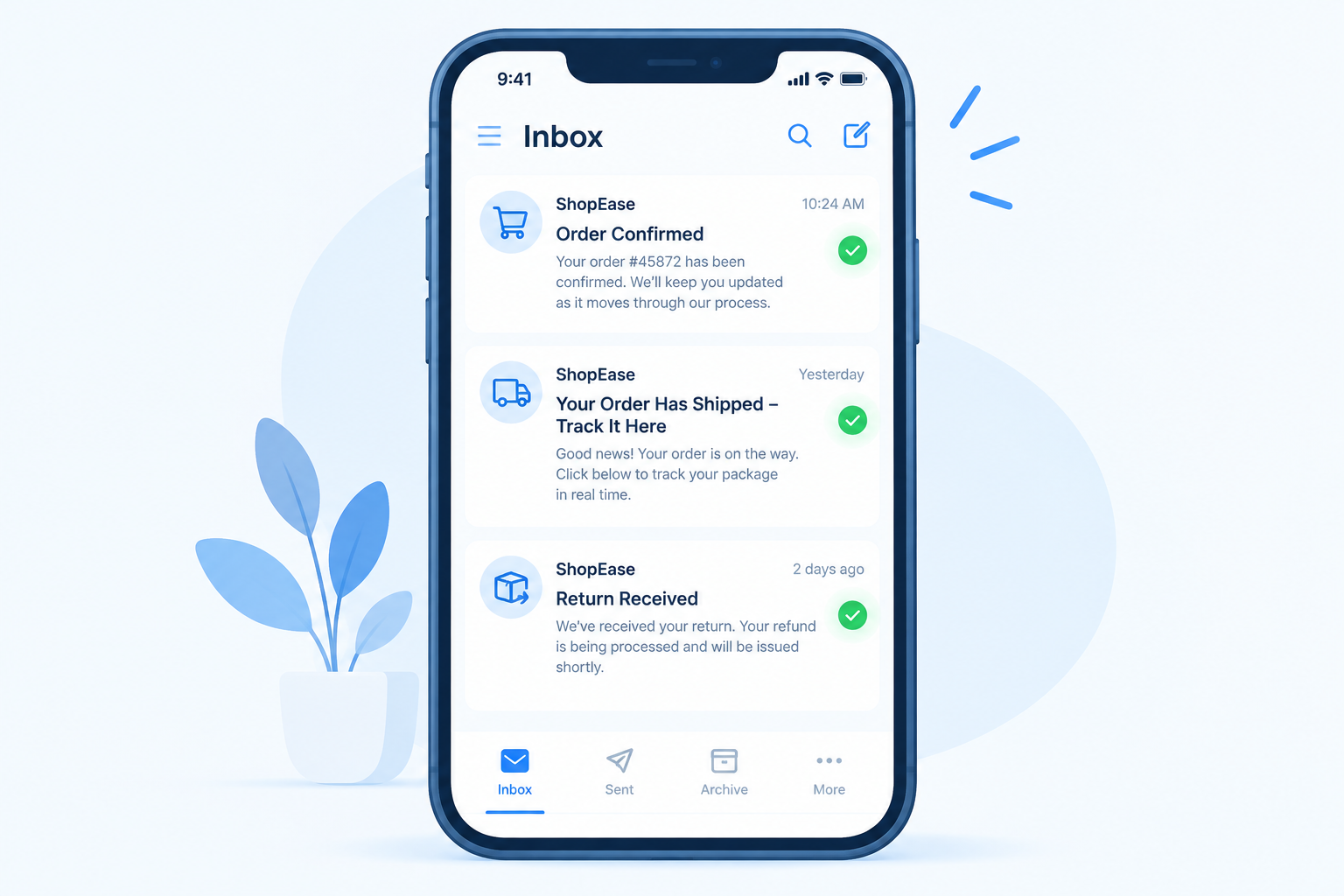
Transactional emails are the order confirmations, shipping notices with tracking numbers and return updates that customers actually wait for, so a missing one costs trust and leads to support calls. In November 2026 they still need to land within minutes, and whether they get there now depends heavily on authentication. Since February 2024, Gmail and Yahoo have required all senders to authenticate with SPF or DKIM, and bulk senders to use SPF, DKIM and DMARC. Microsoft’s Outlook.com added similar rules for high-volume senders on May 5, 2025. The other big change since this post was first written is that mailbox providers judge your whole sending domain, so a complaint problem in your marketing mail can push your order emails into junk.
Shipment tracking from UPS and USPS is one of the most useful things about shopping online, and today both carriers send their own alerts by email through UPS My Choice and USPS Informed Delivery. The shopper in this story was about to leave on a second Alaskan cruise that Friday and had to buy a few things, as mentioned in one of the previous posts. Transactional emails matter a lot when you buy something online. The trouble starts when they don’t arrive in your inbox.
The first purchase was made in mid-August. The store sent a notice that it was moving its distribution center, so orders would take longer to process. The notice arrived and set expectations, which is exactly what a transactional message should do. A few extra days of waiting was annoying, but the package could be tracked through UPS once it shipped, and it arrived at the end of August. Not bad, except the store had shipped the wrong item, and another item was too big. Those are the joys of online shopping. Both went back the next day, because the store was still moving to its new distribution center and the return had to get there in time for the correct items to ship out. Then the UPS tracking details went missing, so the return could not be tracked online. A call to the store’s support line confirmed the return had not been received yet. The agent said to allow 30 days for processing from the ship date, which would fall on the second-to-last day of the cruise.
The shopper was frustrated with the company. But while visiting its website to find the support number, they fell for another item and ordered it on the spot. Then came a patient wait for the transactional email saying the order had shipped. It never reached the inbox. After about a week, still frustrated, the shopper emailed the store and was told a reply could take up to 72 hours. Expectations were set again, but nobody was happy about it. After those 72 hours, the store replied that the item should arrive by the 20th, the day the trip started. So why was there no shipping email with a tracking code for impatient customers? If the package arrived in time and the item was right, the store might get another chance once it was running at full capacity again, since this was the first bad experience with it. As for the missing return and exchange, maybe they would turn up on the doorstep after the trip.
What the story teaches about transactional email
Transactional emails give customers the information they need right after they do something on your website. If those emails don’t arrive, customers can feel like nobody cares and take their business elsewhere. The original advice still stands: test your transactional emails for deliverability, and give customers other ways to reach support. What has changed is how you test and what the mailbox providers expect from you.
In practice, a reliable transactional program in 2026 comes down to a few things:
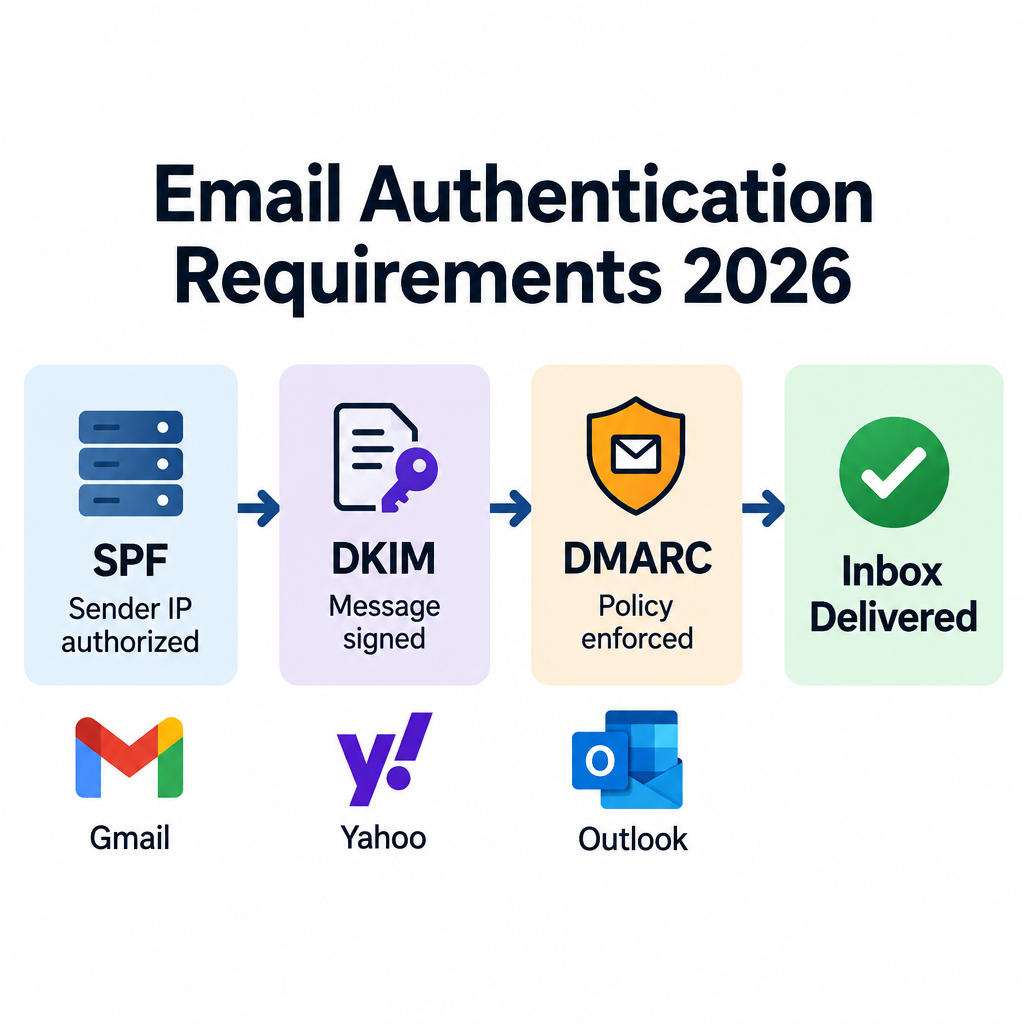
- Authenticate every stream. Publish SPF and DKIM for the domain or subdomain that sends order mail, and a DMARC record aligned with your visible From domain. Bulk senders to Gmail (close to 5,000 or more messages to personal Gmail accounts in 24 hours) and high-volume senders to Outlook.com, Hotmail.com and Live.com (more than 5,000 emails a day to those consumer addresses) must have all three.
- Separate transactional from marketing mail. Send receipts and shipping notices from their own subdomain (for example
orders.example.com) and, where your ESP allows it, their own IP pool. That way a promotional campaign that draws complaints doesn’t drag down your shipping confirmations. - Watch your spam rate. Google wants senders to stay below 0.1% and never reach 0.3%, as measured in Postmaster Tools. Yahoo uses the same 0.3% ceiling.
- Send at every step of the order. Confirmation, shipped with a tracking number, delayed, delivered, return received, refund issued. The missing “shipped” email in this story is the one that triggered the support ticket.
- Monitor and seed-test. Check Google Postmaster Tools, enroll in Yahoo Sender Hub’s complaint feedback loop, and send test orders to Gmail, Yahoo, Outlook.com and iCloud addresses after every template or DNS change.
- Keep a human route open. Put a support address or phone number in every transactional email, and use a Reply-To address that a person actually reads. Microsoft lists a working reply address as a best practice for high-volume senders.
A sample DMARC record to start with on the sending domain looks like this (start at p=none to collect reports, then move to quarantine or reject):
_dmarc.example.com. TXT "v=DMARC1; p=none; rua=mailto:[email protected]; adkim=r; aspf=r"
Open rates are a weak test of whether order emails arrive. Apple Mail Privacy Protection, launched with iOS 15 in 2021, preloads images and inflates opens, and Gmail serves images through its own proxy. Delivery and bounce logs from your ESP, plus support tickets asking “where is my order?”, tell you far more.
FAQ
Do transactional emails need an unsubscribe link?
Under CAN-SPAM, a message whose primary purpose is a transactional or relationship message is exempt from most of the Act’s rules, including the opt-out requirement. It still can’t contain false or misleading routing information. Gmail’s one-click unsubscribe requirement covers marketing and subscribed messages, not receipts, password resets or shipping notices. If the subject line or opening content makes the email look promotional, though, regulators and mailbox providers will treat it as commercial.
Do the Gmail and Yahoo bulk sender rules apply to order confirmations?
The authentication rules apply to all of your mail. Every sender to Gmail needs SPF or DKIM, and bulk senders need SPF, DKIM and DMARC whatever type of message they send. Your spam rate is also measured across all the mail from your domain, which is one more reason to send transactional mail from its own subdomain.
Why do order confirmation emails go to spam?
The usual causes are missing or misaligned authentication, a shared domain whose marketing mail draws complaints, sudden volume spikes, and templates that read like ads. Typos in the customer’s address and full mailboxes cause silent failures too, so check your ESP’s bounce logs. Mixing heavy promotions into receipts can also land them in Gmail’s Promotions tab instead of Primary or Updates.
Should transactional and marketing emails come from different domains?
Use separate subdomains of the same brand domain, such as orders.example.com and news.example.com, rather than unrelated domains. Customers still recognize the brand, and each stream builds its own reputation. Most ESPs with a transactional API, including Postmark, Amazon SES and SendGrid, support separate streams or IP pools for this reason.
Can you put promotions in a transactional email?
Yes, as long as the transactional content comes first and stays the main purpose of the email. The FTC’s primary purpose test looks at what a reasonable recipient would think the message is mainly about, starting with the subject line. A small cross-sell block below the order details is fine. A shipping notice that opens with a sale banner is not.
How quickly should a transactional email arrive?
Within seconds to a few minutes of the action that triggered it. Customers who don’t see a confirmation quickly tend to place duplicate orders or contact support. If shipping is delayed, as with the distribution center move in this story, send a status email before the customer has to ask.
Sources
- Google: Email sender guidelines
- Google: Email sender guidelines FAQ
- Google: Email subscription guidelines for senders
- Yahoo Sender Hub: Sender best practices
- Yahoo Postmaster blog: Enforcing email standards for a better experience
- Microsoft Tech Community: Outlook’s new requirements for high-volume senders
- FTC: CAN-SPAM Act compliance guide for business
- USPS: Informed Delivery