
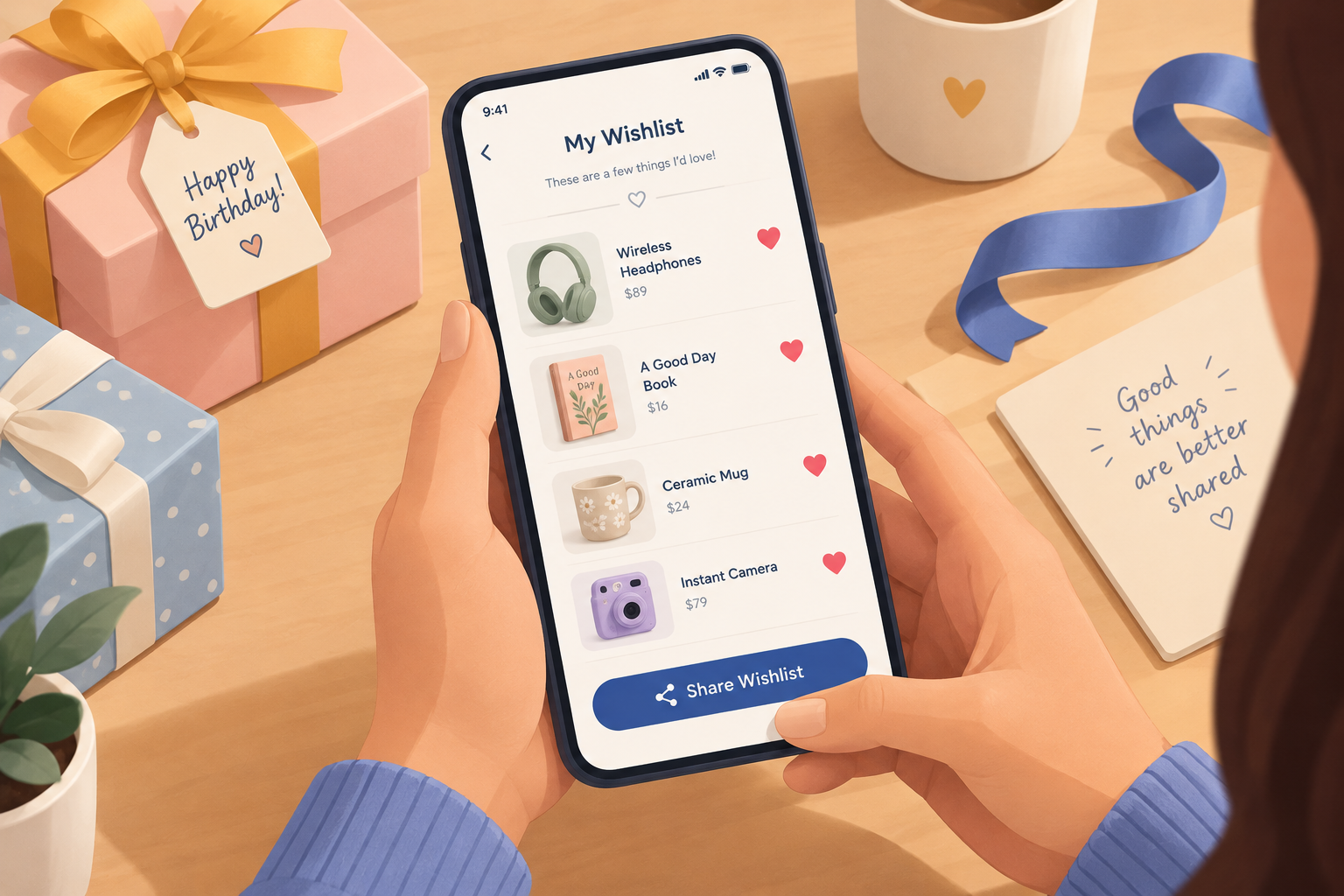
In November 2026, a hidden wishlist share button is almost always a design failure, not a sales trick. A wishlist that reaches a gift-giver is a sale the store would otherwise have to wait for. Most large retailers now give you a share link rather than a send form. Amazon, for example, has an “Invite” option with a view-only setting, and you paste the link into a text, a chat or your own email. The main change since this post was written is that “email a friend” forms have faded: the FTC can treat a store that induces those sends as the sender under CAN-SPAM, and the 2024 Gmail and Yahoo bulk sender rules on SPF, DKIM, DMARC, one-click unsubscribe and spam rates make mail to strangers’ addresses a deliverability risk.
A wishlist with no obvious send button
One shopper hardly ever used wish lists and usually just bought things. With a birthday coming up, though, a wishlist seemed like an easy way to help a partner choose a gift. So the shopper picked out everything and added it all to the store’s wishlist.
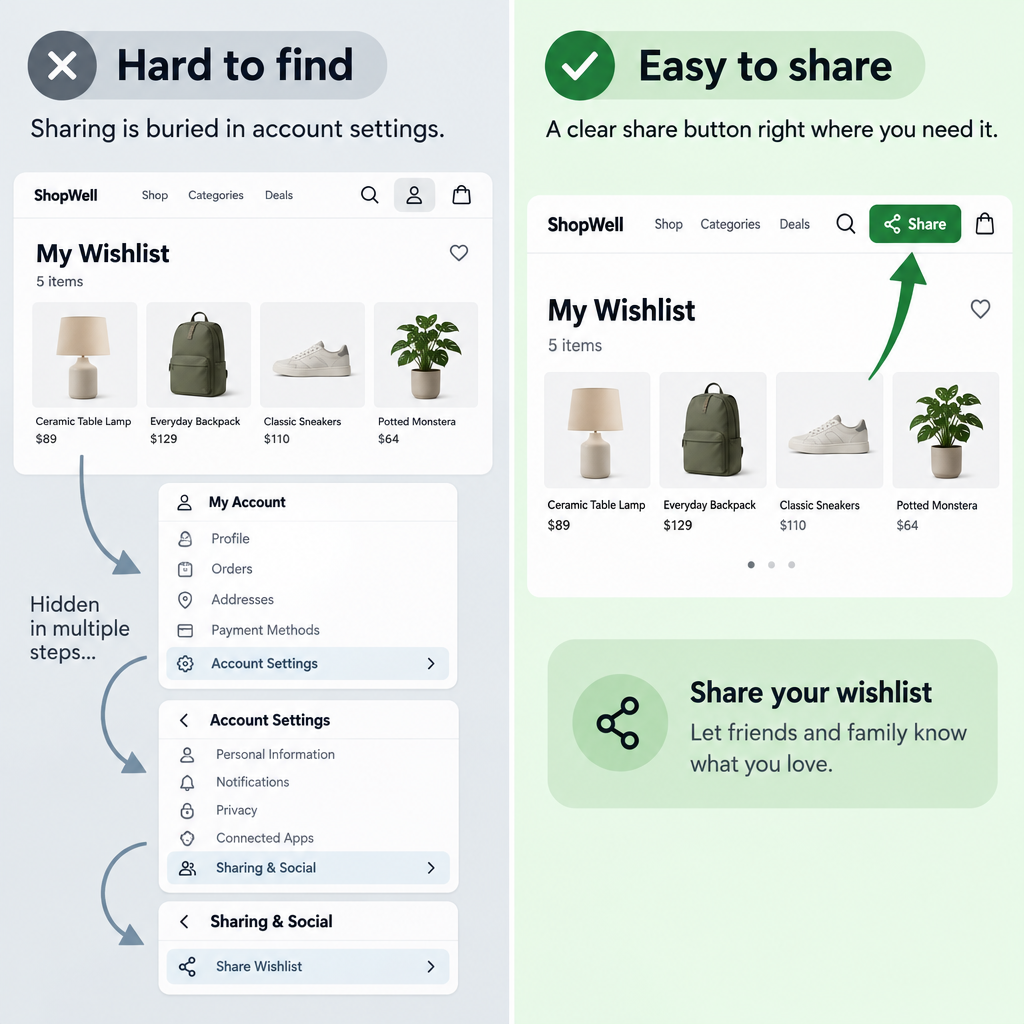
Sending it was the hard part. The “My Wishlist” button wasn’t anywhere obvious on the site. The “Shopping bag” was easy to find, but the wishlist only showed up after digging into the account preferences.
Then there were more steps. The shopper had to type in the partner’s email address and submit it before the site allowed a personal note. That note mattered, because it explained why the partner was about to get a long list of items that were clearly not for him.
That leaves a fair question. Is this just poor usability, or is the brand making the wishlist hard to send so the shopper ends up buying the items instead?
Poor usability or a deliberate tactic
It’s almost certainly poor usability. A store gains little by hiding the share button. A shopper who wants the items can already buy them, and a gift-giver holding the list is an extra buyer the store wouldn’t otherwise reach. Gift registries and shareable lists exist for exactly this reason.
There is a fair point on the other side. A list that never gets shared stays useful to the store, because saved items now trigger marketing emails to the shopper. Some of the friction around entering another person’s address also comes from legal and deliverability caution, not from wanting to block gifts. Neither reason excuses burying the button under account preferences, though. That’s a navigation problem, and fixing it costs very little.
Why email-a-friend forms became rare
Site forms that send email to an address the shopper types in have become a liability. Under the FTC’s CAN-SPAM rules, a business that “procures” a forward, for example by offering a discount or another reward for it, can be treated as the sender. It then has to provide an opt-out, an accurate header and subject line, and a postal address. Simply encouraging people to forward a message doesn’t, on its own, make the seller the sender. Penalties are counted per email and are now more than $53,000 per violating message after the FTC’s inflation adjustments.
Deliverability adds a second reason. Since February 2024, Google’s sender guidelines have required anyone sending 5,000 or more messages a day to Gmail accounts to:
- Authenticate with SPF and DKIM and publish a DMARC record.
- Support one-click unsubscribe in marketing mail and honor requests within two days.
- Keep the spam rate reported in Postmaster Tools below 0.3%. Google recommends staying under 0.1%.
Yahoo’s Sender Hub sets matching requirements. A wishlist email sent from the store’s domain to someone who never signed up is exactly the kind of mail that gets marked as spam. That hurts the domain the store uses for its order confirmations and campaigns.
What a well-built wishlist share looks like
A good wishlist share takes two clicks and runs through the shopper’s own channels. Retail sites that get it right tend to follow the same pattern:
- A save or heart icon on every product, with a wishlist link in the header right next to the shopping bag.
- A clear “Share” button on the wishlist page itself, not tucked away in account settings.
- A generated link that is view-only by default, so the recipient can’t edit or delete items. Amazon offers separate “View only” and “View and edit” options.
- Clear wording about privacy, because sharing can change a list from private to shared.
- Sharing through the phone’s share sheet, a text or the shopper’s own email app, with room for a personal note before anything is sent.
This fixes every pain point in the scenario above. The shopper never hands the store a partner’s address, the note comes first, and the message arrives from someone the recipient knows.
What stores do with saved items in email
Today, saved items mostly feed automated emails to the shopper who saved them. In Klaviyo, a price drop flow fires when an item’s price falls in a catalog synced from an ecommerce integration or a custom catalog. It won’t fire for out-of-stock items or unpublished variants, and price drop events are only recorded while the flow is live or in manual mode. Back in stock flows use Klaviyo’s “Subscribed to Back in Stock” metric as the trigger. Custom metrics can’t trigger them.
Wishlist apps for platforms such as Shopify often sync saved items into these flows. Once that sync is on, some apps stop sending their own alerts and leave the job to the ESP. If the ESP flow isn’t live, nobody gets an alert.
FAQ
Does CAN-SPAM apply to share-wishlist or forward-to-a-friend emails?
It can. If the store sends the message from its own systems, or rewards the shopper for sending it, the FTC can treat the store as the sender, and every CAN-SPAM requirement applies, including a working opt-out. Sharing a link through the shopper’s own email or messaging app avoids most of that risk.
Should a wishlist be sent through the store’s ESP or by the shopper?
By the shopper, in most cases. A message from a partner or friend is far less likely to be reported as spam than branded mail sent to an address the recipient never gave the store. It also keeps strangers’ addresses out of the store’s marketing list.
Do wishlist reminder emails need consent?
In the US, CAN-SPAM is an opt-out law, so commercial emails need a clear way to unsubscribe and an accurate sender. In the EU, GDPR and ePrivacy rules generally require prior consent for marketing email. Tie wishlist alerts to a clear opt-in or an existing customer relationship. Gmail and Yahoo also require one-click unsubscribe for marketing mail from bulk senders.
Which wishlist emails are worth setting up first?
Price drop and back in stock alerts. They are triggered by a real change in the product the shopper saved, so they carry news, not just a reminder. Make sure the trigger respects stock status, since a price drop alert for an item that can’t be bought frustrates the shopper.
How do Gmail and Yahoo’s sender rules affect wishlist emails?
They count toward your sending reputation like any other marketing mail. If you send 5,000 or more messages a day to Gmail, you need SPF, DKIM and DMARC, one-click unsubscribe, and a spam rate under 0.3%. Gmail will usually sort these alerts into the Promotions tab, and Apple Mail Privacy Protection inflates open rates. Judge them by clicks and revenue, not opens.
Sources
- Google Workspace Admin Help: Email sender guidelines
- Yahoo Sender Hub: Sender best practices
- FTC: CAN-SPAM Act, A Compliance Guide for Business
- Klaviyo Help Center: Guide to creating a price drop flow
- Klaviyo Help Center: How to build a back in stock flow