
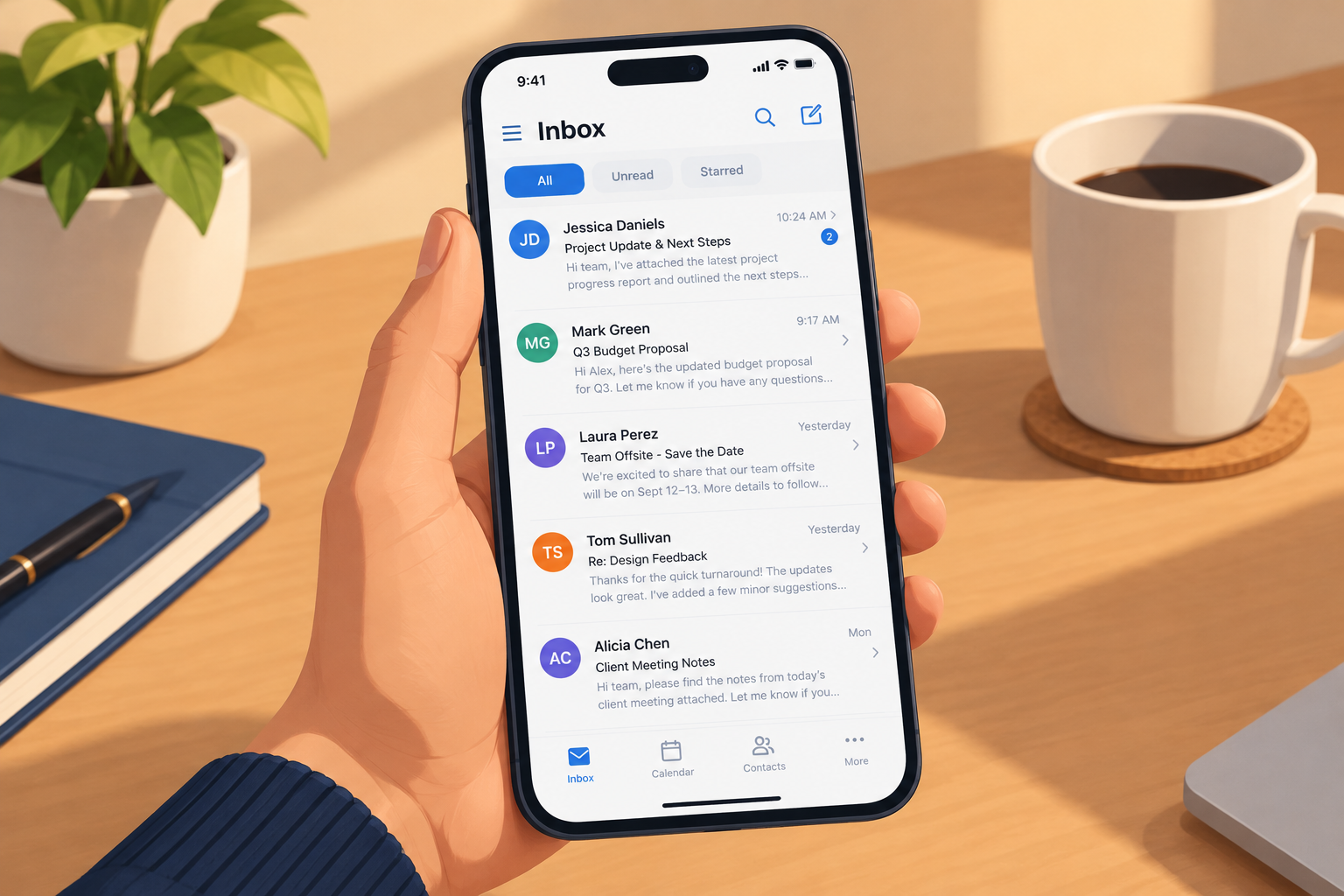
Whether your email gets opened depends on three things readers see before they click: the sender name, the subject line and the preview text. Keep subject lines short enough to fit on a phone, which is about 33 to 37 characters in the Gmail app. Say plainly what the reader gets, and send from a name they recognise. One big change since this post was first written is that you can’t win the open until you reach the inbox: since 2024, Gmail and Yahoo require bulk senders to use SPF, DKIM and DMARC, offer one-click unsubscribe and keep spam complaints under 0.3%. Since 2021, Apple Mail Privacy Protection has also made open rates much less reliable than they used to be.
We all get far too much email. To keep the inbox under control, most people scan the subject lines and delete anything that isn’t business, isn’t important or doesn’t pique their interest. So how do you make sure your campaign survives that scan?
Once your message lands in an inbox, you control a few things: the subject line, the from name and address, and the to address. Today there’s a fourth: the preview text (preheader) that appears after the subject line in most mobile apps. In Gmail, the tabs and the image proxy also shape what readers see, and dark mode can change how the message looks once it’s opened.
Why the subject line deserves real effort
Plenty of email marketers treat the subject line as an afterthought. It’s easy to see why. It’s only a few words, and the message does the selling, right?
Don’t fall into that trap. If nobody opens the message, the best copy in the world does you no good.
The tips below will help your subject line grab attention, build interest and make your message worth reading. Keep in mind that any rule loses its punch if you follow it every time. Vary your approach and let your results guide you.
One more thing has changed here. Measuring the “open” is harder than it used to be. Apple Mail Privacy Protection, introduced with iOS 15 in 2021, preloads tracking pixels for users who turn it on, so many recorded opens are machine opens and not people. Litmus’s July 2026 email client data puts Apple and Gmail together at nearly 90% of tracked opens. That makes open rate a rough signal at best. Judge your subject line tests on clicks, replies and conversions.
Keep it short and simple
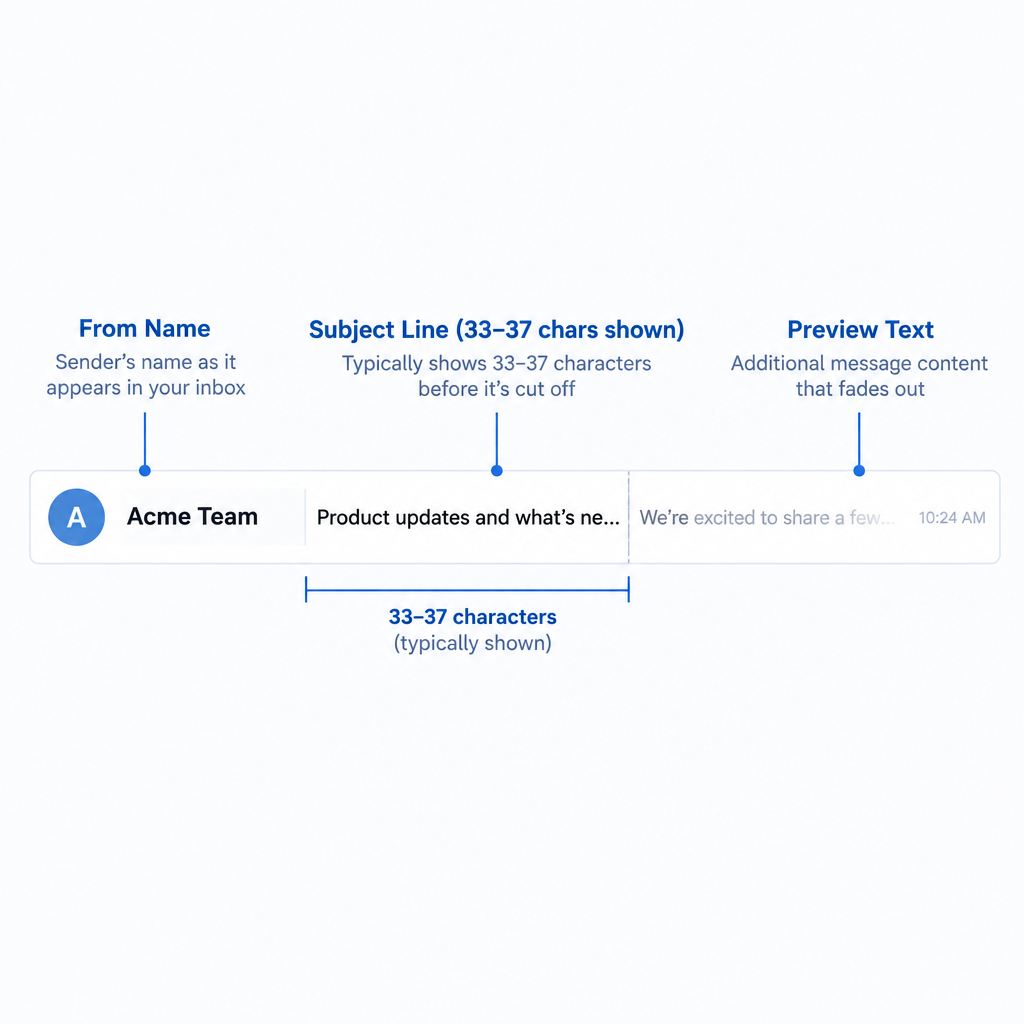
Keep it short and simple. The old advice was under 10 words, and under 5 if possible. The modern version is measured in characters, because most email is now read on phones. The Gmail mobile app shows only about 33 to 37 characters of the subject line before cutting it off. Gmail on desktop shows around 70.
Here’s how that works in practice:
- Put the most important words first, so the point survives if the line gets cut off.
- Use the preview text to finish the thought, not to repeat the subject. Mobile apps show roughly 37 to 45 characters of it.
- Check how the line looks in an inbox preview before you send. A subject like “Your March invoice is ready” fits on any screen. “Important information regarding your account and upcoming changes” does not.
A short, plain subject line also reads as more credible, because it looks like an email from a person.
Lead with what’s in it for the reader
Your readers care about one thing: what’s in it for them. Write about the benefits that matter to them, not the features that matter to you, and they’re far more likely to pay attention and open.
Compare “New reporting dashboard released” with “See which campaigns made money last month.” Both describe the same feature. Only the second tells readers why they should care.
The word “you” isn’t a spam signal anymore
Older advice said that “you” in a subject line predicted spam, because people rarely wrote it to colleagues and spammers used it constantly. That was a rule from the era of content-scoring filters, and it no longer holds. Today Gmail, Yahoo and Outlook.com filter mainly on sender reputation, authentication and how recipients engage with your mail. A single word in the subject line carries little weight.
The idea behind the old rule still works, though. The closer your message sounds to an ordinary email between people, the more likely it is to be opened. “You” is fine when it’s natural, as in “Your order has shipped.” It hurts when it’s part of a hype line like “You won’t believe this!”
Skip the exclamation point
Leave the exclamation point off the end of your subject line. Personal emails rarely use one to grab attention, and good business writing doesn’t need one. Several exclamation points, or a subject line in ALL CAPS, still looks like spam to readers, even if it’s no longer an automatic trigger for filters.
Use a question when it fits
If a question suits your offer, use one. Questions often pull readers in more than statements do, because they invite a mental answer. “Is your SPF record still valid?” works because the reader genuinely wants to know. A question that just restates a pitch doesn’t.
Don’t sound slick
People see so many slick sales pitches that they’ve learned to tune them out. The old list of words to avoid included “limited time,” “free,” “only” and “opportunity.” The words may hook a few readers, but the majority will send the message to the trash.
Two updates belong here. First, no single word lands you in spam with today’s major filters. The real risk is the complaint those words provoke. Google’s sender guidelines ask senders to keep the spam rate shown in Postmaster Tools below 0.10% and never let it reach 0.30%. Yahoo uses the same 0.3% ceiling. Every reader who hits “Report spam” over an overhyped subject line pushes you toward that limit. Second, in the US the subject line is also a legal matter. The FTC’s CAN-SPAM guidance says subject lines must not mislead readers about what’s inside. The maximum penalty is $53,088 per violating email, and that figure stayed the same in 2026 because no inflation adjustment was made that year.
So “free” is fine when the offer really is free and the email delivers it. A fake “Re:” or a “You’ve won” line that the content doesn’t back up is never fine.
Personalize it
Everyone likes to feel singled out. But it’s hard to feel special when a message was sent to “undisclosed recipients” and not to your own address. Sending one message to a whole list through BCC is an old shortcut that now looks careless and filters treat it with suspicion. A proper email service provider (ESP) sends each subscriber an individual copy addressed to them.
If your list includes first names, use them, but only when the data is clean. A subject line that says “Hi FNAME” or uses a misspelled name does more harm than none at all. Personalization based on what a subscriber bought, browsed or signed up for usually beats a first name alone.
In the same vein, make sure the email comes from a person. People prefer to buy from people, not autoresponders, robots or websites. Develop a personality and style in your email, and personalize the sender as well. A message from “The Big Shot Company” may not mean much, especially if the reader isn’t ready to buy. The same message from “Joe Brown at Big Shot” may be worth reading, and getting it read is the whole point.
Today the from line needs one more thing: a domain that passes authentication. Gmail and Yahoo have required bulk senders to authenticate with SPF, DKIM and DMARC since February 2024, with the visible From domain aligned. Microsoft applied similar rules to Outlook.com from May 5, 2025, for domains sending more than 5,000 emails a day. A minimal DMARC record that meets the requirement looks like this:
_dmarc.example.com. TXT "v=DMARC1; p=none; rua=mailto:[email protected]"
Without that, Gmail may mark your friendly sender name as unverified, or the message may never reach the inbox at all.
FAQ
What is the best length for an email subject line?
Aim for roughly 30 to 50 characters, and put the key words in the first 30 or so. The Gmail mobile app cuts subject lines at around 33 to 37 characters. Gmail on desktop shows about 70. Use the preview text to carry the rest of your message.
Are there spam trigger words you should never use in a subject line?
Not in the old sense. Gmail, Yahoo and Outlook.com filter mainly on authentication, sender reputation and how recipients engage with your mail, not on single words. What hurts you is hype that annoys readers into hitting “Report spam,” plus subject lines that mislead, which CAN-SPAM forbids.
Are open rates still useful for testing subject lines?
Only loosely. Apple Mail Privacy Protection records machine opens for many Apple Mail users, and Apple and Gmail account for nearly 90% of tracked opens in Litmus’s July 2026 data. Use clicks, replies or conversions as the winning metric for subject line tests.
Should the from name be a person or the brand?
Use whatever your subscribers recognise instantly. A combined name such as “Joe Brown at Big Shot” often works because it’s personal and still easy to identify. Keep it consistent from send to send, since frequent changes look unfamiliar and can raise complaints.
What do Gmail and Yahoo require from bulk senders?
Since February 2024, senders of 5,000 or more messages a day to Gmail must authenticate with SPF, DKIM and DMARC, and offer one-click unsubscribe that’s honoured within two days. They must also keep their spam rate below 0.3%. Yahoo enforces similar rules for high-volume senders, with one-click unsubscribe enforced from June 2024.
Do emojis in subject lines help opens?
They can help a line stand out in a crowded mobile inbox, but they display differently across clients and look out of place for many B2B audiences. Use one only when it adds meaning, test it against a plain version, and never let it replace the words that explain the email.
Whatever subject line you write, make sure it reaches the inbox: authenticate your domain, honour unsubscribes quickly and send what your subscribers signed up for.
Sources
- Google: Email sender guidelines
- Yahoo Sender Hub: Sender requirements and best practices
- FTC: CAN-SPAM Act, A Compliance Guide for Business
- Federal Register: FTC civil penalty inflation adjustments, September 15, 2026
- Microsoft Outlook: New requirements for high-volume senders
- Microsoft Outlook.com Postmaster: Policies, practices and guidelines
- Litmus: Email client market share
- Constant Contact Knowledge Base: The email preheader