
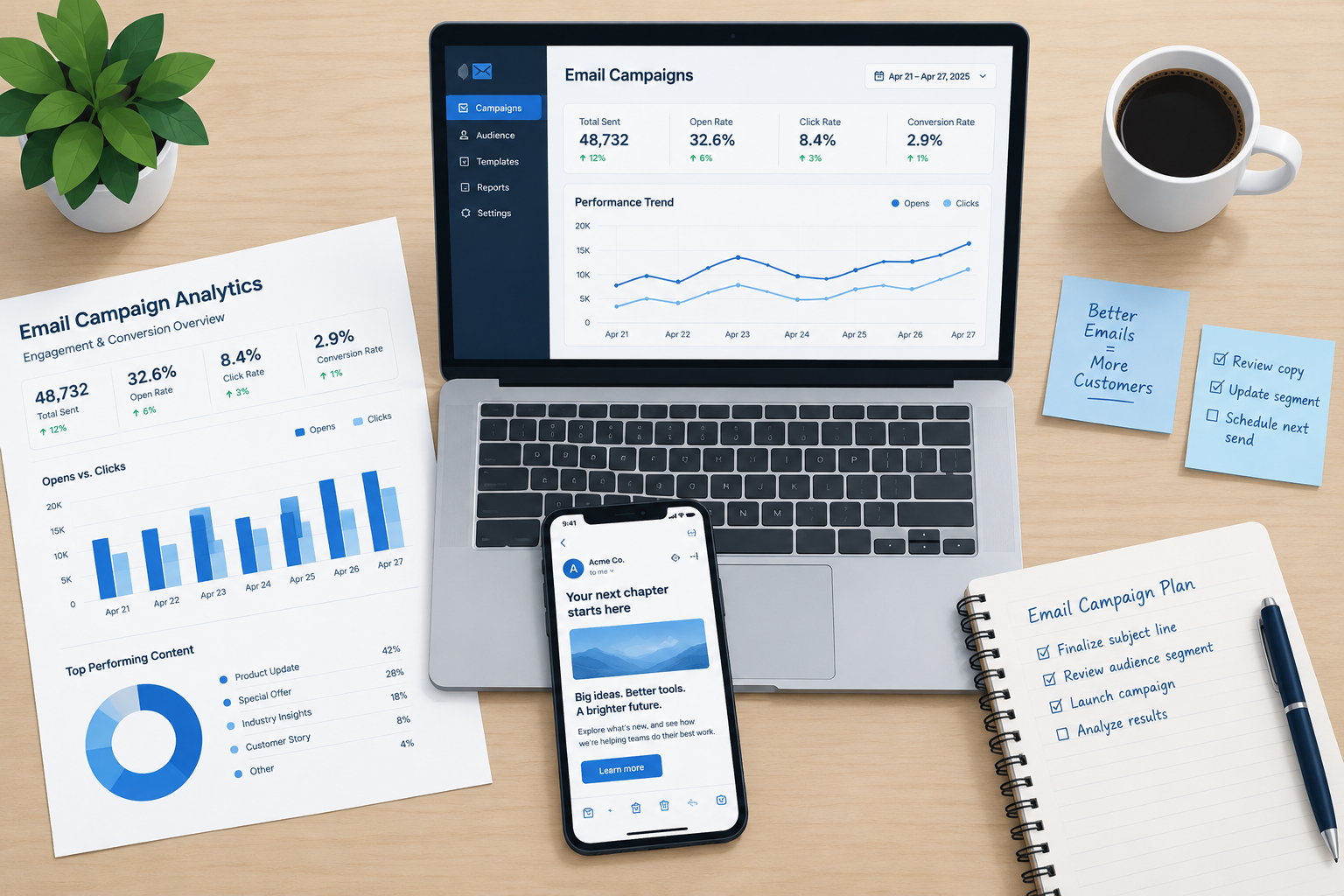
The best idea for your next email marketing meeting in November 2026 is a plan that keeps your mail in the inbox: authenticated sending, a one-click unsubscribe, a low complaint rate, and segments built on clicks and purchases rather than opens. Add clear, mobile-friendly copy and a few well-chosen tests, and the rest of the list below still works. The big change since this post first ran is that Gmail and Yahoo made SPF, DKIM, DMARC, one-click unsubscribe and spam-rate limits mandatory for bulk senders in 2024, and Microsoft followed for Outlook.com in May 2025. Over the same period, Apple Mail Privacy Protection made open rates unreliable.
Do your research
Look for tools and techniques already built for your industry before you invent your own. Most of what you need already exists.
In practice that means checking what your email service provider (ESP) already includes. Segmentation, automation, send-time features and testing tools often come with plans you’re paying for and nobody has switched on. It also means reading the rules for your audience: the mailbox providers’ sender guidelines, the FTC’s CAN-SPAM guide, and GDPR if you mail people in the EU or UK.
Be creative
Creative ideas still win attention. Some of the original suggestions have aged better than others, though, so each one below says how it holds up today.
- Keep personal text emails simple. The original version of this tip said plain-text email got past spam filters more easily. Today’s filters care much more about authentication, sender reputation and complaint rates than about format. Plain text still works well for messages meant to look like they came from one person, such as a founder’s note or a sales follow-up. It just won’t save a sender with a bad reputation.
- Personalize the images and the copy. This still works. Merge fields, product recommendations and dynamic content blocks are standard in most ESPs. Check your fallback values, because “Hi,” in a subject line looks worse than no name at all.
- Build interactive forms into the email so prospects don’t have to click through to a landing page. Today this mostly means AMP for Email, which works in Gmail, Yahoo Mail and Mail.ru only after you register as a sender with each provider. Everyone else, including Outlook and Apple Mail users, sees your HTML fallback. So always build the fallback first and treat the interactive version as a bonus.
- Show off your products with animation. Animated GIFs display in most clients. Classic Outlook for Windows shows only the first frame, so put the key product shot and message in that frame.
- Try online games. Games are a nice change from normal emails, but the Flash-style email games of the early web are history. Today’s versions are quizzes, scratch cards and polls built with AMP or CSS tricks, or a simple image that links to a game on your site. That last option is the most reliable.
Focus on your top prospects
Have you heard of the 80/20 rule? Email is cheap to send, but a small share of your list usually drives most of your sales. Treat 80/20 as a rule of thumb, not an exact ratio, and check it against your own revenue data.
Finding those top prospects has changed. Apple Mail Privacy Protection preloads tracking pixels, so it records an “open” whether or not anyone read the email. That means opens can no longer tell you who your engaged subscribers are. Rank people by clicks, purchases, replies and site visits instead.
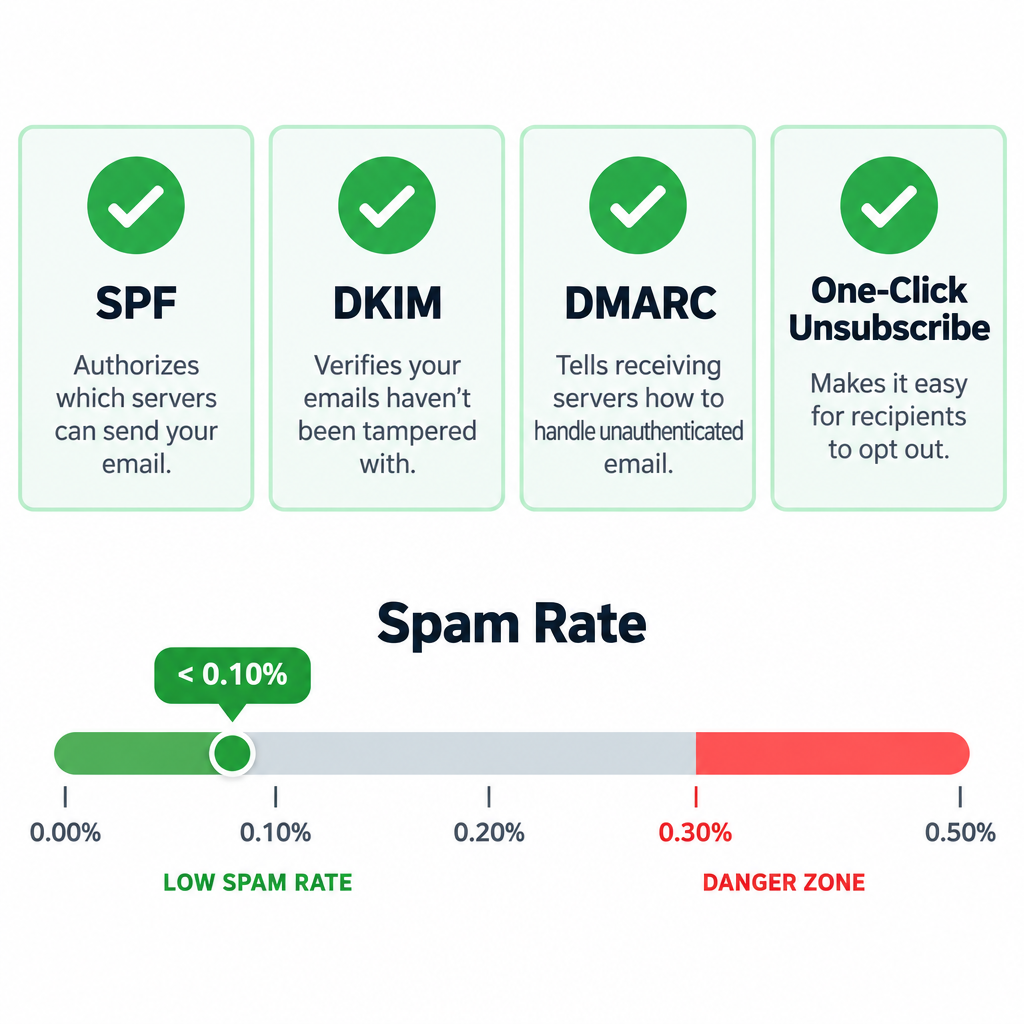
Focusing on your best contacts protects deliverability too. Sending less often to people who never engage keeps complaint rates down. Gmail asks bulk senders to keep spam rates in Postmaster Tools below 0.10% and never reach 0.30%.
Get the timing right
The best send time is whenever your own audience responds, and your own data is the only reliable guide.
The original post suggested these windows:
- IT professionals: 8 to 11 p.m. and 5 to 7 a.m.
- CEOs: weekends, when assistants are less likely to be screening their mail.
- Your target audience: track when prospects respond to your messages, then send in those windows.
The first two are old, unsourced rules of thumb, so treat them as ideas to test rather than facts. The third tip is the one that lasts, with one update: measure response by clicks, not opens. Mail Privacy Protection records opens when Apple fetches the message, which is often right after delivery, so open-time data can say more about when you sent than when people read. Many ESPs now offer automatic timing, such as Mailchimp’s Send Time Optimization or Klaviyo’s Smart Send Time. Compare results from these features with a control group before you rely on them.
Change the style of your writing
How you write matters as much as when you send. Most of these tips have held up well, and they matter even more now that most people read email on a phone.
- Put the call to action first, and add a short list of links that take readers straight to the parts of the message they care about. On a small screen, the first few lines may be all someone reads.
- Link to landing pages instead of packing the email with copy. Keep the email short and let the landing page do the detailed selling.
- Tell a story to draw readers in, but keep it short. Attention spans are limited.
- Build credibility by reducing buyer risk with guarantees, proof of return on investment (ROI), trial periods, service level agreements and similar offers.
- Test your subject lines. Since Mail Privacy Protection, judge subject-line tests by clicks or conversions, because opens alone will mislead you.
- Design for dark mode. Use transparent logos or logos with a light outline, avoid text built into images, and preview your email in both light and dark themes before you send.
Hire professionals
Bring in marketers, agencies and freelancers who specialize in email. Beyond copy and design, look for people who can handle the technical side: setting up DNS authentication, reading Google Postmaster Tools and Yahoo Sender Hub data, and fixing a spike in complaints before it turns into blocked mail.
Invest more marketing dollars
Email is cheap, but it has so many capabilities that more time, budget and brainpower usually pay off. Today, the money that pays off most often goes to clean data, good segmentation, testing and deliverability monitoring. More sends rarely help.
Bring the sender rules to the meeting
If you only bring one new thing to the meeting, bring this checklist. Since 2024, the biggest mailbox providers enforce rules that decide whether your creative ideas reach anyone at all.
| Provider | Who it applies to | What’s required | What happens if you don’t comply |
|---|---|---|---|
| Gmail | All senders; stricter rules for 5,000+ messages a day to personal Gmail accounts | SPF and DKIM, DMARC (at least p=none) with alignment, one-click unsubscribe for marketing mail, spam rate below 0.10% and never 0.30% or higher | Temporary errors and rejections; Google stepped up enforcement in November 2025 |
| Yahoo Mail | Bulk senders (Yahoo doesn’t publish a volume threshold) | SPF, DKIM, DMARC with at least p=none, one-click unsubscribe, unsubscribes honored within 2 days, low spam rate | Filtering and blocking |
| Outlook.com, Hotmail, Live | 5,000+ messages a day, from May 5, 2025 | SPF and DKIM passing, DMARC at least p=none aligned with SPF or DKIM | Junk folder first, possible rejection later |
A minimal DMARC record that meets all three looks like this:
_dmarc.example.com. TXT "v=DMARC1; p=none; rua=mailto:[email protected]"
Start with p=none so you can read the reports. Then move to p=quarantine and p=reject once every service that sends mail for your domain passes alignment.
In the US, CAN-SPAM still applies to every commercial message, including business-to-business email. You need accurate headers and subject lines, a valid physical postal address, and a working opt-out that you honor within 10 business days. Penalties are counted per email: the FTC raised the maximum to $53,088 per violation in January 2025 and adjusts it for inflation each year.
FAQ
Do the Gmail and Yahoo sender rules apply to small senders?
Some of them do. Google expects every sender to use SPF or DKIM and to keep spam rates low. The full set (DMARC, alignment and one-click unsubscribe) applies once you reach about 5,000 messages a day to personal Gmail accounts. Setting up all of it anyway costs little and protects you as your list grows.
What spam complaint rate is too high?
Google tells senders to keep the rate shown in Postmaster Tools below 0.10% and never reach 0.30%. Yahoo uses 0.3% as its line for bulk senders. If you’re near 0.10%, cut back on mailing inactive contacts and make your unsubscribe link easier to find.
Are open rates still worth reporting?
Only as a rough trend. Apple Mail Privacy Protection preloads images for users who turn it on, which records opens nobody made. Report clicks, conversions, revenue per email and unsubscribe rates instead, and don’t trigger automations on opens alone.
What is the best day and time to send marketing email?
No single time works for every list. Look at when your own subscribers click and buy, test two or three send windows against each other, and use your ESP’s send-time feature if it beats your control group. Industry benchmarks are only a starting point.
Will interactive or AMP emails work for all my subscribers?
No. AMP for Email works in Gmail, Yahoo Mail and Mail.ru, and only after you register with each provider. Everyone else sees the HTML version, so that version has to work well on its own.
Do I need permission to email business prospects in the US?
CAN-SPAM doesn’t require opt-in consent. It does require honest headers and subject lines, a postal address and an opt-out you honor within 10 business days, with no exception for B2B email. GDPR and Canada’s CASL have stricter consent rules, and mailing people who never signed up drives up the complaints that Gmail and Yahoo measure.
Sources
- Google: Email sender guidelines
- Yahoo Sender Hub: Best practices
- Microsoft: Outlook’s new requirements for high-volume senders
- Microsoft Postmaster: Policies, practices and guidelines
- FTC: CAN-SPAM Act, a compliance guide for business
- Braze: AMP for email
- Litmus: Apple Mail Privacy Protection for marketers