
Smaller, segmented sends usually win
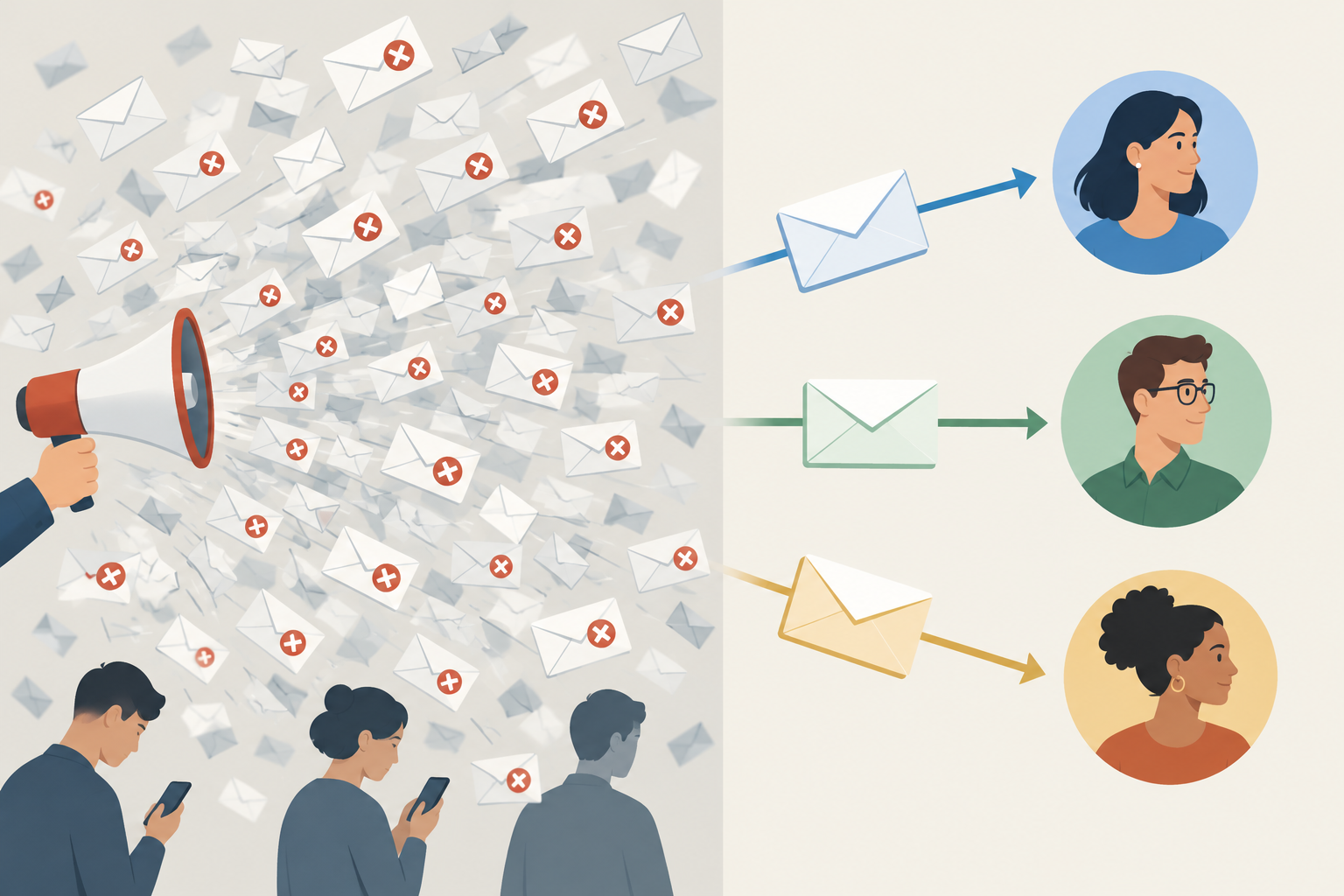
Smaller, segmented sends are more relevant to your subscribers, and they almost always perform better than one message sent to the whole list. Many teams still react by sending every email to every subscriber, throwing everything at the wall to see what sticks.
The cost of that habit is higher now than it used to be. Google’s sender guidelines ask bulk senders to keep user-reported spam below 0.1% and never let it reach 0.3%. Google defines a bulk sender as anyone who sends close to 5,000 or more messages to personal Gmail accounts in 24 hours. On a 50,000-message blast, 0.3% is only 150 spam reports. Subscribers who never asked for a particular kind of email are the ones who hit that button. When you send a segment the content it signed up for, you get fewer complaints and more clicks.
Segmenting starts with the data you collect
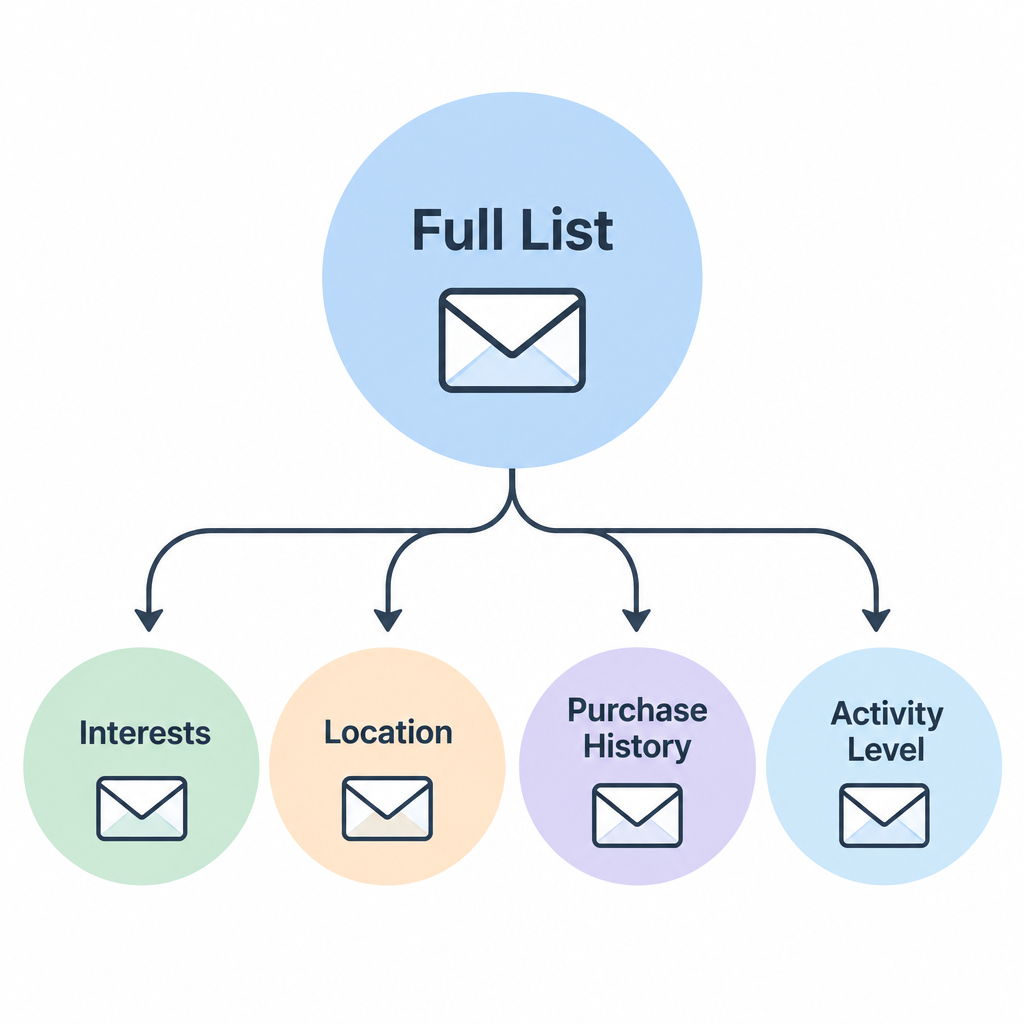
Segments come from two things: the information subscribers give you and what they do with your emails. If you know very little about your subscribers yet, that is the one case where sending everyone the same email makes sense.
Check in with your subscribers regularly so your information stays current and relevant. A check-in also shows you how active each person is. If someone doesn’t click through and give you more information, cut your losses, or at least move them into an inactivity segment of their own. Your list is only as strong as its weakest link.
Beyond the email address, a first name is the field most worth collecting, because nearly every email platform can use it for personalization. A last name helps if you sell to businesses or match records with a CRM. Under GDPR’s data minimization principle, ask only for fields you will actually use. Interests, location and purchase history usually make better segments than a full name does.
Re-engage or remove subscribers who have gone quiet
Send a re-engagement email to subscribers who haven’t engaged in the last 12 months (the inactivity segment described above). Ask them to click through to a landing page or a preference center to confirm they still want your mail. Keep the people who respond and remove the rest. Mailing them over and over hurts you more than it helps.
The original version of this advice told readers to ask subscribers to display images “via ALT tags (how opens are tracked).” That was wrong then and it still doesn’t work. Opens are tracked by a tiny hidden image called a tracking pixel. ALT text is just the text a client shows when images are blocked. Image-based open tracking has also become much less reliable:
| Change | What it does to open tracking |
|---|---|
| Gmail image proxy (since 2013) | Gmail serves images through Google’s own servers, which hides the reader’s location and device. |
| Apple Mail Privacy Protection (since 2021) | Apple’s servers fetch images, tracking pixels included, when the email arrives, so many Apple Mail opens are recorded whether or not anyone read the message. |
| Image blocking in some clients | No pixel loads, so a real reader can look inactive. |
So treat a click as the confirmation you need, not an open. Apple’s privacy feature does not affect link tracking, so click data stays accurate. A “not opened in 12 months” rule now keeps inactive Apple Mail users on your list and can drop real readers whose clients block images. Base inactivity on clicks, purchases, logins or replies. Keep in mind that Google, under a policy announced in May 2023, began deleting personal Google Accounts inactive for at least two years in December 2023, so old, untouched addresses also turn into bounces over time.
Audit your list every six months
Set aside a solid block of time every six months to audit your subscribers. Cut the dead weight and focus on the active users.
Most email platforms can now handle part of this automatically with a sunset rule. The rule moves subscribers who haven’t engaged for a set period into a re-engagement flow and suppresses them if they don’t respond. The six-month manual review is still worth doing. Look at bounce rates, complaint rates in Google Postmaster Tools, and how each signup source has performed. A form or partner that brings in subscribers who never click is worth fixing at the source.
There is a fair counter-argument: pruning shrinks your audience, and some inactive subscribers buy later anyway. If your purchase data shows that, give those people a lower sending frequency rather than deleting them. If they show no clicks, no purchases and no logins for a year, the risk to your reputation outweighs the small chance they come back.
It all starts on day one
The most important point is that list quality starts the day someone signs up. Set expectations on the signup form: what you’ll send and how often. Encourage people to tell you about themselves, and keep it to the questions you’ll actually use for segmentation.
When someone opts in, send a welcome message right away. Every major email platform, including Mailchimp, Klaviyo and Kit, supports automated welcome emails, so there’s no reason not to use one. A welcome email is also a good place to ask for preferences while the subscriber is paying the most attention.
Give subscribers ways to update their preferences in every email. The legal and technical baseline is stricter now as well:
- Include a visible unsubscribe link in every marketing email. The FTC’s CAN-SPAM guide requires you to honor opt-outs within 10 business days.
- Add a one-click List-Unsubscribe header to marketing mail. Gmail and Yahoo require it for bulk senders, and Google asks that unsubscribes be processed within two days.
- Offer a preference center so people can reduce how often they hear from you or change topics instead of leaving altogether.
FAQ
How often should you clean your email list?
Run an automated sunset rule all the time and do a full manual audit about every six months. High-volume senders often review engagement monthly. The aim is to remove dead addresses before they drive up bounces or spam complaints.
What counts as an inactive subscriber now that open rates are inflated?
Use clicks, purchases, site logins and replies, not opens. Apple Mail Privacy Protection records many opens that never happened, so an “opened” status no longer proves anyone read the email. Many senders use 6 to 12 months without a click as the cutoff, adjusted to how often they send.
Does deleting subscribers hurt your results?
Revenue rarely drops when you remove people who haven’t clicked or bought in a year. Your rates usually improve, because complaints and bounces fall while the engaged audience stays the same. Before you delete anyone, send a re-engagement email so interested subscribers have a chance to stay.
What spam complaint rate do Gmail and Yahoo allow?
Google asks bulk senders to stay below 0.1% and never reach 0.3%, which you can track in Google Postmaster Tools. Yahoo’s Sender Hub guidance also uses 0.3% as the ceiling. Segmenting and suppressing inactive subscribers is the most direct way to stay under both.
Do small senders need SPF, DKIM and DMARC?
Yes. Google’s bulk sender rules apply to senders of close to 5,000 or more messages to personal Gmail accounts in 24 hours, and Microsoft’s high-volume sender requirements apply to domains sending more than 5,000 emails a day to Outlook.com. The two sets of requirements differ, but both companies recommend authentication broadly. Yahoo publishes no volume threshold at all. Setting up all three records costs nothing and protects your domain from spoofing.
Is it legal to email someone who never opted in if they are on your list?
In the US, CAN-SPAM allows commercial email without prior consent if you meet its rules on identification, honest subject lines and opt-out. GDPR in the EU and UK generally requires consent for marketing email. Even where it’s legal, emailing people who never asked drives up spam complaints, which is exactly what mailbox providers penalize.
Sources
- Google: Email sender guidelines FAQ
- Yahoo Sender Hub: Best practices
- Microsoft Outlook: New requirements for high-volume senders
- FTC: CAN-SPAM Act, A Compliance Guide for Business
- Twilio SendGrid: Understanding Apple Mail Privacy Protection and open events