
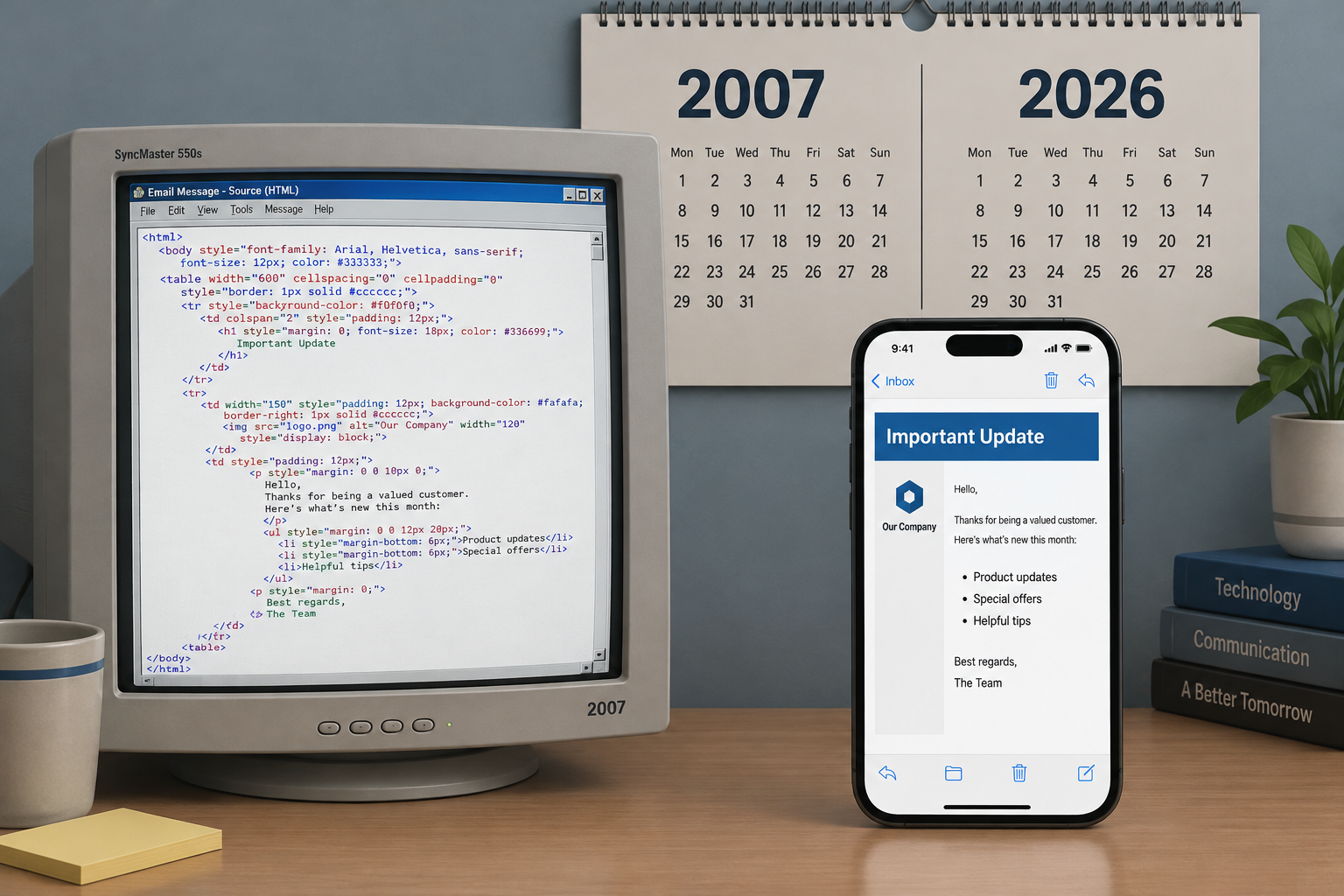
Table-based layouts with inline CSS are still the safest way to make an HTML email render everywhere in November 2026. The main reason is the same one this post complained about in 2007: classic Outlook for Windows still uses Microsoft Word to render HTML. A lot has changed since then. Gmail has supported embedded <style> blocks and media queries since 2016, most people now read email on phones and in dark mode, and the Gmail, Yahoo and Microsoft bulk sender rules mean an email needs SPF, DKIM, DMARC and one-click unsubscribe before its design even reaches the inbox.
Campaign Monitor’s 2007 CSS guide
In 2007, Campaign Monitor published its “Guide to CSS Support in Email: 2007 Edition“. A lot had changed since its previous CSS roundup, and most of it was bad news. The biggest problem was Outlook 2007’s refusal to incorporate Internet Explorer’s HTML rendering engine. Microsoft used Word’s much weaker engine instead.
That decision lasted far longer than anyone expected in 2007. Outlook 2010, 2013, 2016, 2019 and 2021 and the Microsoft 365 desktop app (now called “classic Outlook”) all kept the Word engine. Microsoft’s new Outlook for Windows is web-based and renders much like Outlook.com. But Microsoft has said classic Outlook will stay supported until at least 2029, and it has not announced an end date for the Word engine. Many developer blogs repeat an “October 2026” retirement date, but none of them points to a Microsoft announcement. You still need to code for Word-engine Outlook.
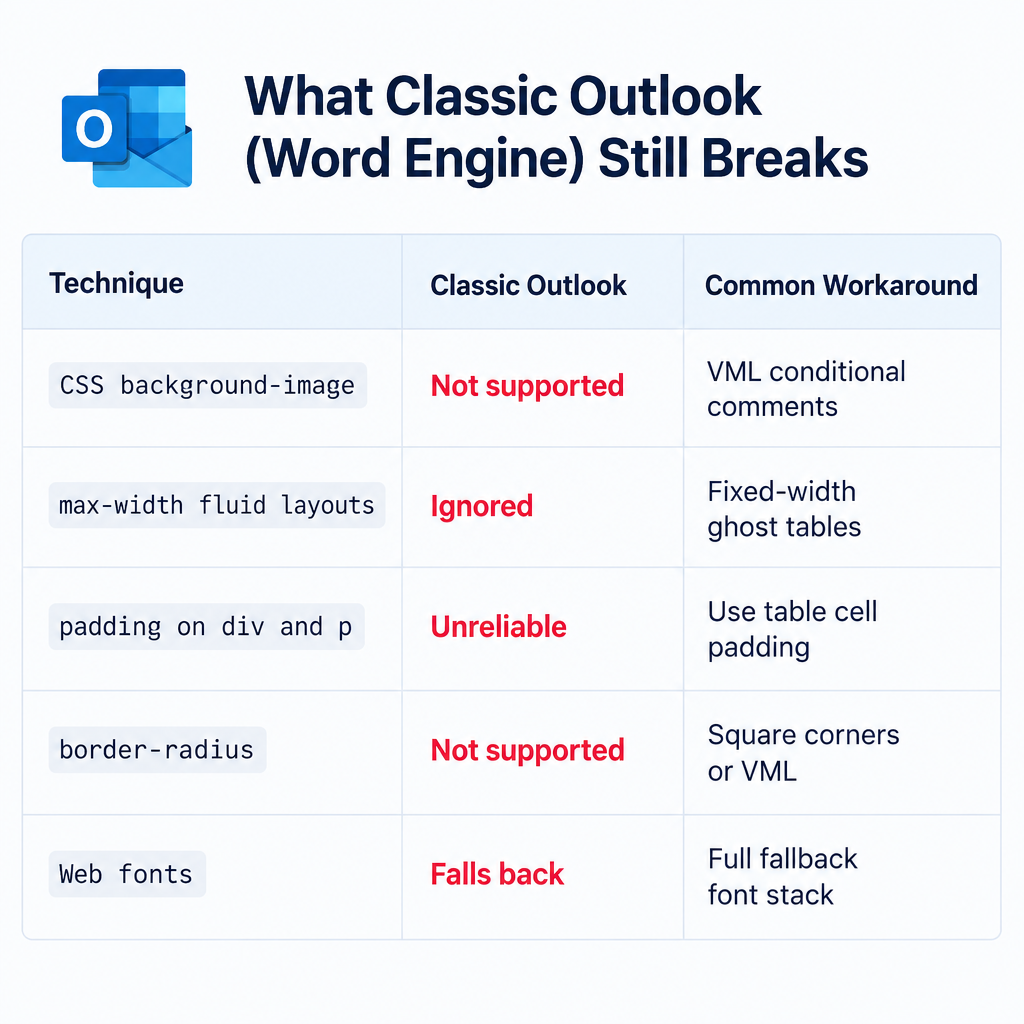
What the Word engine still breaks
These are the usual problems you get when you design for Word-engine Outlook:
| Technique | Classic Outlook (Word engine) | Common workaround |
|---|---|---|
CSS background-image |
Not supported | VML inside <!, [if mso]> conditional comments |
max-width and fluid layouts |
Ignored | Fixed-width “ghost tables” for Outlook only |
Padding and margin on <div> and <p> |
Unreliable | Put padding on table cells |
border-radius |
Not supported | Square corners or VML buttons |
| Web fonts | Falls back, sometimes to Times New Roman | Declare a full fallback font stack |
Yahoo! Mail’s 2007 lead, and how webmail looks now
The 2007 guide did have good news. Yahoo!, then the biggest web-based email client, had just released a new interface. That interface handled CSS better than its webmail rivals, including Gmail and Windows Live Hotmail, Microsoft’s webmail service at the time. The hope back then was that most existing Yahoo! users would switch to the new interface. Most of them did.
All of this is history now. Windows Live Hotmail became Outlook.com in 2012 and 2013, and the Windows Live Mail desktop program was discontinued. Gmail used to strip <style> blocks entirely. In September 2016 it started supporting embedded styles and media queries. Google’s Gmail CSS documentation now lists support for class, element and ID selectors, plus media queries on min-width, max-width, orientation and resolution. Gmail still drops CSS it doesn’t support, and it clips long messages behind a “View entire message” link, so keep your HTML lean.
Mobile and dark mode came later
The 2007 guide only covered desktop and webmail clients. Campaign Monitor added mobile clients in 2009. Today, phones and dark mode drive most design decisions:
- Mobile: Responsive layouts rely on media queries in a
<style>block. Most modern clients support them, but classic Outlook ignores them. Build a layout that still reads well at a fixed width of about 600px. - Dark mode: Apple Mail supports the
prefers-color-schememedia query, so you can control your dark palette there. Other clients, including Gmail’s apps, recolor emails on their own. Use transparent PNG logos with a light outline, and avoid text that is part of an image.
Tables and inline styles are still the safe default
The 2007 guide concluded that table-based designs with inline styles were the surest way to get correct rendering in both B2B and B2C email. That conclusion still holds as a baseline, with one change: today you add a <style> block on top of it rather than relying on inline styles alone.
Here is a modern minimal pattern. Layout and core styles are inline so Outlook gets them. The <style> block adds mobile and dark mode handling for clients that support it.
<style>
 @media (max-width: 600px) {.stack { display: block !important; width: 100% !important; } }
 @media (prefers-color-scheme: dark) {.body { background: #121212 !important; color: #f1f1f1 !important; } }
</style>

<table role="presentation" width="600" cellpadding="0" cellspacing="0" border="0" style="width:600px; margin:0 auto;">
 <tr>
 <td class="stack body" style="padding:24px; font-family:Arial, Helvetica, sans-serif; font-size:16px; line-height:24px; color:#222222; background:#ffffff;">
 Your content here.
 </td>
 </tr>
</table>
role="presentation" tells screen readers to ignore the table’s layout structure. Most ESPs can inline your CSS automatically when you send. That covers Campaign Monitor, Mailchimp and Klaviyo, and tools such as MJML compile to this kind of table markup for you.
Where to check CSS support today
The 2007 guide ended with an easy-to-reference support chart in PDF format, which you can find right here. Treat it as a historical snapshot. Its support data is nearly two decades old.
For current data, use these two sources:
- Campaign Monitor’s “Ultimate Guide to CSS”: The successor to the 2007 chart, updated as clients change. Campaign Monitor now operates under Marigold.
- Can I Email (caniemail.com): A community-maintained “Can I Use” for email. It covers HTML, CSS and image format support across the major clients and their versions, and notes where support is only partial.
Before a big send, render the email in a preview tool such as Litmus, Email on Acid or your ESP’s built-in inbox previews. Check classic Outlook, Gmail on Android, and Apple Mail in dark mode at a minimum.
Clean CSS won’t help if the email gets blocked
A perfectly coded email does nothing if mailbox providers reject it. Gmail and Yahoo introduced bulk sender rules in February 2024 for anyone sending about 5,000 or more messages a day to their users:
- Authenticate with SPF and DKIM, and publish a DMARC record (
p=noneat minimum) aligned with your From domain. - Support one-click unsubscribe (RFC 8058 headers) in marketing mail and process requests within two days.
- Keep the spam complaint rate in Google Postmaster Tools below 0.3%, and ideally under 0.1%.
Google stepped up enforcement in November 2025, with temporary and permanent rejections for mail that doesn’t comply. Microsoft applied similar SPF, DKIM and DMARC requirements to senders of more than 5,000 messages a day to Outlook.com, Hotmail.com and Live.com addresses from May 5, 2025. A starter DMARC record looks like this:
_dmarc.example.com. TXT "v=DMARC1; p=none; rua=mailto:[email protected]"
Once your reports show that all your legitimate mail passes, move to p=quarantine and then p=reject.
FAQ
Does Outlook still use the Word rendering engine?
Classic Outlook for Windows does. That includes Outlook 2016, 2019, 2021 and the Microsoft 365 desktop app. The new Outlook for Windows and Outlook.com use a modern web engine. Microsoft has committed to supporting classic Outlook until at least 2029, so plan to support the Word engine for several more years.
Do I still need inline CSS in 2026?
For anything that affects layout or readability, yes. Classic Outlook and some smaller clients don’t apply <style> blocks reliably. Put your core styles inline, and use a <style> block for media queries and dark mode. Most ESPs inline the CSS for you when you send.
Can I use media queries in Gmail?
Yes. Gmail has supported embedded styles and media queries since 2016. Google documents support for min-width, max-width, orientation and resolution queries. If Gmail can’t parse a CSS rule, it drops it, so validate your CSS before you send.
How do I make an email look right in dark mode?
Use the prefers-color-scheme media query for clients that support it, such as Apple Mail. For clients that recolor emails themselves, avoid pure black text on images and text placed inside images, and use logos with transparent backgrounds. Then preview the email in dark mode in several clients before you send.
Does email design affect deliverability?
Indirectly. Very heavy HTML, emails that are mostly images and broken markup can hurt engagement and look spammy. Authentication and complaint rates matter much more, though. A Gmail spam rate at or above 0.3%, or missing SPF, DKIM or DMARC, will hurt delivery whatever your CSS looks like.
Is the old 2007 CSS chart still useful?
Only as history. It shows how email clients handled CSS when Outlook 2007 and the new Yahoo! Mail launched. For current decisions, use Campaign Monitor’s Ultimate Guide to CSS or Can I Email.
Sources
- Google Workspace: Gmail CSS Support (developers.google.com)
- Google Workspace Admin Help: Email sender guidelines and the bulk sender FAQ
- Microsoft Tech Community: Outlook’s new requirements for high-volume senders
- Microsoft Learn: Classic Outlook support timeline
- Campaign Monitor: The Ultimate Guide to CSS, and “Can you use CSS in HTML emails?”
- Can I Email (caniemail.com)