
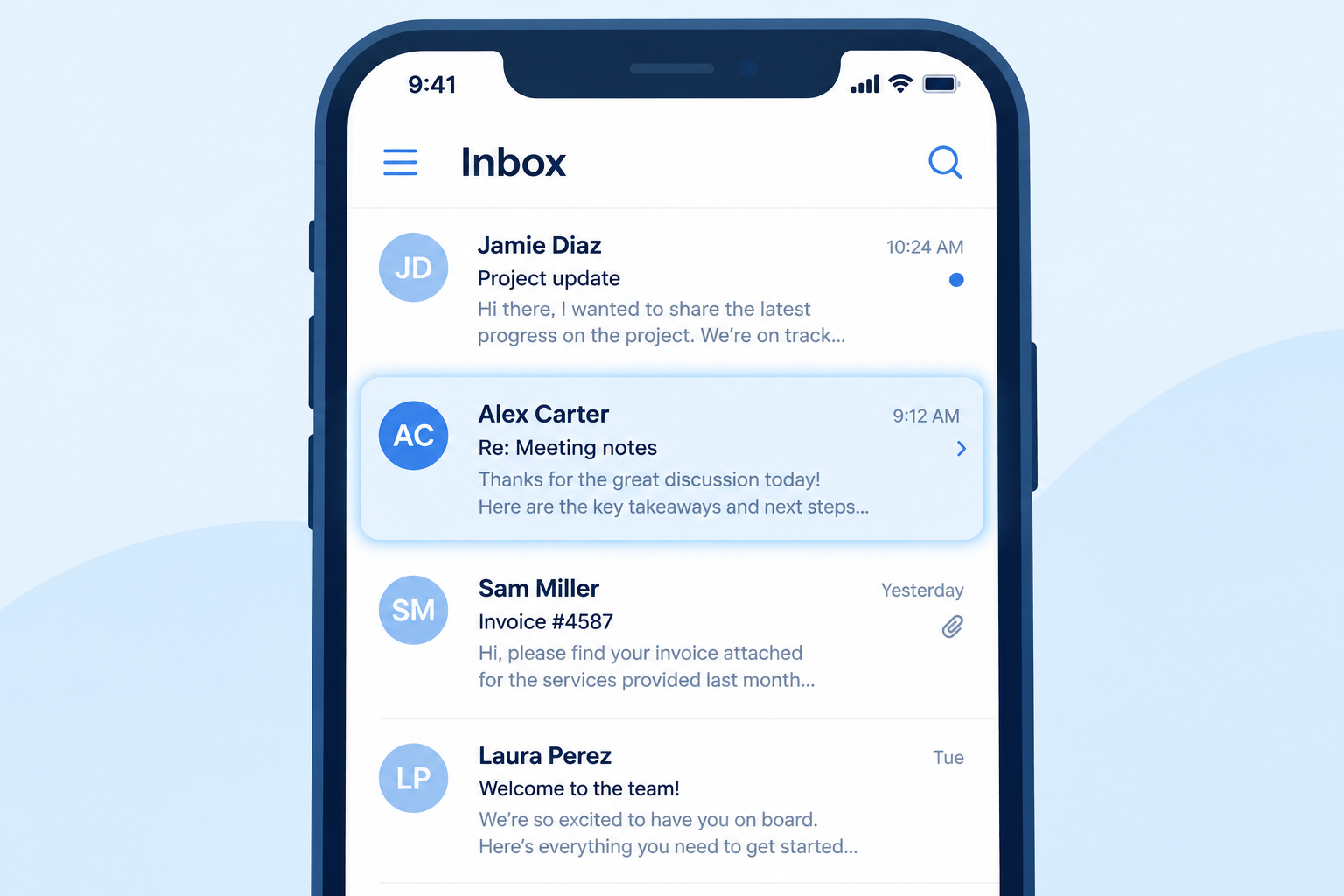
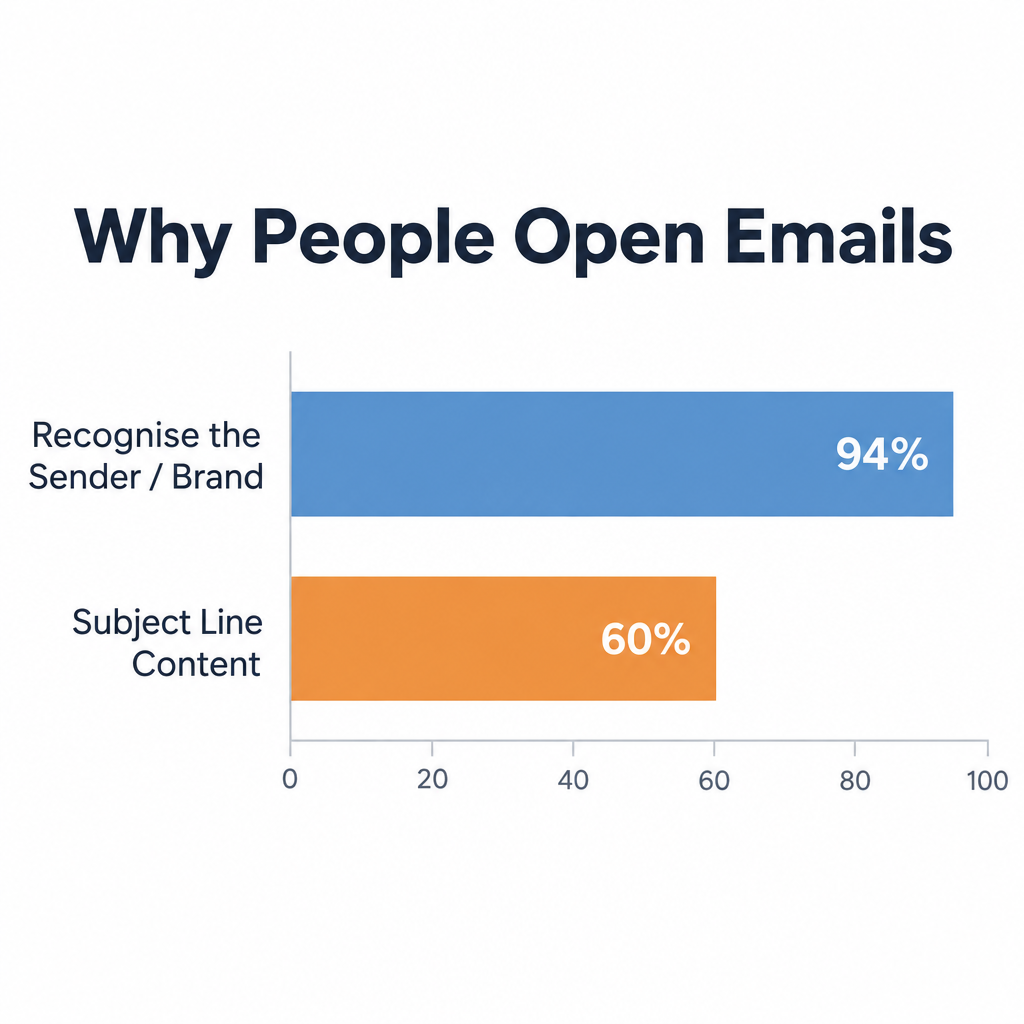
The sender name is still the main reason people open a permission-based email, and a clear reason to open in the subject line comes second. That was true in 2005 and the newer consumer surveys say the same. What has changed is how you reach the inbox at all and how you measure an “open.” Since February 2024 Gmail and Yahoo have required bulk senders to use SPF, DKIM and DMARC, offer one-click unsubscribe and keep spam complaints under 0.3%, and Apple Mail Privacy Protection now records opens that no person made.
Why recognition drives opens
Inboxes keep getting fuller, so your campaign has to be recognisable at a glance. Research going back two decades points to the same answer: people open email from senders they know and trust.
In DoubleClick’s 2005 Consumer Email Study, the sixth in its annual series, 65% of respondents named the “from” line as the main reason they opened permission-based email. In 2004 the figure was 64%. The numbers showed how much sender recognition and a strong brand name counted.
Newer surveys agree. In Twilio’s 2024 Global Messaging Engagement Report, the sender was the top factor in deciding whether to open an email, cited by 82% of respondents aged 51 to 65 and 80% of those aged 36 to 50. In a Mailgun consumer survey, 94.5% said recognising the sender or brand name was very or somewhat important, which put it ahead of personalised subject lines and discount offers.
The sender name also carries more weight now than it did in 2005. On mobile, the from name is the boldest line in the message list. Gmail, Yahoo and Apple Mail also show brand logos to senders that meet BIMI and DMARC requirements. US law covers this line too: under CAN-SPAM, the “From,” “To” and “Reply-To” details and routing information must be accurate and must identify the person or business that sent the message.
What to put in the subject line
The 2005 study also looked at how offers in the subject line affected opens. The share of consumers who said free shipping made them open rose from 31% in 2004 to 42% in 2005. Discount offers were also compelling, at 65% of consumers.
Those figures are history, but the lesson still holds: tell readers what they get. Free shipping and discounts still pull opens in retail. If you have no discount to offer, a clear call to action in the subject line will still get a better response than a vague teaser.
Two rules from today’s environment apply here:
- Keep the subject line honest. CAN-SPAM bans subject lines that mislead people about what the message contains. Bait-and-switch subject lines also lead to spam complaints, and both Gmail and Yahoo ask senders to keep their spam rate below 0.3%.
- Write for the Promotions tab and small screens. Gmail has sorted offers into its Promotions tab since 2013. Your from name, subject line and preview text are all that show on a phone screen, so put the offer in the first few words.
Test your from line, but measure it correctly
Test how your subscribers react to your from line. It can change your open rates and the results of your whole email marketing programme.
How you score the test has changed since this advice was first written. Apple Mail Privacy Protection loads the images in messages before the user sees them, so Apple Mail users show up as “opens” whether or not they read anything. Gmail has fetched images through its own proxy since 2013, which also hides who is opening and where they are. Open rates are now an inflated signal, so judge a from-line or subject-line test on clicks, conversions or revenue per email.
A simple test sequence:
- Choose one variable, such as “Brand” against “Person at Brand” in the from name.
- Split a random sample of your list, keeping the subject line and send time the same for both groups.
- Send to enough people that each version can collect a meaningful number of clicks.
- Pick the winner by click rate or conversions, not opens.
- Once you find a from name that works, keep using it. Changing it often wears away the recognition that makes people open.
Recognition only helps if your email lands in the inbox. Senders who mail 5,000 or more messages a day to personal Gmail accounts need SPF, DKIM and DMARC. Microsoft’s requirements for Outlook.com, Hotmail and Live.com addresses, enforced from May 5, 2025, apply to high-volume senders of more than 5,000 messages a day and call for SPF, DKIM and DMARC with alignment. Yahoo sets the same basic requirements for bulk mail.
FAQ
Is the sender name or the subject line more important for opens?
Surveys consistently put the sender name first. Twilio’s 2024 report and Mailgun’s consumer research both rank it ahead of subject line content. The subject line still decides whether a reader who already trusts you opens this particular message, so you need both.
Should my from name be a person or the brand?
For most marketing email, the brand name or a “Person at Brand” format works best, because recognition is what drives the open. A person’s name alone can raise curiosity but often confuses readers who don’t know who that is. Test both and judge the result on clicks, not opens.
Are open rates still worth tracking?
They are useful as a rough trend line within your own programme, but not as a precise measure. Apple Mail Privacy Protection records machine opens, so open rates look higher than real readership. For tests and reports, use click rate, click-to-open rate and conversions.
Does “free shipping” in the subject line still work?
It still motivates shoppers, and retail senders use it heavily. The words won’t save a message from a sender readers don’t recognise, and they can’t promise more than the offer delivers. The deal has to match the subject line, both for readers and for CAN-SPAM.
What do Gmail and Yahoo require from bulk senders?
Since February 2024, bulk senders must authenticate with SPF and DKIM, publish a DMARC policy (at least p=none), offer one-click unsubscribe for marketing and subscription messages through the List-Unsubscribe header, honour unsubscribe requests within two days and keep spam complaint rates below 0.3%. Gmail defines a bulk sender as anyone sending close to 5,000 or more messages a day to Gmail addresses. Microsoft added similar authentication requirements for Outlook.com in May 2025.
Sources
- Google Workspace Admin Help: Email sender guidelines
- Yahoo Sender Hub: Best practices
- Microsoft Tech Community: Outlook’s new requirements for high-volume senders
- FTC: CAN-SPAM Act, A Compliance Guide for Business
- Twilio: 2024 Global Messaging Engagement Report