
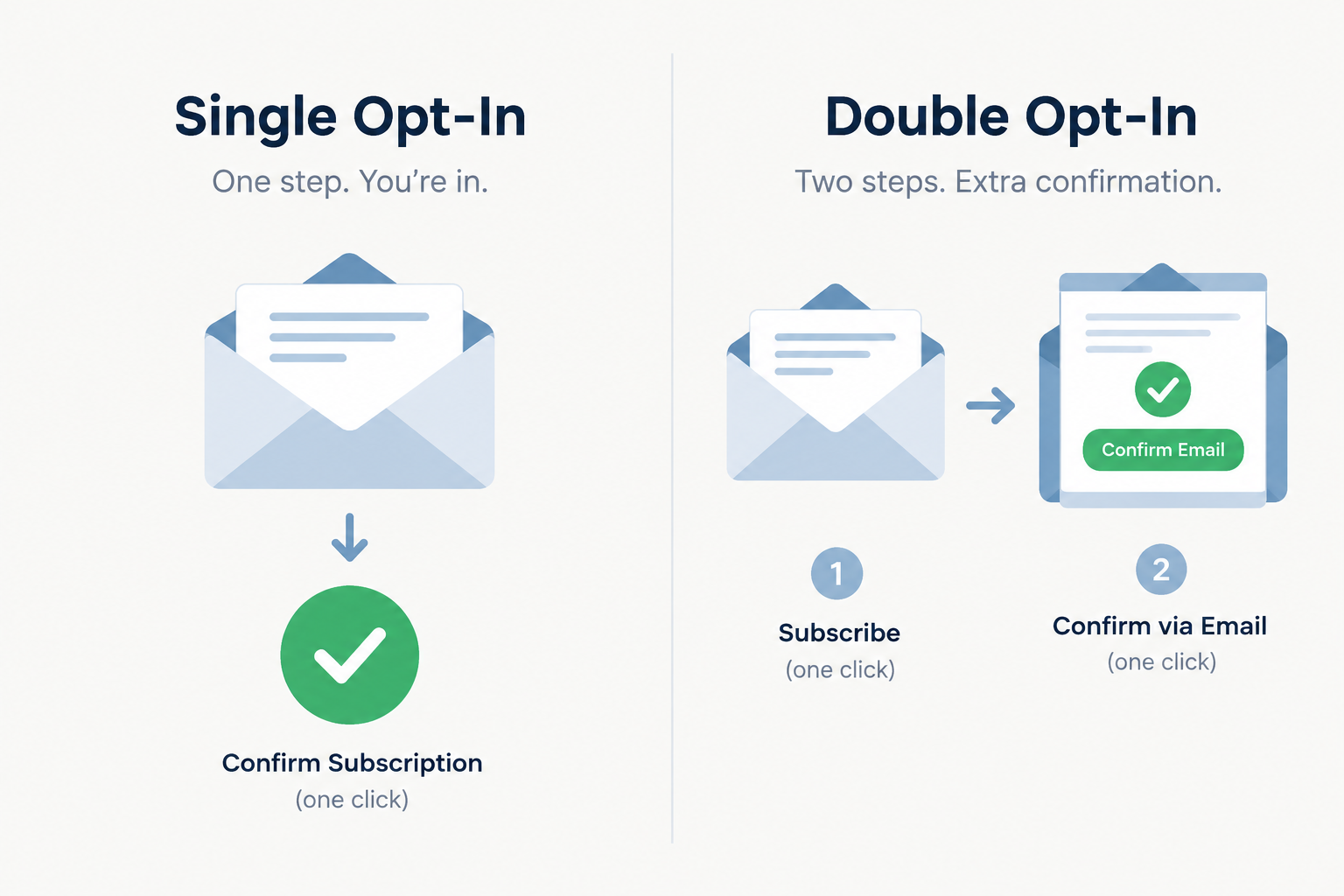
No. Double opt-in, also called confirmed opt-in, is still alive in November 2026, but it is no longer the only respectable way to build a list. Single opt-in works for most US senders who protect their signup forms and keep their lists clean. Double opt-in is still the safer default in Germany and much of the EU, for risky signup sources, and for any sender that has to prove consent. The big change is that Gmail and Yahoo (since February 2024) and Outlook.com (since May 2025) now judge bulk senders on authentication, one-click unsubscribe and spam complaint rates, and Google’s own subscription guidelines now ask senders to have new subscribers confirm their address before mailing them.
What the Email Evolution Conference debated
When this post first ran, the Email Evolution Conference had just ended in Scottsdale, Arizona. The sessions covered a lot of ground, and opt-in standards and practices came up more than most topics.
Marketers have argued about single and double opt-in for a long time. Both methods have pros and cons, and double opt-in (DOI) had been the agreed standard for most email marketers for years. The talk coming out of Scottsdale was that making DOI the default for everyone might be outdated.
Why many marketers called double opt-in outdated
The case against DOI is easy to see. It adds an extra step: before getting anything from your brand, the subscriber has to click a link in a confirmation email. Each extra step slows list growth, and the drop-off can be steep. The confirmation email can land in spam. It can also arrive and simply be missed, which leaves the would-be subscriber stuck in signup limbo for good.
That drop-off is still the main cost of DOI today. You can shrink it by sending the confirmation within seconds, telling people on the thank-you page to check their inbox (and their Promotions tab in Gmail), and using a plain subject line that says what the email is for.
Confirmation emails and abuse
In that era, one worry was that spammers used “double opt-in emails” to trick people into signing up for services they never asked for, and that ISPs would react by blocking anything that looked like a DOI message. Mailbox providers never blocked confirmation emails as a group, and they don’t now.
The real abuse problem today is subscription bombing, also called list bombing. Bots type a victim’s address into hundreds of unprotected forms, and the victim’s inbox fills up with confirmation and welcome emails. Those messages draw spam complaints that hurt the sender’s domain, whichever opt-in method it uses. The fix is to protect your forms. Mailchimp, for example, switches on reCAPTCHA automatically when you enable double opt-in on its hosted signup forms.
Why the choice should be made case by case
Even so, making DOI a blanket rule for every sender is not the best idea, a point Bill McCloskey made at the time. In a ClickZ column, the email industry veteran argued that double opt-in, once a best practice, no longer made sense for everyone. Decide case by case, based on what your program is for.
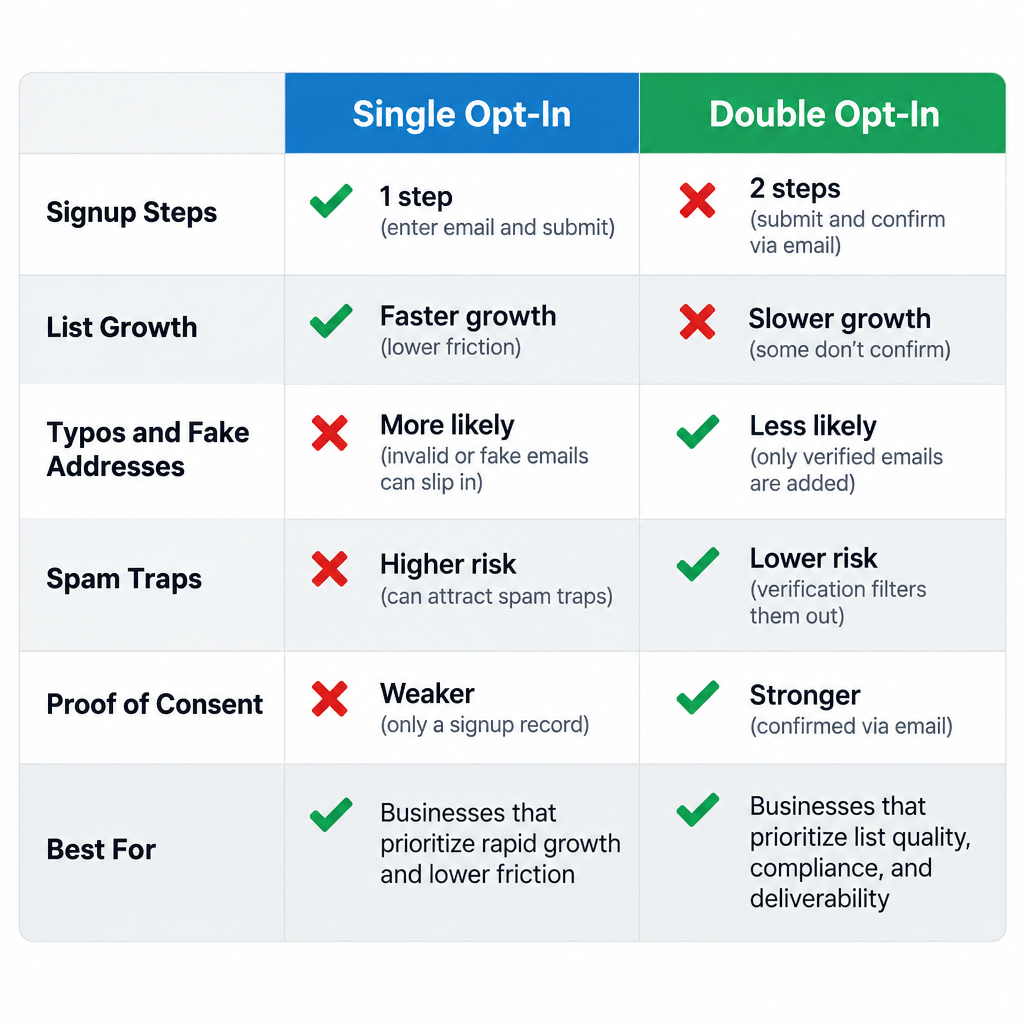
If your main goal is reach, single opt-in gets more people onto your list faster. If deliverability matters to you and your clients, take steps to keep bounces and complaints down. Double opt-in is one of the best tools for that. It filters out mistyped, fake and abandoned addresses, so you end up with a stronger and more reliable list.
One part of the old advice has aged badly: using DOI to “raise your open rates”. Apple Mail Privacy Protection arrived with iOS 15 in September 2021. It preloads images, which makes many emails show as opened whether anyone read them or not. Judge list quality by clicks, conversions, bounces and spam complaints instead.
Single vs double opt-in in 2026
| Factor | Single opt-in | Double opt-in |
|---|---|---|
| Signup steps | Submit form | Submit form, then click confirmation link |
| List growth | Faster | Slower, because some people never confirm |
| Typos and fake addresses | Get onto the list | Filtered out before the first campaign |
| Spam traps and bot signups | Higher risk unless forms are protected | Much lower risk |
| Proof of consent | Signup record only | Signup record plus a confirmation click |
| Fit with Google’s subscription guidelines | Needs strong form protection and list hygiene | Matches the address-confirmation guidance |
| Best for | US senders with protected forms and clean data | EU and German lists, co-registration, high-risk sources |
What mailbox providers actually enforce
Mailbox providers don’t block you for skipping double opt-in. They block you for the problems that weak opt-in tends to cause. Google’s email sender guidelines define bulk senders as those sending close to 5,000 or more messages a day to personal Gmail accounts. They must authenticate with SPF, DKIM and DMARC, offer one-click unsubscribe on marketing and subscribed messages, honor unsubscribe requests within two days, and keep spam rates in Postmaster Tools below 0.1%, never reaching 0.3%. Yahoo’s Sender Hub sets out similar rules for bulk senders without a fixed volume threshold. Since May 5, 2025, Microsoft has required SPF, DKIM and DMARC from domains that send more than 5,000 emails a day to Outlook.com consumer addresses.
A minimal DMARC record that meets the baseline looks like this:
_dmarc.example.com. TXT "v=DMARC1; p=none; rua=mailto:[email protected]"
A list full of bot signups and mistyped addresses pushes complaints toward those limits. That risk is why DOI still earns its place for many senders.
Where double opt-in is the safer choice
- Germany and Austria. German courts put the burden of proof on the sender. Double opt-in is the widely accepted way to show that a real person agreed to get your newsletter, and it is the practical standard there.
- The wider EU. GDPR Article 7(1) says the sender must be able to show that consent was given. Mailchimp notes that accounts with a primary contact address in the EU may have some audiences set to double opt-in by default.
- Risky signup sources. Contests, co-registration, events and partner forms bring in more typos and people who don’t remember signing up.
- Gmail-heavy lists. Google’s email subscription guidelines for senders ask you to have recipients confirm their address after entering it on a website or app, before you send subscription mail.
If you stay with single opt-in
- Protect every form with reCAPTCHA or a similar challenge, plus a hidden honeypot field.
- Check addresses in real time at signup to catch typos such as “gmial.com”.
- Send a welcome email right away so new subscribers recognize you and engage early.
- Watch spam rates in Google Postmaster Tools and keep them below 0.1%.
- Send a reconfirmation email to inactive subscribers, as Yahoo’s Sender Hub suggests, and stop mailing anyone who doesn’t respond.
FAQ
Is double opt-in required by law in the United States?
No. The CAN-SPAM Act is an opt-out law. It doesn’t require any opt-in for commercial email, but it does require accurate headers, an honest subject line, a physical postal address and a working unsubscribe that you honor within 10 business days. Each violating email can draw a separate penalty of tens of thousands of dollars, so a clean opt-in process is still worth having.
Does Gmail require double opt-in?
Gmail won’t reject your mail just because you use single opt-in. Google’s subscription guidelines do recommend confirming each new subscriber’s address before sending, and the hard rules for bulk senders are authentication, one-click unsubscribe and a low spam rate. Double opt-in is one of the most reliable ways to keep that spam rate down.
Is double opt-in required under GDPR?
GDPR doesn’t name double opt-in, but Article 7(1) requires you to be able to show that consent was given. In practice, a stored confirmation click is the easiest way to show it. In Germany it is treated as the expected standard.
Does Mailchimp’s double opt-in work with API and form integrations?
No. Mailchimp’s double opt-in setting only covers Mailchimp’s own signup forms, not form integrations or the API. If you add contacts through an integration, you need to set up confirmation in that tool or through the integration’s own settings.
Should you reconfirm an older list?
Yes, if it has a lot of long-inactive subscribers or contacts with unclear origins. Send a short reconfirmation campaign, keep the people who click, and stop mailing the rest. A smaller list of people who want your email will reach the inbox more reliably than a large list that draws complaints.
Can double opt-in confirmation emails hurt deliverability?
Only when bots abuse your forms. Unprotected forms can be used for subscription bombing, which floods strangers with confirmation emails and sets off complaints. Turn on CAPTCHA protection, and confirmation emails become some of the best-engaged messages you send.
The takeaway: pick your opt-in method based on where your signups come from and which laws apply to your list. Whichever method you use, the spam rate in Google Postmaster Tools tells you whether it’s working.
Sources
- Google: Email sender guidelines
- Google: Email subscription guidelines for senders
- Yahoo Sender Hub: Best practices
- Microsoft Tech Community: Outlook’s new requirements for high-volume senders
- Mailchimp Help: About Double Opt-in
- FTC: CAN-SPAM Act, A Compliance Guide for Business