
Short, plain, edited copy still wins in 2026. Readers give an email about 9 to 10 seconds on average, according to Litmus engagement data, and most of them read on a phone. So you should still draft, step away, and cut. What has changed is the setting: subject lines get cut off sooner on mobile, Apple Mail Privacy Protection inflates open rates, and since February 2024 Gmail and Yahoo will only deliver bulk mail reliably if it has SPF, DKIM, DMARC, one-click unsubscribe and a low spam complaint rate. Good copy cannot rescue mail that fails those checks.
Write, edit, repeat
Writing a newsletter is a process, not a single sitting. Write the draft, step away from the screen, then come back later to read it again and rewrite it. Fresh eyes are the most reliable way to get copy that is both compelling and concise.
This matters because readers give you very little time. The original version of this tip said most people spend less than a minute on an email. The real number is much smaller. Litmus reported an average read time of about 10 seconds in 2021, 15% lower than in 2020. Its 2022 data put the figure at roughly nine seconds. The Keep It Sweet and Simple tips below are about using those seconds well.
In the body, cut the zero-point words
Use a 0-1 point system for words. It is an old classroom editing method. Give filler words such as “which” and “that” zero points, and give words that carry meaning one point. Then cut as many zero-point words as you can.
Here is a worked example:
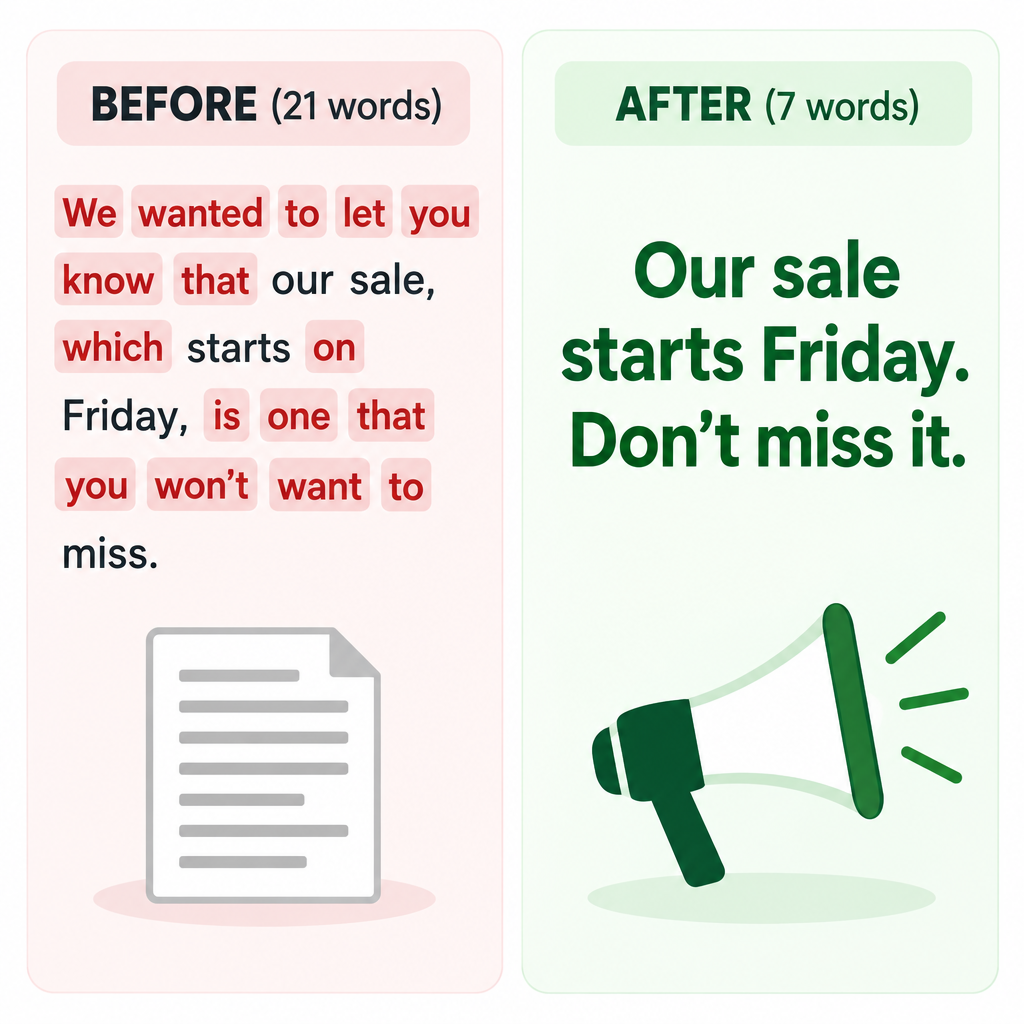
- Before (21 words): “We wanted to let you know that our sale, which starts on Friday, is one that you won’t want to miss.”
- After (7 words): “Our sale starts Friday. Don’t miss it.”
The meaning is the same at a third of the length. On a phone screen, the shorter version also lifts the call to action higher up the message, so readers see it without scrolling.
Some zero-point words earn their place. If cutting “that” makes a sentence harder to read, put it back. The aim is clarity, not the lowest possible word count.
In the subject line, aim for about 40 characters
The old rule was “50 characters or less.” That limit dates from desktop inboxes. On mobile you have less room. EmailToolTester’s device tests found the Gmail app on an iPhone 14 showed about 37 characters of the subject line. Apple Mail on the iPhone showed about 48.
The old tip also said the average word has seven characters. That figure is too high. An English word averages about five letters, plus a space. So a 40-character subject line gives you roughly six or seven words to tell readers what is inside. Writing subject lines is both an art and a science, so choose each word carefully. When readers know what to expect, they get curious and open the email.
A worked example:
- Too long (57 characters): “Our Biggest Fall Sale Ever Starts This Friday at Midnight”
- Fits on mobile (32 characters): “Fall sale starts Friday: 30% off”
Put the most important words first, in case the inbox cuts off the end.
Use the preview text too
Most inboxes, including Gmail, Apple Mail and Outlook, show a line of preview text (also called preheader text) under the subject. If you leave it blank, the client takes the first text it finds in the email, which is often “View in browser.” Write the preview text on purpose, so it adds to the subject line rather than repeating it. Gmail on the iPhone showed about 39 characters of preview text in the same tests, so put the important words at the start.
To get a subject line right, write it, edit it and repeat. Draft five or ten versions before you pick one.
In the copy, use nickel and dime words
Use nickel and dime words, not quarter words. Familiar language is faster to read, and big words impress no one. A specialist may enjoy jargon, but a subscriber skimming on a phone will not. Check your copy against this tip and swap big words for simple ones.
| Quarter word | Nickel word |
|---|---|
| Consequently | So |
| Utilize | Use |
| Commence | Start |
| Purchase | Buy |
| Assistance | Help |
| In order to | To |
| At this point in time | Now |
Plain words also hold up better in small fonts, in dark mode and in screen readers. Short paragraphs of two or three lines help for the same reason.
Proofread beyond spell-check
Mistakes are hard to catch, and spell-check is not enough. It will not flag “your” where you meant “you’re,” or a wrong price. Send a test to colleagues and ask them to check spelling and grammar before the email goes live.
Today you should also check the parts readers see before they open the email. Look at the subject line, preview text and sender name on a real phone. Then open the email in dark mode and click every link. Inbox preview tools such as Litmus and Email on Acid show how one message renders across many clients, which saves you from checking each device by hand. Older advice focused on testing in Outlook 2007’s Word-based rendering engine. That is mostly history now, though some desktop Outlook versions still need a check.
Simple copy needs a sender that is set up correctly
Clean writing helps people read your email. It does not get the email delivered. Since February 2024, Google has required anyone sending 5,000 or more messages a day to personal Gmail accounts, and Yahoo has required bulk senders more generally, to:
- Authenticate with SPF and DKIM.
- Publish a DMARC record (
p=noneis the minimum). - Offer one-click unsubscribe in marketing and subscribed mail (required since June 1, 2024) and honor opt-outs within 48 hours.
- Keep the spam complaint rate below 0.3%. Google recommends staying under 0.1%.
A minimal DMARC record looks like this:
_dmarc.example.com. TXT "v=DMARC1; p=none; rua=mailto:[email protected]"
Microsoft began enforcing similar rules for Outlook.com, Hotmail.com and Live.com addresses on May 5, 2025, for domains sending more than 5,000 messages a day. Gmail stepped up enforcement in November 2025 and began rejecting more mail that does not comply. Clear subject lines that match the content also keep complaints down, because readers who get what they expected rarely hit “Report spam.”
FAQ
How long should an email subject line be?
Aim for about 30 to 40 characters, with the key words first. Gmail on an iPhone shows only about 37 characters before it cuts off the subject line, and most email is opened on a phone. Longer subject lines can work, but anything past the cut-off has to be a bonus, not the main message.
Are open rates still a good way to test subject lines?
Not on their own. Apple Mail Privacy Protection preloads emails, tracking pixels included, through Apple’s proxy servers. That counts many emails as opened even when nobody read them. Litmus now reports these “Apple Privacy-Impacted Opens” separately, so judge subject line tests by clicks, click-to-open rate among reliable opens, or conversions.
How long should a marketing email be?
Long enough to make one clear point and give one clear next step. With average read times around 9 to 10 seconds, put the main message and the call to action near the top. Longer newsletters work when the content is worth it, but break them into short sections that are easy to skim.
Can a subject line break the law?
Yes. Under the FTC’s CAN-SPAM rules, a subject line must not mislead readers about what the message contains. Header details such as the “From” name must also be accurate. Misleading subject lines also drive spam complaints, which hurt your inbox placement at Gmail and Yahoo.
Do spam filters still flag words like “free” in the copy?
Single words matter far less than they used to. Gmail, Yahoo and Microsoft weigh authentication, sender reputation and complaint rates much more heavily. Still, copy that is all caps, full of exclamation marks or mostly images tends to draw complaints, and complaints do hurt delivery.
What is the fastest way to tighten a draft?
Cut zero-point words, swap quarter words for nickel words, and read the draft aloud. If a sentence makes you stop for breath, split it in two. Then let someone else proofread it before you schedule the send.
Sources
- Google: Email sender guidelines FAQ
- Yahoo Sender Hub: Sender best practices
- Microsoft Tech Community: Outlook’s new requirements for high-volume senders
- FTC: CAN-SPAM Act compliance guide for business
- Litmus Help: Apple Mail opens reported in Email Analytics