
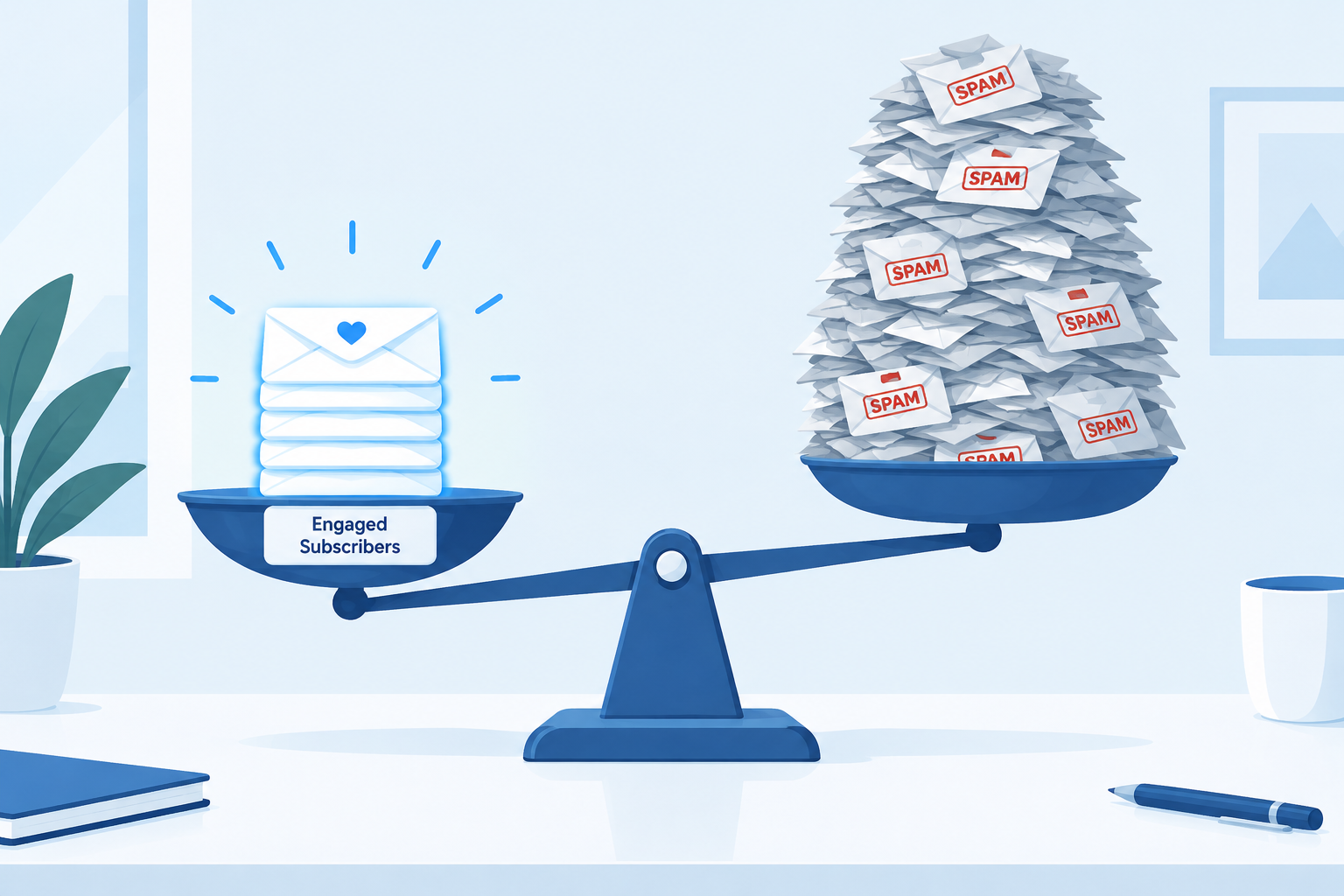
A bigger email list is not a better list. In November 2026, Gmail, Yahoo and Microsoft Outlook.com judge you on authentication, spam complaints and how many people actually engage, and a large list full of unengaged or invalid addresses makes every one of those numbers worse. Since this post was first written, the rules have tightened. Since February 2024, Gmail and Yahoo have required bulk senders to have SPF, DKIM and DMARC in place, offer one-click unsubscribe and keep spam complaints below a 0.3% maximum, while every Gmail sender needs at least SPF or DKIM. Starting in November 2025, Gmail ramped up enforcement against non-compliant traffic, including temporary and permanent rejections. A smaller list of people who asked for your mail and still open it will reach more inboxes and earn more than a big list that doesn’t.
Why the “bigger is better” assumption fails
A lot of businesses assume that the bigger the email list, the stronger it is. The logic makes sense on paper. More addresses should mean more opens, more clicks and more sales. In practice it often works the other way.
Mailbox providers don’t count how many people you send to. They track how those people react. Gmail’s sender guidelines tell senders to keep their spam rate in Postmaster Tools below 0.1% and never let it reach 0.3%. Yahoo’s Sender Hub uses the same 0.3% ceiling. Every address that never opens, complains or bounces pulls your sender reputation down, and that hurts delivery to the subscribers who do want your mail.
Size also costs money. Most email platforms, including Mailchimp and Klaviyo, set prices by how many contacts you store. So dead addresses cost you twice: once on your invoice and again in your inbox placement.
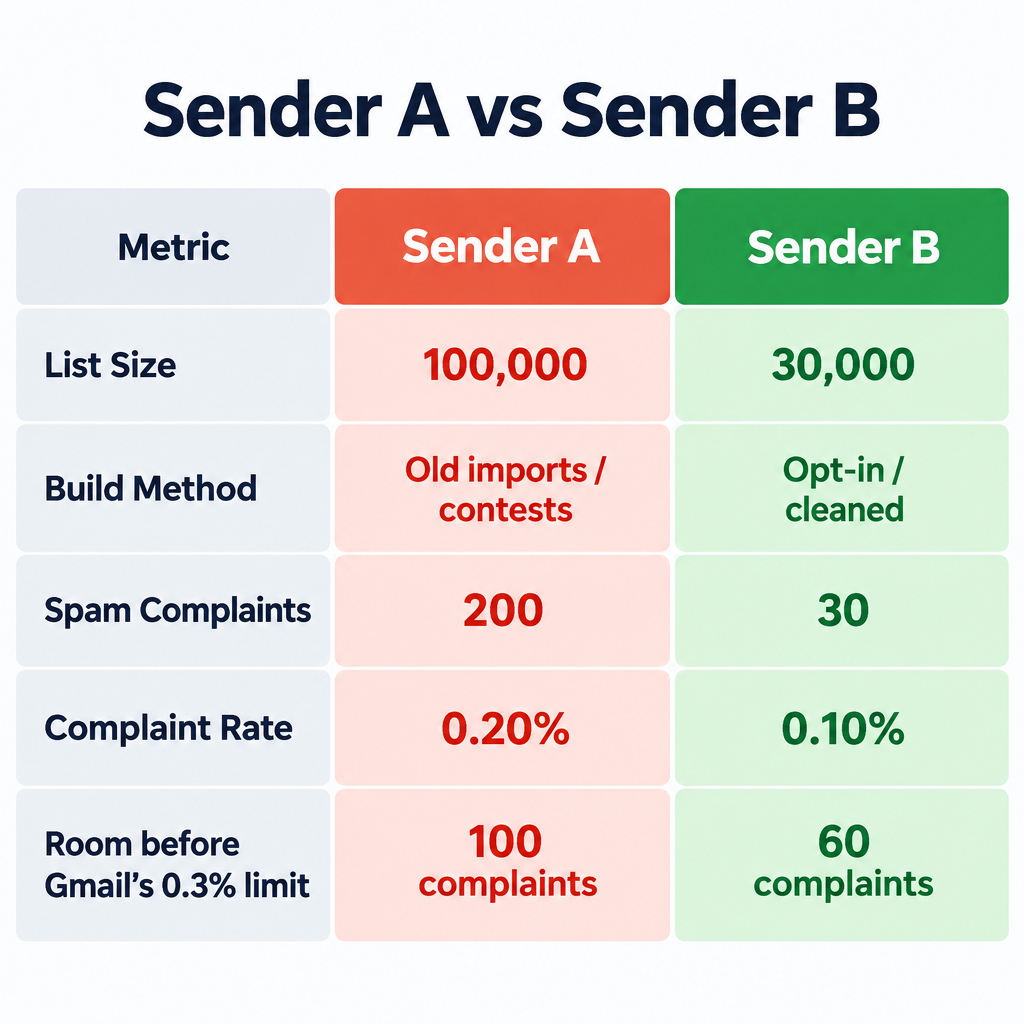
A worked example
Take two senders who each mail a promotion to Gmail addresses.
| Sender A | Sender B | |
|---|---|---|
| List size | 100,000 | 30,000 |
| How it was built | Old imports, contest entries, never cleaned | Opt-in signups, inactive addresses removed |
| Spam complaints on one send | 200 | 30 |
| Complaint rate | 0.20% | 0.10% |
| Room left before Gmail’s 0.3% limit | 100 complaints | 60 complaints, at a rate 3x lower |
Sender A is already double Gmail’s 0.1% target and only one bad campaign away from the 0.3% line. Once a sender crosses that line, Gmail warns that some of its own mitigations stop applying, and more mail gets filtered or refused. Sender B has a list less than a third the size, but every message it sends has a much better chance of landing in the inbox.
Growing your list comes with trade-offs
How much size matters depends on your business and your goals. If list growth is one of your targets for the year, plan for what comes with it. Fast growth from weak sources tends to lower the return on each email and hurt delivery.
Here’s how the main growth sources compare:
| Growth source | Typical quality | Main risk |
|---|---|---|
| Website signup form with clear consent | High | Bot signups if the form has no protection |
| Checkout opt-in (unchecked box) | High | Low if the wording is clear |
| Contests and giveaways | Mixed | People who want the prize, not your emails |
| Co-registration and list swaps | Low | Complaints from people who don’t remember you |
| Purchased or rented lists | Very low | Spam traps, bounces, blocklisting and legal exposure |
The honest counter-argument is that list size does matter in some places. A brand-new store with 300 subscribers needs growth before it can segment or test anything properly. The answer isn’t to stop growing. Grow through sources where people clearly ask for your mail, and treat list quality as a target you report on, the same way you report on list size.
Make list hygiene a top priority
If you plan to grow your list this year, make list hygiene just as high a priority. Think of cast-net fishing with a very wide net. You’ll catch fish, but you’ll also catch sharks, electric eels, jellyfish and other things you don’t want in the boat. Email lists work the same way.
The original version of this advice talked about “purchasing lists or taking new addresses in without scrubbing them.” Today the advice on bought lists is simple: don’t buy them. Purchased lists can contain invalid addresses and spam traps, you have no reliable way to know whether the people on them agreed to hear from you, and some platforms, such as Mailchimp, prohibit them. Under the FTC’s CAN-SPAM rules, each email that breaks the law can draw a civil penalty of up to $53,088, the figure set in January 2025. In the EU and UK, GDPR requires a lawful basis, usually consent, before you can email someone.
Even addresses you collect honestly go bad over time. People change jobs, abandon inboxes and lose interest. Some providers eventually turn abandoned addresses into spam traps.
A practical hygiene routine
- Confirm new signups. Use double opt-in, or at least run a real-time address check at signup, to block typos and fake addresses. Add a CAPTCHA or honeypot field so bots can’t fill your form.
- Remove hard bounces right away. Most platforms suppress them automatically. Check that yours does.
- Honor unsubscribes fast. Gmail and Yahoo require bulk marketing mail to support one-click unsubscribe (the List-Unsubscribe and List-Unsubscribe-Post headers) and to process opt-outs within two days.
- Set a sunset policy. Decide how long someone can go without a click, purchase or site visit before they get a re-engagement series. Many senders use 6 to 12 months, but a daily sender should use a shorter window than a monthly one.
- Suppress people who don’t respond. If the re-engagement series gets no click, stop mailing that address. You still keep the record so you can’t re-import it by accident.
- Watch the right numbers. Check spam rate and authentication results in Google Postmaster Tools and Yahoo’s Sender Hub tools. Use clicks and conversions as your main engagement signals, because open rates are no longer reliable on their own.
Open rates stopped being reliable for a few reasons. Apple Mail Privacy Protection, launched with iOS 15 in 2021, preloads images for many Apple Mail users, so a lot of “opens” happen without a person ever reading the message. Gmail’s image proxy also caches images. If you build a sunset policy on opens alone, you’ll keep people who never read anything and sometimes drop people who do.
Authentication now decides whether size even matters
On today’s large lists, authentication is a requirement, not a nice extra. Gmail calls you a bulk sender once you send about 5,000 messages a day to Gmail addresses. Microsoft announced similar requirements for Outlook.com, Hotmail and Live addresses on April 2, 2025, with enforcement beginning on May 5, 2025. At that volume, SPF and DKIM must pass and you need a DMARC record that aligns with your From domain. A minimal starting record looks like this:
_dmarc.example.com. TXT "v=DMARC1; p=none; rua=mailto:[email protected]"
Start with p=none so you can read the reports, then move to quarantine or reject once all your legitimate mail passes. Microsoft’s documentation says non-compliant high-volume mail goes to junk. Google said it would ramp up enforcement against non-compliant traffic from November 2025, which means more deferrals and outright rejections instead of just spam-folder placement.
A side note on strategy
When this post first ran in 2008, the advice was to use email to give customers relevant content, not just to be there “at the right place at the right time.” That advice has held up. What has changed is how strictly inboxes enforce it. Engagement-based filtering, and Gmail’s Promotions tab (introduced in 2013), mean irrelevant mail gets sorted away whether or not you send it at the “right” time.
The planning advice holds up too. Take three to four weeks to build a sending strategy that fits your business model. Leave some breathing room between sends so you can adjust your schedule as the year goes on. Today that plan should also cover:
- Who gets what. Segment by behavior so your most engaged subscribers hear from you more often than people who are going quiet.
- How it reads on a phone. Most email is now read on mobile, so plan for single-column layouts, short subject lines and buttons that are easy to tap.
- How it looks in dark mode. Apple Mail, Gmail and Outlook can invert colors, so test logos and images on dark backgrounds.
- When to stop mailing someone. Your sunset policy belongs in the plan from day one, not as a cleanup job after delivery drops.
If you only make one change this quarter, pull a report of subscribers with no clicks or purchases in the last 12 months. Send them one re-engagement campaign, then suppress anyone who doesn’t respond. Your list will shrink, and your inbox placement, click rate and platform bill should all move in the right direction.
FAQ
How often should I clean my email list?
Bounces and unsubscribes should be removed automatically, all the time. Review inactive subscribers at least every quarter, or monthly if you send several times a week. The more often you send, the faster unengaged addresses hurt your reputation.
Will removing subscribers hurt my revenue?
Usually it doesn’t, because the people you remove weren’t clicking or buying anyway. Fewer complaints and better inbox placement often raise revenue from the subscribers who are left. Run a re-engagement series first so you win back anyone who still cares.
Is it ever okay to buy an email list?
No. You have no reliable way to know whether the people on a bought list agreed to hear from you, so you can expect bounces, spam traps and complaints. Platforms such as Mailchimp prohibit purchased and rented lists, and GDPR generally requires consent for marketing email. Grow through signup forms, checkout opt-ins and lead magnets instead.
What spam complaint rate is too high?
Gmail asks senders to stay below 0.1% in Postmaster Tools and never reach 0.3%. Yahoo uses the same 0.3% ceiling. If you’re consistently above 0.1%, look at your list sources, how often you send and how easy it is to unsubscribe.
Why are my open rates high but my clicks low?
Apple Mail Privacy Protection and image proxies record automatic “opens” that no person triggered, so open rates look better than they really are. Judge engagement by clicks, conversions and replies, and don’t use opens alone to decide who stays on your list.
Do the Gmail and Yahoo rules apply to small senders?
The strictest rules apply above roughly 5,000 messages a day to Gmail. But every sender needs SPF or DKIM, a valid sending domain and a low spam rate. Lists grow and campaigns spike, so it makes sense to set up DMARC and one-click unsubscribe before you need them.
Sources
- Google Workspace Admin Help: Email sender guidelines
- Google: Email sender guidelines FAQ
- Yahoo Sender Hub: Best practices and FAQs
- Microsoft Tech Community: Outlook’s new requirements for high-volume senders
- Microsoft Outlook.com Postmaster: Policies, practices and guidelines
- FTC: CAN-SPAM Act compliance guide for business
- Federal Register: Adjustments to civil penalty amounts (January 2025)