
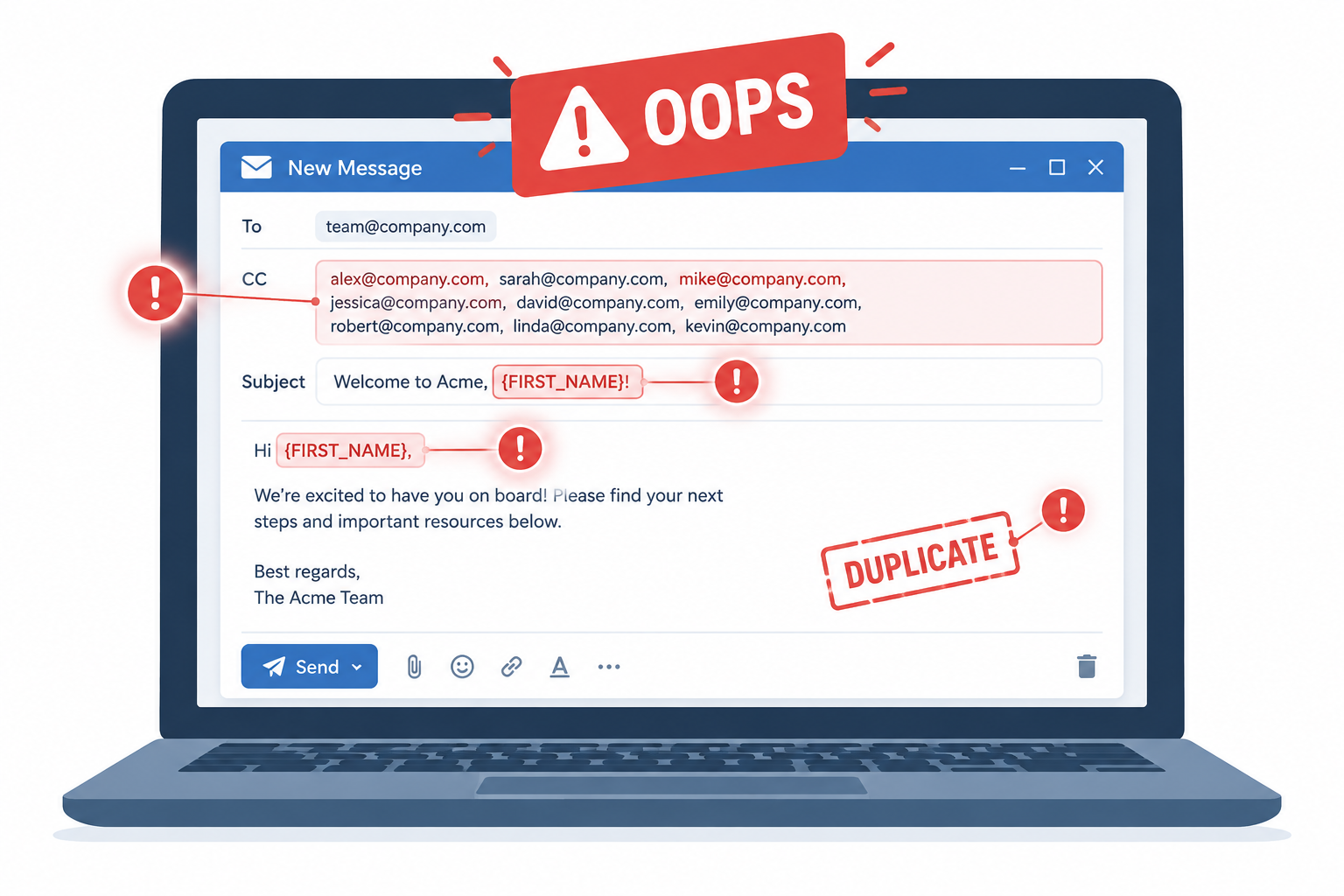
The email mistakes that do the most damage are still the ones a basic pre-send check would catch: exposed recipient lists, broken personalization, duplicate sends and the wrong message going to the wrong list. The fix in November 2026 is mostly the same as it was years ago. Test every send the same way, keep a ready-made apology plan, and send bulk mail from an email service provider (ESP), never from a CC or BCC field. What has changed is the cost of getting it wrong. Since 2024, Gmail and Yahoo require bulk senders to use SPF, DKIM and DMARC, offer one-click unsubscribe and keep spam complaints low, and Microsoft’s Outlook.com added similar rules in May 2025. That means a careless resend or a botched apology can now hurt your inbox placement as well as your reputation.
Four email mistakes in one week
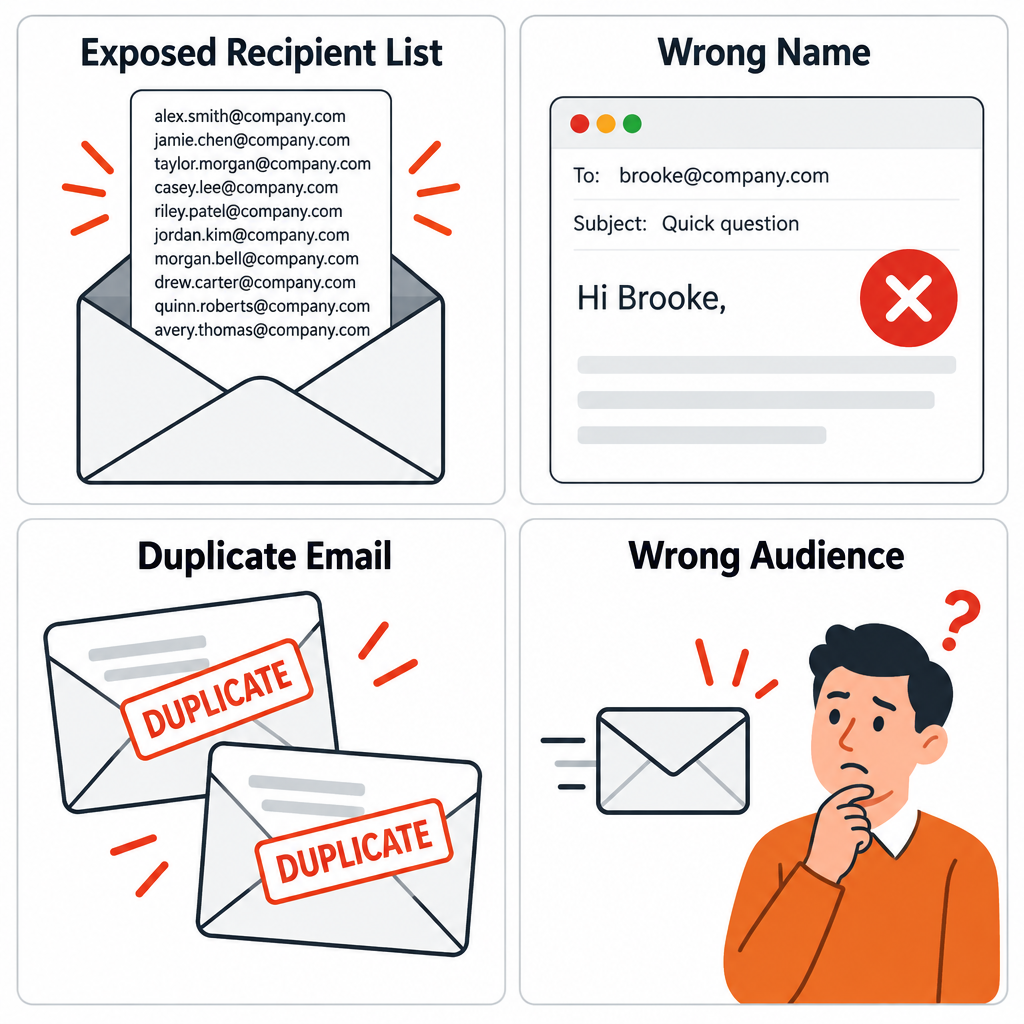
All four of these mistakes landed in one subscriber’s inbox within about a week. Each one is still common.
The first came secondhand, in a story a colleague passed along. A software game company was emailing users about an update to the game. It sent the emails in batches, and each batch was supposed to go out with every address in the BCC field. Someone forgot. So every recipient also got the long string of everyone else’s email addresses.
The second was a favorite weekly newsletter, except this issue opened with a greeting to “Brooke” instead of the actual subscriber. The brand’s playful tone made it look like a joke at first. It almost certainly wasn’t one.
The third was a repeat. A message the subscriber had already received months earlier showed up again. It was memorable because the content was good and came from a credible source. The sender blamed a server maintenance problem and followed up quickly with an explanation.
The fourth was the strangest. It was a reply to a “request” for information that the subscriber never made, and the topic was advertising on adult-rated sites. An apology followed soon after, explaining that the email-sending software had made an error. At least it was good for a laugh.
Why these mistakes matter more today
Each of these errors carries a bigger risk now than when this post first ran:
- The exposed recipient list can count as a personal data breach under privacy law, depending on the circumstances, because it discloses people’s personal data to others. In October 2021 the UK Information Commissioner’s Office fined HIV Scotland £10,000 after an email to 105 people went out with their addresses visible to everyone. Sixty-five of those addresses identified people by name. Marketing email should go through an ESP that sends each person their own copy. Using BCC in an ordinary mail client is not a safe way to send bulk email.
- The wrong first name happens when a merge tag pulls bad data or has no fallback. Most ESPs let you set a default value, such as “Hi there”, for empty or suspicious fields.
- The duplicate send produces spam complaints, and complaints now count. Google tells bulk senders to keep the spam rate shown in Postmaster Tools below 0.10% and never to reach 0.30%.
- The message sent to the wrong people is the type most likely to get marked as spam, because the recipient never asked for it.
Chad White’s testing checklist
Nobody is perfect. That makes the advice in Chad White’s MediaPost Email Insider column more useful, not less. Writing about the Oopsy Hall of Fame, a roundup of email blunders, he set out pointers for testing emails before you hit send. Here they are, updated where the tools and mailbox providers have changed.
- Build an email testing process and stick to it. Write it down as a checklist that every campaign passes through, with a second person signing off on high-volume sends.
- Run a spell-check. Check the subject line, preheader and alt text as well as the body copy.
- Send tests to the major email clients and check that the email looks the same everywhere. The original list was Google, Yahoo! and MSN. Today that means Gmail (web and app), Apple Mail on iPhone, Outlook (both the classic Windows desktop app and the new Outlook) and Yahoo Mail, all in light and dark mode. MSN and Windows Live Hotmail inboxes are history, folded into Outlook.com. Tools such as Litmus and Email on Acid show you previews across many clients at once.
- Check that every image loads. Make sure images are hosted over HTTPS, have alt text, and still make sense if they are blocked. Gmail serves images through its own proxy, so a broken source file breaks the image for every Gmail reader.
- Only resend when the mistake seriously damaged the first message. A typo doesn’t justify a second send. A broken offer link or a wrong price usually does. Each extra send is another chance for complaints.
- Try to stop the send as soon as you spot a mistake. You may be able to keep most of your list from getting the bad email. Mailchimp, for example, lets Premium plan users stop a Regular or Plain-Text campaign from its report while it is still sending. Check what your own ESP offers before you need it.
- Prepare an apology email process ahead of time, so you can respond fast when a serious mistake happens. Decide in advance who approves the apology, which segment gets it, and what the template says.
Steps the original checklist didn’t need
A few checks have become standard since this list was written:
- Check authentication before the send. Your sending domain needs SPF, DKIM and DMARC in place, which Gmail, Yahoo and Microsoft now require of bulk senders. A basic DMARC record looks like this:
_dmarc.example.com. TXT "v=DMARC1; p=none; rua=mailto:[email protected]"
- Test the unsubscribe. Gmail and Yahoo expect marketing mail to support one-click unsubscribe through the
List-UnsubscribeandList-Unsubscribe-Postheaders, and to honor requests within two days. - Check the audience, not just the content. Confirm the segment, suppression lists and send time. Sending to the wrong list is the mistake that hurts most.
- Don’t trust opens when you decide on a resend. Apple Mail Privacy Protection, which arrived with iOS 15 in 2021, preloads images and inflates open rates. A “resend to non-openers” list is therefore missing many people who never actually read the email.
- Check CAN-SPAM basics in the apology, too. A correction email is still commercial email. It needs an accurate From line and subject, your postal address and a working opt-out.
FAQ
Should you send an apology email after every mistake?
No. Small typos and minor layout glitches rarely need a follow-up, and an extra send can create more spam complaints than the mistake did. Send an apology when the error misleads people, such as a wrong price, a broken offer or a message sent to the wrong list, or when it exposes personal data.
Can you recall a marketing email after it has been sent?
Not once it has been delivered. Some ESPs, including Mailchimp on its Premium plan, let you stop a campaign that is still sending, which keeps the rest of the list from getting it. Scheduled campaigns can be unscheduled or canceled before their send time.
Is BCC safe for sending a newsletter?
BCC hides addresses only if every address goes in the right field, every time. One slip exposes the whole list, which can count as a personal data breach under GDPR and the UK GDPR. Use an ESP, which sends each person a separate copy and also handles unsubscribes and authentication.
Which email clients should you test in?
At minimum, test in Gmail, Apple Mail on iPhone, Outlook for Windows and Yahoo Mail, and check dark mode in each one. Your ESP’s reports on clients and devices show where your own subscribers read, so put the most effort into those.
Does a resent email count against your sender reputation?
It can. Gmail and Yahoo track spam complaints, and Google asks bulk senders to stay below 0.10%, with 0.30% as the line not to cross. A duplicate send to an annoyed list can push you past that, so resend only to people the mistake actually affected.
What should an email correction include?
Give a clear subject line that names the problem, a short explanation and the right information or link. If the mistake was serious, add a goodwill gesture. Keep it short and send it quickly, and send it only to the people who got the original.
The habit that prevents most of these mistakes is the most boring one: a written checklist that every campaign goes through, every time.
Sources
- Google: Email sender guidelines and Email sender guidelines FAQ (Gmail Help)
- Yahoo Sender Hub: Sender best practices and bulk sender requirements
- Microsoft Outlook: New requirements for high-volume senders (Microsoft Tech Community)
- Federal Trade Commission: CAN-SPAM Act, A Compliance Guide for Business
- Mailchimp Help Center: Cancel a campaign
- UK Information Commissioner’s Office: Enforcement notice on HIV Scotland