
Email and social media still work best as one system in November 2026. Your social channels bring in new subscribers. Your email list gives you a direct channel that no algorithm controls, and you can use it to send people back to the conversation on social. What has changed since this post was first written is the rulebook: Twitter is now X, Apple Mail Privacy Protection has made open rates unreliable, and Gmail, Yahoo and Microsoft now require bulk senders to authenticate with SPF, DKIM and DMARC, offer one-click unsubscribe and keep complaint rates low.
What email and social media have in common
Email marketing and social media marketing are alike in many ways. Both need to:
a) inspire people and become a way for the brand and its audience to talk to each other
b) cross-promote each other
c) involve some level of testing
d) be precise and personal, and avoid “marketing” speak
Treat both channels as a conversation
Email and every form of social media help you promote your brand, but each works best when you use it to talk with your audience. That conversation goes both ways. Don’t lean on “marketing speak”. It is already old-fashioned, and nobody talks that way in real life. If buzzwords are all you have to say, step away and rethink the message.
Today this matters for more than tone. Gmail’s guidance says to keep the spam rate reported in Postmaster Tools below 0.1% and never let it reach 0.3%. Mail that reads like a sales pitch is the mail people mark as spam. So a friendly, conversational style also protects your deliverability.
Let each channel promote the other
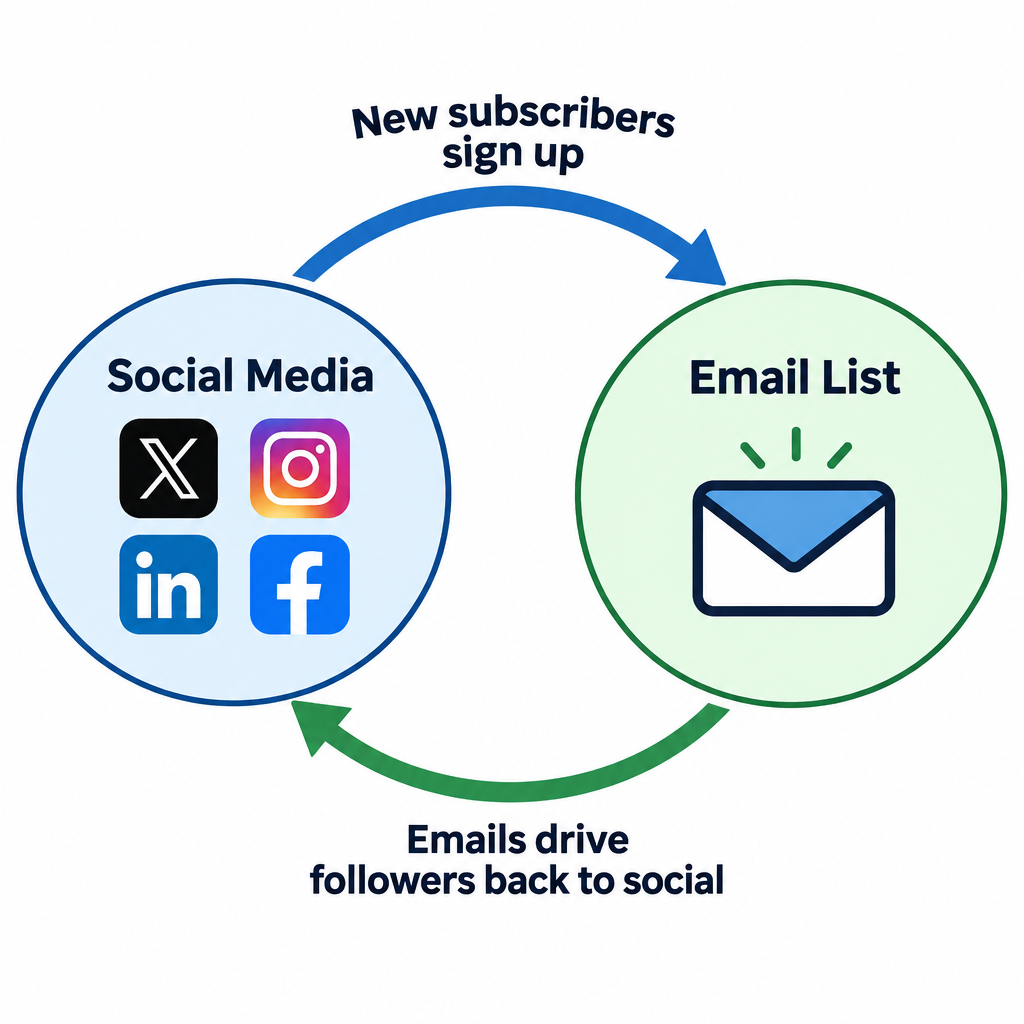
Part of the conversation can be each channel promoting the other. Mention your email list, and the offers followers miss without it, in your posts on X, Instagram, LinkedIn or Facebook. Put social icons in your emails, usually in the footer, that link to your profiles. When each channel feeds the other smoothly, your messaging stays consistent, and your followers and subscribers will respond.
A few practical updates to this older advice:
- Use plain links, not live widgets. Email clients do not run JavaScript, so embedded “Like” or “Follow” widgets don’t work inside an email. Linked icons do.
- Send social followers to a real signup form. Use confirmed opt-in where you can. Never add people to your list just because they follow or message you. Both CAN-SPAM in the US and GDPR in the EU set rules for commercial email, and GDPR requires valid consent.
- Keep unsubscribing easy. Gmail and Yahoo expect promotional bulk mail to support one-click unsubscribe (RFC 8058 headers) and to honor requests within two days. A person who unsubscribes can still follow you on social, which is a much better outcome than a spam complaint.
Test everything
You test your emails and the lists they go to. Take the same approach with your followers on X and other networks, and get a feel for your own audience. Don’t let your campaigns live or die by industry benchmarks. Every list, group and database is different and responds to different things. Treat every send and every post as a chance to learn.
The thing to measure has changed. Apple Mail Privacy Protection loads images ahead of time for users who turn it on, which inflates open rates. Gmail also caches images through its image proxy. Judge subject line and content tests on clicks, conversions, replies and unsubscribes, not on opens alone. Social tests work the same way: link clicks and email signups from a post tell you more than likes do.
Keep it short and sweet
An email has a subject line. A post on X has its body. A subject line has a suggested length, while a post has a hard limit: 280 characters on a free X account. X Premium subscribers can post up to 25,000 characters, but the feed hides anything after the opening lines behind “Show more”. Mobile inboxes also cut subject lines short, so the first 30 to 40 characters do most of the work. Either way, keep it short and sweet. There is no room for stale jargon. Write to your audience as if they were your friends, and the rest will follow.
Mobile and dark mode reading make this even more important. Most people now meet your email and your posts on a phone. They read a short subject line and a clear first line before anything else, and that text has to make sense whatever the background color.
An Idea sums up the consumer’s view perfectly: “Talk with me like a friend and I’ll advocate for you all day long.”
FAQ
Should I put social media icons in my marketing emails?
Yes, as small linked icons, usually in the footer. They give loyal subscribers another place to follow you and take up little space. Keep them below your main call to action so they don’t pull clicks away from the goal of the email.
Can I add my social media followers to my email list?
No, not without their permission. Following you on a network is not consent to get email. Invite followers to sign up through a form, ideally with confirmed opt-in, and follow CAN-SPAM, plus GDPR if you have EU subscribers.
Do the Gmail and Yahoo bulk sender rules affect social-driven signups?
Yes. Every address you collect goes into the same sending program that Gmail and Yahoo judge. Since 2024, bulk senders need SPF, DKIM and an aligned DMARC record, one-click unsubscribe and low spam complaint rates. Microsoft added similar SPF, DKIM and DMARC requirements in May 2025 for domains that send more than 5,000 emails a day to Outlook.com addresses.
Are open rates still useful for comparing email with social?
Only roughly. Apple Mail Privacy Protection and image caching make opens look higher than they really are. Clicks, conversions and revenue per send are fairer numbers to set against social metrics such as link clicks.
How long should an email subject line be compared with a post on X?
A subject line has no hard limit, but phones show only about the first 30 to 40 characters, so put the key words first. Free X accounts are limited to 280 characters per post. Premium posts can run much longer but get cut off in the feed.
Sources
- Google Workspace Admin Help: Email sender guidelines
- Google Workspace Admin Help: Email sender guidelines FAQ
- Yahoo Sender Hub: Sender best practices
- Microsoft Tech Community: Outlook’s new requirements for high-volume senders
- FTC: CAN-SPAM Act compliance guide for business
- Apple Support: Use Mail Privacy Protection on iPhone