
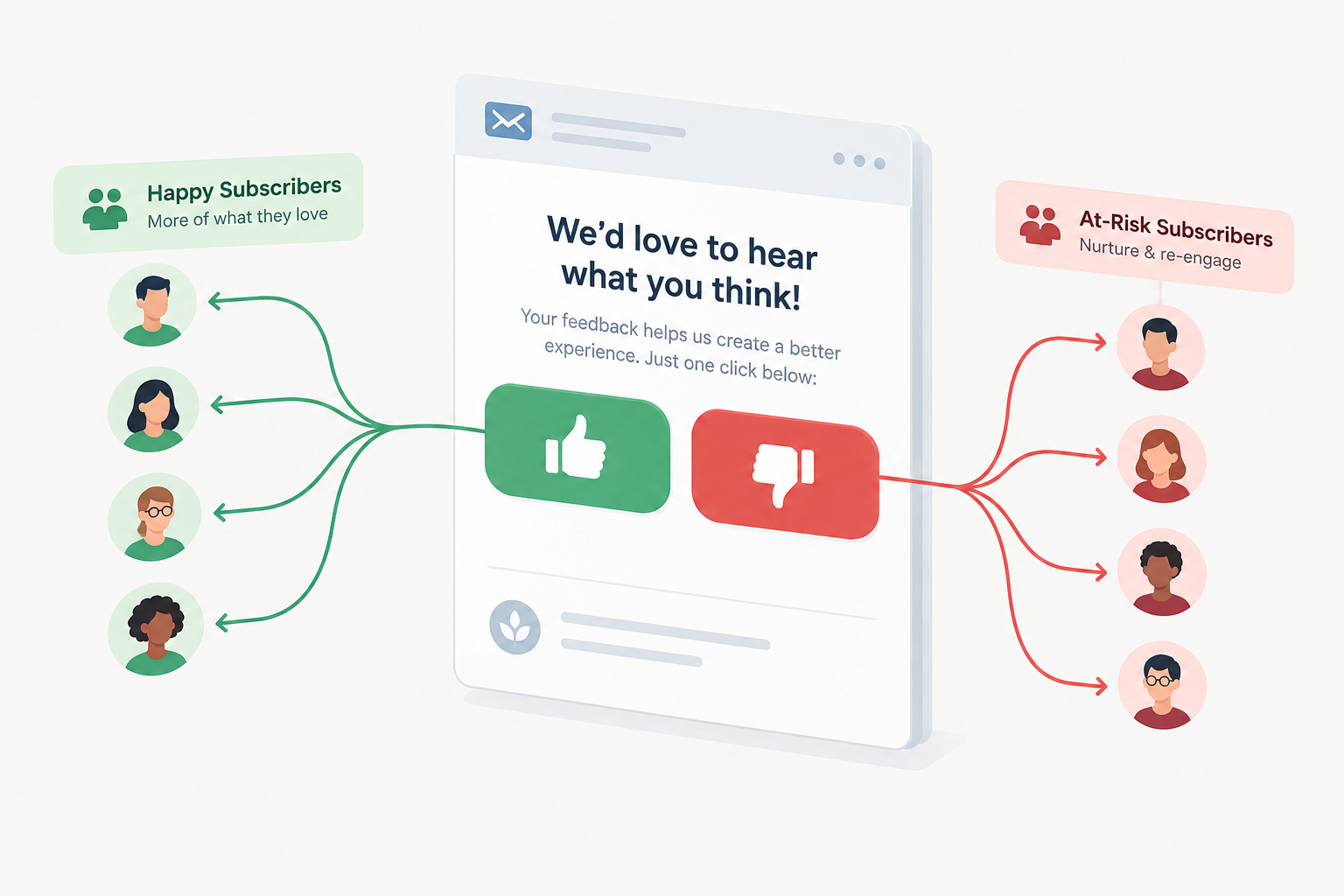
Thumbs up and thumbs down buttons still work as a quick way to segment subscribers in November 2026. Every major email service provider records which tracked link each person clicks, so you can build a segment from those clicks. Two things have changed since the tactic first spread. Corporate security scanners now click links automatically, so you need to filter out machine clicks before you trust the data. And since February 2024, Gmail and Yahoo require bulk senders to offer one-click unsubscribe, so a thumbs down button supplements the unsubscribe link but can never replace it.
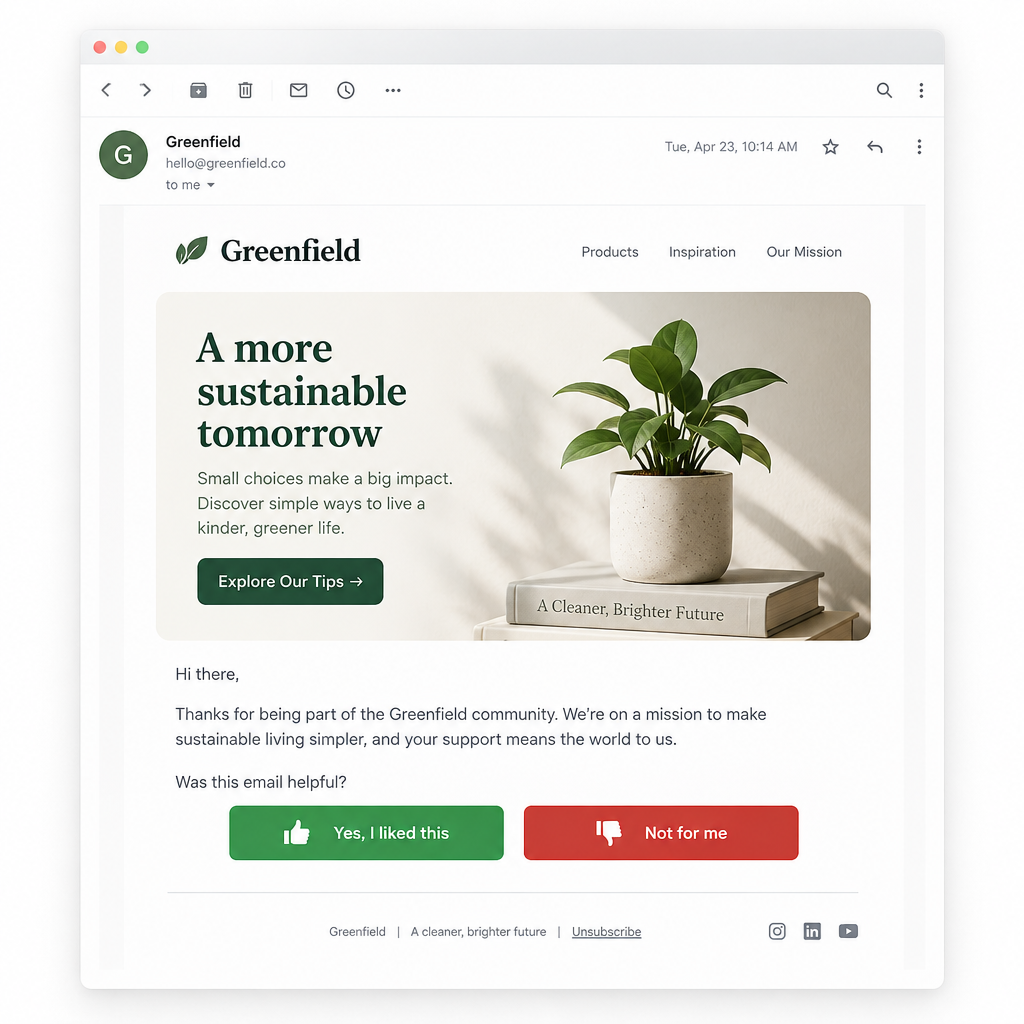
If you want an easy way to segment your subscribers, add “thumbs up” and “thumbs down” buttons to your email campaigns.
Asking readers to click one button if they like an email and another if they don’t is a direct way to learn what content is relevant to them. You get instant feedback, and you can use it to segment people more accurately for the next send. Most ESPs can track which subscribers clicked specific links. If yours can’t, you should look at switching providers. Today that feature is standard: Mailchimp, Klaviyo, Salesforce Marketing Cloud and their competitors all record link-level clicks. The buttons can also lower your unsubscribe rate, because each subscriber keeps getting content that matches their interests.
Link each thumb to its own landing page that tells the reader whether they will keep getting emails with similar content. The original advice was to redirect the reader to another landing page after 5 seconds. Timed redirects are an old habit. A confirmation page that lets the reader change topics or how often they hear from you does the same job better and doesn’t take the reader somewhere they didn’t choose.
For more tips on building a user-generated relevance rating system into your email campaigns, check out this Exact Target blog post. That post comes from before ExactTarget’s 2013 sale. Salesforce announced on June 4, 2013, that it would buy ExactTarget for about $2.5 billion, and the deal closed in July 2013. ExactTarget’s technology became part of the broader Salesforce Marketing Cloud.
How to set up thumbs feedback in a modern ESP
You need two buttons with unique tracked links, a segment or tag for each button, and a filter that removes bot clicks. The exact menus differ by platform, but the order of steps is the same.
- Make each link unique. Give the thumbs up and thumbs down buttons different URLs. Add a UTM parameter or a query string such as
?feedback=upand?feedback=downso the two links never look the same in reporting. - Capture the click as data. In Mailchimp, the classic automation trigger “Specific link in campaign clicked” fires when a subscriber clicks one particular link in one campaign. You can use it to apply a tag. Klaviyo records a “Clicked Email” event for every tracked link. You can build a segment where someone has Clicked Email and the URL equals your thumbs link. Klaviyo’s
update_property_linktag can also write a profile property, such ascontent_feedback = up, when the reader clicks. - Show a confirmation page. Thank the reader, say what will change, and offer a link to the preference center.
- Filter out machine clicks. Leave out clicks that arrive within seconds of delivery, and leave out profiles that clicked both thumbs in the same send (see the next section).
- Act on the segment. Send more of the liked content to thumbs up clickers. Send less of it, or other topics, to thumbs down clickers. Track unsubscribes and spam complaints for each group.
| Platform | Where link clicks show up | How to turn a thumb click into a segment |
|---|---|---|
| Mailchimp | Campaign click reports and the Marketing API’s clicked-link members endpoint | A “Specific link in campaign clicked” automation that applies a tag |
| Klaviyo | The Clicked Email event, with the URL stored on the event | A segment where Clicked Email has URL equals your link, or a profile property set with update_property_link |
| Salesforce Marketing Cloud | Tracking data on each send, by link | A data extension or filter built from click data for the feedback URL |
Why bot clicks can corrupt your feedback data
Security gateways in business inboxes, such as Microsoft Defender Safe Links, Mimecast and Barracuda, can open every link in an email before a person reads it. When that happens, one “subscriber” clicks thumbs up and thumbs down at the same moment, and your segments fill up with noise.
Watch for these warning signs:
- The click arrives within a few seconds of delivery.
- Both thumbs show clicks from the same profile in the same campaign.
- Clicks cluster on IP ranges belonging to cloud or security providers.
- Business domains show click rates near 100%.
If your ESP has bot filtering, turn it on. If it doesn’t, keep only the last click from each profile, or ask the reader to confirm their choice on the landing page with a button. Some scanners can still follow that second link, so treat the confirmation step as an extra filter rather than a guarantee.
Why clicks matter more than opens now
Apple Mail Privacy Protection, launched in 2021, can download remote content, including tracking pixels, in the background whether or not the reader engages with the email. Open rates have been inflated ever since. A deliberate click on a thumb is a much stronger signal of interest than an open. That makes explicit feedback more useful today than when the idea first appeared.
Thumbs down is not an unsubscribe
Since February 1, 2024, Gmail has required anyone who sends 5,000 or more messages a day to personal Gmail accounts to do three things:
- Authenticate with SPF, DKIM and DMARC.
- Support one-click unsubscribe under RFC 8058 and process requests within two days.
- Keep the spam rate shown in Postmaster Tools below 0.3%.
Yahoo set matching rules for bulk senders at the same time. A thumbs down button helps cut complaints, because unhappy readers get an easier option than the spam button. But the visible unsubscribe link and the List-Unsubscribe header must stay in every marketing email. In the US, the FTC’s CAN-SPAM rules also require a working opt-out that you honor within 10 business days.
A minimal header pair for one-click unsubscribe looks like this:
List-Unsubscribe: <https://example.com/unsub?id=abc123>, <mailto:[email protected]?subject=unsubscribe>
List-Unsubscribe-Post: List-Unsubscribe=One-Click
FAQ
Do thumbs up and thumbs down buttons hurt deliverability?
No. They are ordinary tracked links, and positive engagement tends to help your sender reputation. Problems can come from automated clicks, accidental clicks or unclear handling of the feedback, and a thumbs down click should never replace a proper unsubscribe option. Gmail and Yahoo still expect one-click unsubscribe from bulk senders, and missing it can get your mail filtered or rejected.
Should a thumbs down click unsubscribe the person automatically?
No. Treat it as “less of this,” not “none of anything.” Send the reader to a page where they can pick other topics, choose to hear from you less often, or unsubscribe fully if that’s what they want. Automatically removing people over one click throws away subscribers who only disliked a single topic.
How many clicks should you collect before changing someone’s segment?
One deliberate click is enough for a soft change, such as moving a reader out of one topic for a few sends. For bigger changes, like a permanent lower frequency, wait for a consistent pattern across two or three campaigns. Bot filtering has to come first, or scanner clicks will throw off your counts.
Are emoji or star ratings better than thumbs?
A five-star or five-emoji scale gives you finer detail, but each extra option dilutes your clicks and makes segmenting harder. Two thumbs are the easiest to read on mobile and the easiest to act on. Start with two options, and only add a scale if you have a real use for the extra detail.
Do the buttons work for readers using dark mode?
They do if the buttons are live HTML text or images with transparent backgrounds and enough contrast. Dark gray icons on a transparent background can disappear in dark mode in Apple Mail, Gmail and Outlook. Use colored buttons with a text label such as “More like this,” so the meaning survives even when images are blocked.
Sources
- Google, Email sender guidelines and Email sender guidelines FAQ (Gmail Help)
- Yahoo Sender Hub, Sender Best Practices and bulk sender requirements
- Federal Trade Commission, CAN-SPAM Act: A Compliance Guide for Business
- Mailchimp Help, All the Segmenting Options and All the Classic Automation Triggers
- Mailchimp Marketing API, List clicked link subscribers
- Klaviyo Help Center, link tracking and the Clicked Email metric
- Salesforce, press release on the agreement to acquire ExactTarget (June 2013)