
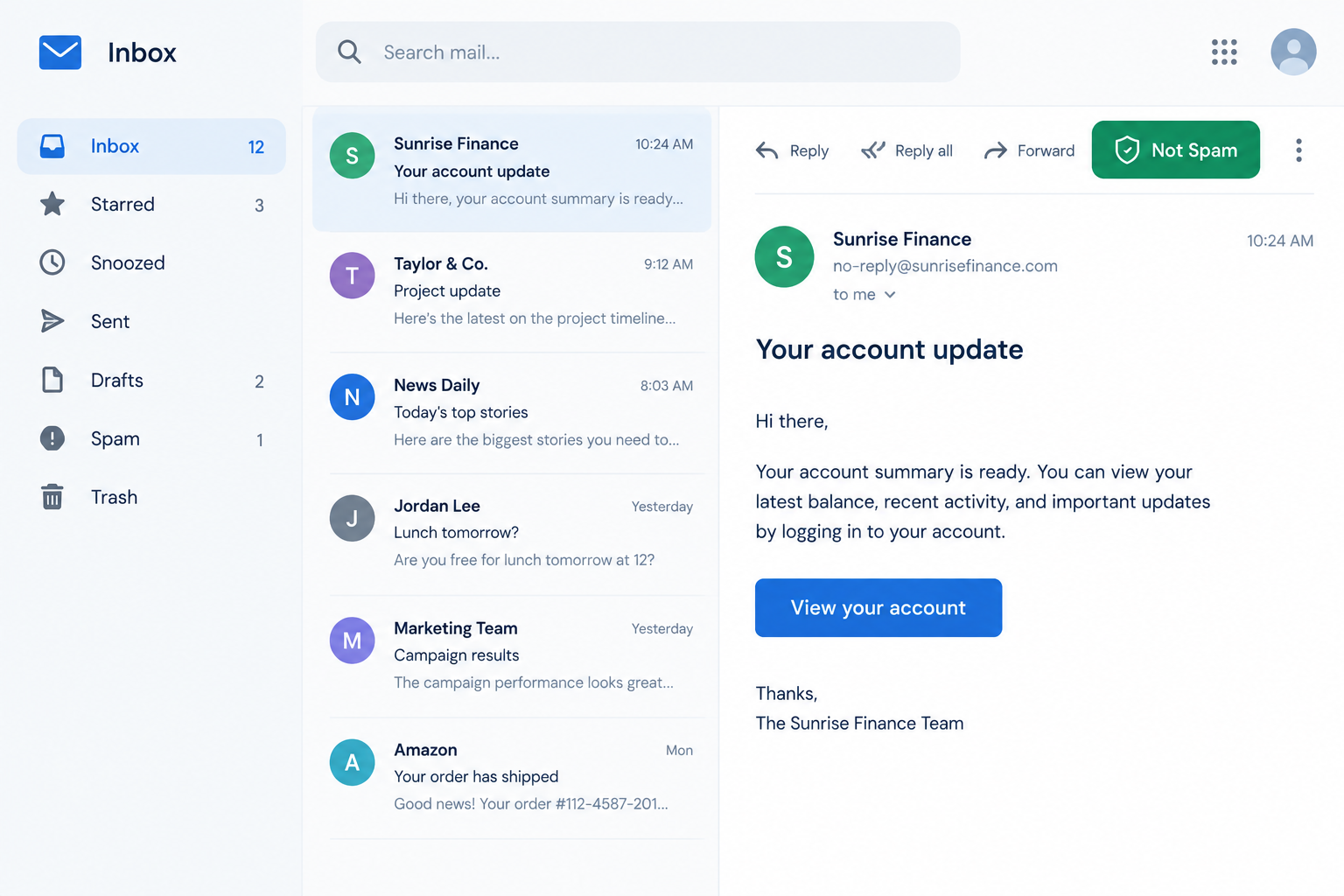
Marking an email “Not spam” does count. Gmail, Yahoo Mail and Outlook.com all learn from it, but mostly for the person who clicked it. It is not a public credit that cancels out spam complaints. Since this post was written, the system has moved away from raw IP addresses and toward domains and authentication. The 2024 Gmail and Yahoo bulk sender rules require SPF, DKIM, DMARC, one-click unsubscribe and a low spam complaint rate. Microsoft added similar rules for Outlook.com on May 5, 2025. For a legitimate sender, the dependable fix is authenticated mail, steady volume and few complaints, not a rescue click.
When a trusted sender lands in spam
This post grew out of a common situation. Back when Netflix still rented DVDs by mail, a heavy user went through about six discs every two weeks. Netflix’s shipping notices were fast, accurate and always matched the order of the user’s queue. They landed in the Yahoo! Mail inbox every time.
That service is history now. Netflix shipped its last DVDs on September 29, 2023, after a 25-year run. The deliverability lesson from it still holds.
The announcement that went to the spam folder
One week, Netflix had a problem on its side. Notices didn’t go out when a disc was returned, and they didn’t say which disc to expect next. Netflix posted an explanation on its home page and emailed its whole database about it. The regular notices had always reached the inbox. This announcement went to spam.
The theory at the time was simple. Netflix had sent one mass email to its entire list at once, and mailbox providers read the huge recipient count as a sign of spam.
That theory is partly right. Volume alone doesn’t get mail filtered. Large senders deliver millions of messages a day to the inbox. What filters react to is a change from normal behaviour, such as:
- A sudden spike. A brand that usually sends one-to-one transactional notices suddenly sends one broadcast to everyone.
- A different sending stream. Announcements often go out through a different IP, subdomain or email platform than the transactional mail. That stream may have less history behind it.
- Different content and recipients. A one-off announcement looks nothing like the messages people normally open. It also reaches inactive and old addresses that the regular notices never go to.
The usual fix is to keep transactional and marketing mail on separate subdomains or streams. Send big one-off messages from the stream that already has history, and build up volume gradually rather than all in one hour.
Should “Not spam” boost reputation the way spam reports hurt it
If a spam report counts against a sender, it seems fair that a “Not spam” click should count in the sender’s favour. The idea makes sense, and mailbox providers already work that way to a degree.
Gmail, Yahoo Mail and Outlook.com all treat a “Not spam” or “Not junk” click as feedback. The clearest effect is on the person who clicked. Their future mail from that sender is more likely to reach the inbox, and adding the sender to their contacts helps even more. Providers don’t say how much one click affects a sender’s overall reputation. It is one signal among many. Others include authentication results, complaint rates, opens, replies, deletions without reading and spam-trap hits.
The main thing that changed is what reputation attaches to. In 2010, senders watched their IP address above all. Today reputation follows the authenticated domain at least as much. That is why DKIM signing and DMARC alignment matter: they tie your sending history to a domain you control.
How the record setup looks today
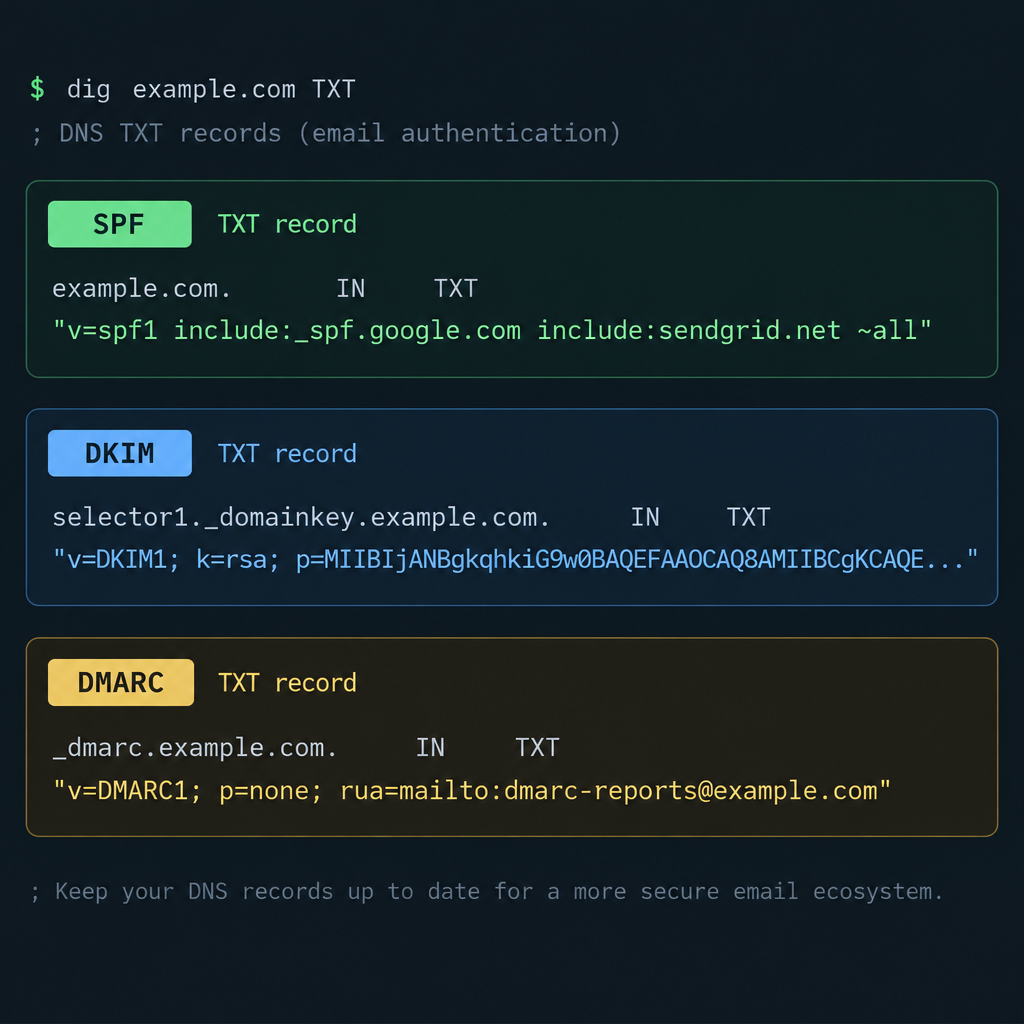
Bulk senders to Gmail and Yahoo need published, aligned authentication. A typical minimal setup looks like this, with your own domain and provider values in place of the examples:
example.com. TXT "v=spf1 include:_spf.youresp.com ~all"
s1._domainkey.example.com. TXT "v=DKIM1; k=rsa; p=MIIBIjANBgkq..."
_dmarc.example.com. TXT "v=DMARC1; p=none; rua=mailto:[email protected]"
p=none is the minimum Gmail, Yahoo and Microsoft accept for bulk senders. Once your reports show all legitimate mail passing, move to p=quarantine or p=reject.
Why providers don’t let “Not spam” votes cancel complaints
A discussion of this idea raised the obvious problem. If “Not spam” votes simply offset spam reports, spammers could open thousands of accounts on every major provider, rescue their own mail and cancel out the real complaints. That would get more spam delivered, not less.
The other suggestion was for providers to track “Not spam” clicks person by person. That is roughly what happens now. Providers judge feedback by the account that gives it. An established account with a long, normal history counts for more than a brand-new account that only ever rescues mail from one sender. Feedback that looks coordinated is treated as abuse, not as a sign of a good sender.
Buying, faking or coordinating “Not spam” clicks breaks provider terms and puts the sending domain at risk. The legitimate version is asking real subscribers to add you to their contacts or move you to the primary inbox. That works because it only changes their own inbox.
What this means for deliverability work
Anyone who sends email for a living knows spam filters are a constant fight. Per-user “Not spam” feedback does help, but mostly because it reflects what the real problem usually is: whether people want your mail.
Since February 2024, the rules have been spelled out. Google and Yahoo require bulk senders (Google’s line is about 5,000 messages a day to personal Gmail accounts) to:
- Authenticate with SPF and DKIM, and publish a DMARC policy aligned with the From domain.
- Offer one-click unsubscribe (RFC 8058 list-unsubscribe headers) and honour requests within two days.
- Keep the user-reported spam rate below 0.1%, and never let it reach 0.3%.
Google increased enforcement from November 2025, and non-compliant bulk mail can now be delayed or rejected. Microsoft requires SPF, DKIM and DMARC for domains sending more than 5,000 messages a day to Outlook.com, Hotmail.com and Live.com addresses, effective May 5, 2025.
So, is the idea workable
Yes, and a careful version of it already exists. Providers learn from “Not spam” clicks, give the most weight to the person who clicked, and discount feedback that looks manufactured. What doesn’t exist is a public score you can raise by collecting rescue clicks.
The Netflix case shows where the real gains are. A sender that suddenly broadcasts to its whole list from an unusual stream, to people who never open its marketing, is likely to hit the spam folder. That happens even if its transactional mail has a spotless record. Keep streams separate, authenticate everything, remove inactive addresses and watch your complaint rate. That protects your reputation much better than any number of “Not spam” clicks.
FAQ
Does one “Not spam” click fix my deliverability?
No. It mostly changes how that one recipient’s inbox treats your future mail. Your overall placement depends on authentication, complaint rate, engagement and list quality across all your recipients. If a lot of recipients are rescuing your mail, look for a root cause such as broken DKIM, a volume spike or old addresses.
What spam complaint rate do Gmail and Yahoo allow?
Google’s sender guidelines say to keep the user-reported spam rate below 0.1% and never reach 0.3%. A sender above 0.3% can’t get mitigation help from Gmail until the rate stays under that level for seven days in a row. Yahoo’s guidance also uses 0.3% as the line not to cross.
Can I still check my IP or domain reputation in Google Postmaster Tools?
No. The current version, Postmaster Tools v2, dropped the old IP and domain reputation dashboards with their High, Medium, Low and Bad ratings. It shows a Compliance Status view of the sender requirements, plus your spam rate, authentication and delivery data. Gmail still uses reputation in its filtering. It just no longer shows senders a rating.
Should I ask subscribers to mark my emails “Not spam” or add me to their contacts?
Asking real subscribers to add your From address to their contacts, or to move your mail to the primary inbox, is fine and common in welcome emails. Organising fake accounts or paid clicks to do the same thing is abuse of provider systems and can get your domain blocked. Keep requests honest and aimed at people who chose to subscribe.
How do I see who reported my mail as spam?
Yahoo offers a Complaint Feedback Loop through Yahoo Sender Hub. It reports complaints for DKIM domains you have verified, so you can suppress those addresses. Microsoft runs SNDS and the Junk Mail Reporting Program for Outlook.com traffic. Gmail doesn’t send individual complaint reports and shows only the aggregate spam rate in Postmaster Tools.
Why does my transactional email reach the inbox but my newsletter goes to spam?
Mailbox providers judge each stream by how recipients react to it. Receipts and shipping notices get opened. Broadcasts sent to the full list often reach people who never engage. Putting marketing mail on its own subdomain and limiting it to engaged contacts keeps a weak campaign from hurting the transactional mail.
Sources
- Google Workspace Admin Help: Email sender guidelines
- Google Workspace Admin Help: Email sender guidelines FAQ
- Google Postmaster Tools Help: Postmaster Tools v2 and Compliance Status
- Yahoo Sender Hub: Sender Best Practices and Complaint Feedback Loop
- Microsoft Outlook Postmaster: Policies, Practices and Guidelines, and requirements for high-volume senders
- Federal Trade Commission: CAN-SPAM Act, A Compliance Guide for Business