
Email marketers still disagree about double opt-in. Some specialists require it on every list they manage. Others say that asking subscribers to click a link in a confirmation email adds too much friction, and that too many people drop off to ignore.
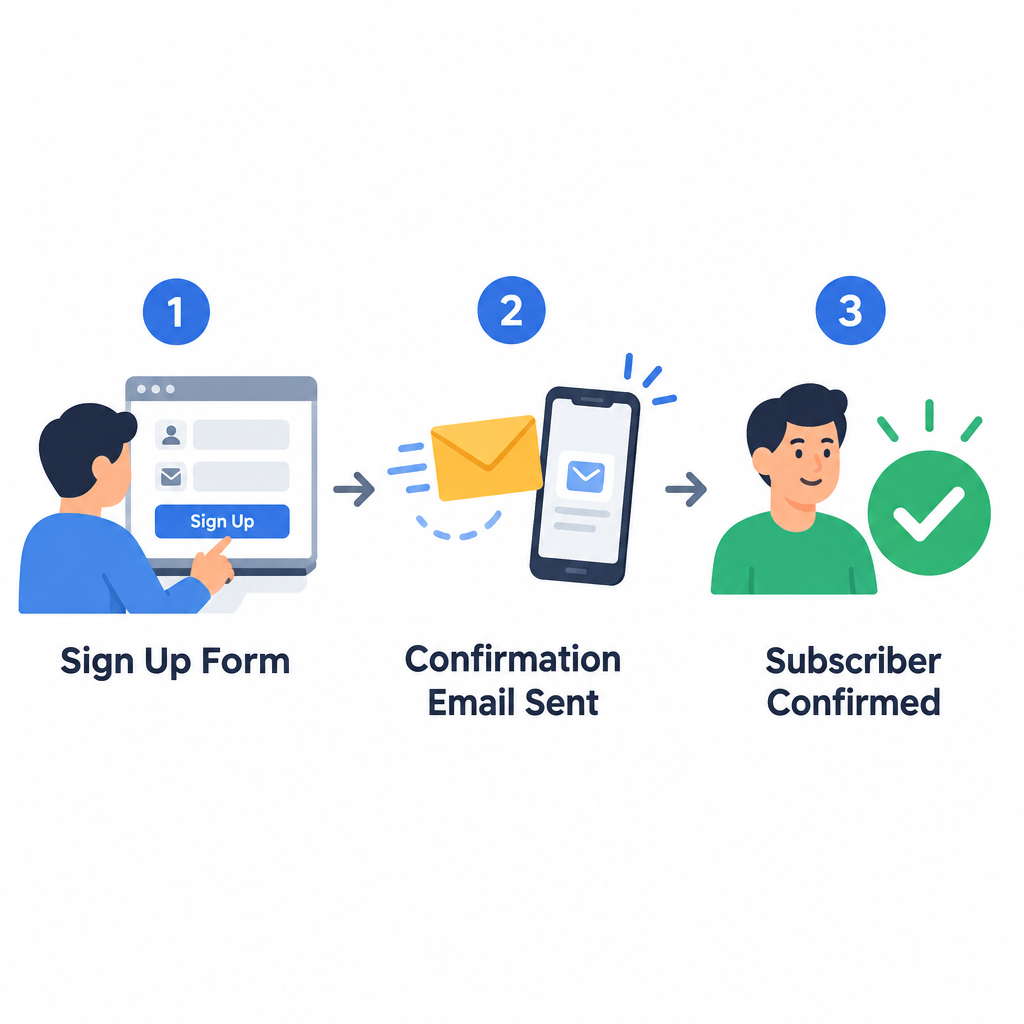
Double opt-in lists are worth more than single opt-in lists. If you use double opt-in, send the confirmation email the moment someone signs up, while they still remember doing it. Older advice said to give people up to 30 days to confirm, because most people supposedly checked their email about once a month. That advice is out of date. Most people now read email on their phones several times a day, and a confirmation that arrives instantly is the one most likely to get clicked. Keep unconfirmed contacts in a pending state, send one reminder at most, and remove anyone who still hasn’t confirmed after a week or two.
Double opt-in has other benefits too. A fake or mistyped address almost never gets confirmed, because no one is there to click the link. The same goes for spam traps and bot signups. That lowers the risk of your From address, sending domain or IP being flagged as spam. Confirmed subscribers are also much less likely to press the spam button. They are not complaint-proof, though: people forget why they signed up, their interests change, and sending too often wears them out. That is why Gmail and Yahoo still require a one-click unsubscribe from bulk senders and track your spam rate in Google Postmaster Tools and Yahoo Sender Hub. Google sets the limit at 0.3% and tells senders to aim for under 0.1%.
The confirmation click also tells you more than an open does. Apple Mail Privacy Protection preloads images, which inflates open rates, but a click on the confirmation link shows that a real person reached the inbox and acted. Keep the confirmation email simple: a subject line that names the action, such as “Confirm your subscription,” one large button that is easy to tap on a phone, and a design that still reads well in dark mode.
Check how your email service provider (ESP) handles double opt-in, because the setting doesn’t always cover every signup path. In Mailchimp, for example, double opt-in is set separately for each audience. It only applies to Mailchimp’s own signup forms, so contacts added through integrations or the API skip the confirmation step.
If you only want volume, you don’t strictly need double opt-in, and single opt-in is legal in the US. CAN-SPAM doesn’t require consent before you send commercial email. It requires honest headers and subject lines, a valid postal address, and opt-out requests honored within 10 business days. The EU’s GDPR doesn’t name double opt-in either, but you must be able to prove consent, and German courts treat double opt-in as the practical way to prove it. Single opt-in can also work for high-intent signups, such as customers whose address has already been verified at checkout. For most lists, though, double opt-in gives you the strongest list and a better chance of a good return on investment (ROI).
FAQ
Is double opt-in required by law?
Not in the US. CAN-SPAM covers opt-outs, not opt-ins. The GDPR requires consent you can prove but doesn’t require a particular method. In Germany, courts expect senders to prove consent, and double opt-in is the standard way to do it, so treat it as essential for German subscribers.
Do Gmail and Yahoo require double opt-in?
No. They require bulk senders to authenticate with SPF, DKIM and DMARC, offer one-click unsubscribe, and keep spam rates below 0.3%. Google’s sender guidelines also tell senders to make sure recipients have opted in, and a confirmed signup is the clearest evidence of that. Google counts you as a bulk sender at 5,000 or more messages to Gmail addresses in one day. Microsoft applies a similar line to domains sending more than 5,000 messages a day to Outlook.com.
How long should a confirmation link stay valid?
Send the confirmation right away, because most people who confirm do it within minutes of signing up. A window of about a week or two, with one reminder, is a sensible default. A link that is weeks old reaches someone who has forgotten signing up, and they are more likely to delete it or mark it as spam.
Does double opt-in hurt list growth?
It does reduce the raw number of signups, because some people never click the link. The ones you lose are mostly mistyped addresses, bots and people with little interest, and they would have bounced, ignored your mail or complained. A smaller confirmed list usually gets more clicks and fewer complaints than a bigger unconfirmed one.
How do I turn on double opt-in in Mailchimp?
Open the audience’s settings, go to the form settings, and enable double opt-in for that audience. If your primary contact address is in the EU, some audiences may already be set to double opt-in. Remember that the setting only covers Mailchimp’s hosted signup forms, not contacts added through the API or integrations.
Should I reconfirm old subscribers?
Yes, for people who haven’t engaged in a long time. Yahoo suggests sending inactive subscribers a reconfirmation email instead of mailing them forever. Anyone who doesn’t respond should be removed, which protects your spam rate at Gmail, Yahoo and Outlook.com.
Sources
- Google: Email sender guidelines FAQ
- Yahoo Sender Hub: Best practices
- Microsoft Tech Community: Outlook’s new requirements for high-volume senders
- Microsoft Outlook.com Postmaster: Policies, practices and guidelines
- FTC: CAN-SPAM Act, A Compliance Guide for Business
- Mailchimp: About Double Opt-in