A honeypot is a decoy built to look like a real target so it attracts attackers, spammers or bots, then records what they do. In cybersecurity that decoy might be a fake server or database. In email it is usually a spam trap: an address that no real person uses, so any mail it receives exposes a sender with bad list practices.
Honeypot definition: what does honey pot mean?
The term borrows from an old image: leave honey out and you will soon see what comes to eat it. In plain English, a honey pot is anything deliberately attractive that lures people or software into revealing themselves.
You will see it used in four main ways:
- Cybersecurity. A fake system, service or file that looks valuable and vulnerable. Legitimate users have no reason to touch it, so any interaction is suspicious by definition.
- Email deliverability. A spam trap address seeded where harvesters or careless list builders will pick it up.
- Web forms. A hidden field that humans never see but bots fill in, which flags the submission as automated.
- Espionage. A “honey trap” is an intelligence operation that uses romantic or personal attraction to compromise a target. Spy fiction leans on this meaning heavily, but it has nothing to do with your inbox.
So what is honey potted? It is informal slang for having been caught by one of these lures. A spammer who mails a trap address has been honey potted. So has a hacker who spent an afternoon looting a fake database full of planted data.
One of the best-known early cases came from astronomer-turned-sysadmin Clifford Stoll. In 1986 at Lawrence Berkeley Laboratory, he created bogus files about an invented “SDInet” project to keep an intruder connected long enough to trace him. He told the story in his 1989 book The Cuckoo’s Egg, and it remains a textbook example of the idea.
How a honeypot works
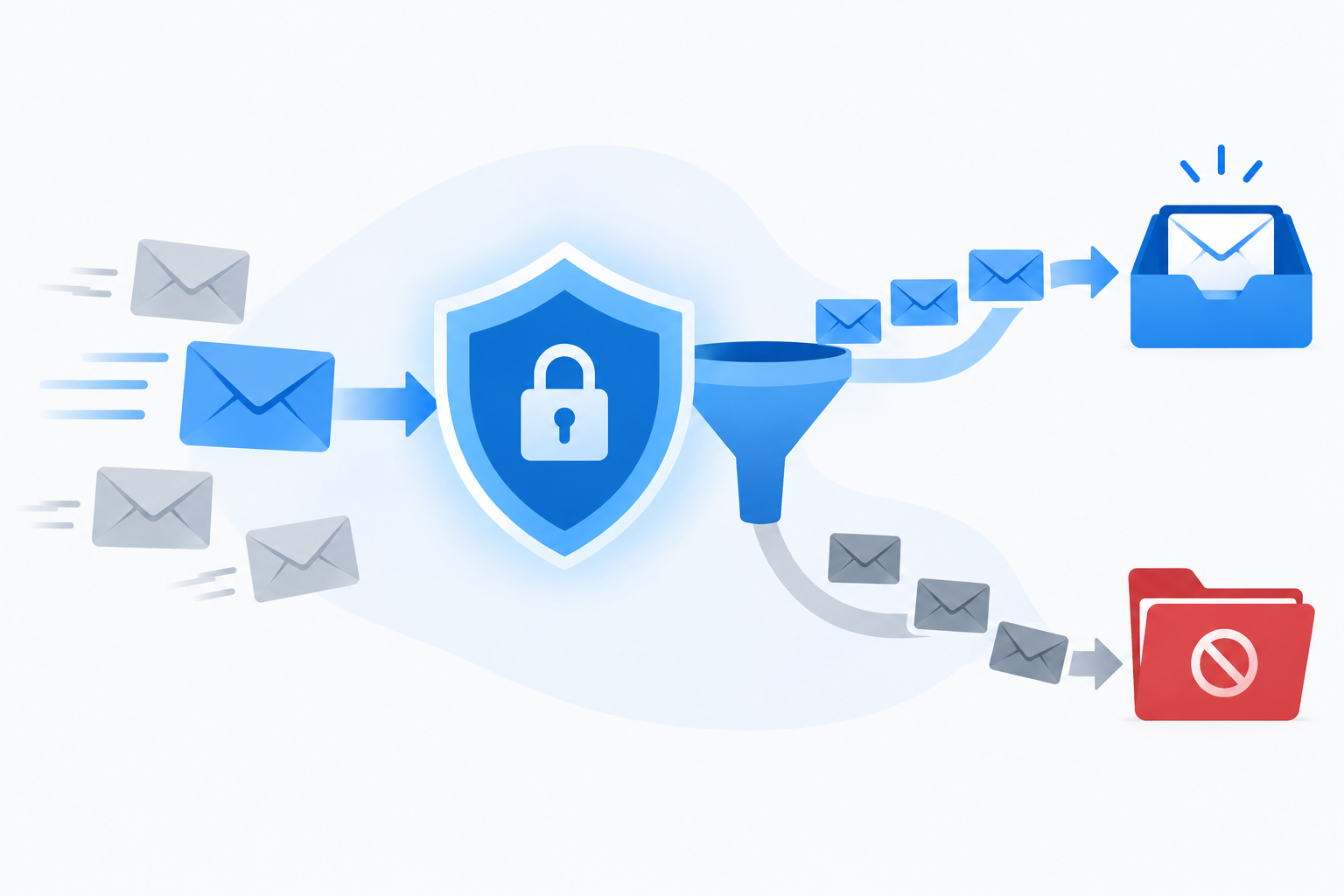
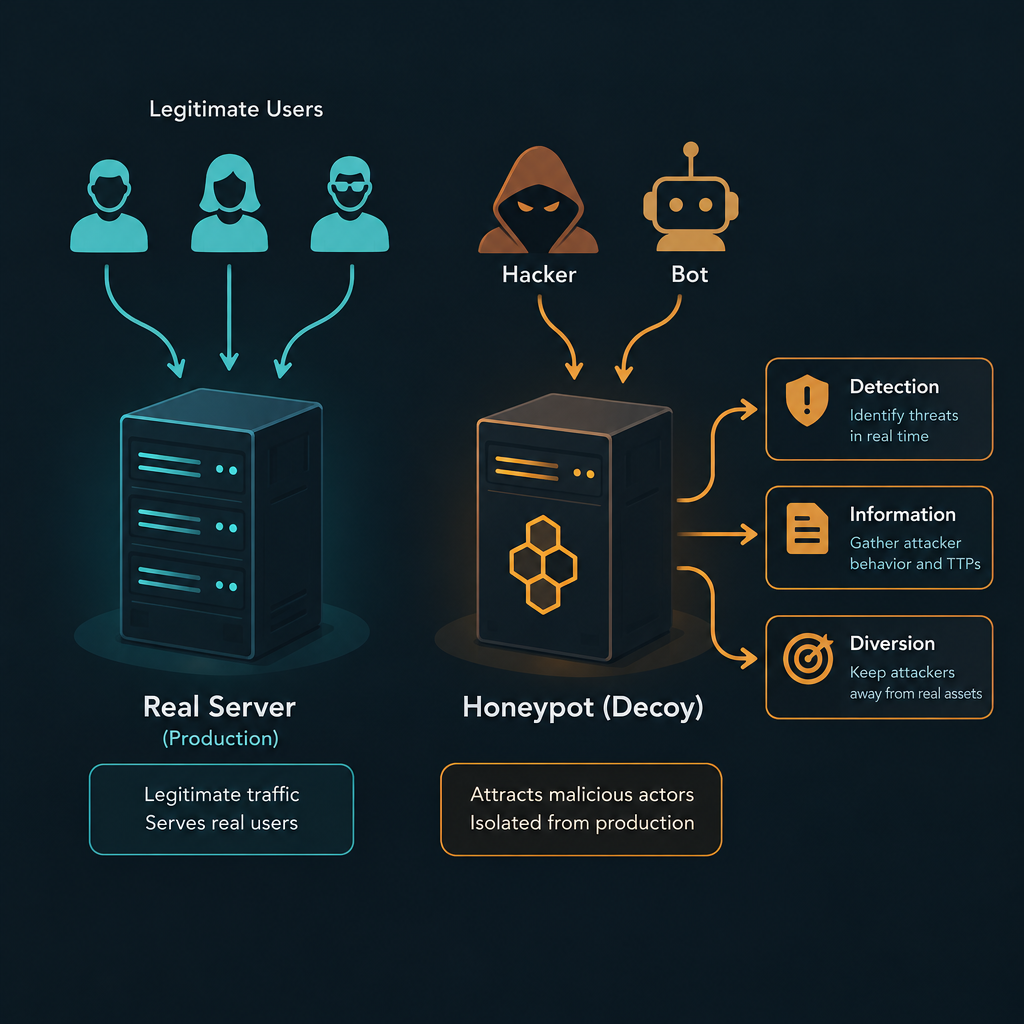
The logic is simple and that is why it is so effective. A real production server gets plenty of legitimate traffic, so spotting the malicious requests is hard. A decoy gets no legitimate traffic at all. Every connection, login attempt or email that lands on it is a signal.
That gives defenders three things:
- Detection. An alert fires the moment anything touches the decoy.
- Information. You can study the attacker’s tools, commands and malware without risking real assets.
- Diversion. Time an attacker spends inside a fake system is time not spent on your real one.
Email spam traps run on exactly the same principle. An address that never subscribed to anything should never receive marketing. If it does, the sender either scraped it, bought it, guessed it, or kept mailing it long after it died.
Types of honeypots
Security teams sort honeypots along a few different lines. The two most useful are purpose and complexity.
Research vs. production honeypots
Research honeypots exist to study attackers. Universities, security vendors and groups like the Honeynet Project (founded in 1999) run them to learn about new exploits, botnets and malware families. They tend to be elaborate and are watched closely, because the goal is data.
Production honeypots sit inside a company’s network as an early-warning system. They are simpler, cheaper and placed near real servers so that an intruder who moves sideways through the network trips an alarm. The goal here is protection, not research.
Honeypots by complexity level
| Level | What it imitates | Effort to run | What you learn | Risk |
|---|---|---|---|---|
| Low-interaction | A few services or open ports | Low | Who is scanning and probing | Low |
| Medium-interaction | Convincing service responses, fake shells | Moderate | Common attack scripts and payloads | Moderate |
| High-interaction | A full real operating system and applications | High | Complete attacker behaviour, custom tools | Higher, since a real system can be abused |
Low-interaction decoys are the sensible starting point for most organisations. High-interaction setups give much richer intelligence, but they need tight isolation so a compromised decoy cannot be used to attack anyone else.
6 types of honeypots by target
- Email honeypots (spam traps). Addresses built to catch spammers and list harvesters. More on these below, since they are the ones that will hurt your email marketing.
- Database honeypots. Fake databases that attract SQL injection and data theft attempts.
- Malware honeypots. Systems that mimic vulnerable software or USB storage to capture malware samples.
- Spider honeypots. Pages and links only reachable by crawlers, used to identify malicious bots and scrapers.
- Client honeypots. Decoy “users” that visit websites to find malicious servers that attack visitors.
- Honeynets. Whole networks of linked decoys that let researchers watch an attack unfold across multiple machines.
What is a honeypot trap in email?
For senders, the honeypot that matters is the spam trap. It is a valid-looking address on a real domain that accepts mail, never opts in to anything and never engages. Blocklist operators and mailbox providers run them, and anti-spam services use the hits to decide whose mail is trustworthy.
Spamhaus, the most influential blocklist operator, runs large trap networks. Mailbox providers run their own. Community projects have done the same: Project Honey Pot, started in 2004 by Unspam Technologies, distributed trap addresses through volunteer websites to identify harvesters. Nobody publishes trap addresses, which is the whole point. You cannot “scrub” them from a list with a lookup.
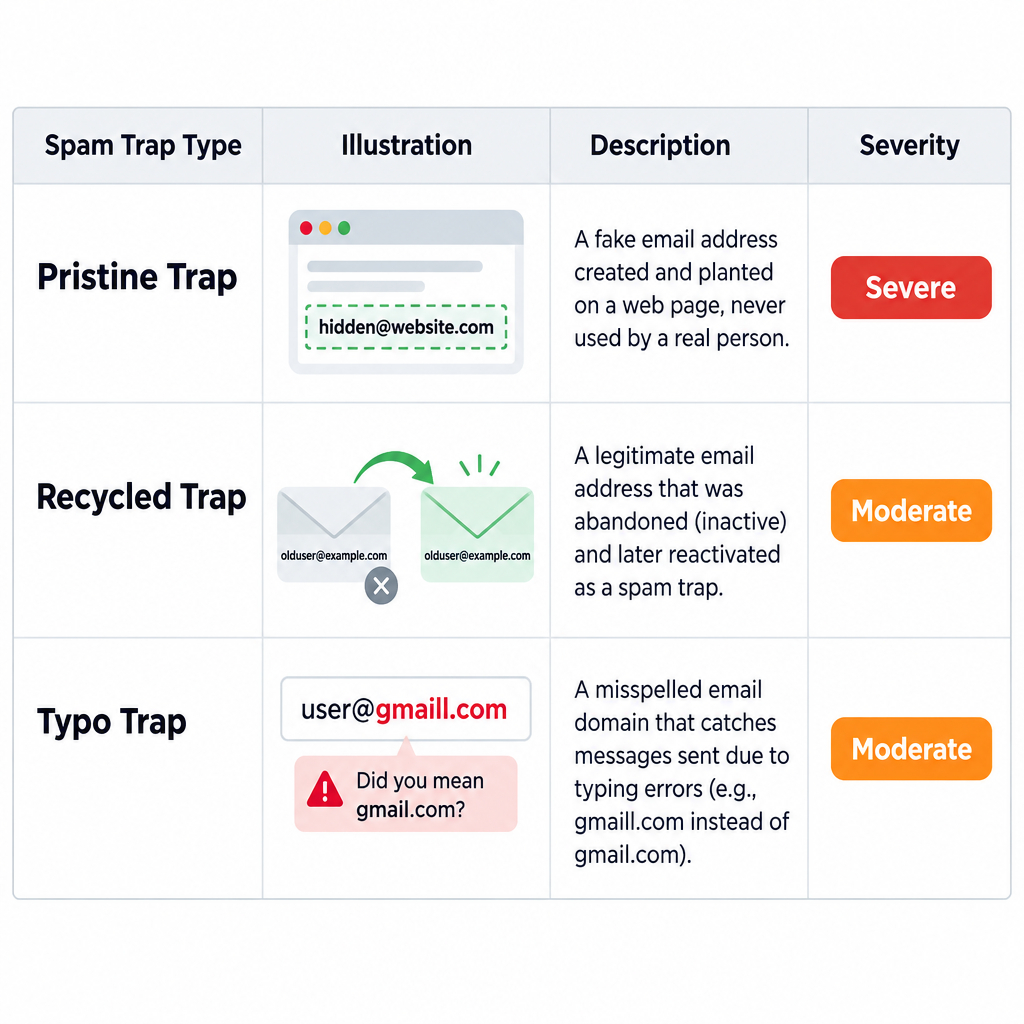
The 3 spam trap types
| Trap type | How it is created | How you end up mailing it | Severity |
|---|---|---|---|
| Pristine | Created purely as a trap and planted on web pages or in code where only scrapers find it | Bought, rented or scraped lists | Severe |
| Recycled | A once-real address abandoned by its owner, bounced for a long period, then reactivated as a trap | Mailing old contacts without removing hard bounces or inactive subscribers | Moderate to severe |
| Typo | A misspelled domain or address, such as a common domain with one letter swapped | Signup forms with no validation or confirmation | Lower, but adds up |
A pristine trap hit is the most damaging because there is no innocent explanation. Nobody signs up with that address, so mailing it proves you acquired data you had no permission to use.
Recycled traps catch legitimate senders who simply got lazy. The address hard bounced for months, you ignored the bounces, and one day it quietly started accepting mail again. Typo traps catch senders with weak forms: someone types their address wrong, you never confirm it, and you keep mailing a stranger’s domain.
What happens when you hit a spam trap
The consequences scale with the trap type and how often you hit them.
- Blocklisting. Spamhaus can list your sending IP or domain. Many receiving servers reject or junk mail from listed sources outright.
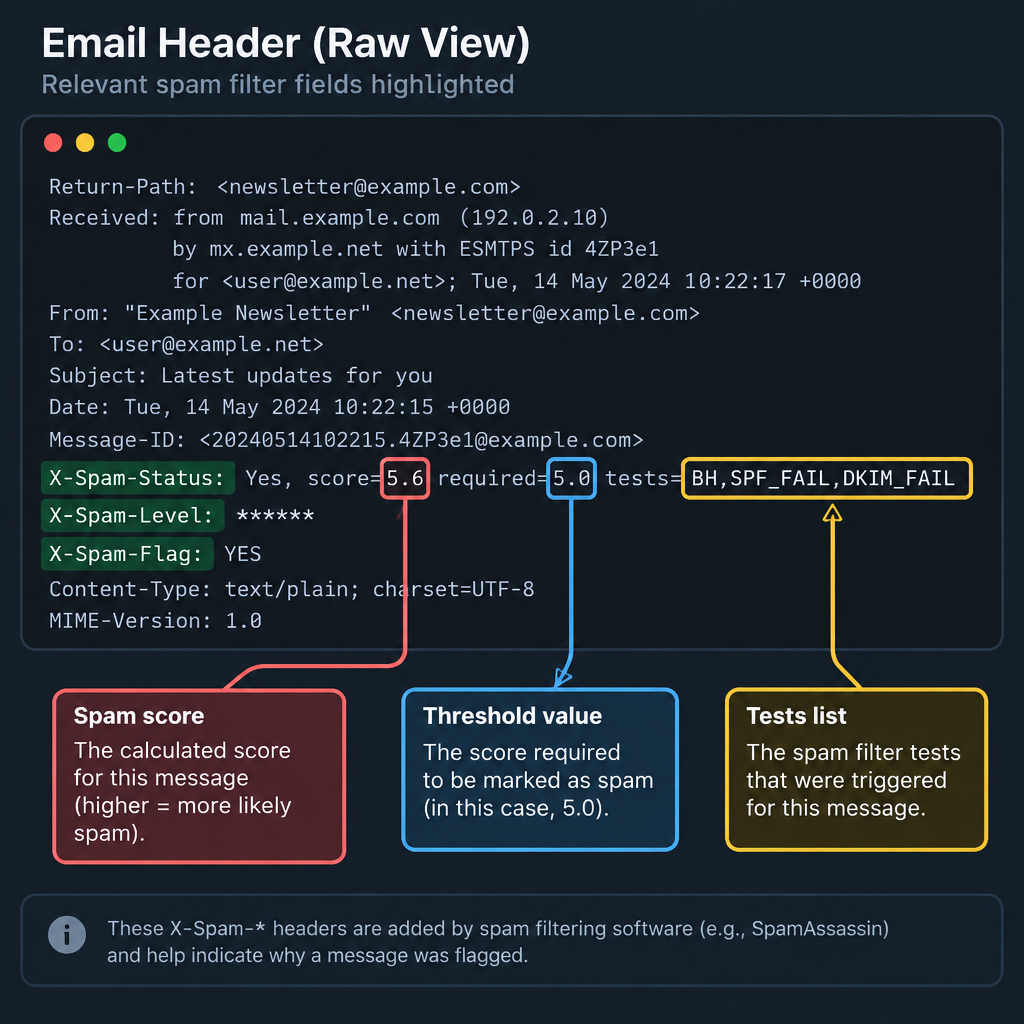
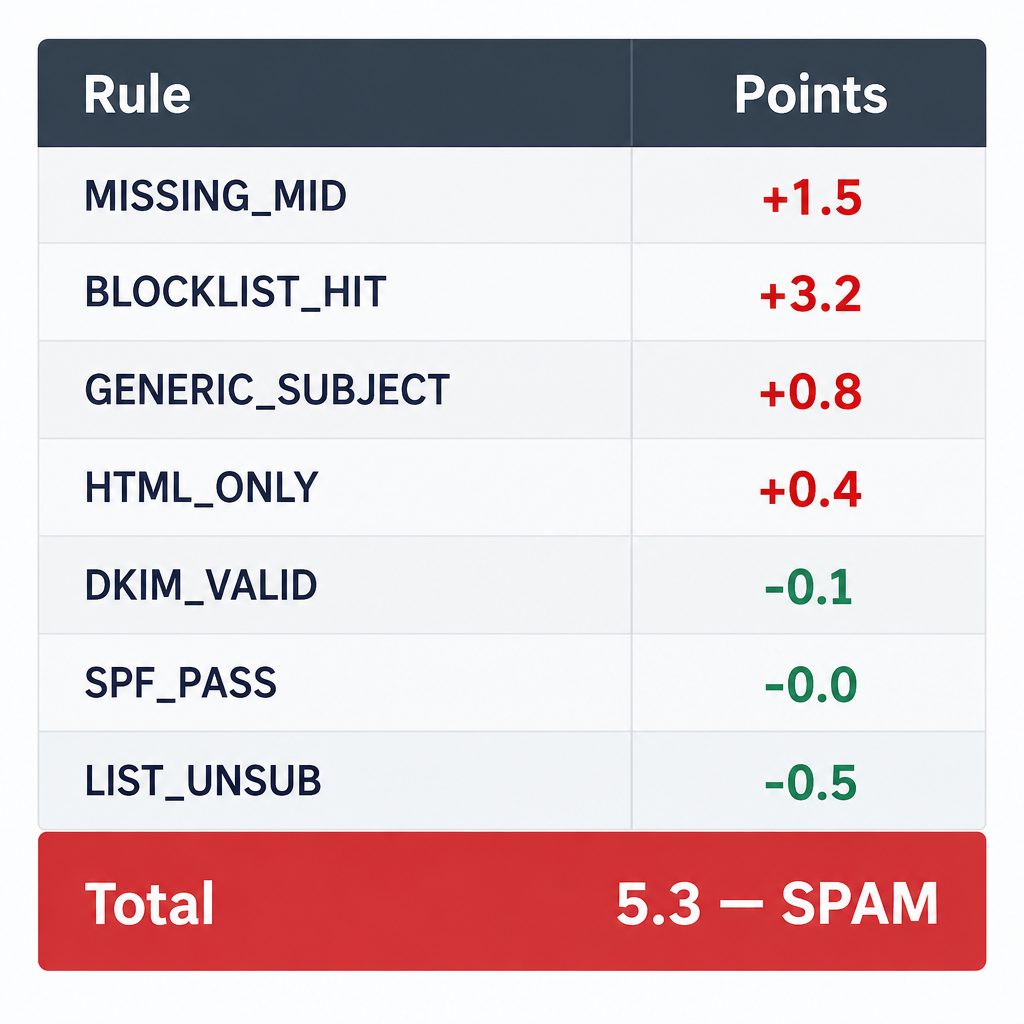
- Filtering penalties. Blocklist hits feed into e-mail spam filtering everywhere. Tools that use real-time blocklists add points to your SpamAssassin score, pushing borderline messages into the junk folder.
- Reputation damage at the mailbox providers. Gmail, Yahoo and Microsoft weigh trap hits alongside complaints and engagement. Damage to your domain reputation follows you even if you change IPs.
- Account action from your ESP. Email service providers watch their shared IP reputation. Repeated trap hits can get your account paused or closed.
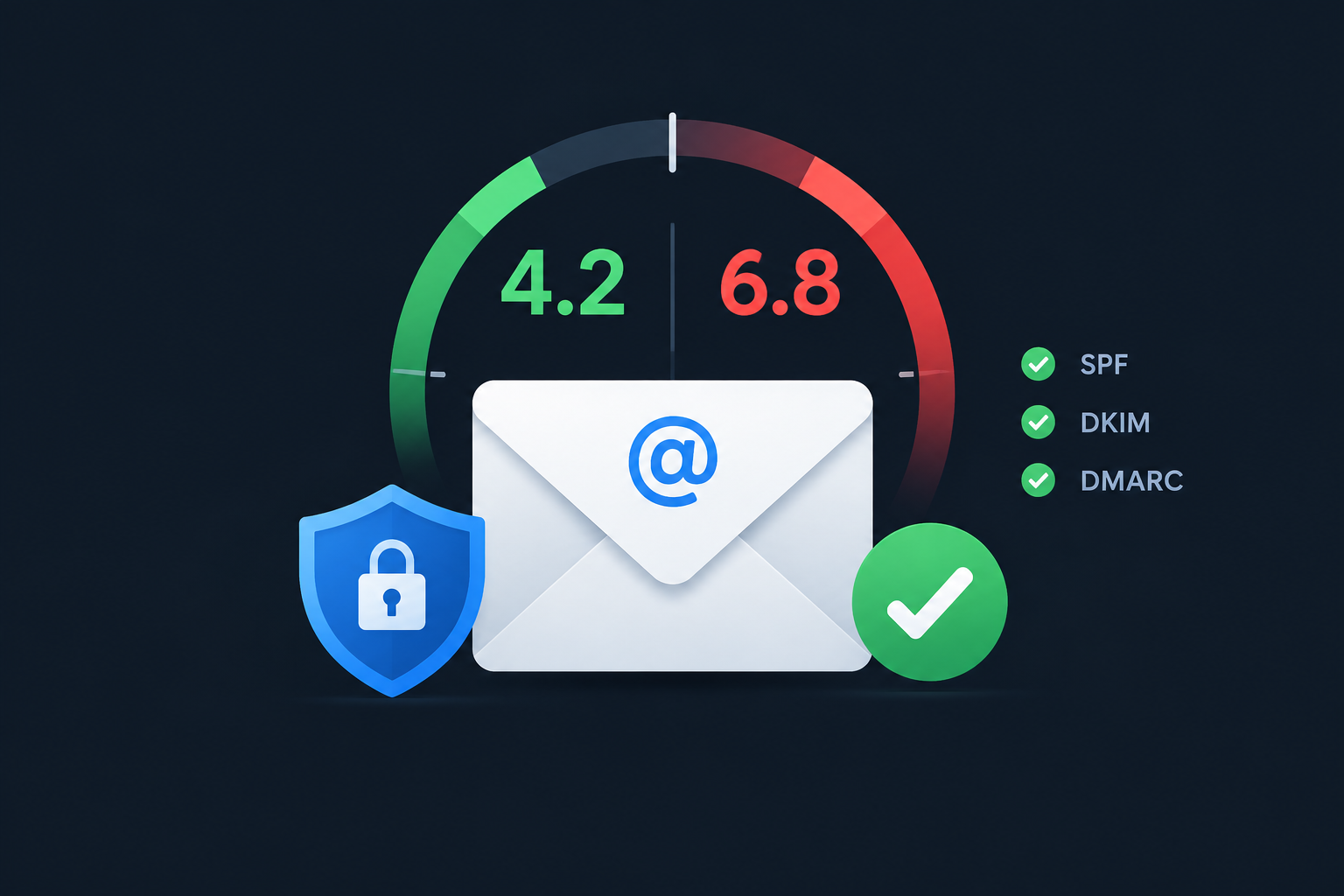
The pressure has increased since February 2024, when Google and Yahoo began enforcing rules for bulk senders. Anyone sending around 5,000 or more messages a day to Gmail addresses must authenticate with SPF, DKIM and DMARC, support one-click unsubscribe, and keep the spam complaint rate in Postmaster Tools well below 0.3%, the level at which Gmail starts blocking mail. Google recommends staying under 0.1%. Microsoft announced similar authentication requirements for high-volume senders to Outlook.com addresses, enforced from May 2025. Senders who hit traps usually have the same list problems that drive complaints, so the two failures tend to arrive together.
Deliverability risk
One purchased list can hold enough pristine traps to get a sending domain blocklisted within a single campaign. No list vendor can guarantee it is trap-free.
How to avoid honeypot spam traps
You cannot identify a trap address directly, so the defence is process. Clean list building and steady hygiene keep traps out, and that protects your reputation far better than any after-the-fact scrubbing.
Keep spam traps off your list
- Never buy, rent or scrape email addresses.
- Use double opt-in so every address is confirmed by its owner.
- Add a hidden honeypot field and rate limiting to signup forms.
- Validate addresses in real time at the point of signup.
- Remove hard bounces after the first failure.
- Run a re-engagement campaign for subscribers inactive for 90 to 180 days.
- Suppress anyone who stays inactive after the re-engagement series.
- Monitor Postmaster Tools, Microsoft SNDS and major blocklists weekly.
A few notes on the steps that matter most:
Double opt-in is your strongest shield. A trap address cannot click a confirmation link, so it never becomes an active subscriber. It also stops typo traps and malicious signups that enter someone else’s address.
Sunset inactive contacts. Recycled traps only exist because abandoned addresses go silent. If you suppress people who have shown no opens or clicks across a reasonable window, you drop most dead addresses before they can be converted. Treat Apple Mail Privacy Protection opens with caution here, since they inflate opens; clicks, replies and purchases are better signs of life.
Validate at entry, not just in bulk. Real-time validation catches obvious typos like misspelled popular domains before they reach your list. Bulk verification services are useful for spotting invalid and risky addresses, but none of them can reliably detect every trap. Their own documentation is generally careful about that claim, and you should be too.
Inbox tip
Add a gentle “Did you mean gmail.com?” suggestion to your signup form. It fixes typo addresses before they ever become typo traps, and it rescues real subscribers you would otherwise lose.
Use a honeypot field on your own signup forms
Here is the angle most guides skip: you can turn the honeypot idea against bots yourself. Spam bots fill in every field they find on a form. A honeypot field is an input that is hidden from humans with CSS. If it comes back filled in, the submission is almost certainly automated and you discard it.
<div style="position:absolute; left:-9999px;" aria-hidden="true">
  <label for="company_url">Leave this field empty</label>
  <input type="text" id="company_url" name="company_url"
         tabindex="-1" autocomplete="off" value="">
</div>
Then reject any submission where company_url has a value. Hide the field with CSS positioning rather than type="hidden", because some bots skip true hidden inputs. The tabindex="-1" and aria-hidden attributes keep keyboard and screen reader users from landing on it.
Many ESP embedded forms already include a field like this. Mailchimp’s standard embed, for example, ships with a bot-catching input. If you build custom forms, add your own and pair it with rate limiting or a CAPTCHA for high-traffic pages. Bot signups do more than pollute your list; they are often used in “list bombing” attacks that flood a victim’s inbox with confirmation emails from dozens of senders at once.
Pros and cons of honeypots
For security teams running their own decoys, the trade-offs look like this:
| Pros | Cons |
|---|---|
| Very few false positives, since no legitimate traffic should hit the decoy | Only sees attacks aimed at the decoy itself |
| Cheap low-interaction options exist | Experienced attackers can sometimes fingerprint a fake system |
| Captures real malware and techniques for study | A poorly isolated high-interaction decoy can be hijacked |
| Buys time and diverts attackers from real servers | Needs monitoring; an unwatched honeypot is just noise |
For email senders the calculation is simpler. You do not run the traps; you just need to avoid them. And because trap operators never reveal which addresses they use, good permission practice is the only approach that works.
Signs you may already have hit a trap
Trap hits rarely come with a polite notice. Watch for these symptoms:
- A sudden drop in inbox placement at one provider while others stay stable.
- Bounce messages that reference Spamhaus or another blocklist.
- Your sending IP or domain appearing on a blocklist lookup.
- A warning or suspension notice from your ESP.
- Rising spam rates in Google Postmaster Tools after mailing an old or imported segment.
If you see these, stop mailing the segment that triggered the problem. Identify the source: an imported list, a reactivated old segment, or a form being abused by bots. Suppress everyone in that source who has not engaged recently, fix the signup process, then follow the delisting procedure on the relevant blocklist’s site. Delisting without fixing the cause just gets you listed again.
It also helps to send from a domain email address you own and authenticate properly. A shared or free-mailbox From address gives you nothing to rebuild once reputation recovers.
FAQ
What is a honeypot in simple terms?
A honeypot is a decoy that looks like a real target. It exists to attract attackers, spammers or bots so their activity can be detected, recorded and studied without putting genuine systems or people at risk.
What is a honeypot trap in email marketing?
It is a spam trap: an email address that no real person uses and that never opted in to receive mail. Sending to one tells blocklist operators and mailbox providers that your list was bought, scraped or poorly maintained.
Can I find and remove spam traps from my list?
Not reliably. Trap operators keep their addresses secret. Verification tools flag some risky addresses, but the dependable fix is double opt-in, removing hard bounces, and sunsetting inactive subscribers.
Is a honey trap the same as a honeypot?
They share an origin but mean different things. A honey trap is an espionage or scam tactic that uses personal attraction to compromise someone. A honeypot is a technical decoy used in security and email.
How long does it take to recover from a spam trap hit?
It depends on the blocklist and how many traps you hit. Some listings clear quickly once the cause is fixed and you request removal. Domain reputation with Gmail or Microsoft usually takes weeks of clean, engaged sending to rebuild.
Are honeypots legal?
Running a honeypot on your own systems is generally legal and is standard security practice. Legal questions around data capture and privacy vary by country, so organisations running research honeypots that record attacker data should check local rules.