Category: Design & Copy

  • Professional Subject Lines for Business Emails With Examples

    Professional Subject Lines for Business Emails With Examples

    Your subject line decides whether a business email gets opened, filed or ignored. Below are 120 subject lines for business emails, sorted by goal, plus the formulas behind them, preview text pairings, and the inbox and legal rules that limit what you can write.

    Top pickClear topic plus action
    Ideal length6 to 9 words
    AvoidFake "Re:" and all caps
    Pair withMatching preview text

    How We Picked and Ranked These Subject Lines

    A good subject for business email is not judged by cleverness. It is judged by whether the reader knows what the email is about and what you need from them before they open it.

    Every example on this list had to pass four tests:

    1. Clarity. The topic is obvious from the first few words.
    2. Honesty. The subject matches the content. That is a legal requirement under US and Canadian law, and Gmail’s sender guidelines warn against misleading subjects.
    3. Mobile fit. The main point survives truncation on a phone screen.
    4. Reusability. You can swap in your own names, dates and numbers without rewriting the line.

    The categories are ranked by how often you need them in day-to-day business email. Types that work for almost any professional message rank higher. Types that need the right audience and timing, like humor, rank lower.

    Quick-Reference Table: Subject Line Types Ranked

    Rank Subject line type Best for Tone Risk if misused
    1 Professional (top pick) Internal and client email Direct, neutral Low
    2 Follow-up Chasing replies, next steps Polite, specific Low
    3 Meeting and scheduling Invites, changes, recaps Practical Low
    4 Thank you After calls, orders, help Warm Low
    5 Personalized Clients, prospects, customers Familiar Medium (wrong merge data)
    6 Cold outreach and introductions First contact Respectful, specific Medium (spam complaints)
    7 Sales Quotes, offers, upgrades Value-focused Medium
    8 Welcome New customers, hires, users Friendly Low
    9 Review and survey requests Feedback after a purchase Brief Low
    10 Event Webinars, launches, summits Informative Low
    11 Pain point Prospects with a known problem Empathetic Medium
    12 Curiosity Newsletters, content Intriguing High (clickbait)
    13 FOMO and urgency Real deadlines, limited offers Pressing High (fake urgency)
    14 Catchy Marketing campaigns Playful Medium
    15 Funny Warm audiences, culture emails Light High (tone misread)

    Our top pick is the professional subject line built on a simple formula: topic + action + deadline. It works for colleagues, clients, vendors and executives, and you will never have to explain or apologize for it.

    What Makes a Good Subject Line for a Business Email
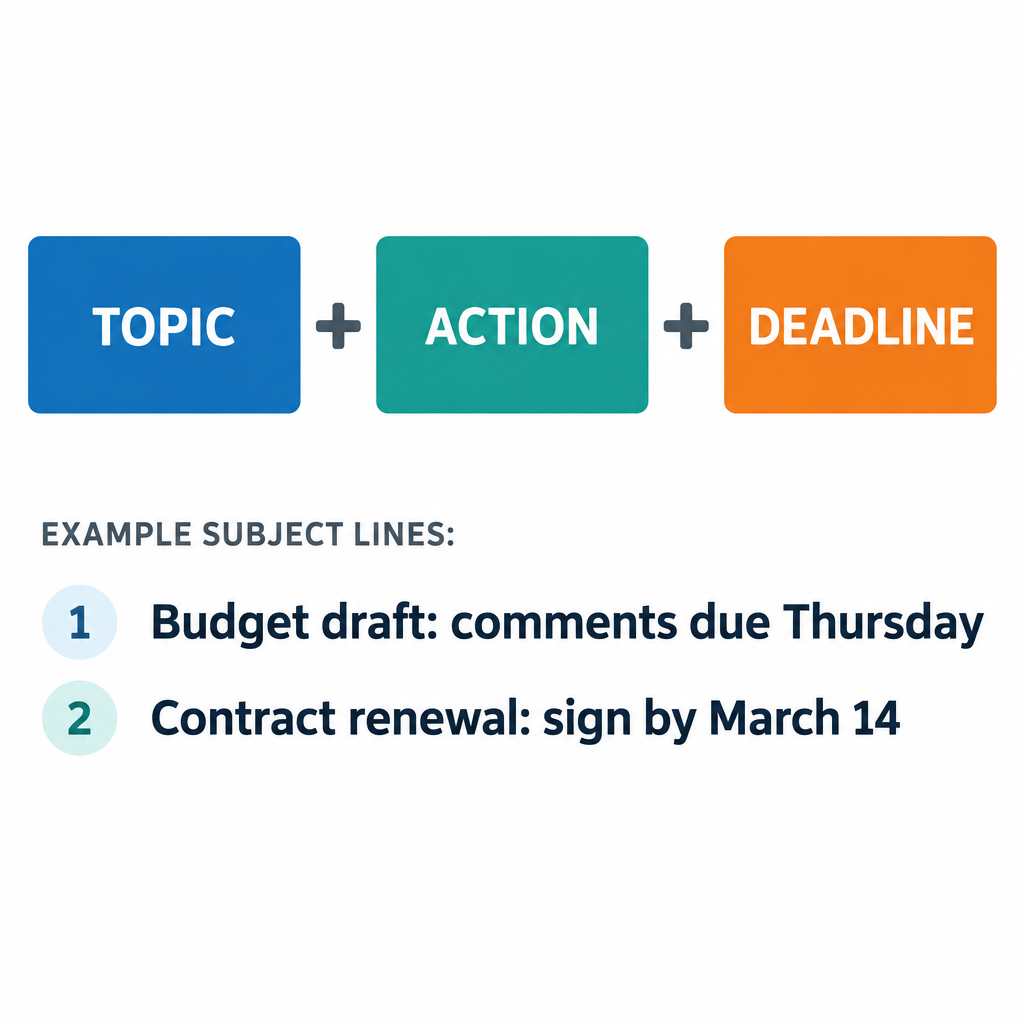
    Subject Line Formula Diagram

    The best subject lines for business emails share three traits. They front-load the main point, they are specific, and they tell the reader what to do.

    Front-load the important words

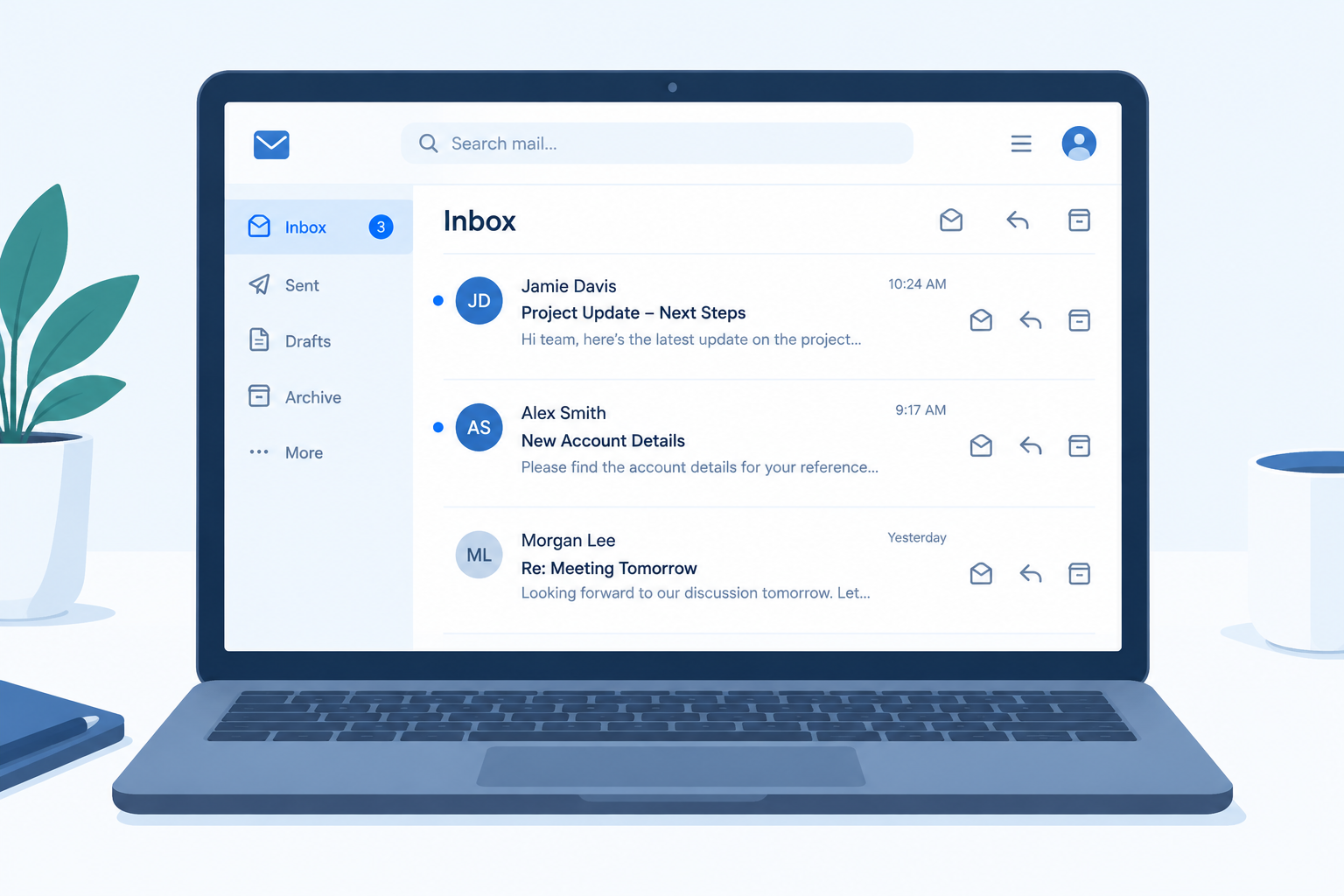
    Phones cut subject lines short. On most screens you see roughly the first 30 to 40 characters, depending on device size and font settings. Desktop clients show more, but Gmail’s desktop inbox puts the subject and the preview snippet on one line, so a long subject crowds out everything else.

    Put the topic and action first. “Signature needed: Q3 vendor contract” beats “I wanted to touch base about the vendor contract that needs a signature.”

    Be specific enough to search later

    Business email gets searched months after it was sent. “Update” tells the reader nothing. “Update: Acme rollout moved to May 12” is findable and useful. Treat your subject line like a file label.

    Signal the action

    Readers triage their inbox. Labels like “Action required:”, “FYI:”, “Approved:” and “Decision needed:” let them sort your message in seconds. Use them honestly. If everything is “Urgent,” nothing is.

    Technical limits that affect subject lines

    Limit What it is Why it matters
    998 characters per header line Maximum line length in RFC 5322, the email message standard Long subjects get folded across lines; no client displays anything close to this
    ~30 to 40 visible characters on phones Typical mobile truncation (varies by device and settings) Your main point must sit at the front
    102 KB message size Gmail clips message bodies larger than this Clipped emails can hide your unsubscribe link and content
    September 2021 Apple Mail Privacy Protection launched with iOS 15 Open rates from Apple Mail users are inflated, so subject tests need other metrics

    Write a business subject line in five steps

    1. Name the topic in two to four words.
    2. Add the action you need, if any.
    3. Add a date or deadline when one exists.
    4. Cut filler words like “just,” “quick note” and “hello.”
    5. Read it on your phone before you send.

    Six Subject Line Formulas That Increase Opens

    These six formulas cover almost every professional email you will send. Each one gives the reader a reason to open now rather than later.

    1. Topic + action + deadline

    The workhorse formula for internal and client email.

    • “Budget draft: comments due Thursday”
    • “Contract renewal: sign by March 14”

    2. Name + specific benefit

    Personalization only works when the benefit is real and specific to that person.

    • “[Name], your onboarding checklist is ready”
    • “[Company]’s revised quote saves 12% on shipping”

    3. A question the reader can answer quickly

    Questions invite replies. Keep them answerable in one line.

    • “Can you review the deck by noon?”
    • “Tuesday or Wednesday for the site visit?”

    4. Number + outcome

    Numbers set expectations about effort and length.

    • “3 changes to next week’s schedule”
    • “2 questions before we finalize the order”

    5. Mutual connection or shared context

    The fastest way to earn trust from a stranger.

    • “[Mutual contact] suggested I write to you”
    • “Following up from the SaaStr panel”

    6. Status label + topic

    Ideal for threads where the reader needs to know what changed.

    • “Approved: marketing budget for Q4”
    • “Resolved: login issue on the client portal”

    Inbox tip

    Write the subject line last. Once the email is finished, you know its main point, and the subject usually writes itself from your first or last sentence.

    How to Pair Your Subject Line With Preview Text

    Preview text is the snippet shown next to or below the subject in the inbox. If you don’t set it, the email client grabs the first text it finds in the body. That is often “View this email in your browser” or a line of your signature, which wastes valuable space.

    Think of the subject and preview as one sentence split in two. The subject states the topic. The preview gives the detail, the reason, or the next step. Never repeat the same words in both.

    Subject line Preview text
    Q3 report: 2 figures need your sign-off Revenue and churn are final. Margin needs a decision by Friday.
    Welcome to [Company], [Name] Your login link and a 5-minute setup guide are inside.
    Your quote for 50 licenses Valid until June 30. Includes onboarding and priority support.
    Rescheduled: client kickoff now Wednesday Same room, same agenda. New time is 10 a.m.

    Most email marketing platforms have a dedicated preview text field next to the subject line in the campaign editor. If yours doesn’t, add a hidden block at the very top of your HTML:

    <div style="display:none; max-height:0; overflow:hidden;">
      Your preview text goes here.
    </div>
    

    For one-to-one email from Gmail or Outlook, you can’t set preview text directly. Your first sentence becomes the preview, so make it count. Open with the request, not “Hope you’re well.”

    1. Professional Email Subject Lines (Top Pick)

    Professional email subject lines are short, factual and action-oriented. Use them for colleagues, managers, clients, vendors and anyone you need a clear response from.

    1. Agenda for Thursday’s budget review
    2. Q3 vendor contract: signature needed by Friday
    3. Updated proposal for [Company], v2 attached
    4. Request: access to the shared sales dashboard
    5. Action required: approve March invoices by 5 p.m.
    6. Notes and next steps from today’s call
    7. Question about the [Project] launch timeline
    8. FYI: office closed Monday for the holiday

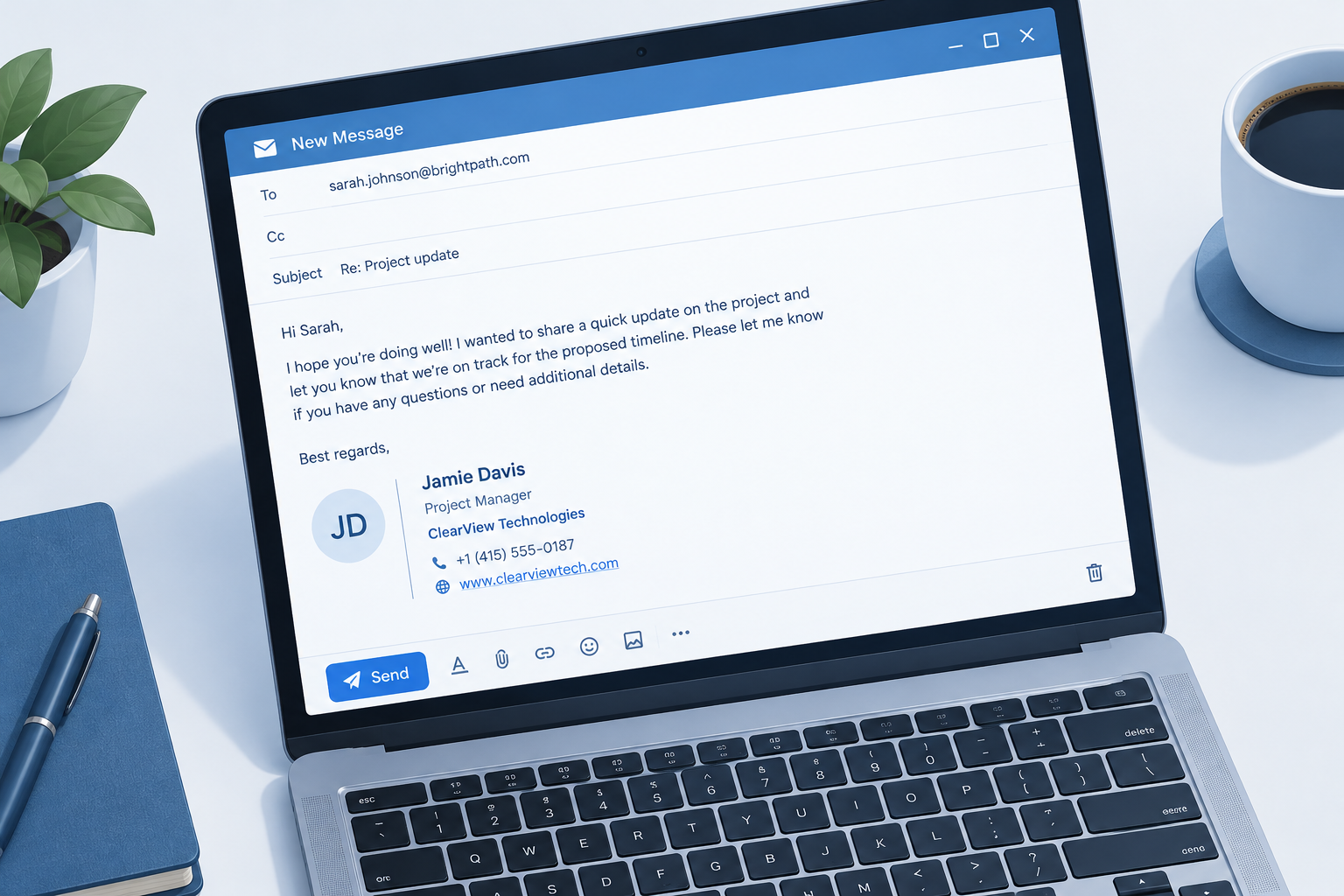
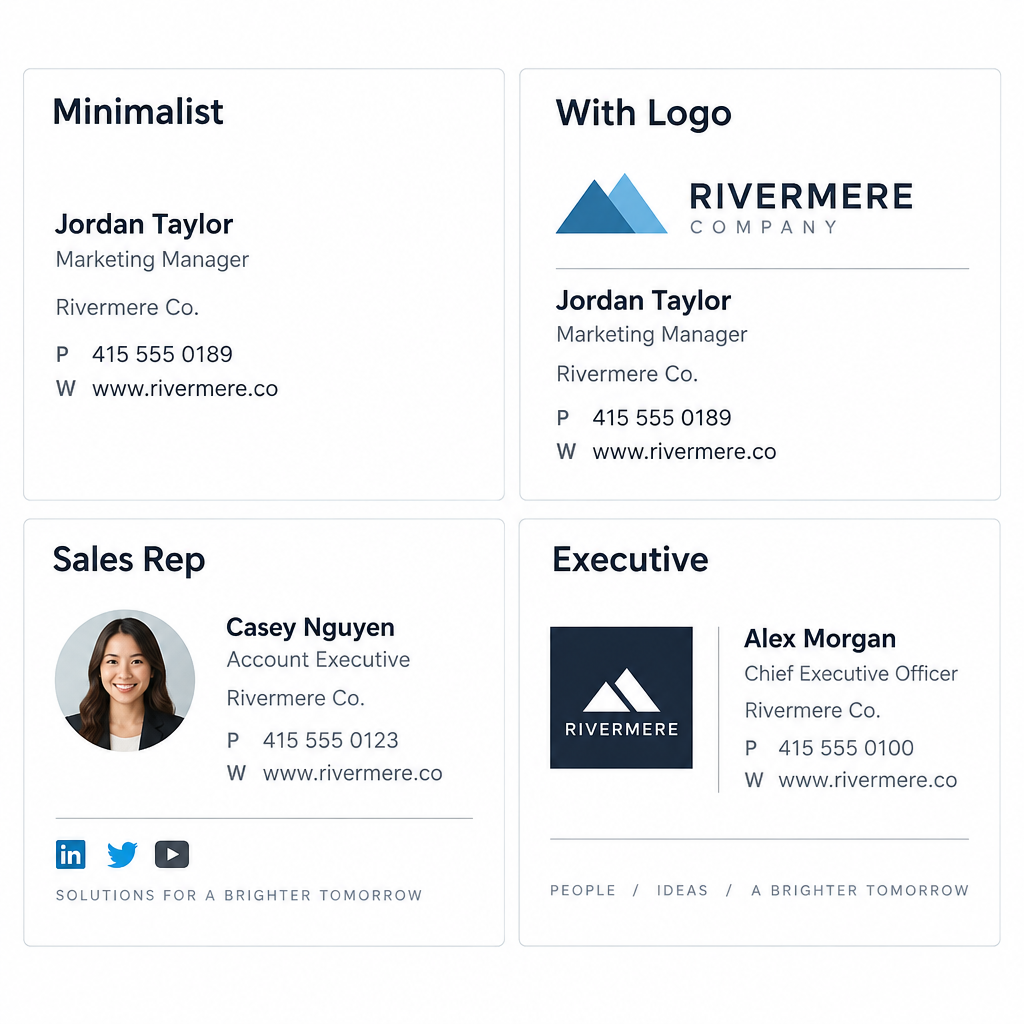
    A professional subject line gets the email opened. A clean sign-off finishes the job, so it is worth looking at a few email signature examples and settling on one before your next client email.

    2. Follow-Up Email Subject Lines

    Most replies come after a follow-up, not the first message. A good follow-up subject reminds the reader of the context and makes the next step easy.

    1. Following up on Tuesday’s proposal
    2. Quick follow-up: pricing questions from our call
    3. Checking in on the [Project] timeline
    4. Still interested in a demo, [Name]?
    5. Next steps after our meeting on [date]
    6. Any update on the contract review?
    7. Resending: invoice #4471 (due June 10)
    8. Closing the loop on [topic]

    Keep follow-ups in the original thread when the context matters. Start a new subject when the topic has changed. If you are writing after a sales conversation, a dedicated follow-up template after the sales call will save you time and keep your recap consistent.

    Deliverability risk

    Adding “Re:” or “Fwd:” to a first-contact email to fake a prior conversation is deceptive. It annoys readers, drives spam complaints and can breach CAN-SPAM’s ban on misleading subject lines.

    3. Meeting and Scheduling Subject Lines

    Calendar emails need to be scannable. Lead with the status (invite, change, cancellation), then the meeting, then the time.

    1. Meeting request: 30 minutes to review Q4 targets
    2. Can we move Friday’s 1:1 to 3 p.m.?
    3. Invitation: product roadmap review, Oct 14
    4. Rescheduled: client kickoff now Wednesday at 10
    5. Cancelled: weekly standup on Monday
    6. Availability for a call next week?
    7. Prep for tomorrow’s board meeting: 3 slides to review
    8. Recap: decisions from the planning session

    When you’re away and meetings pile up, your auto-reply does the scheduling work for you. Our collection of out-of-office message examples covers how to redirect requests without leaving people stuck.

    4. Thank You Email Subject Lines

    Thank-you emails get high engagement because people like reading them. Be specific about what you’re thanking them for, and add the next step when there is one.

    1. Thank you for your time today, [Name]
    2. Thanks for the referral to [Company]
    3. Thank you for your order #20931
    4. Grateful for your help on the audit
    5. Thanks for choosing [Company]: here’s what happens next
    6. Thank you for attending [Event]: slides inside
    7. A thank-you from our team (and a small gift)
    8. Thanks for your feedback on [Product]

    Send a thank-you within 24 hours of a meeting or interview. After that, it reads like an afterthought.

    5. Personalized Email Subject Lines

    Personalization means more than a first-name merge tag. The strongest personalized subject lines reference something specific to the reader: their company, their last purchase, their location or a recent event.

    1. [Name], your renewal date is coming up
    2. [Company]’s quote is ready
    3. Ideas for [Company]’s spring hiring push
    4. [Name], quick question about your Shopify store
    5. Your [City] store’s monthly report
    6. Recommended for you, based on your last order
    7. [Mutual contact] suggested I reach out
    8. Congrats on the Series A, [Name]

    Always set a fallback value for merge fields. “Hi ,” or “Hi FNAME” in a subject line tells the reader they’re on a mass list and wipes out any trust the personalization was meant to build.

    Inbox tip

    Test your merge tags by sending a preview to a contact with missing fields. Set the fallback to something natural like “there” or remove the name entirely from the subject.

    6. Cold Outreach and Introduction Subject Lines

    Cold subject lines have one job: look like a relevant message from a real person, not a campaign. Short, lowercase-friendly, and specific to the reader’s business.

    1. Introduction: [Your name] from [Company]
    2. [Mutual contact] recommended we connect
    3. Idea to cut [Company]’s onboarding time
    4. Question about [Company]’s support process
    5. Saw your talk at [Event], one question
    6. Partnership idea: [Your company] x [Their company]
    7. 15 minutes next week to compare notes?
    8. Helping teams like [Peer company] reduce churn

    Cold outreach only works when the targeting is right and the sending is legal. Our guide to cold email explains how to do it properly, including list sourcing you can defend. Never buy lists or scrape addresses. For pitches to journalists or partners, our email pitch examples show how the subject and opening line work together.

    7. Sales Email Subject Lines

    Sales subject lines work best when they point to something concrete the reader asked for or will clearly benefit from. Vague hype (“Amazing opportunity!”) gets filtered by readers before spam filters even look at it.

    1. Your quote for 50 licenses (valid until June 30)
    2. Pricing options for [Company]
    3. Case study: how [Client] cut shipping costs
    4. New: annual plan with two months free
    5. Your trial ends in 3 days
    6. Ready to upgrade your plan?
    7. The [Product] demo you asked about
    8. Bundle offer for current customers

    Put the number or offer in the subject when it is real. “Your quote” outperforms “Following up” for a prospect waiting on pricing, because the reader knows exactly what they will find inside.

    8. Welcome Email Subject Lines

    Welcome emails are expected, which makes them some of the most-read emails you send. Use the subject to confirm the signup and promise one useful next step.

    1. Welcome to [Company], [Name]
    2. Your account is ready: here’s how to log in
    3. Welcome aboard: 3 steps to get started
    4. You’re in. Here’s what to expect from us
    5. Welcome to the team, [Name]! Your first-week schedule
    6. Getting started with [Product]
    7. Your welcome kit is on its way
    8. Meet your account manager, [Name]

    Send the welcome email immediately after signup. A delay of a day or more breaks the connection between the action and the message, and the reader may not remember signing up.

    9. Review and Survey Request Subject Lines

    Feedback requests compete with everything else in the inbox, so state the effort required. “2 questions” or “one click” lowers the barrier.

    1. How did we do, [Name]?
    2. 2 questions about your recent order
    3. Quick survey: help us improve [Product]
    4. Would you recommend us? (one click)
    5. Your feedback shapes our next release
    6. Rate your support experience with [Agent]
    7. Take our 3-minute survey
    8. How is [Product] working for you so far?

    Time review requests to when the customer has actually used the product: after delivery for physical goods, after the first week or two for software. Asking before they’ve had a chance to use it produces weak, empty reviews.

    Deliverability risk

    Don’t tie a discount or gift to a positive review. The FTC’s 2024 rule on fake reviews bans incentives conditioned on a review’s sentiment. Incentives for honest survey feedback are a different matter.

    10. Event Email Subject Lines

    Event subject lines need the what and the when. Readers sort event emails by date, so put it in the subject whenever you can.

    1. You’re invited: [Event] on [date]
    2. Save the date: annual client summit, Sept 18
    3. Registration closes Friday for [Webinar]
    4. Your ticket for [Event] (add to calendar)
    5. Starting in 1 hour: [Webinar title]
    6. Missed the webinar? Here’s the recording
    7. Agenda and speakers for [Event]
    8. Last 20 seats for the Chicago workshop

    A typical event sequence uses four emails: the invite, a reminder the day before, a “starting soon” email, and the recording or recap afterward. Change the subject format for each so they don’t look like duplicates.

    11. Pain Point Email Subject Lines

    Pain point subject lines name a problem the reader already knows they have. They work in prospecting and nurture campaigns when you’ve segmented well enough to know the problem is real.

    1. Spending too long on monthly reporting?
    2. Fix late invoices without chasing clients
    3. Tired of manual data entry?
    4. Why your emails land in spam (and the fix)
    5. Cut onboarding time without adding staff
    6. Missed deadlines costing you clients?
    7. A faster way to approve expenses
    8. Stop losing leads after the first call

    Name the problem, not the reader’s failure. “Spending too long on reporting?” is empathetic. “Your reporting is a mess” is insulting, even if it’s true.

    12. Curiosity-Inducing Email Subject Lines

    Curiosity subject lines open a gap the reader wants to close. They suit newsletters and content emails. They don’t suit transactional or internal business email, where clarity wins every time.

    1. The one metric our best clients track
    2. What we learned from [number] support tickets
    3. Is your onboarding missing this step?
    4. We were wrong about pricing
    5. A question I get every week
    6. The mistake in most proposals
    7. Here’s what your competitors are testing
    8. Before you renew, read this

    The email has to pay off the curiosity in the first paragraph. If the reader opens and can’t find what the subject promised, you’ve taught them to ignore your next email. Use real figures only: if you claim lessons from 1,000 tickets, you need 1,000 tickets.

    13. FOMO and Urgency Email Subject Lines

    Urgency works because deadlines are real motivators. Fake urgency works once and then destroys trust. Only use these when the deadline, stock limit or price change actually exists.

    1. Ends tonight: 20% off annual plans
    2. Last chance to lock in this year’s pricing
    3. Only 5 onboarding slots left in June
    4. Early-bird pricing ends Friday
    5. Deadline: submit Q2 expenses by noon
    6. Price increase on July 1: renew now at today’s rate
    7. 48 hours left to register
    8. Your cart will expire soon

    If an offer “ends tonight,” it must end tonight. Extending a deadline once is fine. Doing it every month turns your urgency language into noise, and readers learn to wait you out.

    14. Catchy Email Subject Lines

    Catchy subject lines lean on rhythm, wordplay or a fresh angle. They fit marketing campaigns and brand newsletters where you have some personality to spend.

    1. Your inbox, minus the clutter
    2. Small change, big savings
    3. Meet the new dashboard
    4. New month, new numbers
    5. Coffee’s on us this Friday
    6. Spring cleaning for your CRM
    7. Good news about your account
    8. Less admin, more selling

    Catchy lines should still hint at the topic. “Small change, big savings” works best when the preview text explains the change.

    A note on emojis

    Emojis can help a marketing subject line stand out in a crowded promotions tab. In formal business email to clients, executives or people you haven’t met, leave them out. Emojis also render differently across devices and can show as an empty box on older clients. If you use one, put it at the end, use only one, and make sure the subject still makes sense without it.

    15. Funny Email Subject Lines

    Humor works with audiences who already know and like you: existing customers, newsletter subscribers, your own team. It rarely works in cold outreach or with senior stakeholders you’ve never met.

    1. Not another boring newsletter (okay, slightly less boring)
    2. Our printer finally works. Celebrate with us
    3. Plot twist: your invoice is already paid
    4. We miss you (in a totally normal way)
    5. This email contains zero buzzwords
    6. Pizza Friday is back. Bring your appetite
    7. Our CEO wrote this one. Be nice
    8. Monday called. We let it go to voicemail

    Read funny subject lines out loud before sending. If a joke needs the email body to make sense, or could be read as sarcastic, rewrite it.

    Before and After: Rewriting Weak Business Subject Lines

    Most bad subject lines fail in the same few ways. They are vague, too long, or bury the request. Here is how to fix the common ones.

    Weak subject line Problem Stronger version
    Hello No topic Question about your March invoice
    Quick question Vague, overused Can you confirm the delivery address?
    Update Unsearchable Update: Acme launch moved to May 12
    Touching base No reason to open Next steps on the [Company] proposal
    URGENT!!! PLEASE READ Shouty, spam-like Action required: approve payroll by 3 p.m.
    I wanted to reach out about a potential partnership opportunity Too long, truncated on mobile Partnership idea: [Brand] x [Brand]
    Re: our conversation (when there wasn’t one) Deceptive [Mutual contact] suggested I write to you
    Newsletter #47 No value signal 3 pricing tests that worked this quarter

    The pattern holds across all four fixes you’ll make most often: replace the generic word with the topic, move the action to the front, cut anything a phone would truncate, and never imply a relationship that doesn’t exist.

    Subject Lines, Spam Filters and the Law

    A perfect subject line is useless if the email never reaches the inbox. Mailbox providers and regulators both care about what you put in that field.

    What Gmail, Yahoo and Microsoft require from senders

    Since February 2024, Gmail and Yahoo have required bulk senders to authenticate their mail and keep complaint rates low. Microsoft followed for Outlook.com consumer addresses in May 2025. These rules don’t police wording directly, but misleading subjects drive spam complaints, and complaints are measured.

    Provider Applies to Start date Key requirements
    Gmail Senders of about 5,000+ messages a day to personal Gmail accounts February 1, 2024 (one-click unsubscribe by June 1, 2024) SPF and DKIM, DMARC (p=none minimum) aligned with From domain, one-click unsubscribe, spam rate kept below 0.3% (target under 0.1%)
    Yahoo Bulk senders to Yahoo addresses February 2024 SPF and DKIM, DMARC policy, one-click unsubscribe honored within 2 days, spam rate below 0.3%
    Microsoft Senders of 5,000+ emails a day to Outlook.com, Hotmail.com and Live.com May 5, 2025 SPF, DKIM and DMARC (at least p=none, aligned with SPF or DKIM); non-compliant mail routed to Junk, with rejection to follow

    If you send business email from a free webmail address, these checks work against you. Sending from your own domain lets you set up the authentication records properly; our guide to custom domain email walks through it. A basic DMARC record looks like this:

    _dmarc.example.com.  TXT  "v=DMARC1; p=none; rua=mailto:[email protected]"
    

    Start at p=none to collect reports, then move to quarantine or reject once you’ve confirmed all your legitimate senders pass.

    What the law says about subject lines

    Law Region Subject line rule Maximum penalty
    CAN-SPAM Act United States Subject line must not mislead the recipient about the message’s content Up to $53,088 per violating email (FTC, 2025 inflation adjustment)
    CASL Canada Bans false or misleading representations in the subject line, sender information or URL Up to C$1 million for individuals and C$10 million for businesses per violation
    GDPR (with national ePrivacy rules such as the UK’s PECR) EU and UK Marketing email generally needs consent; deceptive practices undermine lawful processing GDPR fines up to €20 million or 4% of global annual turnover, whichever is higher

    The practical takeaway is simple. Your subject line must describe what’s inside. “Your order has shipped” on a promotional email, or “Re:” on a first-contact message, is the kind of thing these laws were written to stop.

    Deliverability risk

    Spam complaints above 0.3% in Gmail Postmaster Tools put your domain at risk of filtering. Misleading subject lines are one of the fastest ways to get there.

    What to Avoid in Business Email Subject Lines

    These habits hurt opens, trust or deliverability. Most of them signal “mass email” to both readers and filters.

    • All caps and stacked punctuation. “FREE!!!” reads as spam to everyone.
    • Blank subject lines. They look like mistakes and are easy to skip or delete.
    • Fake replies and forwards. “Re:” and “Fwd:” on a new message are deceptive.
    • Overused filler. “Quick question,” “Touching base” and “Checking in” with no topic attached.
    • Spam-trigger phrasing. “Act now,” “Guaranteed,” “100% free” and “Risk-free” invite suspicion.
    • Clickbait with no payoff. Curiosity that the email doesn’t resolve trains people to ignore you.
    • Excessive length. Anything past about nine words loses its ending on a phone.
    • Inconsistent sender names. The From name is read before the subject. Use a recognizable person or brand every time.

    Modern filters weigh sender reputation and engagement far more than individual words. A single “free” in an honest subject won’t sink you. A pattern of hype, complaints and poor authentication will.

    How to Test and Measure Subject Lines

    Open rate used to be the main subject line metric. Since Apple launched Mail Privacy Protection with iOS 15 in September 2021, Apple Mail pre-loads tracking pixels for many users, which registers an “open” whether a person read the email or not. Open rates are now inflated and noisy.

    Use opens only for rough comparisons within the same list. For decisions, watch metrics tied to real action:

    • Reply rate for one-to-one, sales and cold email.
    • Click rate for newsletters and campaign emails.
    • Conversions (bookings, purchases, survey completions) for sales and feedback emails.
    • Spam complaint rate in Gmail Postmaster Tools and your ESP’s reports.
    • Unsubscribe rate after each send, which shows if a subject over-promised.

    Most email platforms include A/B testing for subject lines on paid plans. Test one change at a time (a question versus a statement, with or without a number) and send each version to a large enough sample to mean something. If you’re choosing a tool, our roundup of email marketing platforms for small businesses compares which ones include subject line testing.

    Inbox tip

    Keep a swipe file of your own subject lines with their click and reply rates. After a few months, your best patterns become obvious and you stop guessing.

    FAQ

    How do you introduce your business via email?

    Use a subject line that names you, your company and a reason the reader should care, such as “Introduction: [Your name] from [Company]” or “[Mutual contact] suggested we connect.” In the body, state who you are in one sentence, explain the specific value for their business in two or three more, and close with a single low-effort ask like a 15-minute call. Keep it under about 150 words and send from your own domain.

    What is a subject line in an email example?

    The subject line is the short summary shown in the inbox before someone opens your email. Examples include “Agenda for Thursday’s budget review,” “Your quote for 50 licenses (valid until June 30)” and “Thank you for your time today, [Name].” Each one tells the reader the topic and, where needed, the action or deadline.

    What are some professional words to use when writing an email?

    Words that signal purpose and respect work well: “request,” “approve,” “confirm,” “review,” “update,” “next steps,” “agenda,” “recap,” “deadline,” “attached” and “thank you.” In subject lines, short status labels like “Action required,” “FYI,” “Approved” and “Decision needed” help the reader triage. Avoid vague filler like “just,” “touching base” and “circling back.”

    What to avoid in email subject lines?

    Avoid all caps, excessive punctuation, blank subjects, fake “Re:” or “Fwd:” prefixes, clickbait that the email doesn’t deliver on, and false urgency. Also avoid length: keep the main point in the first 30 to 40 characters so it survives on phones. Most importantly, never write a subject that misrepresents the content, since that breaches CAN-SPAM and CASL and drives spam complaints.

    How long should a subject for business email be?

    Aim for six to nine words, and make sure the topic and any action appear in the first few. Short subjects display fully on phones and are easier to search later.

    Should I use emojis in business email subject lines?

    Not in formal business email to clients, executives or new contacts. In marketing campaigns to an audience that knows your brand, a single emoji at the end can work, as long as the subject reads clearly without it.
  • Out of Office Message Examples You Can Copy and Paste

    Out of Office Message Examples You Can Copy and Paste

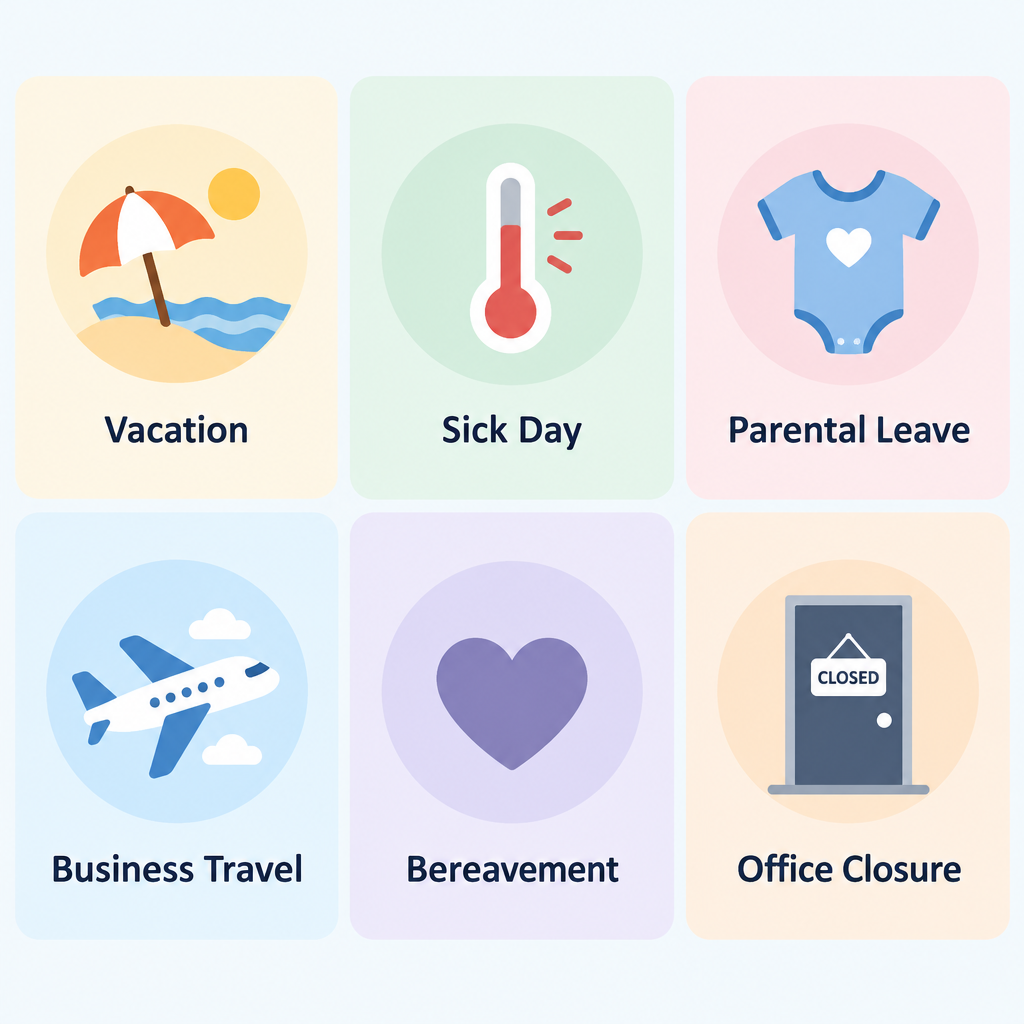
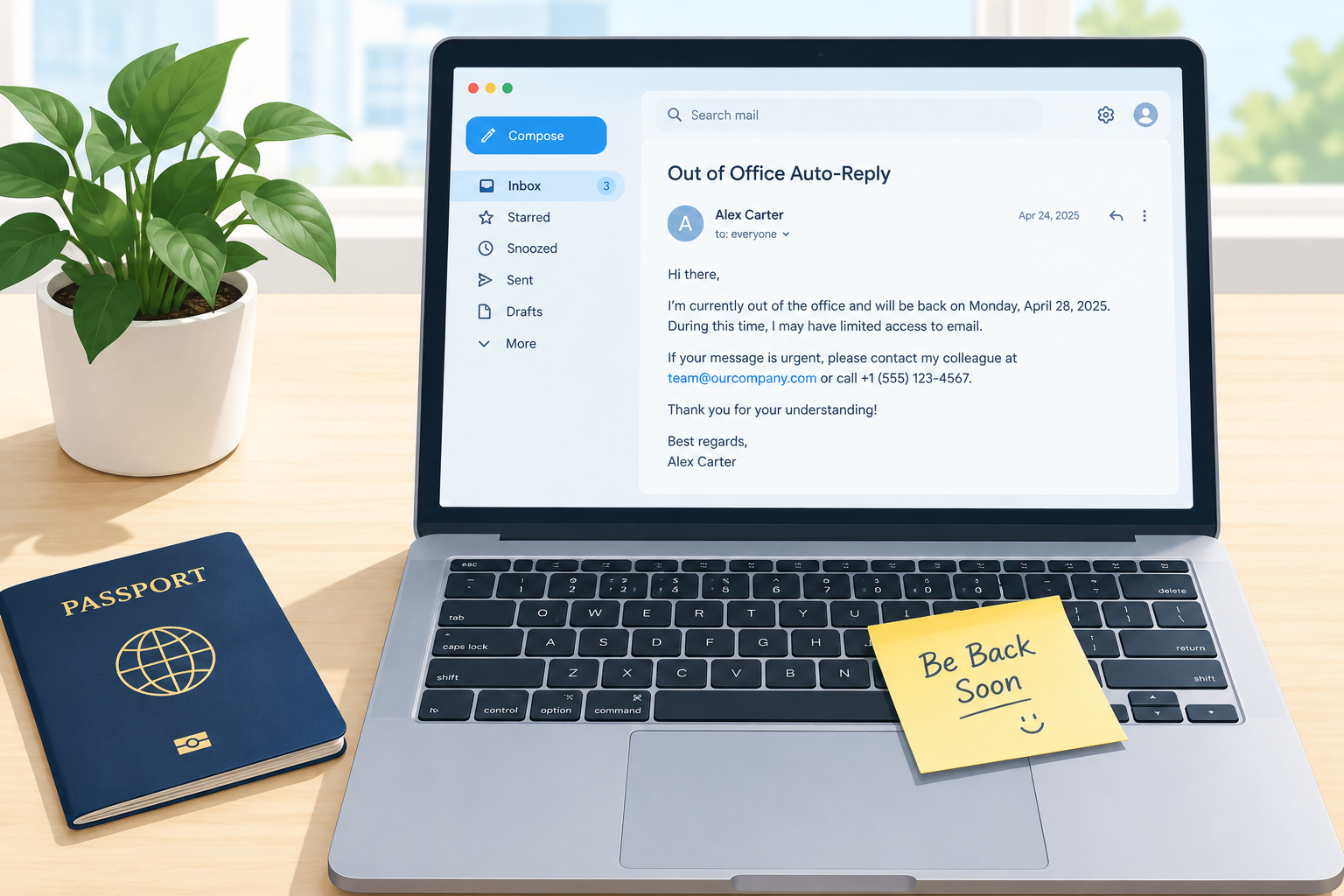
    A good out of office reply tells people three things fast: you’re away, when you’ll be back, and who can help in the meantime. Below are 21 out of office email examples for vacations, sick days, parental leave, resignations and more. Each one is ready to paste into Gmail or Outlook, and the setup steps for both follow the templates.

    Setup timeAbout 5 minutes
    Works inGmail and Outlook
    Ideal length50 to 120 words
    Must includeReturn date, backup contact

    What every out of office message needs

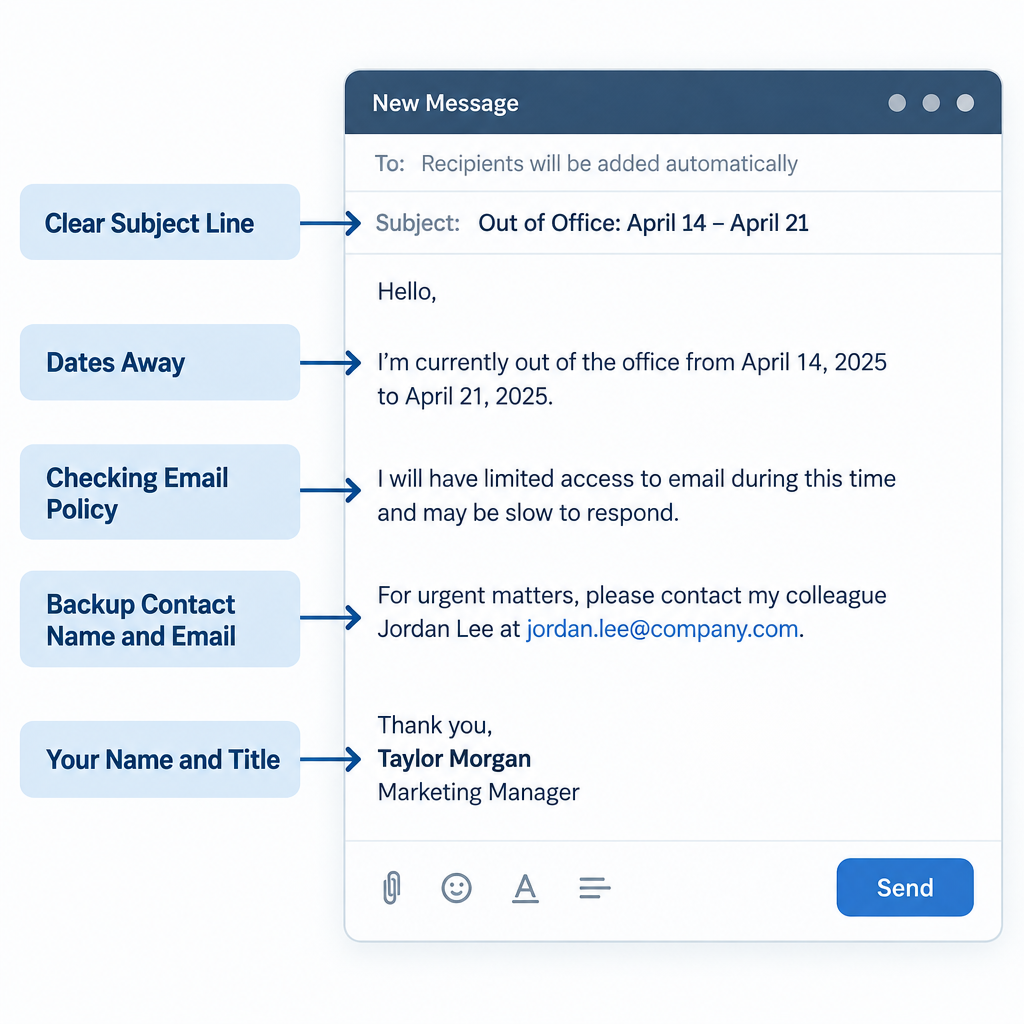
    The best auto-replies are boring in the right way. They answer the sender’s next question before it’s asked, then get out of the way. Before you pick a template, check that yours covers these parts:

    1. A clear subject line. “Out of office until Monday, June 9” beats “Away.” Outlook adds “Automatic reply:” to the front of the subject on its own, so you don’t need to repeat it.
    2. The dates you’re away. Your return date matters most. Use the actual date, not “next week,” because the sender may read it days later.
    3. Whether you’re checking email. Say it plainly: “I won’t be checking email” or “I’ll check messages once a day.”
    4. A backup contact. Give a name, role and email address for anything urgent. Ask that person first.
    5. What happens to their email. Will you reply when you’re back, or should they resend? Tell them.
    6. Your name and title. Some clients skip your normal signature on auto-replies, so add a short sign-off by hand. Our email signature examples work well in a trimmed-down form here.

    Keep it short. Most senders read the first two lines and act on them. If your message runs past about 120 words, cut something.

    What you need before you switch it on

    Five minutes of prep saves you from the most common auto-reply problems:

    • Your exact return date, plus the time if you’re back mid-day.
    • A backup contact who has agreed to cover, with their email address (and phone number for internal versions only).
    • Access to your email settings on desktop or web. Mobile apps work, but the full options live on desktop.
    • Two versions if you use Outlook at work: a detailed one for colleagues and a shorter one for outside senders.
    • A list of open threads your backup should watch. Add them in copy so they already have context. Our guide to CC in email covers when that’s the right move.

    21 out of office email examples by situation

    Out of Office Message Anatomy Diagram

    Swap out everything in square brackets. Every template below works as an out of office reply sample you can paste straight into Gmail’s vacation responder or Outlook’s automatic replies box.

    Vacation and time off

    1. Short and simple

    Subject: Out of office until [date]

    Hi,

    Thanks for your email. I’m out of the office until [date] with limited access to email. For anything urgent, please contact [Name] at [email]. Otherwise, I’ll reply when I’m back.

    [Your name]

    This is the safest sample out of office email if you only need one. It works for any absence of a few days.

    2. Formal vacation reply

    Subject: Out of office: returning [date]

    Hello,

    Thank you for your message. I am on annual leave from [start date] and will return on [return date]. I will not be checking email during this time.

    For urgent matters, please contact [Name], [title], at [email]. They can help with [account work / approvals / client questions].

    I will respond to your message after I return.

    Kind regards,
    [Your name]
    [Title], [Company]

    3. Friendly vacation reply

    Subject: On vacation, back [date]

    Hi there,

    I’m taking a proper break and will be offline until [date]. If your email can’t wait, [Name] has you covered at [email].

    Everything else will get my full attention once I’m back.

    Thanks for your patience,
    [Your name]

    4. Company holiday or office closure

    Subject: Our office is closed until [date]

    Hello,

    Thanks for getting in touch. [Company] is closed from [start date] to [end date] for [holiday name]. We’ll be back on [date] and will reply to messages in the order we received them.

    If you need help sooner, our help center at [web address written out] answers most common questions.

    Happy holidays,
    The [Company] team

    Keep the closure dates identical on every team member’s reply. Mismatched dates confuse customers fast.

    Sick, medical and personal leave

    5. Short sick day reply

    Subject: Out sick today

    Hi,

    I’m out sick today, [date], and won’t be checking email. For anything urgent, please contact [Name] at [email]. I’ll reply when I’m back.

    Thanks,
    [Your name]

    You owe nobody details about your health. “Out sick” or “unavailable” is enough.

    6. Extended medical leave

    Subject: Out of office: on leave until [date]

    Hello,

    Thank you for your email. I’m currently on leave and expect to return on [date]. I won’t have access to email during this time.

    [Name] is handling my work while I’m away and can be reached at [email]. Please send any time-sensitive requests to them directly.

    Best regards,
    [Your name]

    If your return date isn’t fixed, write “I expect to return in [month]” or leave the date out and name your backup more prominently.

    7. Parental leave

    Subject: On parental leave until [date]

    Hi,

    I’m on parental leave until [date] and won’t be checking email.

    For questions about [project/accounts], please contact [Name] at [email]. For anything else, [Name 2] at [email] can help.

    I look forward to catching up when I’m back.

    [Your name]

    8. Bereavement or personal leave

    Subject: Out of office until [date]

    Hello,

    I’m away from work until [date] for personal reasons and won’t be responding to email. Please contact [Name] at [email] for anything that needs attention before then.

    Thank you for understanding,
    [Your name]

    “Personal reasons” is professional and complete. Skip any further explanation.

    Work travel and partial availability

    9. Business trip or conference

    Subject: Traveling for work until [date]

    Hi,

    I’m attending [conference name] until [date], with limited access to email. I’ll check messages each evening, so expect a slower reply than usual.

    For urgent questions, please reach [Name] at [email].

    Thanks,
    [Your name]

    If you’re meeting people at the event, add one line inviting senders to say hello at your booth or session.

    10. Out for part of the day

    Subject: Away until [time] today

    Hi,

    I’m in [training / an offsite meeting] until [time, time zone] today and won’t see email until then. I’ll reply this afternoon. If it’s urgent, please call [Name] on [internal extension].

    [Your name]

    Outlook lets you schedule automatic replies by the hour, which makes this one easy to set and forget.

    11. Working remotely with limited access

    Subject: Limited availability until [date]

    Hello,

    I’m working remotely until [date] with limited connectivity. I’ll check email once a day, usually in the [morning/afternoon, time zone]. For anything that can’t wait 24 hours, please contact [Name] at [email].

    Best,
    [Your name]

    Job changes

    12. After resigning or leaving the company

    Subject: I’ve left [Company]

    Hello,

    Thank you for your email. As of [date], I no longer work at [Company], and this inbox is no longer monitored.

    For [accounts / projects / billing], please contact [Name] at [email]. They have full context on my former work and will be glad to help.

    All the best,
    [Your name]

    Clear this wording with your manager or IT first. Many companies set up the departed-employee reply themselves, and some prefer it says nothing personal.

    13. Changed roles inside the company

    Subject: I’ve moved to a new role

    Hi,

    I’ve moved to a new role as [new title] and no longer handle [old responsibilities]. For those, please contact [Name] at [email].

    If you’re writing about [new area], I’m happy to help and will reply soon.

    [Your name]

    Messages for specific roles

    14. Sales rep

    Subject: Out of office until [date]: your deal is covered

    Hi,

    Thanks for reaching out. I’m away until [date], but your account won’t stall. [Name] on our sales team can answer questions, send quotes and book demos at [email].

    I’ll pick up our conversation as soon as I’m back.

    [Your name]
    [Title], [Company]

    Reps get auto-replies too. If a prospect is away after a call, wait until their return date before you send the follow up sales call email you planned.

    15. Customer support or shared inbox

    Subject: We’ve received your message

    Hi,

    Thanks for contacting [Company] support. Our team is away until [date, time, time zone], and we’ll reply as soon as we’re back.

    In the meantime, our help center answers questions about [orders, billing, passwords]. If you’ve found a new detail since writing, reply to this email and it will stay in the same ticket.

    The [Company] support team

    16. Freelancer or small business owner

    Subject: Away until [date]

    Hi,

    Thanks for your email. I’m taking a short break and will be back on [date]. Current client projects are on schedule, and I’ll reply to all messages within two business days of returning.

    If you’re a new client, I’d love to hear about your project. I’ll be in touch once I’m back.

    [Your name]
    [Business name]

    17. Executive with an assistant

    Subject: Out of office until [date]

    Hello,

    I am away until [date] with limited access to email. My assistant, [Name], manages my calendar and correspondence and can be reached at [email] or [phone].

    Thank you,
    [Your name]
    [Title], [Company]

    Outside hours, internal and lighter messages

    18. Outside working hours or weekends

    Subject: Received outside working hours

    Hi,

    Thanks for your email. My working hours are [days, hours, time zone], so I’ll reply on my next working day.

    [Your name]

    Use this sparingly. An auto-reply firing on every weekend email starts to feel like noise.

    19. Internal-only version for colleagues

    Subject: OOO until [date]

    Hi team,

    I’m out until [date]. Quick routing guide:

    • [Project A]: [Name], [email]
    • Approvals and invoices: [Name], [email]
    • Anything truly urgent: text me on [number]

    Notes on open work are in [shared folder name].

    [Your name]

    This is where the details go. Keep phone numbers and folder names out of the version strangers see.

    20. Sabbatical with a “please resend” policy

    Subject: On sabbatical until [date]

    Hello,

    I’m on sabbatical until [date] and won’t be reading email while I’m away. Messages received during this time won’t be saved for later, so please resend anything important after [date].

    For immediate help, contact [Name] at [email].

    Thank you,
    [Your name]

    This approach is bold, but it works for long breaks. It only works if you actually archive or delete what arrives. Gmail users can clear a pile in minutes with our method to bulk delete Gmail emails.

    21. Lighthearted

    Subject: Gone fishing (literally) until [date]

    Hi,

    I’m somewhere with more fish than Wi-Fi until [date]. If your email is urgent, [Name] at [email] is far more reachable than I am.

    Otherwise, I’ll reply once I’m back on dry land.

    [Your name]

    Save humor for audiences who know you. Clients, recruiters and anyone in finance or law usually deserve template 1 or 2.

    Inbox tip

    Put the return date in the subject line. Many people see your auto-reply only as a notification preview, so the subject has to do the work.

    How to set up an out of office reply in Gmail

    Gmail calls this feature the vacation responder. It works the same for personal Gmail and Google Workspace accounts.

    Gmail vacation responder

    1. Open Gmail on a computer and click the gear icon, top right.
    2. Click See all settings.
    3. Stay on the General tab and scroll to Vacation responder.
    4. Select Vacation responder on.
    5. Set the First day and, ideally, the Last day.
    6. Enter your subject and paste your message.
    7. Optionally tick Only send a response to people in my Contacts.
    8. Click Save Changes at the bottom of the page.

    On Android or iPhone, open the Gmail app, tap the menu, then Settings, choose your account and tap Vacation responder. Turn it on, add your dates and message, and tap Done (or Save).

    Workspace accounts get one extra checkbox: you can limit replies to people in your organization. That’s useful when you want colleagues to know where you are but don’t want to confirm to outside senders that your inbox is live.

    While the responder is on, Gmail shows a banner across the top of your inbox with an option to end it early.

    How to set up automatic replies in Outlook

    21 OOO Situations Grid

    Outlook’s version is called Automatic Replies. Where you find it depends on which Outlook you use.

    Outlook automatic replies

    1. In classic Outlook for Windows, click File, then Automatic Replies.
    2. In new Outlook, Outlook on the web or Outlook.com, open Settings, then Accounts, then Automatic replies.
    3. Turn on automatic replies.
    4. Tick the option to send replies only during a time period, then set start and end times.
    5. Write your colleague version in the Inside My Organization box.
    6. Switch on replies outside your organization and paste a shorter external version.
    7. Click OK or Save.

    The web and new Outlook versions add calendar options. You can block your calendar for the period, automatically decline new invitations, and decline or cancel meetings that fall during your absence. Use the decline options carefully, because cancelling a recurring meeting you organize cancels it for everyone.

    In the Outlook mobile app, tap your profile icon, open Settings, select your account and choose Automatic replies.

    If you can’t find Automatic Replies

    The button only appears for Microsoft 365, Exchange and Outlook.com accounts. If you’ve connected a Gmail, Yahoo or other account to Outlook using POP or IMAP, the option won’t show. You have two fixes: set the auto-reply in that provider’s own web settings, or build an Outlook rule that replies with a saved template. The provider’s own setting is the better choice, because Outlook rules only run while Outlook is open on your computer.

    Where to find the setting in each app

    App Menu path Feature name
    Gmail on the web Gear icon > See all settings > General Vacation responder
    Gmail app (Android, iOS) Menu > Settings > your account Vacation responder
    Classic Outlook for Windows File > Automatic Replies Automatic Replies
    New Outlook, Outlook on the web, Outlook.com Settings > Accounts > Automatic replies Automatic replies
    Outlook mobile app Profile icon > Settings > your account Automatic replies

    How Gmail and Outlook auto-replies behave

    The two platforms handle repeat senders and audiences differently, which changes how you write your message.

    Behavior Gmail Outlook (Microsoft 365)
    Repeat senders Sees your reply at most once every 4 days One reply per sender for each out of office period
    Audience options Contacts only; Workspace adds organization only Separate inside and outside messages; outside can be contacts only
    Scheduling Start date, optional end date Start and end date with exact times
    Calendar actions None Block calendar, decline invites (web and new Outlook)
    Spam and mailing lists No replies to spam or mailing list messages Junk handling depends on admin settings

    Gmail’s 4-day rule matters on long trips. Someone who emails you every week gets reminded, which is usually what you want. Outlook replies once per sender, so your first message has to carry everything.

    What senders should see (expected result)

    Once it’s on, test it. Send an email to your work address from a personal account, or ask a colleague to.

    Within a minute or so, the sender should receive one reply. In Outlook, the subject starts with “Automatic reply:” followed by your subject. In Gmail, it shows the subject you wrote. The message body should display your return date clearly in the first two lines, with your backup’s address spelled correctly.

    Test both audiences in Outlook: a colleague should get the internal version, and your personal address should get the external one. If a test email shows anything wrong, fix it now. Sending a correction to every recipient later is far worse than the usual typo email recovery.

    Common mistakes and how to fix them

    Most auto-reply failures come from a handful of slips.

    No end date. The reply keeps running after you’re back, telling clients you’re on vacation while you’re at your desk. Always set an end date, even if you plan to turn it off manually.

    The wrong year or day. “Back Monday, June 10” is a problem when June 10 falls on a Tuesday. Check the calendar.

    A backup who doesn’t know. Naming a colleague without asking them is the fastest way to lose their goodwill. Get a yes before you publish their address.

    Too much detail for outside senders. Strangers don’t need your itinerary, mobile number or the name of your resort.

    The reply isn’t firing. Check these causes in order:

    1. The start date or time is in the future, or the time zone is wrong.
    2. The audience filter is set to contacts only and the sender isn’t saved as a contact.
    3. In Outlook, external replies are switched off, or your admin blocks replies outside the organization.
    4. The sender already received one reply. Gmail waits 4 days, and Outlook won’t send a second during the same period.
    5. The incoming email landed in spam, where Gmail won’t respond.

    Replies to newsletters and alerts. Gmail skips mailing list messages, but other setups don’t. Using the contacts-only option cuts down on auto-replies sent to automated senders.

    Deliverability risk

    Auto-replies to spoofed spam send mail to innocent addresses, known as backscatter. Use contacts-only or organization-only replies if your inbox gets heavy spam.

    Keep your out of office message safe

    An auto-reply goes to anyone who emails you, including people you’d never willingly tell you’re away. That makes it a useful tool for scammers.

    Business email compromise attacks often lean on this. An attacker learns you’re away, sees your backup’s name and title, then emails that backup pretending to be you or your boss with an “urgent” payment request. Your auto-reply just handed them the org chart.

    Use these rules for the external version:

    • Skip the location. “Out of the office” is enough. “In Bali for three weeks” also tells people your home is empty.
    • Keep internal details internal. Phone numbers, reporting lines and project names belong in the colleague version only.
    • Give one routing address, not a list. A shared address like support@ or sales@ is safer than naming three individuals.
    • Warn your team. Tell your backup and finance contacts you won’t request payments or password changes while away.

    This is also why Outlook’s split between inside and outside messages is so useful. Write a detailed internal reply and a lean external one, every time.

    What to do with out of office replies to your campaigns

    If you send newsletters, sales sequences or email pitches, auto-replies land in your reply-to inbox by the hundreds. Most senders ignore them. That’s a mistake, because they carry useful data.

    They are not bounces. An out of office reply means the address works and a person reads it. Don’t remove those contacts, and don’t let anyone on your team mark them as failed deliveries.

    Mine them for return dates. For one-to-one outreach, an auto-reply that says “back June 16” tells you exactly when to follow up. A pitch that arrives on someone’s first day back competes with hundreds of other emails, so wait a day or two. Our email pitch examples include follow-ups that work well for this.

    Act on “I’ve left the company” replies. These are the most valuable auto-replies you’ll get. Update the record, unsubscribe or suppress the old address, and, for B2B, reach out to the named replacement with a fresh, relevant message. Continuing to email a dead inbox drags down your engagement rates, which matters because mailbox providers weigh engagement heavily in e-mail spam filtering decisions.

    Use a real reply-to address. A no-reply address throws all of this away. Point replies to a monitored inbox and set a filter that tags auto-replies so they don’t bury real responses.

    When you’re back

    Your first hour back sets the tone for the week.

    1. Turn the reply off, even if you set an end date. Confirm the Gmail banner is gone or Outlook shows replies as off.
    2. Read your backup’s handover notes before your inbox. They’ll tell you what’s already handled.
    3. Sort by sender, not date. Reply to clients and your manager first, then work down.
    4. Archive what you can. Newsletters and notification emails from last week rarely need action.
    5. Thank your backup. They covered for you. A short note, with their manager in copy, goes a long way.

    FAQ

    What is a proper out of office message for vacation?

    A proper vacation reply states that you’re away, gives your return date, says whether you’re checking email, and names one backup contact with an email address. Templates 2 and 3 above follow that structure. Keep it under about 100 words and leave out where you’re going.

    What should I include in an auto-reply email after resigning as an employee?

    Say that you no longer work at the company as of a specific date, that the inbox isn’t monitored, and who now handles your former work, with their email address. Don’t include a personal email or criticism of the company. Agree the wording with your manager or IT first, since many companies manage this reply themselves after you leave. Template 12 is a safe starting point.

    How do you say “I am out of office”?

    Simple, direct phrasing works best: “I’m out of the office until [date],” “I’m away until [date] with limited access to email,” or “I’m currently on leave and will return on [date].” “Out of office” and “out of the office” are both correct, and either is fine in a subject line. Always pair the phrase with a return date, because “I am out of office” alone leaves the sender guessing.

    How do I write an auto-email reply for my sick leave?

    Keep it short and private. Say you’re out sick or on leave, give a return date if you know it, and name a colleague for urgent matters. You don’t need to mention symptoms or a diagnosis. Template 5 covers a single sick day, and template 6 suits longer medical leave where your return date may change.

    How long should an out of office message be?

    Aim for 50 to 120 words. That’s enough for your dates, availability, backup contact and sign-off. Anything longer gets skimmed, and the return date gets lost.

    Should I set an out of office reply for a single day off?

    Yes, if people expect a same-day reply from you, such as clients, customers or your own team. A one-line reply like template 5 or template 10 prevents follow-up emails asking whether you saw the first one. For a half day with nothing urgent pending, a calendar block is usually enough.

  • Follow Up Sales Email Templates to Send After the Call

    Follow Up Sales Email Templates to Send After the Call

    A good follow up sales call email goes out within 24 hours, recaps what the buyer told you in their own words, and asks for one specific next step with a date attached. Below are 12 copy-ready templates covering the outcomes a call can have, including the strong discovery call, the no-show, the stalled proposal and the polite “not this quarter.” You will also find the timing data, cadence and deliverability rules that decide whether those templates reach the inbox at all.

    Best forAEs, SDRs and founders
    Send within24 hours of call
    Ideal length75 to 150 words
    Key elementOne dated next step

    What a Follow-Up Email After a Sales Call Actually Has to Do

    Most follow-up emails fail because the sender treats them as a courtesy. The prospect gets a “great chatting today” note with a deck attached and no reason to act. A follow-up after a sales call has three jobs. Each one moves the deal forward or exposes that it is not moving.

    1. Prove you listened. Restating the buyer’s problem with the specifics they gave you, such as the 14-hour weekly reconciliation process or the renewal date on their current contract, builds more credibility than any feature list.
    2. Create a written record your champion can forward. Your contact is rarely the only decision-maker. The email should make sense to a finance lead or VP who was never on the call.
    3. Lock in the next action. That means a date, a time, a named attendee or a named deliverable. “Let me know your thoughts” gives the prospect a way to avoid deciding anything, and it is the single most common reason deals drift into silence.

    Everything else is decoration: tone, length, subject line formatting. If your email does those three things, it will outperform a beautifully written message that skips them.

    What the Data Says About Speed and Persistence

    Sales follow-up has been studied enough that you do not need to guess about timing. The figures below come from published research and from mailbox provider documentation. They explain why the templates in this article are short, prompt and persistent.

    Finding Figure Source
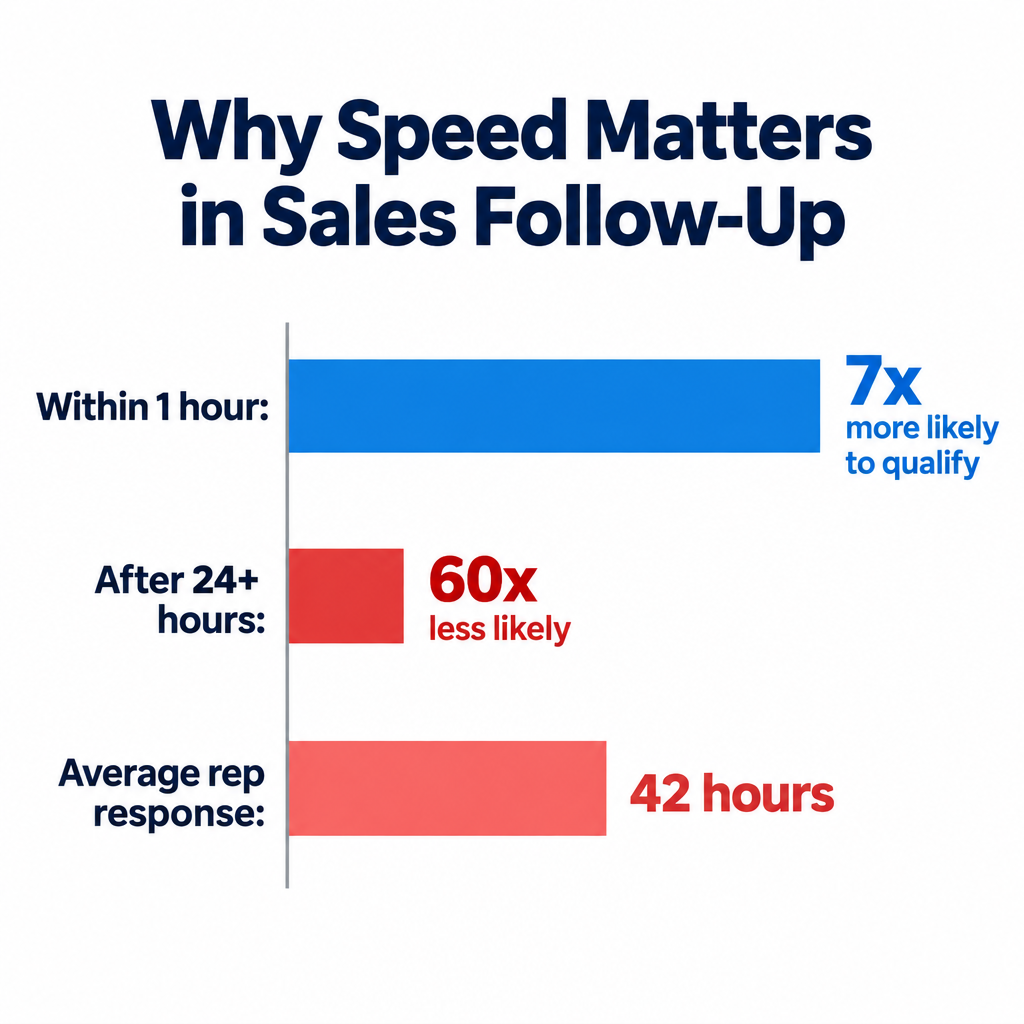
    Firms contacting a lead within an hour vs. an hour later Nearly 7x more likely to qualify the lead Harvard Business Review, “The Short Life of Online Sales Leads” (2011)
    Contacting within an hour vs. waiting 24+ hours More than 60x more likely to qualify Same HBR study
    Average response time among firms that did respond 42 hours Same HBR study
    Average reply rate on outreach emails 8.5% Backlinko analysis of 12 million outreach emails
    Open-rate reliability since Apple Mail Privacy Protection Opens inflated by automatic image loading since iOS 15 (September 2021) Apple
    Gmail message clipping threshold Messages over 102 KB get truncated with a “View entire message” link Google

    The HBR study looked at inbound web leads, not post-call follow-up. The principle still transfers: buyer interest decays fast, and the gap between “this afternoon” and “tomorrow evening” matters more than most reps assume. The Backlinko figure is a useful reality check in the other direction. Cold outreach has low reply rates, so a prospect you have already spoken to is far more valuable, and you should not let that warmth evaporate because you waited three days to write a recap.

    The Apple figure explains why you should stop judging follow-ups by open rate. A large share of “opens” from Apple Mail users are machine-generated, so an email showing as opened five times may never have been read by a human. Reply rate and meetings booked are the only numbers worth tracking for one-to-one sales email.

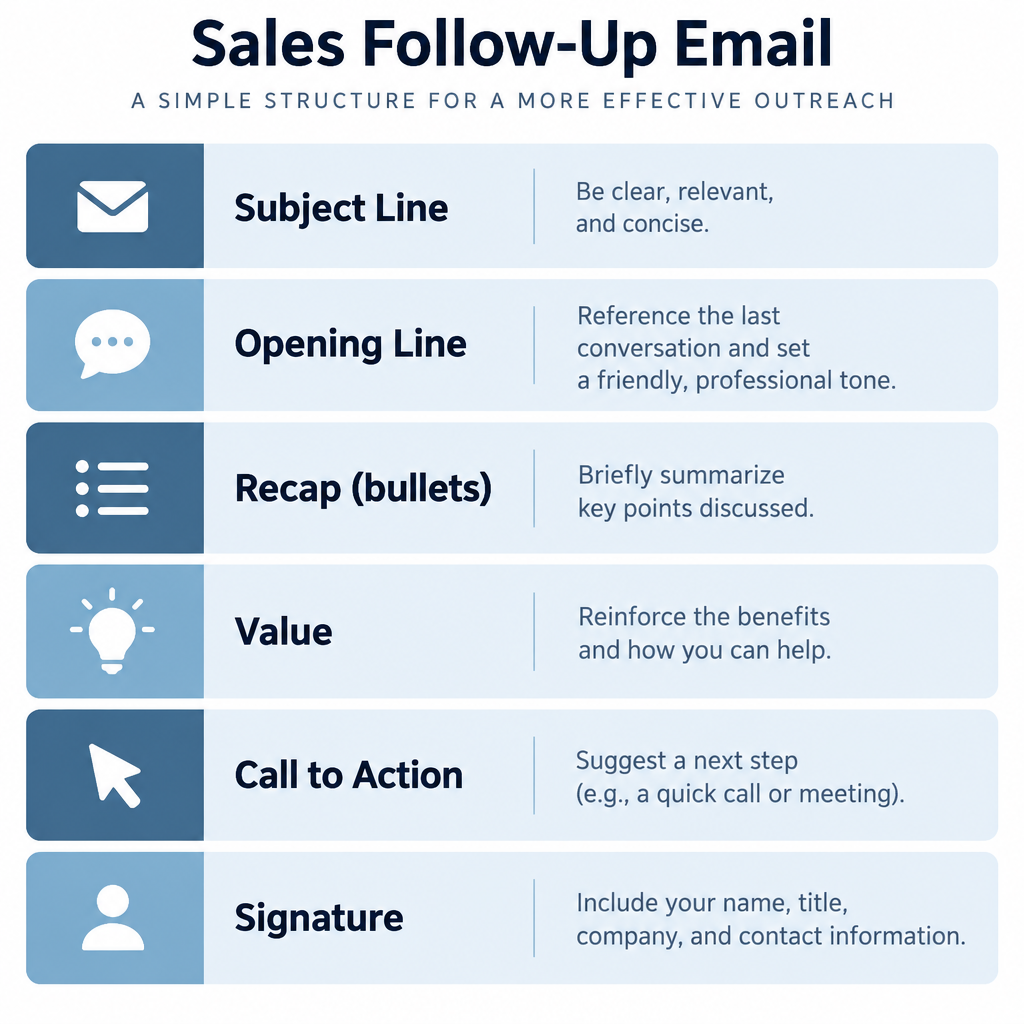
    The Anatomy of a Follow-Up That Gets a Reply

    Follow-Up Email Anatomy Diagram

    Before the templates, here is the structure every one of them follows. Once you know the parts, you can write your own variations in a few minutes instead of hunting for a new follow-up email template every time a call goes in an unexpected direction.

    Subject line

    Reply in the same thread as your calendar invite when you can, because that keeps context attached. When you start a new thread, use the buyer’s language and the next step. “Acme + Northwind: reconciliation recap and Thursday demo” tells the reader exactly what the email contains. Vague lines like “Following up” or “Checking in” look like every automated sequence the buyer has learned to ignore.

    Opening line

    Skip “I hope this email finds you well.” Open with a specific callback to the conversation: “You mentioned the month-end close currently takes your team four days.” One sentence that proves you were paying attention earns the rest of the read.

    Recap

    Summarise the problem, the impact and any constraints (budget cycle, current vendor contract, internal approvals) in two to four bullet points. Bullets survive forwarding and skim reading far better than paragraphs.

    Value

    Include one thing the buyer did not have before the email: an answer to a question you could not answer live, a relevant case study, a calculation based on their numbers. One item, chosen for them, beats five generic attachments.

    Call to action

    Ask a single question that can be answered in one line. Offer two specific time slots, or ask a yes/no question about a defined next step. Do not stack three asks in one email.

    Signature

    Keep it to name, title, company and a direct phone number. Image-heavy signatures with social icons add weight, can trigger clipping on long threads and look like marketing. If you want a model, our roundup of email signature examples includes several lean, sales-friendly layouts.

    Write a follow-up in 10 minutes

    1. Open your call notes and highlight the buyer’s exact phrases.
    2. Write a subject line naming the company and next step.
    3. Open with one specific callback to the call.
    4. Recap problem, impact and constraints in three bullets.
    5. Add one piece of value they asked for.
    6. End with one question offering two dated options.
    7. Read it aloud and cut anything over 150 words.

    12 Follow Up Sales Email Templates You Can Adapt

    Each template below includes when to use it, the email itself and a short note on why it works. Replace every bracketed field. A follow-up that still contains “[Company]” is worse than no follow-up at all.

    Situation Template Send within
    Strong discovery call #1 Discovery recap Same day
    Product demo delivered #2 Post-demo recap Same day
    Buyer asked for pricing or proposal #3 Proposal follow-up 24 to 48 hours
    “Send me some info” #4 Requested information Same day
    Champion needs to sell internally #5 Forwardable summary 24 hours
    Prospect missed the call #6 No-show 15 to 60 minutes after
    Voicemail, no connection #7 After voicemail Immediately
    No reply to your recap #8 First nudge 3 business days
    Still no reply #9 New information 5 to 7 business days
    Long silence #10 Breakup email 2 weeks after #9
    “Not this quarter” #11 Timing objection Date they named
    Deal went cold months ago #12 Reactivation 60 to 90 days

    1. The discovery call recap

    Use this after a first conversation where the buyer shared real problems and agreed, at least loosely, to keep talking.

    Subject: [Company] + [Your company]: recap and next step
    
    Hi [First name],
    
    Thanks for walking me through how [Company] handles [process] today. You mentioned [specific pain in their words], and that it costs the team roughly [their number] each [week/month].
    
    Here is what I heard:
    - Goal: [outcome they want, e.g. close books in 2 days instead of 4]
    - Constraint: [budget cycle, contract end date, team size]
    - Others involved: [names/roles they mentioned]
    
    Based on that, the most useful next step is a 30-minute walkthrough focused only on [their use case], with [other stakeholder] if possible.
    
    Does Tuesday at 10:00 or Wednesday at 14:00 work?
    
    [Signature]
    

    Why it works: the recap uses their numbers, names the people who need to be involved and offers two concrete slots. The buyer can reply with one word.

    2. The post-demo recap

    A demo follow-up should connect what you showed to what they need, because buyers forget most of a demo within a day.

    Subject: What we covered today + the [specific feature] question
    
    Hi [First name],
    
    Thanks for the time today, and for bringing [colleague] along. Three moments seemed most relevant to [Company]:
    
    - [Feature] replaces the manual [task] step you described
    - [Feature] would let [team] see [data] without exporting to spreadsheets
    - [Integration] connects to your existing [tool], which [colleague] flagged as a must
    
    You asked whether [question you couldn't answer live]. The answer is [answer], and here's a two-minute clip showing it: [describe what you're attaching or sharing].
    
    The next step we discussed was a trial with your [team] data. I can have an environment ready by [date]. Shall I set it up?
    
    [Signature]
    

    Why it works: it closes the open question from the call, which signals reliability, and ends with a yes/no ask tied to a date you control.

    3. The proposal or pricing follow-up

    Send the proposal, then make the follow-up about the decision process rather than the document.

    Subject: [Company] proposal and how the decision gets made
    
    Hi [First name],
    
    As promised, the proposal for [scope] is attached. The short version: [plan/package] at [price], covering [key items], with [term].
    
    Two questions so I can help you move this forward internally:
    1. Who else needs to review this before a decision?
    2. Is [date they mentioned] still the target for having something in place?
    
    I've kept 30 minutes open on Friday at 11:00 to walk [approver] through the numbers if that would help. Want me to send an invite?
    
    [Signature]
    

    Why it works: pricing emails tend to stall because the prospect goes quiet while someone else reviews. Asking about the process early surfaces the hidden approver before the deal stalls.

    4. The “send me some information” follow-up

    “Just send me something” can be a brush-off or a genuine request. Your email should make it easy to tell which.

    Subject: The [topic] info you asked for
    
    Hi [First name],
    
    You asked for something on [topic], so rather than a full brochure, here is the one piece I think matters most for [Company]: [case study/one-pager] showing how [similar company] cut [metric] by [result they published or you can verify].
    
    If it's relevant, a 20-minute call would let me show how that applies to your [process]. If the timing isn't right, just tell me and I'll check back in [month].
    
    Worth a conversation?
    
    [Signature]
    

    Why it works: offering an easy “not now” option gets more honest replies than pretending the request was a buying signal, and honest replies keep your pipeline accurate.

    5. The forwardable summary for your champion

    This is one of the most underused follow up email templates for sales. When your contact needs to convince a boss or committee, write the email for that unseen reader.

    Subject: Summary for [Approver's name/role]: [problem] at [Company]
    
    Hi [First name],
    
    You mentioned you'd need to bring this to [Approver]. To save you time, here is a summary you can forward as is:
    
    The problem: [Team] spends [hours/cost] each [period] on [process], which delays [business outcome].
    
    What we'd change: [One sentence on the solution].
    
    Expected result: [Outcome, framed in their metric].
    
    Investment: [Price/range] on a [term] agreement.
    
    Next step: a 30-minute call with [Approver] to confirm fit.
    
    Happy to adjust any of this before you send it.
    
    [Signature]
    

    Why it works: your champion does not have to translate your pitch into internal language, which is where many deals lose momentum. Keep it plain text so it forwards cleanly.

    6. The no-show follow-up

    Prospects miss calls for ordinary reasons. Assume good intent and make rebooking effortless.

    Subject: Missed you today, want to reschedule?
    
    Hi [First name],
    
    Looks like we missed each other at [time]. No problem, I know how quickly calendars change.
    
    Would Thursday at 9:30 or Friday at 15:00 work instead? If priorities have shifted, a quick "not now" is completely fine too.
    
    [Signature]
    

    Why it works: it is short, carries no guilt and offers two alternatives. Send it within the hour while the missed slot is still on their mind.

    7. The after-voicemail follow-up

    Few people listen to voicemail promptly, so the email carries the message.

    Subject: Just left you a voicemail about [topic]
    
    Hi [First name],
    
    I just left you a quick voicemail. The short version: [one-sentence reason, ideally tied to a trigger like a new hire, funding round or product launch].
    
    If it's easier to reply here, I can send over [specific resource] or find 15 minutes this week. Which would be more useful?
    
    [Signature]
    

    Why it works: pairing the channels raises the odds that one of them lands, and the choice between a resource and a call lowers the commitment.

    8. The first nudge after no response

    Your recap went unanswered. Do not resend it with “just bumping this up.” Add something.

    Subject: Re: [original subject]
    
    Hi [First name],
    
    One more thought on the [problem] you mentioned. [Similar company or role] found that [specific insight, e.g. most of the time lost in month-end close came from one approval step]. That might be worth checking on your side before we talk again.
    
    Still open to the walkthrough? I have Tuesday at 10:00 free.
    
    [Signature]
    

    Why it works: replying in the original thread keeps the context visible, and the new insight gives the prospect a reason to respond that has nothing to do with your quota.

    9. The second nudge with new information

    By the second follow-up, change the angle completely. Share a different proof point or ask a narrower question.

    Subject: Quick question on [Company]'s [process]
    
    Hi [First name],
    
    Simple question: is [problem] still a priority this quarter, or has something else jumped ahead of it?
    
    Either answer helps me know whether to send you the [resource] I mentioned or step back for now.
    
    [Signature]
    

    Why it works: a binary question is easy to answer from a phone between meetings. It also gives the buyer permission to say no, which paradoxically increases replies.

    10. The breakup email

    Close the loop professionally. Many reps report this email gets more replies than any other in the sequence, because it removes pressure and creates a clear ending.

    Subject: Should I close your file?
    
    Hi [First name],
    
    I haven't heard back, so I'm guessing [problem] has moved down the list, which happens.
    
    I'll stop reaching out for now. If things change, reply to this email any time and I'll pick up where we left off.
    
    Thanks again for the time on our call.
    
    [Signature]
    

    Why it works: it is honest, short and leaves the door open without sounding passive-aggressive. Mean it: actually stop the sequence after sending it.

    11. The “not this quarter” follow-up

    When a buyer gives you a timing objection, they have told you exactly when to write next. Honour it.

    Subject: Picking up from our [month] conversation
    
    Hi [First name],
    
    When we spoke in [month], you said [initiative/budget] would be revisited around now. Has that conversation started at [Company]?
    
    Since then, we've [relevant update: new feature, integration, pricing option] that addresses the [concern] you raised.
    
    If it's back on the table, I can book 20 minutes for next week.
    
    [Signature]
    

    Why it works: it references their own words and timeline, so it reads as a promise kept rather than a cold touch.

    12. The reactivation email for a stalled deal

    Sixty to ninety days after a deal goes cold, send a short update tied to something genuinely new.

    Subject: [Company] and [trigger: new role, funding, product launch]
    
    Hi [First name],
    
    Congratulations on [trigger you saw publicly]. That often brings [related challenge] to the top of the list.
    
    When we last spoke, [problem] was costing the team [their number]. If that's still true, it might be a good moment to revisit. If not, I'm glad it got solved.
    
    Worth a 15-minute catch-up?
    
    [Signature]
    

    Why it works: a public trigger gives you a legitimate reason to reach out, and referencing their earlier numbers reminds them the conversation had substance.

    Inbox tip

    Write follow-ups as plain text with one link at most. Plain one-to-one emails look like real correspondence to filters and to people.

    A Follow-Up Cadence That Doesn’t Burn the Relationship

    Speed-to-Follow-Up Data Chart

    Templates are only half of the system. The other half is spacing. Too aggressive and you train the prospect to ignore you; too slow and the urgency from the call disappears. The cadence below assumes no next meeting was booked on the call. If a meeting is on the calendar, send the recap and stop until that meeting.

    Touch Timing after call Template Purpose
    1 Same day #1, #2 or #4 Recap and propose next step
    2 Business day 3 #8 Add value, repeat ask
    3 Business day 7 to 10 #9 Narrow question, new angle
    4 Optional phone call or LinkedIn message n/a Switch channel
    5 Around day 21 #10 Close the loop
    6 60 to 90 days later #11 or #12 Reactivate on a trigger

    Four to six touches over three weeks is a reasonable ceiling for a prospect who has already spoken with you. Beyond that, you are no longer following up; you are spamming someone who knows your name.

    Adjust for deal size. A high-value enterprise deal with a long buying cycle can justify more touches over a longer period, provided each one adds something. A small transactional sale should resolve faster, and the breakup email can go out sooner.

    The 24-hour rule and why it beats “best time to send” advice

    Plenty of articles debate whether Tuesday morning beats Thursday afternoon. For a post-call follow-up, that debate is mostly noise. The call itself set the timing. Send the recap the same business day, ideally within a couple of hours, while your notes are fresh and the buyer still remembers the conversation. Time-of-day optimisation matters for bulk campaigns, not for a one-to-one message the buyer is half expecting.

    Write the Follow-Up Before You Hang Up

    This is the habit that separates strong closers from everyone else, and it rarely appears in follow-up advice. In the last five minutes of the call, agree on the next step out loud, then tell the buyer what your email will contain.

    Say something like: “I’ll send a recap this afternoon with the three points we covered, the answer on the SSO question and two times for the walkthrough with your finance lead. Does that sound right?” You have now done three things. You confirmed the next action verbally, you set the expectation that an email is coming, and you checked that your summary matches theirs before you write it.

    When the email arrives, it confirms something the buyer already agreed to rather than asking them to make a fresh decision. Reply rates on expected emails are dramatically higher than on unexpected ones, because the prospect has already mentally committed.

    For larger deals, extend this into a short mutual action plan: a list of dated steps owned by both sides (security review, legal redlines, pilot kickoff, signature). Attach or paste it in the recap and refer back to it in every follow-up. The conversation then becomes “we’re on step three of the plan we agreed” instead of “just checking in.”

    Deliverability: Making Sure the Follow-Up Lands

    A follow-up only works if it reaches the inbox. One-to-one sales emails sent from Gmail or Outlook usually land fine. Problems start when reps move to sequencing tools that send hundreds of follow-ups a day from the main company domain, often with tracking pixels and rewritten links. That pattern looks very different from normal correspondence, and filters treat it accordingly.

    Mailbox provider sender requirements

    Google, Yahoo and Microsoft have all formalised authentication rules for high-volume senders. They target consumer mailboxes, so a B2B prospect on Google Workspace or Microsoft 365 is not strictly covered, but the same signals feed corporate filtering and you should meet them regardless.

    Provider Applies to Key requirements Effective
    Gmail Senders of 5,000+ messages/day to personal Gmail accounts SPF and DKIM, DMARC at minimum p=none, From domain aligned with SPF or DKIM, one-click unsubscribe on marketing mail, spam rate under 0.3% February 2024 (one-click unsubscribe by June 1, 2024)
    Gmail All senders SPF or DKIM, valid forward and reverse DNS, TLS, spam rate under 0.3% (aim for under 0.1%) February 2024
    Yahoo Bulk senders SPF and DKIM, DMARC at p=none or stricter, one-click unsubscribe, low complaint rate February 2024
    Microsoft (Outlook.com, Hotmail, Live) Senders of 5,000+ messages/day SPF, DKIM and DMARC (p=none minimum, aligned with SPF or DKIM) May 5, 2025

    Records to check before you scale follow-ups

    Ask whoever manages your DNS to confirm these exist and include every service that sends as your domain, including your sales engagement tool.

    An SPF record listing Google Workspace and a sequencing tool might look like this (the second include is a placeholder for whatever your tool documents):

    v=spf1 include:_spf.google.com include:spf.yoursalestool.example ~all
    

    A starter DMARC record that monitors without blocking:

    _dmarc.yourcompany.com.  TXT  "v=DMARC1; p=none; rua=mailto:[email protected]"
    

    DKIM keys are generated inside each sending service and published as TXT or CNAME records at a selector, for example:

    google._domainkey.yourcompany.com.  TXT  "v=DKIM1; k=rsa; p=MIIBIjANBgkqh..."
    

    Once reports show all legitimate mail passing, move DMARC toward p=quarantine and eventually p=reject to stop spoofing.

    Habits that keep sales sequences out of spam

    • Use a subdomain or separate domain for high-volume outreach, so a reputation problem in prospecting does not hit the domain your customers and invoices depend on.
    • Ramp volume gradually on any new mailbox or domain rather than sending hundreds of follow-ups on day one.
    • Turn off open tracking for warm follow-ups. The tracking pixel adds a remote image, opens are unreliable anyway since Apple’s privacy changes, and plain text looks more personal.
    • Limit links. One link, ideally on your own domain, is plenty. Link shorteners are a classic red flag for e-mail spam filtering systems.
    • Stop sequences on reply. Nothing destroys trust faster than an automated “just following up” arriving after the buyer already answered.

    Deliverability risk

    Blasting automated follow-ups from your primary domain without SPF, DKIM and DMARC risks the inbox placement of every email your company sends.

    Keep in mind that one-to-one sales follow-up is a different discipline from email marketing. Newsletters and promotions belong in a dedicated marketing platform with proper list management. Sales follow-ups belong in your own inbox or a sales engagement tool, written for one person at a time.

    The Legal Side: CAN-SPAM, GDPR and CASL

    A follow-up to someone you just spoke with feels personal, but if its primary purpose is to sell, many laws treat it as a commercial message. Prospecting rules vary by the recipient’s location, not yours.

    Law Region What it requires for sales follow-ups Maximum penalty
    CAN-SPAM Act United States No deceptive headers or subject lines, a valid physical postal address, a clear way to opt out, opt-outs honoured within 10 business days. Applies to B2B email too Up to $53,088 per violating email (FTC 2025 adjustment)
    GDPR (plus ePrivacy/PECR rules) EU and UK A lawful basis such as legitimate interest, transparency about how you got the data, and honouring objections immediately Up to €20 million or 4% of global annual turnover, whichever is higher
    CASL Canada Express or implied consent (implied consent from an inquiry generally lasts 6 months), sender identification and a working unsubscribe processed within 10 business days Up to C$10 million per violation for organisations

    In practice, a prospect who booked a call with you and asked for a proposal is unlikely to complain about a recap. The risk comes when follow-up sequences keep running for months, get applied to contacts who never engaged, or ignore a “please stop.” Build an easy opt-out line into longer sequences (“If this isn’t relevant, just reply ‘no thanks’ and I’ll stop”), and actually stop when someone uses it. Never buy lists or scrape addresses to feed follow-up sequences; that combination of legal exposure and spam complaints is how sending domains get burned.

    Personalisation That Doesn’t Read Like Automation

    Buyers can spot a template within a sentence. The fix is not to abandon templates but to personalise the parts that carry meaning.

    Personalise the problem, not the pleasantries. “Hope your week is going well, [First name]” adds nothing. “You said the audit flagged 312 unreconciled transactions” shows you were listening. Spend your effort on the recap bullets and the value item, and let the structure stay standard.

    Use their vocabulary. If the buyer called it “the month-end crunch,” do not rename it “financial close optimisation.” Mirroring their words makes the email feel like a continuation of the call.

    Check every merge field before sending. Broken personalisation (“Hi {first_name}”) is the fastest way to reveal automation. If one slips through, do not panic; our guide on what to do after a typo email covers when a short correction helps and when silence is better. For important deals, a short honest note (“Apologies, my template got the better of me”) usually lands fine.

    Record calls and use the notes, not your memory. With the buyer’s permission, a call recording or transcript lets you quote their exact numbers and phrases. Many sales platforms generate summaries automatically, but always edit them; auto-generated recaps tend to be generic and occasionally wrong, and sending a wrong recap is worse than sending none.

    Metrics to Watch

    Track the outcomes that reflect real buyer behaviour, and ignore vanity numbers.

    • Reply rate per touch. Which step in your cadence earns responses? If touch three never gets replies, rewrite it or cut it.
    • Positive reply rate. Replies like “stop emailing me” count as replies. Separate positive and neutral responses from negative ones.
    • Meeting booked rate after the recap. This is the clearest test of whether your first follow-up locks in the next step.
    • Time from call to next meeting. Long gaps usually mean the next step was never agreed on the call.
    • Stage conversion after follow-up. In your CRM, compare deals where the recap went out the same day with those where it went out later. Your own data will tell you more than any benchmark.
    • Unsubscribe and complaint signals. Rising opt-outs or spam complaints on sequences mean you are sending too many touches or reaching the wrong people.

    Open rates, as covered above, have been unreliable since Apple Mail Privacy Protection launched in September 2021. Treat them as a rough directional signal at best.

    Common Mistakes That Kill Follow-Ups

    • Waiting until tomorrow “to make it perfect.” A good recap in two hours beats a perfect one in two days.
    • Attaching everything. A 20-page deck, three case studies and a pricing sheet signals that you did not filter for relevance. Pick one.
    • “Just checking in” with nothing new. Every touch should add information, insight or a narrower question.
    • No dated ask. “Let me know” invites delay. Offer times.
    • Writing for your contact only. Assume the email will be forwarded to someone senior who was never on the call.
    • Sequences that ignore replies. Make sure your tool stops on reply, out-of-office handling is configured, and a human reviews before anything high-stakes goes out.
    • Overlong threads. Long reply chains with heavy signatures can push past Gmail’s 102 KB clipping limit, hiding your latest message behind a link. Start a fresh, clearly named thread when a conversation has run for weeks.

    FAQ

    How to do a follow-up email example?

    Start with a subject line naming the company and the next step, open with one specific detail from the call, recap the problem and constraints in two to four bullets, add one piece of value the buyer asked for, and finish with a single question offering two dated options. Template #1 above is a complete example you can adapt. Keep the whole email under about 150 words and send it the same business day.

    What is the 2 2 2 rule in sales?

    The 2-2-2 rule is an informal follow-up guideline: contact the customer 2 days, 2 weeks and 2 months after a sale or key meeting. The 2-day touch confirms everything is on track, the 2-week touch checks on early results or satisfaction, and the 2-month touch opens the door to referrals, reviews or expansion. It is a practitioner rule of thumb rather than a researched standard, but the spacing is sensible for staying present without pestering.

    What is the 30/30/50 rule for cold emails?

    The 30/30/50 rule is a loosely defined heuristic that circulates in cold outreach communities, and versions differ. Most versions split credit for a cold email‘s results between targeting the right list, writing a relevant message and following up persistently, with follow-up getting the largest share. The percentages do not add to 100, which tells you the rule is about emphasis, not maths: the email that goes out matters less than who receives it and whether you follow up.

    What is the 3-3-3 rule in sales?

    The 3-3-3 rule is another informal guideline with several variants. A common version for follow-up is to make three attempts across three channels (typically email, phone and LinkedIn) over roughly three weeks before closing the loop. Other trainers use it to mean three key points per conversation or three questions to ask before pitching. Applied to post-call follow-up, the multi-channel version maps neatly onto the cadence table above.

    How long should I wait to send a follow up sales call email?

    Send the first follow-up the same business day as the call, ideally within a few hours. If you get no reply, wait about three business days before the first nudge, then five to seven more before the second. The HBR research on lead response shows how quickly buyer interest fades, so speed on the first email matters far more than the exact day you send later touches.

    How many follow-up emails is too many?

    For a prospect you have already spoken with, four to six touches over about three weeks is a sensible upper limit, ending with a breakup email. After that, pause and only return with a genuine trigger, such as the timing they named, a new role or a relevant product change. If someone asks you to stop, stop immediately; that is both good manners and a legal requirement in most markets.

  • Email Signature Examples You Can Copy and Customize

    Email Signature Examples You Can Copy and Customize

    The best email signature examples share four traits: your name, your role, one way to reach you, and one clear next step, laid out in five or six lines. Below you’ll find 17 copy-ready signatures for business and personal use, a clean HTML template, setup steps for Gmail, Outlook and Apple Mail, and the formatting mistakes that push signatures into spam folders.

    Ideal length4 to 7 lines
    Width300 to 600 px
    Calls to actionOne per signature
    Gmail limit10,000 characters

    Key Takeaways

    • Keep it short. Name, title, company, phone or booking link, and one optional extra. Everything else is clutter.
    • Text beats images for core details. Many clients block images by default. If your phone number lives inside a picture, a lot of recipients will never see it.
    • One call to action. A booking link, a review request or a newsletter signup all work. Three at once is a menu, and nobody orders from it.
    • Build a short version for replies. Your full signature belongs on the first email in a thread. Replies need two lines at most.
    • Check the legal rules for your industry and country. Lawyers, healthcare providers and UK limited companies have specific requirements.

    What to Include in an Email Signature

    Before you copy an example, decide which elements earn their place. A signature acts as a digital business card, and like a business card, it fails when it tries to hold your whole résumé.

    Element Include? Notes
    Full name Always Use the name people will search for you by
    Job title Almost always Skip it only for purely personal email
    Company name Business email Link the company name or logo to your site
    Phone number Usually Pick one number, preferably a direct line
    Website Usually Display it as a clean domain, not a long URL
    Booking or action link Recommended One link that moves the conversation forward
    Social icons Optional Two or three platforms you actually maintain
    Headshot or logo Optional Keep the file small and add alt text
    Pronouns Optional Common in many workplaces, place after your name
    Physical address Situational Required in some contexts, useful for local businesses
    Legal disclaimer Situational Keep it short and only where it’s genuinely needed

    Email address is the field people debate most. Your recipient already has it in the “From” line, so it’s often redundant. Still, signatures get copied, forwarded and printed, and a forwarded thread can strip the original sender details. Include it if your emails regularly travel beyond the first recipient.

    Professional Email Signature Examples

    Email Signature Examples Grid

    Every example below uses placeholder details. Swap in your own, keep the structure, and delete any line that doesn’t serve your reader. They’re written as plain-text blocks so you can see the bones of each layout. The HTML template later in this article shows how to style any of them.

    1. The Minimalist (Corporate Default)

    Maya Okafor
    Senior Account Manager, Brightline Logistics
    +1 (555) 014-2290 | brightline.example.com
    

    This works for almost anyone in a large organization. Three lines, zero images, nothing to break in Outlook or on a phone. If your company lacks a mandated signature style, start here and add only what you can justify.

    Customize it: Replace the website with a direct calendar link if most of your emails end in “let’s find a time.”

    2. The Classic With Logo

    [Company logo, 120 px wide]
    Daniel Reyes
    Operations Director
    Harbor & Pine Furniture Co.
    T: +1 (555) 018-7744
    harborandpine.example.com
    

    A small logo on the left or above the text adds brand recognition without shouting. Keep the logo under roughly 120 to 150 pixels wide on screen. Wider than that and it dominates replies on mobile.

    Customize it: Put the logo in the left column of a two-column table, with your text in the right column. That layout holds up best across clients.

    3. The Sales Rep With a Booking Link

    Priya Shah
    Account Executive | Cloudmint Software
    +1 (555) 013-6612
    Book a 15-minute demo: cloudmint.example.com/priya
    

    Sales signatures exist to shorten the gap between “interested” and “meeting booked.” A direct booking link removes the back-and-forth that kills deals. This single line probably does more for pipeline than any banner.

    Customize it: Name the meeting length. “Book a 15-minute call” gets more clicks than a vague “Schedule time with me,” because the reader knows exactly what they’re agreeing to.

    4. The Executive

    Laura Bennett
    Chief Executive Officer
    Northgate Analytics
    Assistant: James Cole, [email protected]
    

    Executives rarely want their direct number circulating. Pointing people to an assistant protects the CEO’s time and gives contacts a reliable route in. Notice there’s no social media, no banner and no quote. Restraint signals seniority.

    Customize it: Swap the assistant line for a company switchboard number if there’s no dedicated assistant.

    5. The Lawyer or Law Firm

    Thomas Grant
    Partner, Commercial Litigation
    Grant Whitfield LLP
    +1 (555) 017-3300 | grantwhitfield.example.com
    
    This email may contain privileged and confidential information.
    If you received it in error, please notify the sender and delete it.
    

    Law firms are one of the few places where a disclaimer is standard practice. Courts in many jurisdictions don’t treat boilerplate as decisive on its own, so keep it to two lines rather than a full paragraph of legalese. Long disclaimers bloat every reply in a thread.

    Customize it: Ask your firm’s compliance team for approved wording. Don’t invent your own.

    6. The Healthcare Provider

    Dr. Elena Martins, MD
    Family Medicine
    Riverside Health Clinic
    Appointments: +1 (555) 016-4400
    Please don't send personal health information by email.
    

    The last line matters. Patients often reply to clinic emails with symptoms and test results, and standard email is a poor channel for that information. A one-line reminder steers them toward your patient portal or phone line.

    Customize it: Replace the final line with your portal name if you have one: “For test results, use the Riverside patient portal.”

    7. The Real Estate Agent

    [Headshot, 90 px square]
    Marcus Bell
    Licensed Real Estate Agent | Lic. #01234567
    Coastline Realty Group
    Mobile: +1 (555) 012-9981
    See current listings: coastlinerealty.example.com/marcus
    

    Real estate runs on trust and recognition, so a headshot earns its spot here. Many US states and other markets require agents to display licence numbers in advertising, and some brokerages extend that rule to email. Check your local regulator before you trim the licence line.

    Customize it: Rotate the final line seasonally. “Free spring home valuation” in March, “See open houses this weekend” on a Thursday.

    8. The Recruiter

    Hannah Lee (she/her)
    Talent Partner, Engineering
    Fieldstone Technologies
    We're hiring: fieldstone.example.com/careers
    

    Recruiters email hundreds of strangers, so the signature needs to answer “who is this and why should I care” at a glance. Pronouns are common in HR and recruiting roles. The careers link turns every outreach email into a job ad.

    Customize it: Link to a specific role if you’re recruiting for one position: “Now hiring: Senior Backend Engineer.”

    9. The Customer Support Agent

    Sam Ortiz
    Customer Support, Lumen Home
    Track your order: lumenhome.example.com/orders
    Help center: lumenhome.example.com/help
    

    Support signatures should reduce future tickets. Pointing people to self-service tools for order tracking and FAQs answers the next question before it arrives. This is one of the few cases where two links are justified, because both serve the same goal.

    Customize it: Add your support hours if customers often email at night expecting instant replies.

    10. The Freelancer or Consultant

    Jordan Avery
    Brand Strategy Consultant
    jordanavery.example.com
    Currently booking projects for Q3
    

    Freelancers are their own brand. The last line does quiet but important work: it tells clients and prospects you’re available, and it creates mild urgency. Update it when your calendar fills.

    Customize it: Swap in a client result if you have one you can share, like “Helped 40+ DTC brands rebrand since 2019.”

    11. The Designer or Creative

    Ava Chen
    Product Designer
    Portfolio: avachen.example.com
    Dribbble · Behance
    

    Creatives get more latitude for style. Color, a custom wordmark or an unusual layout can all work. But the information hierarchy stays the same, and the portfolio link is the call to action. Resist animated GIFs. They’re heavy, and Outlook desktop shows only the first frame.

    Customize it: Pick your two strongest platforms. Four portfolio sites in one signature looks scattered.

    12. The Ecommerce Store Owner

    Rosa Delgado
    Founder, Sprout & Stem Plant Co.
    sproutandstem.example.com
    [Banner: Free shipping on orders over $50, 600 x 100 px]
    

    Store owners send a surprising number of one-to-one emails to suppliers, wholesale buyers and customers with order questions. A small promotional banner turns that traffic into a marketing channel. Keep the banner under 600 pixels wide and make sure the offer is also written in the alt text.

    Customize it: Change the banner when the promotion changes. A banner promoting a sale that ended two months ago does more harm than having none.

    Personal Email Signature Examples

    Personal email doesn’t need a signature at all, honestly. But a light one helps when you use a personal address for job hunting, volunteering, side projects or community roles.

    13. The Student or Job Seeker

    Leo Fischer
    B.S. Computer Science, Class of 2026
    University of Westbrook
    linkedin.com/in/leofischer-example | +1 (555) 011-2347
    

    Recruiters want three things from a student signature: what you’re studying, when you graduate and where to see more. A LinkedIn profile or portfolio link covers the last part. Skip inspirational quotes. They rarely land the way you hope with hiring managers.

    Customize it: If you’ve accepted an offer, replace the university line with “Incoming Software Engineer, Company Name.”

    14. The Nonprofit Volunteer or Staffer

    Grace Mwangi
    Volunteer Coordinator
    Eastside Food Collective
    Help us feed 500 families this winter: eastsidefood.example.com/give
    

    Nonprofit signatures double as fundraising. A specific goal (“500 families”) outperforms a generic “Donate” because it gives the reader a reason to click now. The signature is the only always-on donation appeal most small charities have.

    15. The Casual Personal Signature

    Cheers,
    Nina
    
    Sent between school runs, so forgive the typos.
    

    For friends and family, a name and a sign-off are plenty. A little personality is fine here and nowhere else in this list. Keep the joke short; it repeats on every email you send.

    Email Signature Block Examples for Special Situations

    These two signatures solve problems that most guides skip. Every professional should set them up.

    16. The Reply and Forward Signature

    Maya Okafor | Brightline Logistics | +1 (555) 014-2290
    

    Long threads with a full signature on every reply become a scrolling nightmare. Gmail, Outlook and Apple Mail let you set a different signature for replies and forwards. A one-line version keeps your details accessible without stacking six copies of your headshot in a thread.

    17. The Mobile Signature

    Maya Okafor
    Brightline Logistics
    Sent from my phone, so replies may be brief.
    

    The default “Sent from my iPhone” line wastes space and tells people nothing useful. A short custom version sets expectations and keeps your company name visible. Your desktop HTML signature usually won’t sync to the native mobile mail apps, so set this one separately.

    Email Signature Ideas That Earn Clicks

    Once your basics are in place, one extra element can turn your signature into a quiet marketing channel. Pick one from this list, not five.

    Booking link. Best for sales, consulting, recruiting and any role where meetings drive results. Tools like Calendly, HubSpot Meetings, Google Calendar appointment schedules and Microsoft Bookings all generate shareable links.

    Review request. Local businesses and service providers can link to their Google Business Profile or Trustpilot page. “Happy with our work? Leave us a review” sent to customers who just had a good experience is cheap reputation-building.

    Latest content. Link your newest podcast episode, blog post or webinar replay. This works especially well for B2B companies trying to build authority, because it puts fresh content in front of people who already trust you.

    Newsletter signup. A one-line “Get our weekly tips” link in a signature brings in subscribers who already know your name, often some of your most engaged readers. It also keeps the signup honest, since people opt in themselves rather than being added from a list.

    Award or certification badge. A small badge for an industry award or certification can reassure new prospects. Keep it small. A badge bigger than your logo looks like you’re trying too hard.

    Event promotion. Speaking at a conference or running a webinar next month? Add a dated line or small banner, and set a calendar reminder to remove it afterward.

    Social profiles. Choose two or three platforms where you post regularly. An icon pointing to a dormant account that last posted in 2021 does more harm than good.

    Inbox tip

    Add a UTM tag to your signature links, such as utm_source=email-signature, so you can see in your analytics exactly how much traffic and how many bookings your signature drives.

    Top Tip: Choose a Great Photo

    A headshot makes you memorable, especially in sales, real estate, coaching and recruiting, where people are deciding whether to trust you. A bad one undermines everything else in the signature. Here’s how to get it right.

    • Crop tight. Your face should fill most of the frame. At signature size, a full-body shot turns you into a dot.
    • Use a plain background. A neutral wall or a soft blur. Busy backgrounds turn to visual noise at 80 pixels.
    • Match the photo to your role. A lawyer and a surf instructor shouldn’t use the same lighting and wardrobe.
    • Export at twice the display size. If the photo shows at 90 pixels, upload a 180-pixel version and set the width to 90 in your HTML. It stays crisp on high-resolution screens.
    • Keep the file small. Aim for a compressed JPG or PNG well under 50 KB. Large images slow loading and count toward message size.
    • Use a circle or square crop consistently. Pick one style for your whole team so everyone’s signature looks like it belongs to the same brand.

    Skip the photo entirely if you work somewhere where faces don’t add trust, such as a large corporate support desk, or if your company’s brand guidelines don’t call for it.

    Design Rules for Signatures That Render Everywhere

    Email clients are notoriously inconsistent. Gmail, Outlook desktop, Outlook on the web, Apple Mail and mobile apps each render HTML a little differently. Outlook for Windows still uses Microsoft Word’s rendering engine, which ignores much of modern CSS. These rules keep your signature from breaking.

    Fonts

    Stick to web-safe fonts: Arial, Helvetica, Verdana, Georgia, Tahoma or Times New Roman. Custom brand fonts only display if the recipient has them installed, and when they don’t, the client substitutes something else, often Times New Roman. Set your font size between 12 and 14 pixels for body text and slightly larger for your name.

    Colors

    Use one brand color for your name or a divider line and keep everything else dark gray or black. Test in dark mode. Gmail and Apple Mail can invert colors, so a black logo on a transparent background may vanish against a dark interface. A logo with a white outline or a light background shape survives both modes.

    Layout

    Build with HTML tables, not CSS layout. It feels outdated, but tables are what renders reliably across clients. Keep total width between 300 and 600 pixels, and test on a phone before you roll it out.

    Images

    Host images on your own server or a reliable CDN and reference them by URL. Embedded images often show up as attachments, which clutters threads and can trigger “has attachment” filters. Avoid SVG, because Gmail and many other clients don’t display it. Always add alt text, since many recipients see that text before or instead of the image.

    Text as text

    Never put your name, phone number or address inside an image. Image blocking is common in corporate environments, screen readers can’t read text baked into images, and recipients can’t copy your number to call you.

    Free HTML Email Signature Template

    Here’s a simple two-column signature you can paste into most clients that accept HTML. Replace the placeholder text, image URL and links.

    <table cellpadding="0" cellspacing="0" border="0" style="font-family: Arial, Helvetica, sans-serif; font-size: 13px; color: #333333;">
      <tr>
        <td style="padding-right: 14px; vertical-align: top;">
          <img src="https://yourdomain.example.com/headshot-180.jpg" width="90" height="90" alt="Maya Okafor" style="display: block; border-radius: 45px;">
        </td>
        <td style="border-left: 2px solid #1A73E8; padding-left: 14px; vertical-align: top;">
          <strong style="font-size: 15px; color: #111111;">Maya Okafor</strong><br>
          Senior Account Manager, Brightline Logistics<br>
          +1 (555) 014-2290<br>
          <a href="https://brightline.example.com/?utm_source=email-signature" style="color: #1A73E8; text-decoration: none;">brightline.example.com</a><br>
          <a href="https://brightline.example.com/book?utm_source=email-signature" style="color: #1A73E8; text-decoration: none;">Book a 15-minute call</a>
        </td>
      </tr>
    </table>
    

    A few notes on this template. The width and height attributes on the image tag matter more than CSS because Outlook respects them. The rounded corners won’t show in Outlook desktop, which displays a square photo instead. That’s fine; the layout still holds. Inline styles are used throughout because many clients strip style blocks in the head.

    To use it in Gmail, which doesn’t accept raw HTML in the signature editor, open the HTML file in a browser, select the rendered signature, copy it and paste it into the Gmail signature box.

    How to Add Your Email Signature

    Each client stores signatures in a different place. Menu names below reflect the current versions of each app; if your interface looks different, the search bar in settings usually finds “signature” quickly.

    Gmail (web)

    Add a signature in Gmail

    1. Click the gear icon, then See all settings.
    2. Stay on the General tab and scroll to Signature.
    3. Click Create new and name the signature.
    4. Paste or type your signature in the editor.
    5. Under Signature defaults, choose it for new emails and for replies and forwards.
    6. Scroll down and click Save Changes.

    Gmail caps signatures at 10,000 characters. Images pasted from an HTML file keep their hosted URLs, so they load for recipients. Gmail also offers an option to insert your signature before quoted text in replies, which keeps it visible in long threads.

    Outlook on the web and the new Outlook for Windows

    Add a signature in new Outlook

    1. Open Settings using the gear icon.
    2. Go to Accounts, then Signatures.
    3. Click New signature and give it a name.
    4. Paste your signature into the editor.
    5. Set default signatures for new messages and for replies and forwards.
    6. Click Save.

    Classic Outlook for Windows

    Add a signature in classic Outlook

    1. Go to File, then Options, then Mail.
    2. Click the Signatures button.
    3. Click New, name the signature and paste your content.
    4. Choose defaults for new messages and replies under Choose default signature.
    5. Click OK to save.

    Apple Mail (Mac)

    Add a signature in Apple Mail

    1. Open Mail, then go to Mail, then Settings.
    2. Click the Signatures tab.
    3. Select your account and click the plus button.
    4. Paste your signature into the right-hand panel.
    5. Uncheck Always match my default message font to keep your formatting.

    iPhone and iPad

    On iOS, go to Settings, then Mail, then Signature. On iOS 18 and later, Mail sits under Settings, then Apps, then Mail. The native editor handles plain text best, which is one more reason to keep your mobile signature short.

    How Your Signature Affects Deliverability

    Your signature is part of every message’s content, so spam filters read it just like the body. A signature that looks like an ad, carries heavy images or links to suspicious domains can drag down otherwise normal email. If you want the full picture of how e-mail spam filtering scores content, the short version is that filters weigh text-to-image ratio, link reputation, and how consistent your message looks with your sending domain.

    Signature habits that hurt inbox placement:

    • Link shorteners. Public shorteners are heavily abused by spammers, and filters treat them with suspicion. Use your own domain or a branded short domain instead.
    • Mismatched domains. A signature full of links to domains unrelated to your sending address looks like a phishing setup.
    • Image-only signatures. A message that’s mostly one big image with little text is a classic spam pattern.
    • Too many links. Five social icons, two banners and a booking link add up to eight links in a two-sentence email. That’s a lot of tracked destinations for a casual reply.
    • Embedded images. Inline attachments inflate message size and clutter threads.
    • Heavy code. Gmail clips messages larger than about 102 KB and hides the rest behind a “View entire message” link. A bloated signature repeated through a long thread can push replies past that limit.

    Deliverability risk

    Signatures built from one large image with shortened links look like spam to filters. Keep core details in live text and link only to your own domain.

    Signatures and authentication are separate jobs. A polished signature won’t save mail from a domain without SPF, DKIM and DMARC records. Get authentication right first; then the signature adds polish on top.

    Next Up: Dynamic Details and Company-Wide Signatures

    Once you manage signatures for more than a handful of people, copy-pasting HTML into each inbox stops working. Someone changes their title, a phone number changes, marketing launches a new banner, and suddenly half the company runs outdated signatures.

    You have three practical options.

    Admin-level rules. Microsoft 365 administrators can append a standard disclaimer or signature through mail flow rules in the Exchange admin center. It’s server-side and consistent, though personalizing it per user takes some setup work, and users don’t see it while composing.

    Dedicated signature management tools. Platforms such as Exclaimer, CodeTwo, WiseStamp and Newoldstamp pull each person’s name, title and phone number from your company directory, so updates flow automatically. They also let marketing schedule banners centrally, for example running a webinar promotion for the sales team only, during a set date range.

    Your own automation. Technical teams sometimes connect their HR system to a script that regenerates signatures when employee data changes. A webhook from the HR platform can trigger that rebuild the moment someone’s title updates, so nobody has to remember to edit their signature after a promotion.

    Dynamic details are where signatures become a real brand channel. Different departments get different calls to action. Sales shows a booking link, support shows the help center, recruiting shows open roles, and all of it updates without anyone touching an inbox.

    Legal Requirements to Check

    Signatures are mostly a matter of style, but some rules are mandatory.

    UK limited companies must include their registered company name, registration number, place of registration (such as England and Wales) and registered office address on business emails. Many UK businesses put these details in a small line under the signature.

    Other EU countries have similar disclosure rules for companies. Germany, for example, requires company emails to include details such as legal form, registered office and register court. Check with a local adviser if you trade in Europe.

    Regulated professions such as law, finance, healthcare and real estate often have extra requirements, from licence numbers to specific risk warnings. Your professional body or compliance team will have approved wording.

    Marketing emails sent to lists fall under laws like CAN-SPAM in the US and GDPR in the EU. CAN-SPAM requires a valid physical postal address and an unsubscribe mechanism in commercial email. Those belong in your campaign footer, which your email service provider handles, rather than in a personal signature. Don’t rely on your one-to-one signature to make bulk email compliant.

    Common Email Signature Mistakes

    These show up constantly, even at large companies.

    1. Listing every contact method. Office phone, mobile, fax, Skype, WhatsApp, and two email addresses. Pick the one or two you actually answer.
    2. Inspirational quotes. A quote that delights one reader annoys another, and it reads as filler in a business context.
    3. Long legal disclaimers. A seven-line confidentiality notice on a “thanks, see you Tuesday” reply is out of proportion.
    4. Outdated promotions. Old event banners and expired offers make your whole company look inattentive.
    5. Inconsistent team signatures. Five people from one company with five different fonts and logo versions undermines brand trust.
    6. No mobile test. A 700-pixel-wide signature forces sideways scrolling on a phone, where many recipients read most of their email.
    7. Images with no alt text. When images are blocked, recipients see broken boxes instead of your name and logo.
    8. Using the full signature on every reply. Set a short reply version once and every future thread stays readable.

    How to Choose the Right Signature for You

    If you’re still unsure which of these email signature samples to copy, match it to your main goal.

    Your main goal Start with example Key element
    Look professional with minimal effort 1. The Minimalist Name, title, one contact
    Book more meetings 3. Sales Rep Booking link
    Build personal recognition 7. Real Estate Agent Headshot
    Reduce support tickets 9. Support Agent Self-service links
    Win freelance work 10. Freelancer Availability line
    Promote products 12. Ecommerce Owner Small banner
    Land a job 13. Student Graduation year and profile
    Raise funds 14. Nonprofit Specific donation goal

    Write your signature, send a test to yourself on Gmail and Outlook, open it on your phone, and switch your device to dark mode once. If it reads cleanly in all four places, you’re done.

    FAQ

    What should a professional email signature include?

    At minimum, your full name, job title, company name and one way to reach you, such as a phone number or website. Add one call to action if it serves your role, like a booking link for sales or a portfolio link for designers. Most effective professional signatures fit in four to six lines.

    What are the best email signature examples for business?

    The best business signatures are short, text-based and focused on one action. The minimalist corporate layout suits most employees, while sales and consulting roles benefit from a booking link. Customer-facing teams do well with self-service links that answer common questions.

    Should I put my photo in my email signature?

    Add a headshot if personal trust drives your work, as it does in sales, real estate, recruiting and coaching. Crop tightly, use a plain background and compress the file. For corporate or support roles, a company logo usually fits better than a photo.

    How long should an email signature be?

    Aim for four to seven lines and a width of 300 to 600 pixels. Anything longer tends to overwhelm short emails and clutters threads. Gmail allows up to 10,000 characters, but a good signature uses only a tiny fraction of that.

    Can an email signature affect deliverability?

    Yes. Spam filters read signatures as part of the message, so image-heavy signatures, public link shorteners and links to unrelated domains can hurt inbox placement. Keep your details in live text and link to your own domain.

    Should my signature include social media icons?

    Only for platforms where you post regularly and that matter to your audience. Two or three icons is plenty. An icon linking to an abandoned profile makes you look less active, not more.

    Do I need a different signature for replies?

    You should have one. Set a one-line signature with your name, company and phone number for replies and forwards. It keeps long threads readable and prevents your full signature from repeating in every message.

    Can I use custom fonts in my email signature?

    You can specify them, but most recipients won’t see them unless the font is installed on their device. Stick to web-safe fonts such as Arial, Helvetica, Verdana or Georgia so your signature looks the same everywhere.