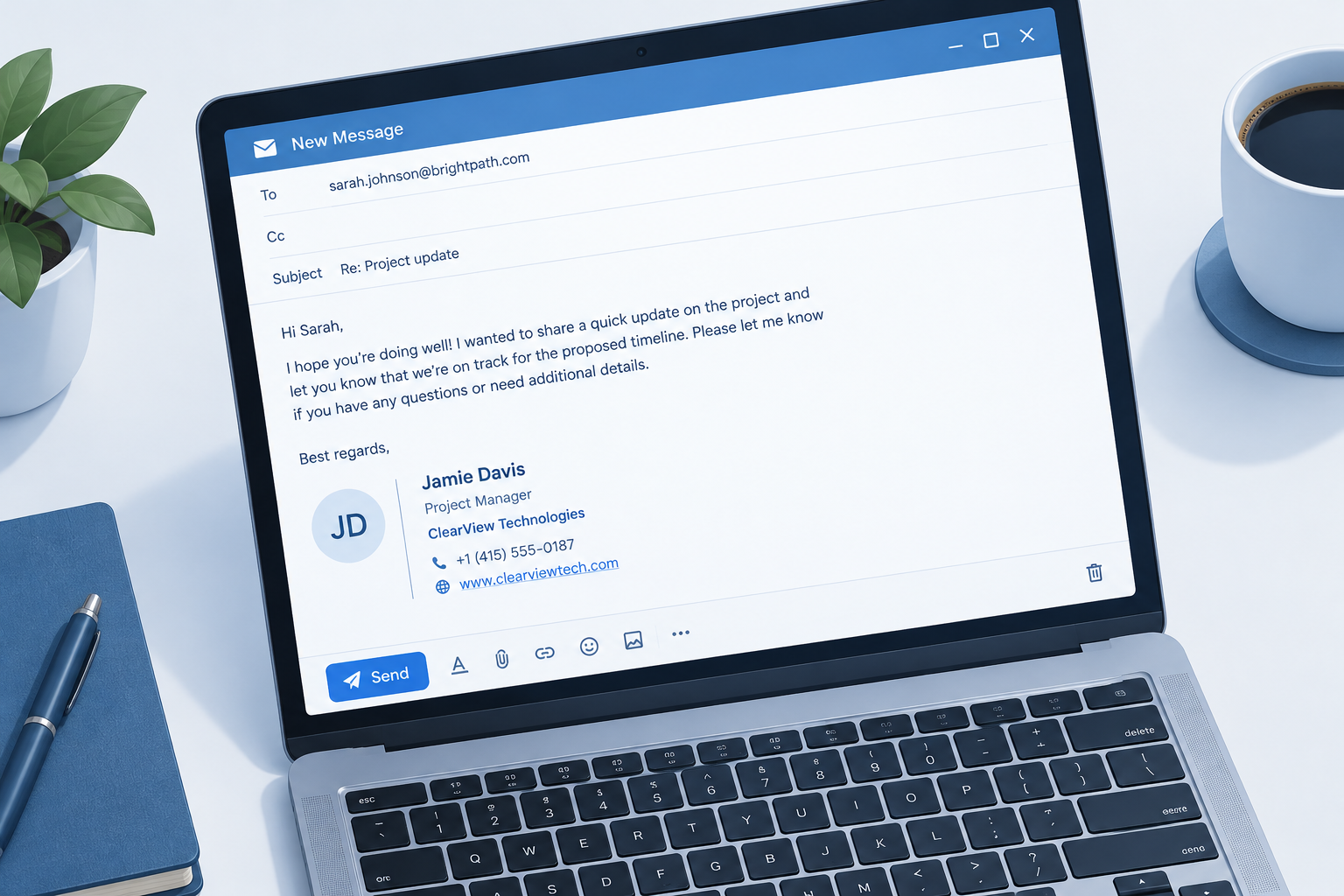
The best email signature examples share four traits: your name, your role, one way to reach you, and one clear next step, laid out in five or six lines. Below you’ll find 17 copy-ready signatures for business and personal use, a clean HTML template, setup steps for Gmail, Outlook and Apple Mail, and the formatting mistakes that push signatures into spam folders.
Key Takeaways
- Keep it short. Name, title, company, phone or booking link, and one optional extra. Everything else is clutter.
- Text beats images for core details. Many clients block images by default. If your phone number lives inside a picture, a lot of recipients will never see it.
- One call to action. A booking link, a review request or a newsletter signup all work. Three at once is a menu, and nobody orders from it.
- Build a short version for replies. Your full signature belongs on the first email in a thread. Replies need two lines at most.
- Check the legal rules for your industry and country. Lawyers, healthcare providers and UK limited companies have specific requirements.
What to Include in an Email Signature
Before you copy an example, decide which elements earn their place. A signature acts as a digital business card, and like a business card, it fails when it tries to hold your whole résumé.
| Element | Include? | Notes |
|---|---|---|
| Full name | Always | Use the name people will search for you by |
| Job title | Almost always | Skip it only for purely personal email |
| Company name | Business email | Link the company name or logo to your site |
| Phone number | Usually | Pick one number, preferably a direct line |
| Website | Usually | Display it as a clean domain, not a long URL |
| Booking or action link | Recommended | One link that moves the conversation forward |
| Social icons | Optional | Two or three platforms you actually maintain |
| Headshot or logo | Optional | Keep the file small and add alt text |
| Pronouns | Optional | Common in many workplaces, place after your name |
| Physical address | Situational | Required in some contexts, useful for local businesses |
| Legal disclaimer | Situational | Keep it short and only where it’s genuinely needed |
Email address is the field people debate most. Your recipient already has it in the “From” line, so it’s often redundant. Still, signatures get copied, forwarded and printed, and a forwarded thread can strip the original sender details. Include it if your emails regularly travel beyond the first recipient.
Professional Email Signature Examples
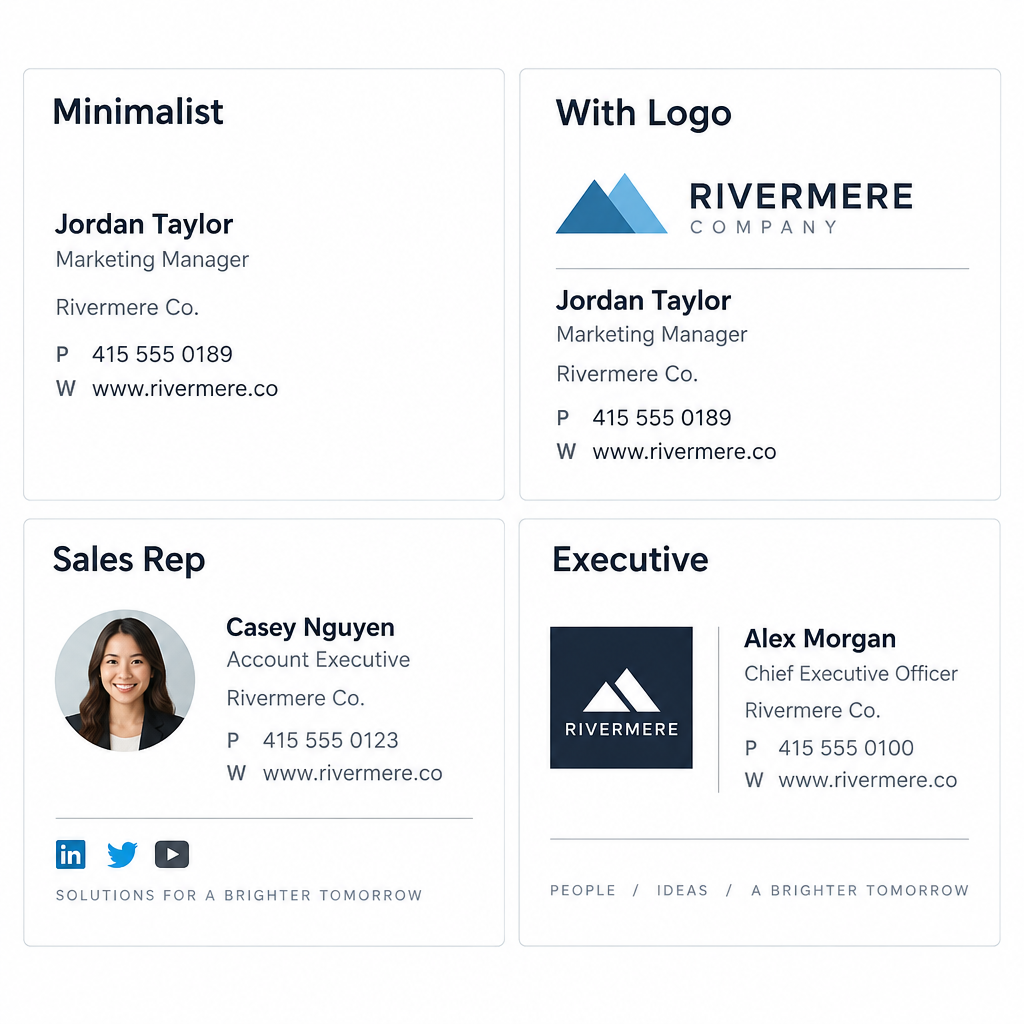
Every example below uses placeholder details. Swap in your own, keep the structure, and delete any line that doesn’t serve your reader. They’re written as plain-text blocks so you can see the bones of each layout. The HTML template later in this article shows how to style any of them.
1. The Minimalist (Corporate Default)
Maya Okafor
Senior Account Manager, Brightline Logistics
+1 (555) 014-2290 | brightline.example.com
This works for almost anyone in a large organization. Three lines, zero images, nothing to break in Outlook or on a phone. If your company lacks a mandated signature style, start here and add only what you can justify.
Customize it: Replace the website with a direct calendar link if most of your emails end in “let’s find a time.”
2. The Classic With Logo
[Company logo, 120 px wide]
Daniel Reyes
Operations Director
Harbor & Pine Furniture Co.
T: +1 (555) 018-7744
harborandpine.example.com
A small logo on the left or above the text adds brand recognition without shouting. Keep the logo under roughly 120 to 150 pixels wide on screen. Wider than that and it dominates replies on mobile.
Customize it: Put the logo in the left column of a two-column table, with your text in the right column. That layout holds up best across clients.
3. The Sales Rep With a Booking Link
Priya Shah
Account Executive | Cloudmint Software
+1 (555) 013-6612
Book a 15-minute demo: cloudmint.example.com/priya
Sales signatures exist to shorten the gap between “interested” and “meeting booked.” A direct booking link removes the back-and-forth that kills deals. This single line probably does more for pipeline than any banner.
Customize it: Name the meeting length. “Book a 15-minute call” gets more clicks than a vague “Schedule time with me,” because the reader knows exactly what they’re agreeing to.
4. The Executive
Laura Bennett
Chief Executive Officer
Northgate Analytics
Assistant: James Cole, [email protected]
Executives rarely want their direct number circulating. Pointing people to an assistant protects the CEO’s time and gives contacts a reliable route in. Notice there’s no social media, no banner and no quote. Restraint signals seniority.
Customize it: Swap the assistant line for a company switchboard number if there’s no dedicated assistant.
5. The Lawyer or Law Firm
Thomas Grant
Partner, Commercial Litigation
Grant Whitfield LLP
+1 (555) 017-3300 | grantwhitfield.example.com

This email may contain privileged and confidential information.
If you received it in error, please notify the sender and delete it.
Law firms are one of the few places where a disclaimer is standard practice. Courts in many jurisdictions don’t treat boilerplate as decisive on its own, so keep it to two lines rather than a full paragraph of legalese. Long disclaimers bloat every reply in a thread.
Customize it: Ask your firm’s compliance team for approved wording. Don’t invent your own.
6. The Healthcare Provider
Dr. Elena Martins, MD
Family Medicine
Riverside Health Clinic
Appointments: +1 (555) 016-4400
Please don't send personal health information by email.
The last line matters. Patients often reply to clinic emails with symptoms and test results, and standard email is a poor channel for that information. A one-line reminder steers them toward your patient portal or phone line.
Customize it: Replace the final line with your portal name if you have one: “For test results, use the Riverside patient portal.”
7. The Real Estate Agent
[Headshot, 90 px square]
Marcus Bell
Licensed Real Estate Agent | Lic. #01234567
Coastline Realty Group
Mobile: +1 (555) 012-9981
See current listings: coastlinerealty.example.com/marcus
Real estate runs on trust and recognition, so a headshot earns its spot here. Many US states and other markets require agents to display licence numbers in advertising, and some brokerages extend that rule to email. Check your local regulator before you trim the licence line.
Customize it: Rotate the final line seasonally. “Free spring home valuation” in March, “See open houses this weekend” on a Thursday.
8. The Recruiter
Hannah Lee (she/her)
Talent Partner, Engineering
Fieldstone Technologies
We're hiring: fieldstone.example.com/careers
Recruiters email hundreds of strangers, so the signature needs to answer “who is this and why should I care” at a glance. Pronouns are common in HR and recruiting roles. The careers link turns every outreach email into a job ad.
Customize it: Link to a specific role if you’re recruiting for one position: “Now hiring: Senior Backend Engineer.”
9. The Customer Support Agent
Sam Ortiz
Customer Support, Lumen Home
Track your order: lumenhome.example.com/orders
Help center: lumenhome.example.com/help
Support signatures should reduce future tickets. Pointing people to self-service tools for order tracking and FAQs answers the next question before it arrives. This is one of the few cases where two links are justified, because both serve the same goal.
Customize it: Add your support hours if customers often email at night expecting instant replies.
10. The Freelancer or Consultant
Jordan Avery
Brand Strategy Consultant
jordanavery.example.com
Currently booking projects for Q3
Freelancers are their own brand. The last line does quiet but important work: it tells clients and prospects you’re available, and it creates mild urgency. Update it when your calendar fills.
Customize it: Swap in a client result if you have one you can share, like “Helped 40+ DTC brands rebrand since 2019.”
11. The Designer or Creative
Ava Chen
Product Designer
Portfolio: avachen.example.com
Dribbble · Behance
Creatives get more latitude for style. Color, a custom wordmark or an unusual layout can all work. But the information hierarchy stays the same, and the portfolio link is the call to action. Resist animated GIFs. They’re heavy, and Outlook desktop shows only the first frame.
Customize it: Pick your two strongest platforms. Four portfolio sites in one signature looks scattered.
12. The Ecommerce Store Owner
Rosa Delgado
Founder, Sprout & Stem Plant Co.
sproutandstem.example.com
[Banner: Free shipping on orders over $50, 600 x 100 px]
Store owners send a surprising number of one-to-one emails to suppliers, wholesale buyers and customers with order questions. A small promotional banner turns that traffic into a marketing channel. Keep the banner under 600 pixels wide and make sure the offer is also written in the alt text.
Customize it: Change the banner when the promotion changes. A banner promoting a sale that ended two months ago does more harm than having none.
Personal Email Signature Examples
Personal email doesn’t need a signature at all, honestly. But a light one helps when you use a personal address for job hunting, volunteering, side projects or community roles.
13. The Student or Job Seeker
Leo Fischer
B.S. Computer Science, Class of 2026
University of Westbrook
linkedin.com/in/leofischer-example | +1 (555) 011-2347
Recruiters want three things from a student signature: what you’re studying, when you graduate and where to see more. A LinkedIn profile or portfolio link covers the last part. Skip inspirational quotes. They rarely land the way you hope with hiring managers.
Customize it: If you’ve accepted an offer, replace the university line with “Incoming Software Engineer, Company Name.”
14. The Nonprofit Volunteer or Staffer
Grace Mwangi
Volunteer Coordinator
Eastside Food Collective
Help us feed 500 families this winter: eastsidefood.example.com/give
Nonprofit signatures double as fundraising. A specific goal (“500 families”) outperforms a generic “Donate” because it gives the reader a reason to click now. The signature is the only always-on donation appeal most small charities have.
15. The Casual Personal Signature
Cheers,
Nina

Sent between school runs, so forgive the typos.
For friends and family, a name and a sign-off are plenty. A little personality is fine here and nowhere else in this list. Keep the joke short; it repeats on every email you send.
Email Signature Block Examples for Special Situations
These two signatures solve problems that most guides skip. Every professional should set them up.
16. The Reply and Forward Signature
Maya Okafor | Brightline Logistics | +1 (555) 014-2290
Long threads with a full signature on every reply become a scrolling nightmare. Gmail, Outlook and Apple Mail let you set a different signature for replies and forwards. A one-line version keeps your details accessible without stacking six copies of your headshot in a thread.
17. The Mobile Signature
Maya Okafor
Brightline Logistics
Sent from my phone, so replies may be brief.
The default “Sent from my iPhone” line wastes space and tells people nothing useful. A short custom version sets expectations and keeps your company name visible. Your desktop HTML signature usually won’t sync to the native mobile mail apps, so set this one separately.
Email Signature Ideas That Earn Clicks
Once your basics are in place, one extra element can turn your signature into a quiet marketing channel. Pick one from this list, not five.
Booking link. Best for sales, consulting, recruiting and any role where meetings drive results. Tools like Calendly, HubSpot Meetings, Google Calendar appointment schedules and Microsoft Bookings all generate shareable links.
Review request. Local businesses and service providers can link to their Google Business Profile or Trustpilot page. “Happy with our work? Leave us a review” sent to customers who just had a good experience is cheap reputation-building.
Latest content. Link your newest podcast episode, blog post or webinar replay. This works especially well for B2B companies trying to build authority, because it puts fresh content in front of people who already trust you.
Newsletter signup. A one-line “Get our weekly tips” link in a signature brings in subscribers who already know your name, often some of your most engaged readers. It also keeps the signup honest, since people opt in themselves rather than being added from a list.
Award or certification badge. A small badge for an industry award or certification can reassure new prospects. Keep it small. A badge bigger than your logo looks like you’re trying too hard.
Event promotion. Speaking at a conference or running a webinar next month? Add a dated line or small banner, and set a calendar reminder to remove it afterward.
Social profiles. Choose two or three platforms where you post regularly. An icon pointing to a dormant account that last posted in 2021 does more harm than good.
Inbox tip
Add a UTM tag to your signature links, such as utm_source=email-signature, so you can see in your analytics exactly how much traffic and how many bookings your signature drives.
Top Tip: Choose a Great Photo
A headshot makes you memorable, especially in sales, real estate, coaching and recruiting, where people are deciding whether to trust you. A bad one undermines everything else in the signature. Here’s how to get it right.
- Crop tight. Your face should fill most of the frame. At signature size, a full-body shot turns you into a dot.
- Use a plain background. A neutral wall or a soft blur. Busy backgrounds turn to visual noise at 80 pixels.
- Match the photo to your role. A lawyer and a surf instructor shouldn’t use the same lighting and wardrobe.
- Export at twice the display size. If the photo shows at 90 pixels, upload a 180-pixel version and set the width to 90 in your HTML. It stays crisp on high-resolution screens.
- Keep the file small. Aim for a compressed JPG or PNG well under 50 KB. Large images slow loading and count toward message size.
- Use a circle or square crop consistently. Pick one style for your whole team so everyone’s signature looks like it belongs to the same brand.
Skip the photo entirely if you work somewhere where faces don’t add trust, such as a large corporate support desk, or if your company’s brand guidelines don’t call for it.
Design Rules for Signatures That Render Everywhere
Email clients are notoriously inconsistent. Gmail, Outlook desktop, Outlook on the web, Apple Mail and mobile apps each render HTML a little differently. Outlook for Windows still uses Microsoft Word’s rendering engine, which ignores much of modern CSS. These rules keep your signature from breaking.
Fonts
Stick to web-safe fonts: Arial, Helvetica, Verdana, Georgia, Tahoma or Times New Roman. Custom brand fonts only display if the recipient has them installed, and when they don’t, the client substitutes something else, often Times New Roman. Set your font size between 12 and 14 pixels for body text and slightly larger for your name.
Colors
Use one brand color for your name or a divider line and keep everything else dark gray or black. Test in dark mode. Gmail and Apple Mail can invert colors, so a black logo on a transparent background may vanish against a dark interface. A logo with a white outline or a light background shape survives both modes.
Layout
Build with HTML tables, not CSS layout. It feels outdated, but tables are what renders reliably across clients. Keep total width between 300 and 600 pixels, and test on a phone before you roll it out.
Images
Host images on your own server or a reliable CDN and reference them by URL. Embedded images often show up as attachments, which clutters threads and can trigger “has attachment” filters. Avoid SVG, because Gmail and many other clients don’t display it. Always add alt text, since many recipients see that text before or instead of the image.
Text as text
Never put your name, phone number or address inside an image. Image blocking is common in corporate environments, screen readers can’t read text baked into images, and recipients can’t copy your number to call you.
Free HTML Email Signature Template
Here’s a simple two-column signature you can paste into most clients that accept HTML. Replace the placeholder text, image URL and links.
<table cellpadding="0" cellspacing="0" border="0" style="font-family: Arial, Helvetica, sans-serif; font-size: 13px; color: #333333;">
  <tr>
    <td style="padding-right: 14px; vertical-align: top;">
      <img src="https://yourdomain.example.com/headshot-180.jpg" width="90" height="90" alt="Maya Okafor" style="display: block; border-radius: 45px;">
    </td>
    <td style="border-left: 2px solid #1A73E8; padding-left: 14px; vertical-align: top;">
      <strong style="font-size: 15px; color: #111111;">Maya Okafor</strong><br>
      Senior Account Manager, Brightline Logistics<br>
      +1 (555) 014-2290<br>
      <a href="https://brightline.example.com/?utm_source=email-signature" style="color: #1A73E8; text-decoration: none;">brightline.example.com</a><br>
      <a href="https://brightline.example.com/book?utm_source=email-signature" style="color: #1A73E8; text-decoration: none;">Book a 15-minute call</a>
    </td>
  </tr>
</table>
A few notes on this template. The width and height attributes on the image tag matter more than CSS because Outlook respects them. The rounded corners won’t show in Outlook desktop, which displays a square photo instead. That’s fine; the layout still holds. Inline styles are used throughout because many clients strip style blocks in the head.
To use it in Gmail, which doesn’t accept raw HTML in the signature editor, open the HTML file in a browser, select the rendered signature, copy it and paste it into the Gmail signature box.
How to Add Your Email Signature
Each client stores signatures in a different place. Menu names below reflect the current versions of each app; if your interface looks different, the search bar in settings usually finds “signature” quickly.
Gmail (web)
Add a signature in Gmail
- Click the gear icon, then See all settings.
- Stay on the General tab and scroll to Signature.
- Click Create new and name the signature.
- Paste or type your signature in the editor.
- Under Signature defaults, choose it for new emails and for replies and forwards.
- Scroll down and click Save Changes.
Gmail caps signatures at 10,000 characters. Images pasted from an HTML file keep their hosted URLs, so they load for recipients. Gmail also offers an option to insert your signature before quoted text in replies, which keeps it visible in long threads.
Outlook on the web and the new Outlook for Windows
Add a signature in new Outlook
- Open Settings using the gear icon.
- Go to Accounts, then Signatures.
- Click New signature and give it a name.
- Paste your signature into the editor.
- Set default signatures for new messages and for replies and forwards.
- Click Save.
Classic Outlook for Windows
Add a signature in classic Outlook
- Go to File, then Options, then Mail.
- Click the Signatures button.
- Click New, name the signature and paste your content.
- Choose defaults for new messages and replies under Choose default signature.
- Click OK to save.
Apple Mail (Mac)
Add a signature in Apple Mail
- Open Mail, then go to Mail, then Settings.
- Click the Signatures tab.
- Select your account and click the plus button.
- Paste your signature into the right-hand panel.
- Uncheck Always match my default message font to keep your formatting.
iPhone and iPad
On iOS, go to Settings, then Mail, then Signature. On iOS 18 and later, Mail sits under Settings, then Apps, then Mail. The native editor handles plain text best, which is one more reason to keep your mobile signature short.
How Your Signature Affects Deliverability
Your signature is part of every message’s content, so spam filters read it just like the body. A signature that looks like an ad, carries heavy images or links to suspicious domains can drag down otherwise normal email. If you want the full picture of how e-mail spam filtering scores content, the short version is that filters weigh text-to-image ratio, link reputation, and how consistent your message looks with your sending domain.
Signature habits that hurt inbox placement:
- Link shorteners. Public shorteners are heavily abused by spammers, and filters treat them with suspicion. Use your own domain or a branded short domain instead.
- Mismatched domains. A signature full of links to domains unrelated to your sending address looks like a phishing setup.
- Image-only signatures. A message that’s mostly one big image with little text is a classic spam pattern.
- Too many links. Five social icons, two banners and a booking link add up to eight links in a two-sentence email. That’s a lot of tracked destinations for a casual reply.
- Embedded images. Inline attachments inflate message size and clutter threads.
- Heavy code. Gmail clips messages larger than about 102 KB and hides the rest behind a “View entire message” link. A bloated signature repeated through a long thread can push replies past that limit.
Deliverability risk
Signatures built from one large image with shortened links look like spam to filters. Keep core details in live text and link only to your own domain.
Signatures and authentication are separate jobs. A polished signature won’t save mail from a domain without SPF, DKIM and DMARC records. Get authentication right first; then the signature adds polish on top.
Next Up: Dynamic Details and Company-Wide Signatures
Once you manage signatures for more than a handful of people, copy-pasting HTML into each inbox stops working. Someone changes their title, a phone number changes, marketing launches a new banner, and suddenly half the company runs outdated signatures.
You have three practical options.
Admin-level rules. Microsoft 365 administrators can append a standard disclaimer or signature through mail flow rules in the Exchange admin center. It’s server-side and consistent, though personalizing it per user takes some setup work, and users don’t see it while composing.
Dedicated signature management tools. Platforms such as Exclaimer, CodeTwo, WiseStamp and Newoldstamp pull each person’s name, title and phone number from your company directory, so updates flow automatically. They also let marketing schedule banners centrally, for example running a webinar promotion for the sales team only, during a set date range.
Your own automation. Technical teams sometimes connect their HR system to a script that regenerates signatures when employee data changes. A webhook from the HR platform can trigger that rebuild the moment someone’s title updates, so nobody has to remember to edit their signature after a promotion.
Dynamic details are where signatures become a real brand channel. Different departments get different calls to action. Sales shows a booking link, support shows the help center, recruiting shows open roles, and all of it updates without anyone touching an inbox.
Legal Requirements to Check
Signatures are mostly a matter of style, but some rules are mandatory.
UK limited companies must include their registered company name, registration number, place of registration (such as England and Wales) and registered office address on business emails. Many UK businesses put these details in a small line under the signature.
Other EU countries have similar disclosure rules for companies. Germany, for example, requires company emails to include details such as legal form, registered office and register court. Check with a local adviser if you trade in Europe.
Regulated professions such as law, finance, healthcare and real estate often have extra requirements, from licence numbers to specific risk warnings. Your professional body or compliance team will have approved wording.
Marketing emails sent to lists fall under laws like CAN-SPAM in the US and GDPR in the EU. CAN-SPAM requires a valid physical postal address and an unsubscribe mechanism in commercial email. Those belong in your campaign footer, which your email service provider handles, rather than in a personal signature. Don’t rely on your one-to-one signature to make bulk email compliant.
Common Email Signature Mistakes
These show up constantly, even at large companies.
- Listing every contact method. Office phone, mobile, fax, Skype, WhatsApp, and two email addresses. Pick the one or two you actually answer.
- Inspirational quotes. A quote that delights one reader annoys another, and it reads as filler in a business context.
- Long legal disclaimers. A seven-line confidentiality notice on a “thanks, see you Tuesday” reply is out of proportion.
- Outdated promotions. Old event banners and expired offers make your whole company look inattentive.
- Inconsistent team signatures. Five people from one company with five different fonts and logo versions undermines brand trust.
- No mobile test. A 700-pixel-wide signature forces sideways scrolling on a phone, where many recipients read most of their email.
- Images with no alt text. When images are blocked, recipients see broken boxes instead of your name and logo.
- Using the full signature on every reply. Set a short reply version once and every future thread stays readable.
How to Choose the Right Signature for You
If you’re still unsure which of these email signature samples to copy, match it to your main goal.
| Your main goal | Start with example | Key element |
|---|---|---|
| Look professional with minimal effort | 1. The Minimalist | Name, title, one contact |
| Book more meetings | 3. Sales Rep | Booking link |
| Build personal recognition | 7. Real Estate Agent | Headshot |
| Reduce support tickets | 9. Support Agent | Self-service links |
| Win freelance work | 10. Freelancer | Availability line |
| Promote products | 12. Ecommerce Owner | Small banner |
| Land a job | 13. Student | Graduation year and profile |
| Raise funds | 14. Nonprofit | Specific donation goal |
Write your signature, send a test to yourself on Gmail and Outlook, open it on your phone, and switch your device to dark mode once. If it reads cleanly in all four places, you’re done.
FAQ
What should a professional email signature include?
At minimum, your full name, job title, company name and one way to reach you, such as a phone number or website. Add one call to action if it serves your role, like a booking link for sales or a portfolio link for designers. Most effective professional signatures fit in four to six lines.
What are the best email signature examples for business?
The best business signatures are short, text-based and focused on one action. The minimalist corporate layout suits most employees, while sales and consulting roles benefit from a booking link. Customer-facing teams do well with self-service links that answer common questions.
Should I put my photo in my email signature?
Add a headshot if personal trust drives your work, as it does in sales, real estate, recruiting and coaching. Crop tightly, use a plain background and compress the file. For corporate or support roles, a company logo usually fits better than a photo.
How long should an email signature be?
Aim for four to seven lines and a width of 300 to 600 pixels. Anything longer tends to overwhelm short emails and clutters threads. Gmail allows up to 10,000 characters, but a good signature uses only a tiny fraction of that.
Can an email signature affect deliverability?
Yes. Spam filters read signatures as part of the message, so image-heavy signatures, public link shorteners and links to unrelated domains can hurt inbox placement. Keep your details in live text and link to your own domain.
Should my signature include social media icons?
Only for platforms where you post regularly and that matter to your audience. Two or three icons is plenty. An icon linking to an abandoned profile makes you look less active, not more.
Do I need a different signature for replies?
You should have one. Set a one-line signature with your name, company and phone number for replies and forwards. It keeps long threads readable and prevents your full signature from repeating in every message.
Can I use custom fonts in my email signature?
You can specify them, but most recipients won’t see them unless the font is installed on their device. Stick to web-safe fonts such as Arial, Helvetica, Verdana or Georgia so your signature looks the same everywhere.