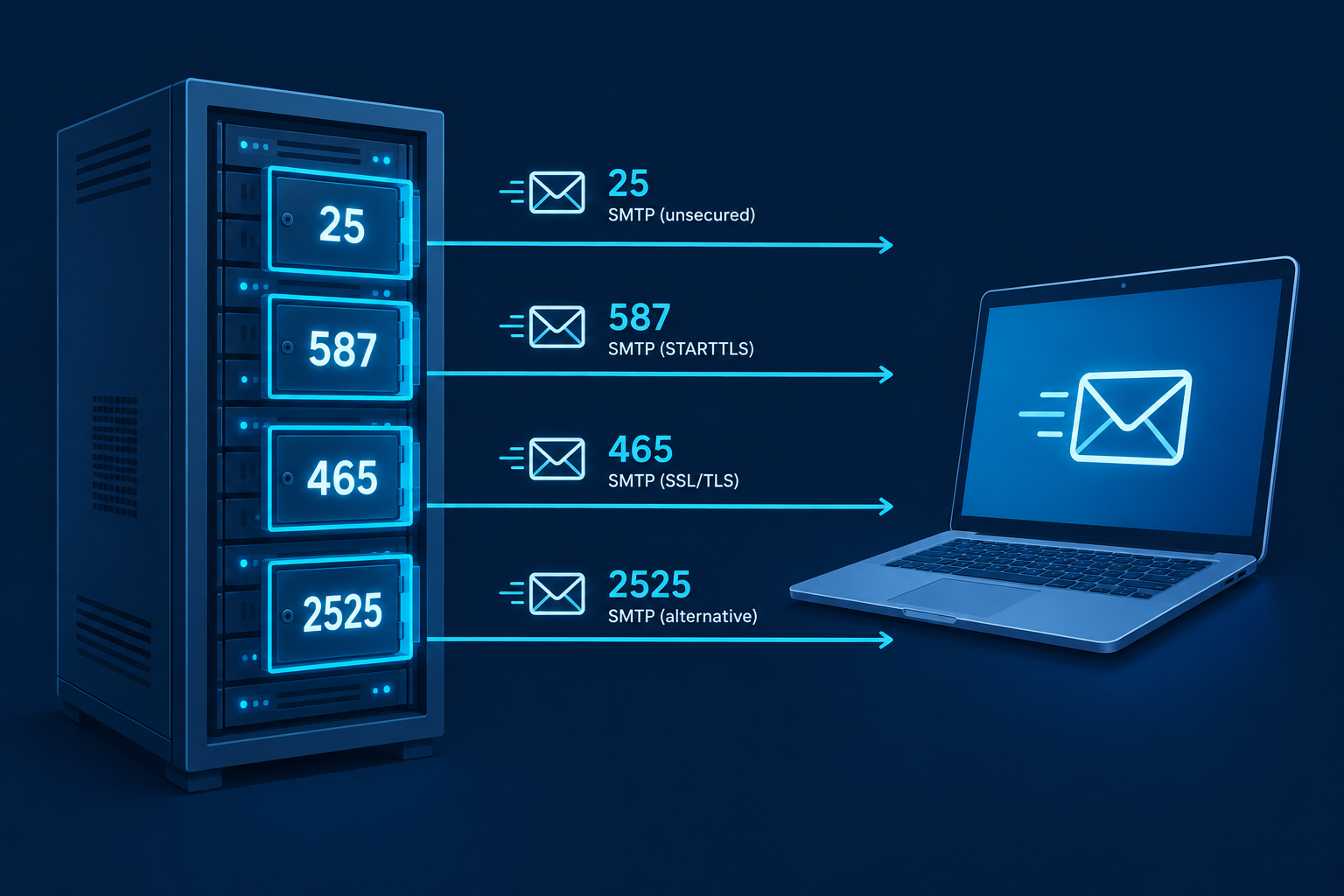
Use port 587 with STARTTLS for sending email from an app, website or mail client. Port 465 with implicit TLS is just as good if your provider supports it. Port 25 is the default SMTP port, but it is meant for server-to-server relay and is often blocked on home and cloud networks.
Quick SMTP port reference
Here is every SMTP port number you will run into, and what each is actually for.
| Port | Encryption | Main use | Recommended? |
|---|---|---|---|
| 25 | None or opportunistic STARTTLS | Server-to-server relay (MTA to MTA) | Only for mail servers |
| 587 | STARTTLS (upgrade after connecting) | Authenticated message submission | Yes, the safe default |
| 465 | Implicit TLS (encrypted from the start) | Authenticated message submission | Yes, if supported |
| 2525 | Usually STARTTLS | Unofficial alternative to 587 | Fallback only |
What an SMTP port actually is
SMTP (Simple Mail Transfer Protocol) is the protocol that sends mail. A port is the numbered “door” on a server that a connection knocks on. Your mail client, website plugin or app needs both the server hostname and the right port to hand off a message.
SMTP only handles sending. Receiving and reading mail uses IMAP or POP3, which have their own ports (covered below).
Port 25: the original default SMTP port
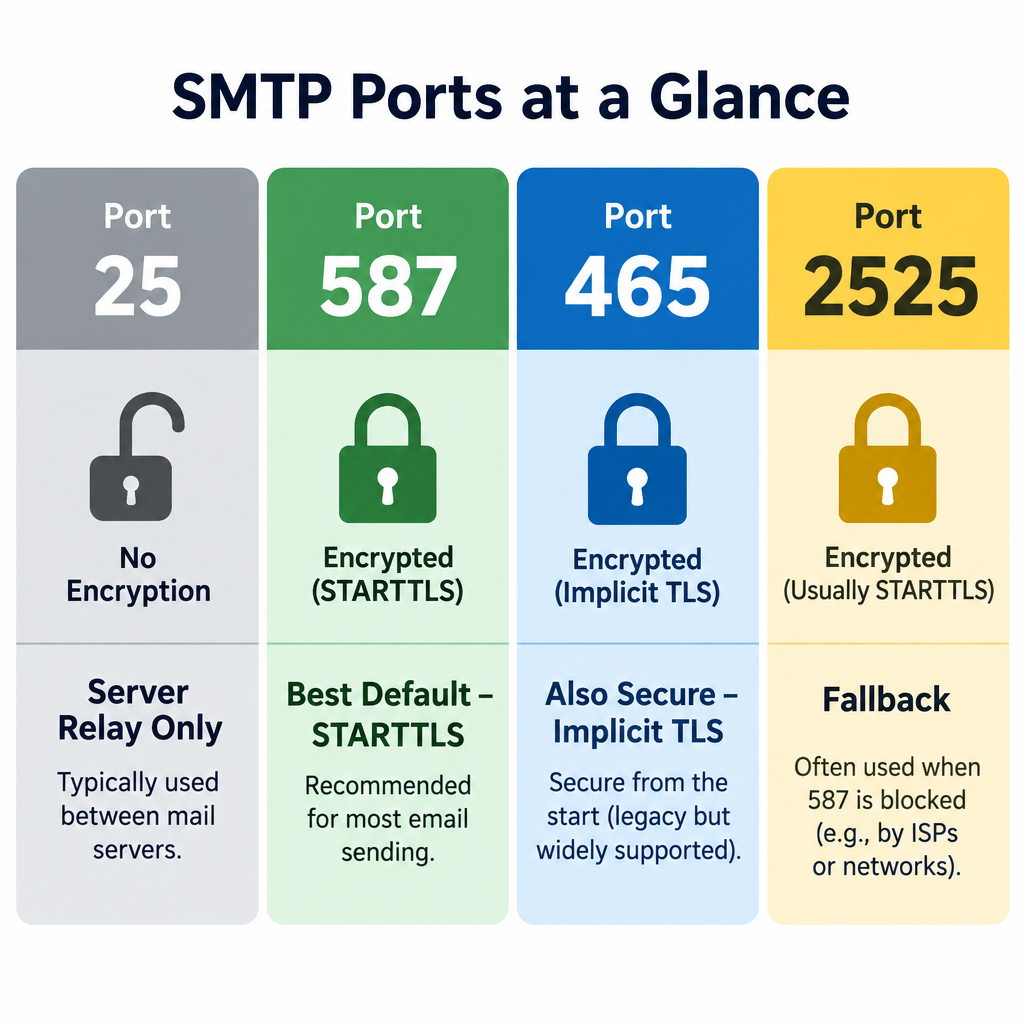
Port 25 is the default port for SMTP, defined back in the early 1980s. It is still how mail servers pass messages to each other across the internet. When Gmail delivers a message to a company’s mail server, it connects on port 25.
The problem is that port 25 became the favourite of spam botnets. Infected home computers could connect directly to any mail server and blast junk. So many ISPs now block outbound port 25 on residential connections. Major cloud providers do too. Google Cloud blocks outbound port 25 to external addresses, and AWS restricts it on EC2 until you request removal.
Deliverability risk
Sending directly from a home or cloud IP on port 25 usually fails outright. If it gets through, receiving servers tend to treat residential IPs as spam sources.
That is a big part of how e-mail spam filtering works: the sending IP’s reputation matters as much as the message itself.
Port 587: your best bet for sending
Port 587 is the official message submission port (RFC 6409). It exists so that clients and apps can hand mail to their own provider, with a login, separate from server-to-server relay on port 25.
The connection starts in plain text. The client then issues the STARTTLS command, and the session upgrades to an encrypted one before your password is sent. Every major provider supports it, and ISPs rarely block it.
If you only remember one SMTP port, make it 587.
Port 465: SMTP over SSL/TLS
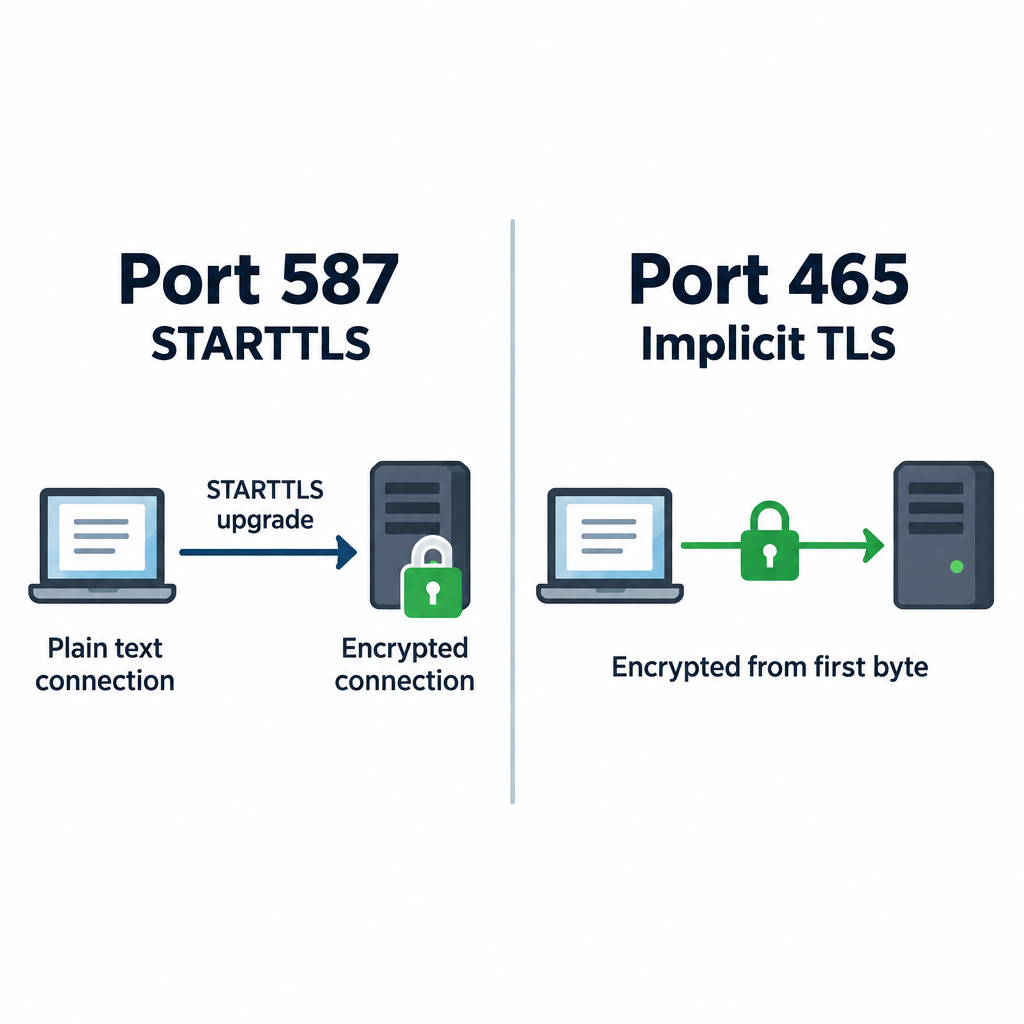
Port 465 has a messy history. It was assigned for SMTPS in the late 1990s, then revoked, but providers kept using it anyway. In 2018, RFC 8314 officially brought it back for message submission using implicit TLS.
Implicit TLS means the connection is encrypted from the first byte. There is no plain-text phase and no upgrade step. RFC 8314 actually prefers this approach over STARTTLS, because a STARTTLS upgrade can in theory be stripped by an attacker on the network.
In practice, both 465 and 587 are secure when configured correctly. Pick whichever your provider documents first.
Port 2525: the unofficial fallback
Port 2525 is not registered with IANA for SMTP. Transactional email services offer it anyway because some hosting companies block 25, 465 and even 587. If your server cannot reach your email service on standard ports, 2525 often gets through.
| Email service | SMTP host | Supported ports |
|---|---|---|
| SendGrid | smtp.sendgrid.net | 25, 587, 2525 (STARTTLS); 465 (TLS) |
| Mailgun | smtp.mailgun.org | 25, 587, 2525 (STARTTLS); 465 (TLS) |
| Amazon SES | email-smtp.[region].amazonaws.com | 25, 587, 2587 (STARTTLS); 465, 2465 (TLS) |
Many small business email platforms hide these settings entirely and give you an API or plugin instead. If you are only doing email marketing through a hosted tool, you may never touch an SMTP port at all.
SMTP server and port for Gmail, Outlook and other providers
These are the common SMTP mail port settings for the big mailbox providers.
| Provider | SMTP server | Port | Encryption |
|---|---|---|---|
| Gmail / Google Workspace | smtp.gmail.com | 587 or 465 | STARTTLS / SSL |
| Outlook.com / Hotmail | smtp-mail.outlook.com | 587 | STARTTLS |
| Microsoft 365 | smtp.office365.com | 587 | STARTTLS |
| Yahoo Mail | smtp.mail.yahoo.com | 465 or 587 | SSL / STARTTLS |
| iCloud Mail | smtp.mail.me.com | 587 | STARTTLS |
| Zoho Mail | smtp.zoho.com | 465 or 587 | SSL / STARTTLS |
Your normal account password usually will not work here. Gmail, Yahoo and iCloud expect an app password, which requires two-step verification, or an OAuth sign-in. Microsoft is retiring basic password authentication for SMTP, so plan on OAuth or an app password for Outlook and Microsoft 365 too.
SMTP, IMAP and POP3 ports
Setting up a mail client means entering both incoming and outgoing servers. Here is the full email port list.
| Protocol | Job | Plain / STARTTLS port | Implicit TLS port |
|---|---|---|---|
| SMTP | Sending mail | 587 (25 for relay) | 465 |
| IMAP | Reading mail, synced to server | 143 | 993 |
| POP3 | Downloading mail to one device | 110 | 995 |
For incoming mail, use 993 for IMAP or 995 for POP3. The unencrypted variants are rarely needed today.
How to choose the right SMTP port
Pick your port in four checks
- Check your provider’s help page for its documented SMTP port.
- Use 587 with STARTTLS if both 587 and 465 are listed.
- Switch to 465 with SSL/TLS if 587 times out.
- Try 2525 only if your email service supports it and both fail.
Only use port 25 if you run a mail server that relays to other mail servers. Apps, websites and mail clients should never need it.
How to tell if an SMTP port is blocked
Test the connection before you blame your password. On macOS or Linux, open a terminal and run:
nc -vz smtp.gmail.com 587
On Windows, use PowerShell:
Test-NetConnection smtp.gmail.com -Port 587
A “succeeded” or “TcpTestSucceeded : True” result means the port is open. A timeout means something between you and the server is blocking it.
To confirm encryption actually works, use OpenSSL. For port 587:
openssl s_client -starttls smtp -connect smtp.gmail.com:587
For port 465:
openssl s_client -connect smtp.gmail.com:465
You should see a certificate chain and a 220 greeting from the server. If the port is blocked, contact your ISP or hosting company. Most will unblock 587 on request. Very few will open port 25 for residential customers.
Inbox tip
If you can connect on 587 from your laptop but not from your web server, the block is at the host. Switch to 2525 or use your email service’s HTTP API instead.
Common mistakes when setting the SMTP port
Most “can’t send mail” tickets come down to a handful of errors:
- Encryption mismatch. Choosing SSL on port 587 or STARTTLS on port 465. The client hangs, then times out. Match 587 with STARTTLS and 465 with SSL/TLS.
- Using port 25 from an app. It gets blocked or lands in spam. Use 587.
- Account password instead of an app password. You will see an authentication error like
535. Generate an app password. - Wrong hostname. smtp.office365.com and smtp-mail.outlook.com are not interchangeable for every account type.
- Local firewall or antivirus. Some security suites intercept outgoing mail connections. Temporarily disable the email scanning feature to test.
- No authentication enabled. Port 587 and 465 expect a username and password. Without them, the server rejects the message.
Correct ports get mail out of your app. They do not guarantee inbox placement. That still depends on SPF, DKIM and DMARC records for your sending domain.
FAQ
How to find port for SMTP server?
Check your email provider’s help documentation for “SMTP settings.” It will list the server name, port and encryption type. If you use a hosting company’s mailbox, the settings are usually in your control panel under email accounts. When in doubt, try 587 with STARTTLS first.
Is SMTP always port 25?
No. Port 25 is the default SMTP port for server-to-server relay. Mail clients and apps should send on port 587 with STARTTLS or port 465 with implicit TLS. Port 2525 is an unofficial alternative some services offer.
What are the port numbers used for IMAP and POP3?
IMAP uses port 143 (plain or STARTTLS) and port 993 (implicit TLS). POP3 uses port 110 (plain or STARTTLS) and port 995 (implicit TLS). Use the encrypted ports, 993 and 995, whenever possible.
What is the difference between IMAP and POP3?
IMAP keeps your mail on the server and syncs it across every device, so reading or deleting on your phone shows up on your laptop. POP3 downloads messages to one device and, by default, removes them from the server. IMAP is the better choice for almost everyone today.
Which is more secure, port 465 or 587?
Both are secure when configured correctly. Port 465 encrypts from the first byte, which RFC 8314 prefers. Port 587 upgrades to encryption with STARTTLS before any login details are sent. Use whichever your provider supports.