A cold email is a one-to-one message you send to someone who has never heard from you, with a specific reason to start a conversation. Done well, it books meetings and opens doors. Done badly, it burns your domain and lands every future email in spam. This guide covers the writing, the setup behind it, and 12 templates you can adapt today.
What Is Cold Email? The Meaning in Plain Terms
Cold email is unsolicited outreach to a person you have no existing relationship with. “Cold” means the recipient did not sign up, did not request contact and probably does not know your name.
Cold emailing is the practice of doing this deliberately and repeatedly, usually for business. Salespeople use it to book demos. Founders use it to reach investors. Freelancers use it to find clients. PR teams use it to pitch journalists and media outlets.
A real cold email is narrow. It goes to one person, or a small, carefully chosen list. It references something specific about them. It asks for one small action.
That is what separates it from spam. Spam is untargeted, often deceptive, and sent at volume to people who never had a reason to hear from you.
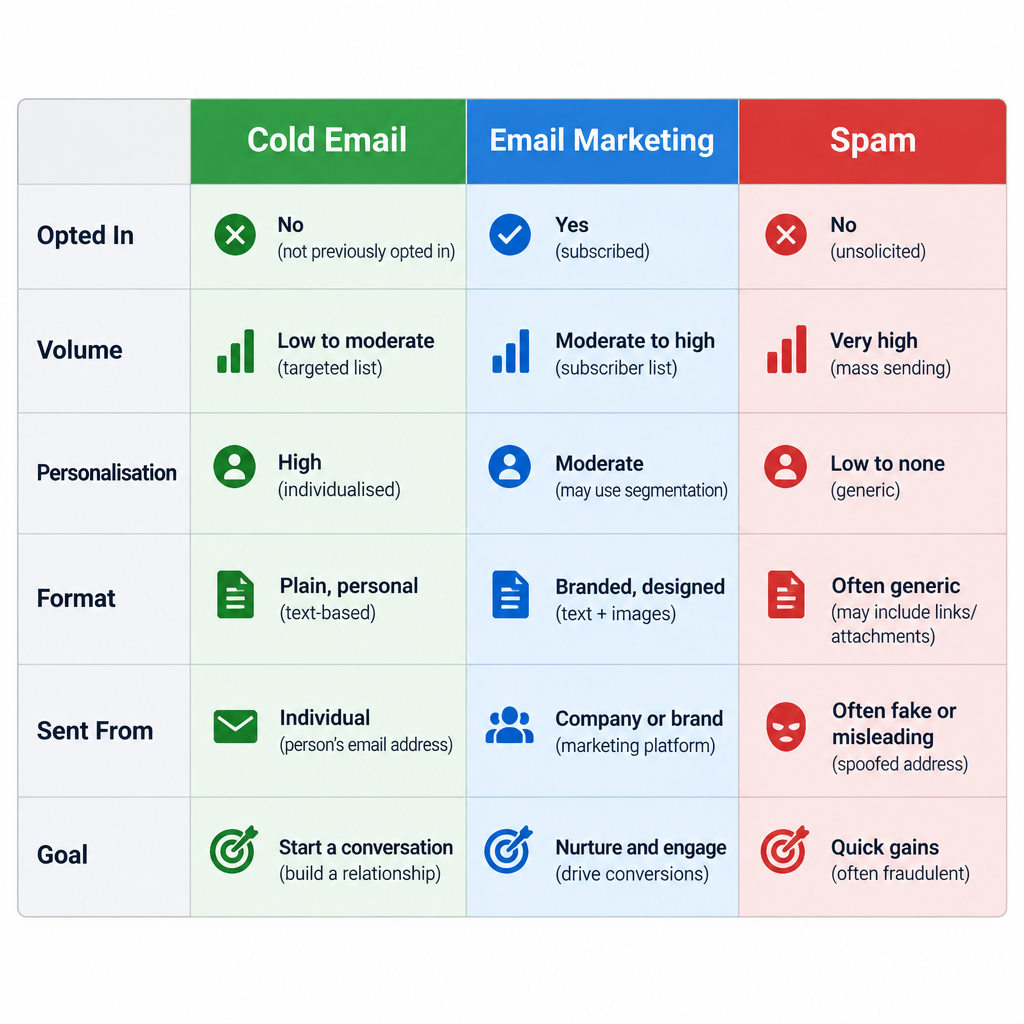
Cold email vs. email marketing vs. spam
People mix these up all the time. The difference matters because each one runs under different rules and on different tools.
| Cold email | Email marketing | Spam | |
|---|---|---|---|
| Recipient opted in? | No | Yes | No |
| Typical volume | Dozens to hundreds per day | Thousands per send | As many as possible |
| Personalisation | Written for one person or segment | Segment-level | None or fake |
| Format | Plain text, short | Designed, often with images | Varies |
| Sent from | Real inbox (Google Workspace, Microsoft 365) | An ESP such as Mailchimp or Klaviyo | Anywhere |
| Goal | Start a conversation | Nurture and sell to subscribers | Trick or flood |
Email marketing works with people who already gave you permission. Cold email is about earning the first reply. If you want the full picture of permission-based campaigns, our guide to what email marketing is and how it actually works covers that side.
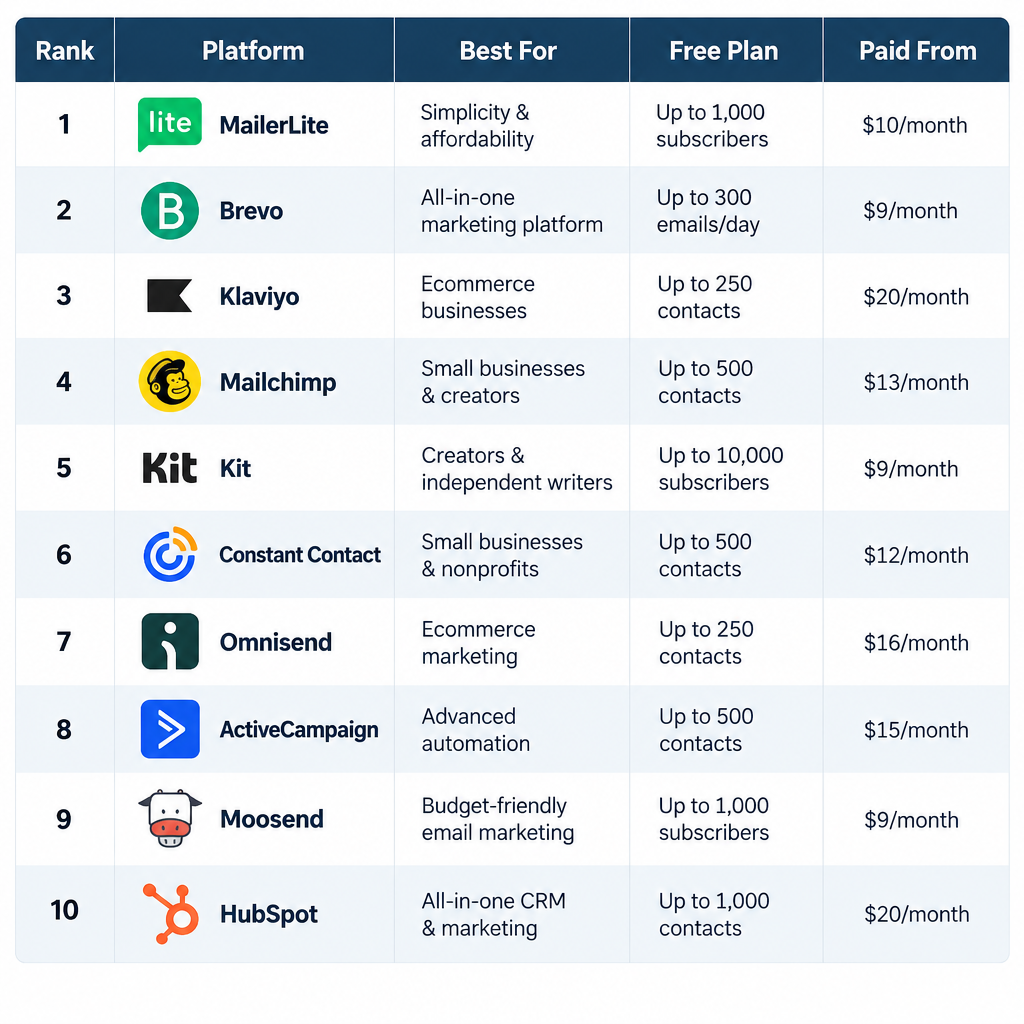
One practical consequence: do not send cold email through your email service provider. Mainstream ESPs require opt-in lists in their acceptable use policies and will suspend accounts that send to people who never subscribed. Cold outreach goes out from real mailboxes, either by hand or through a cold email platform that connects to those mailboxes.
Is Cold Emailing Legal?
In most markets, yes, for B2B outreach, provided you follow the rules. The rules differ a lot by country, and “B2B” does not give you a free pass everywhere.
| Region | Law | Consent needed for B2B cold email? | Key obligations | Maximum penalty |
|---|---|---|---|---|
| United States | CAN-SPAM Act | No (opt-out model) | Honest headers and subject, physical postal address, working opt-out, honour opt-outs within 10 business days | $53,088 per email (2025 FTC adjustment) |
| European Union | GDPR + national ePrivacy laws | Varies by country; many allow B2B under legitimate interest | Lawful basis, tell people where you got their data, honour objections | €20 million or 4% of global annual turnover |
| Germany | UWG §7 + GDPR | Generally yes, prior consent | Stricter than most EU states for email advertising | Varies; injunctions and fines |
| United Kingdom | UK GDPR + PECR | No for corporate addresses; yes for sole traders and some partnerships | Identify yourself, offer opt-out, lawful basis | Enforced by the ICO |
| Canada | CASL | Yes (express or implied) | Implied consent can apply if the address is conspicuously published and your message relates to their role | Up to CAD $10 million per violation |
Two points get missed most often.
GDPR Article 14 applies to you. If you collected someone’s details from a source other than them, such as a company website or LinkedIn, you have to tell them where you got the data and how to object. A single line in the email or a link to your privacy notice handles this.
CAN-SPAM covers B2B email. There is no business exemption. Every commercial message needs a valid postal address and a clear way to opt out.
Deliverability risk
Bought or scraped lists break the law in many regions and wreck your sender reputation everywhere. Build your list from research, not from a CSV you paid for.
This is not legal advice. If you sell into Germany, Canada or a regulated industry, get a lawyer to review your approach once.
Set Up Your Sending Before You Write a Word
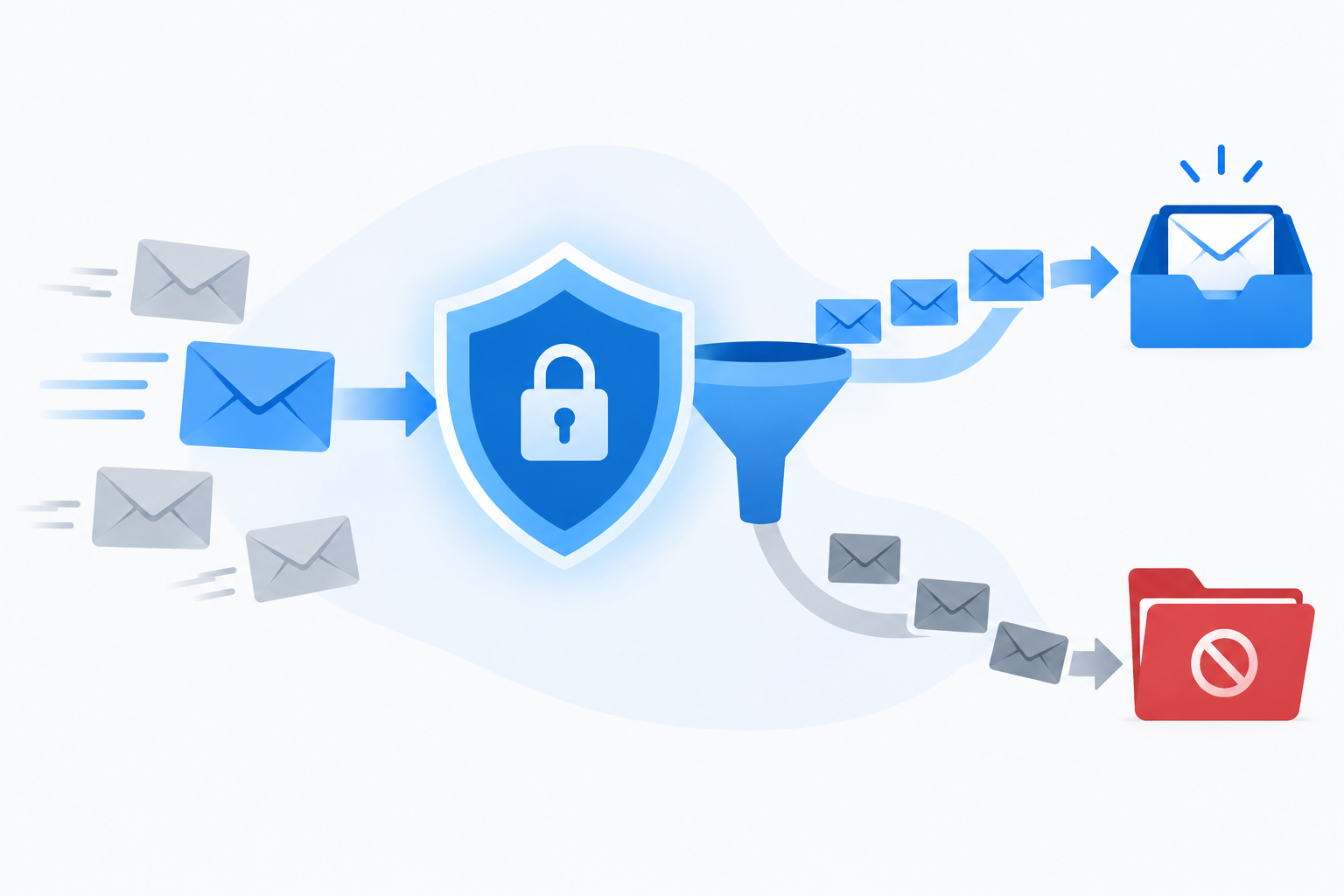
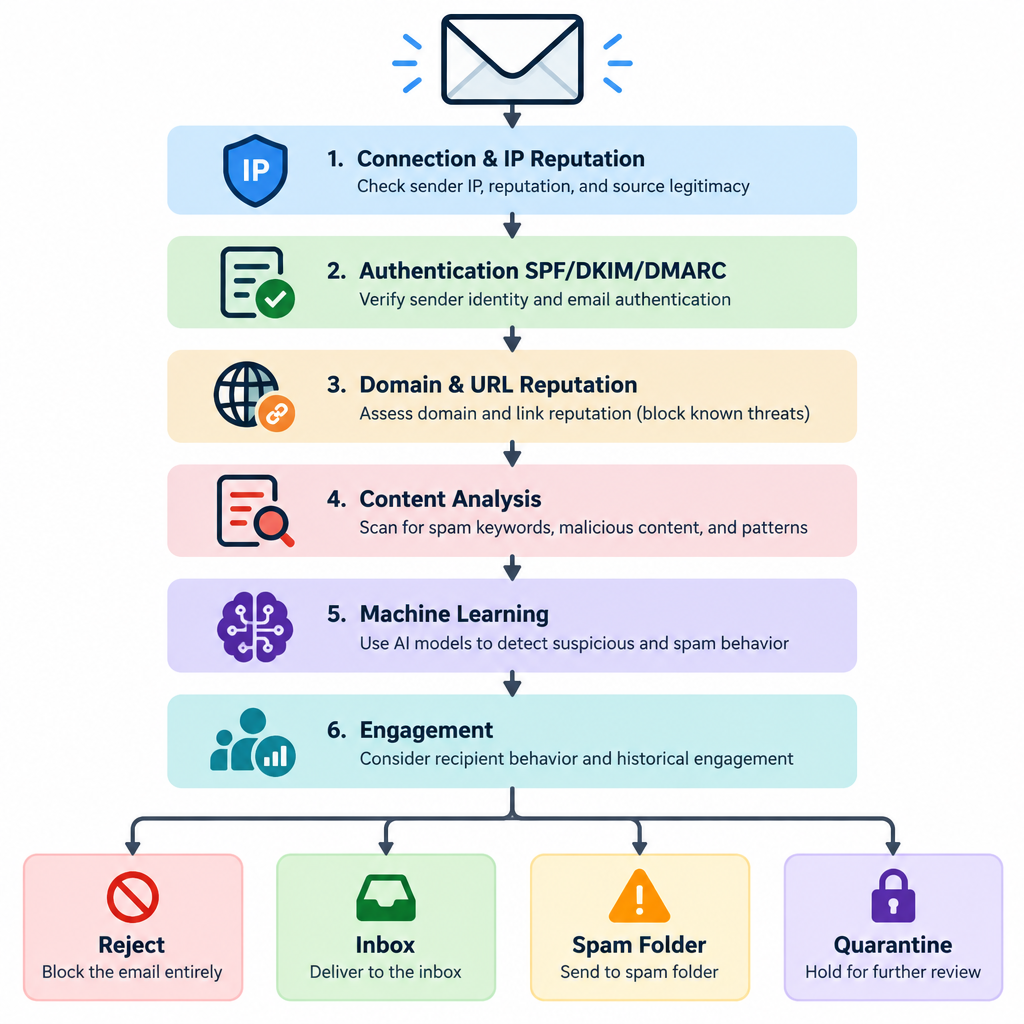
Most cold email fails at the infrastructure level. The copy never gets a chance because the message lands in spam or bounces. Fix this first.
Use a separate sending domain
Do not send cold outreach from your main company domain. If your cold campaigns pick up spam complaints, your invoices, password resets and customer emails suffer too.
Register a secondary domain that clearly belongs to your brand. If your company is acme.com, something like tryacme.com or acmehq.com works. Redirect the website to your main site so anyone who checks finds a real business. Never use a lookalike domain designed to impersonate someone else.
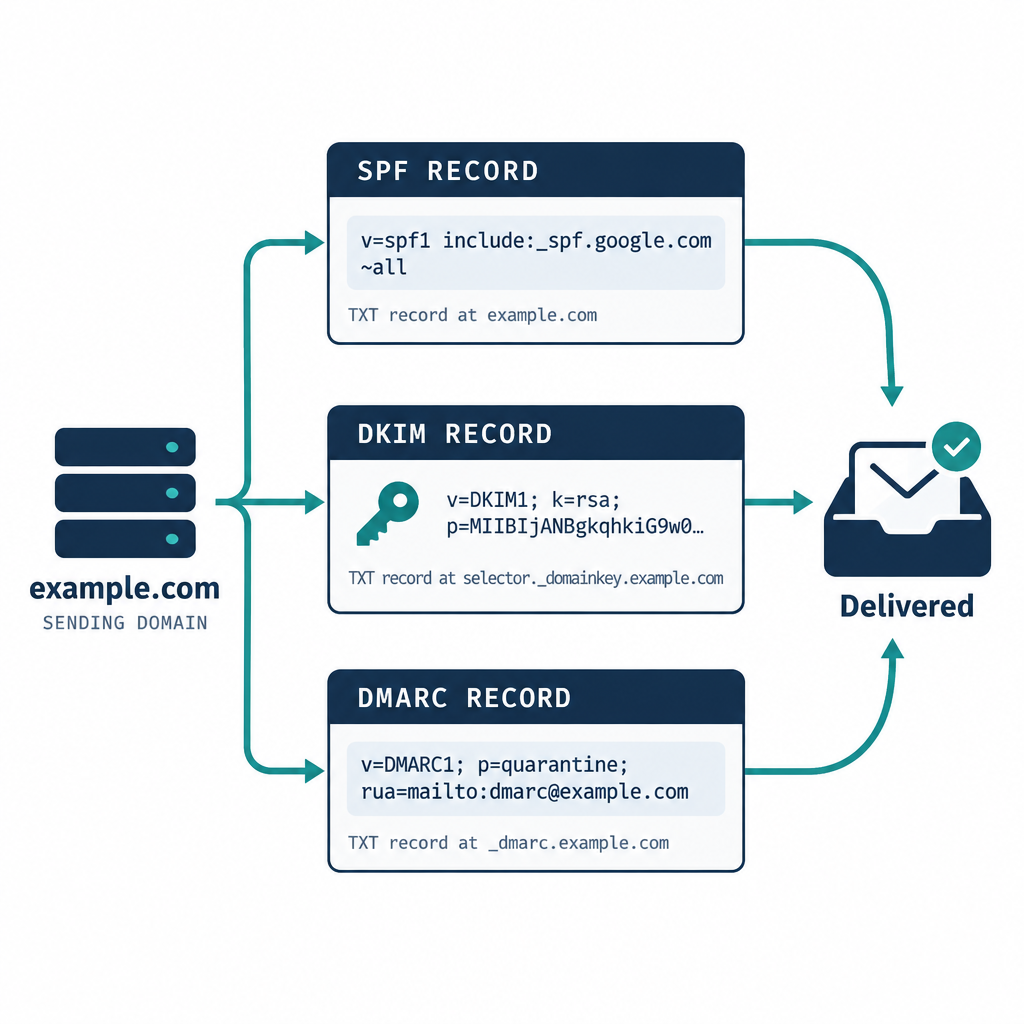
Authenticate the domain with SPF, DKIM and DMARC
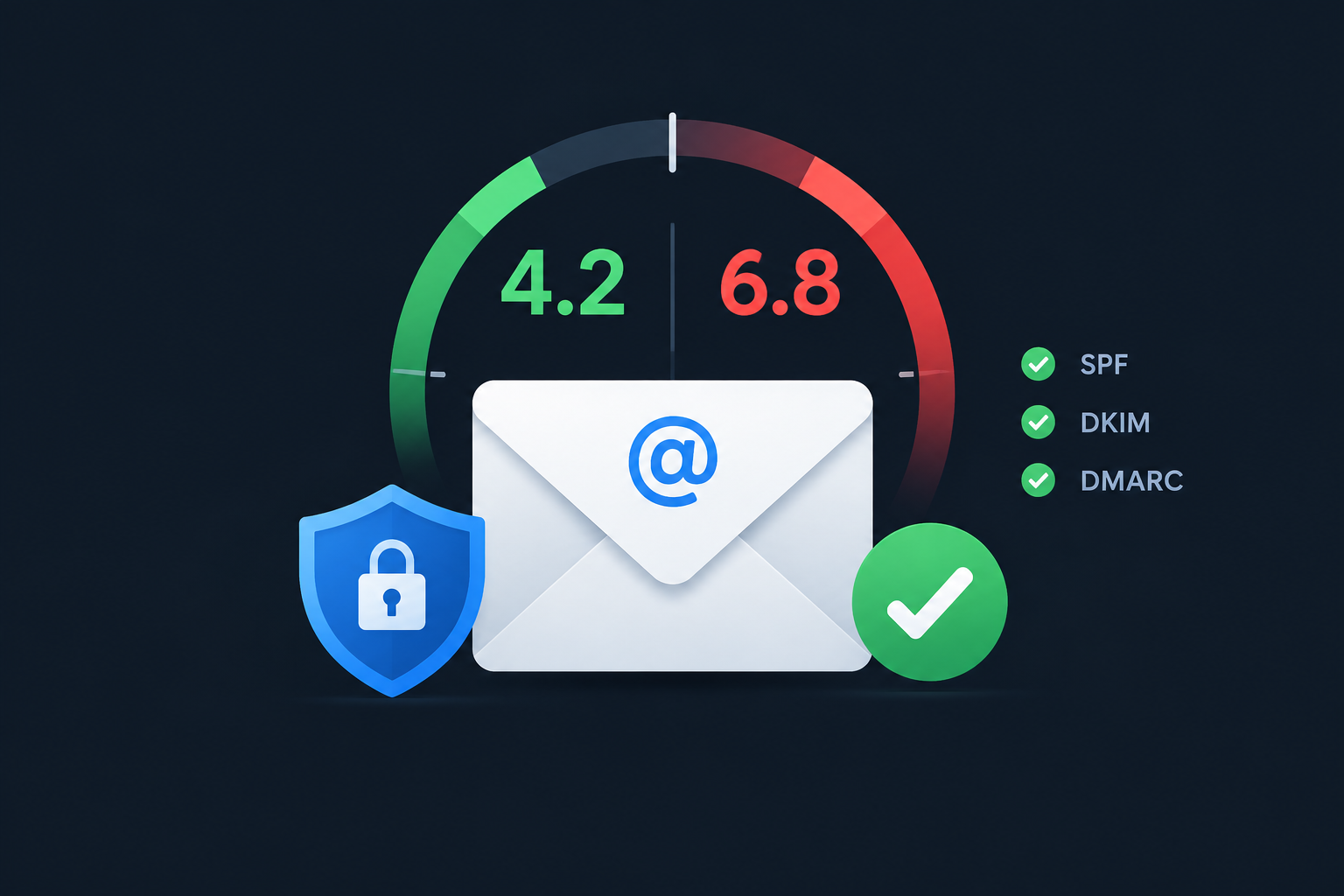
Every sending domain needs all three records. Since February 2024, Gmail and Yahoo require them for bulk senders, and Microsoft started enforcing similar rules for Outlook.com in May 2025.
An SPF record for a Google Workspace domain looks like this:
Type: TXT
Host: @
Value: v=spf1 include:_spf.google.com ~all
For Microsoft 365, swap the include:
Type: TXT
Host: @
Value: v=spf1 include:spf.protection.outlook.com ~all
Only keep one SPF record per domain. If a cold email platform sends on your behalf through its own servers, add its include to the same record.
DKIM is generated inside your mail provider. In Google Workspace, go to Admin console > Apps > Google Workspace > Gmail > Authenticate email, generate a 2048-bit key, and publish it:
Type: TXT
Host: google._domainkey
Value: v=DKIM1; k=rsa; p=MIIBIjANBgkqhkiG9w0BAQEFAAOCAQ8AMIIBCgKCAQEA...
Then return to the same screen and click Start authentication. Many people publish the record and forget this last click.
DMARC ties it together. Start with monitoring:
Type: TXT
Host: _dmarc
Value: v=DMARC1; p=none; rua=mailto:[email protected]
Once reports show your legitimate mail passing, move to p=quarantine. A policy of p=none meets the current Gmail, Yahoo and Microsoft minimum.
Know the mailbox provider rules
These are the rules your cold email lives under. Even if you never reach the bulk thresholds, meeting them is the baseline for decent inbox placement.
| Provider | Effective date | Who it applies to | Requirements |
|---|---|---|---|
| Gmail (all senders) | February 1, 2024 | Anyone sending to personal Gmail accounts | SPF or DKIM, valid forward and reverse DNS, TLS, spam rate below 0.3% |
| Gmail (bulk senders) | February 1, 2024, with phased enforcement through 2024 | 5,000+ messages per day to Gmail accounts | SPF and DKIM, DMARC (p=none minimum), From domain aligned with SPF or DKIM, one-click unsubscribe for marketing mail, unsubscribes processed within 2 days |
| Yahoo | February 2024 | Bulk senders | SPF, DKIM, DMARC, one-click unsubscribe, honour unsubscribes within 2 days, low complaint rate |
| Microsoft (Outlook.com, Hotmail, Live) | May 5, 2025 | 5,000+ messages per day to Microsoft consumer domains | SPF, DKIM, DMARC (p=none minimum, aligned with SPF or DKIM) |
Google’s guidance is to keep your spam rate under 0.1% and never let it reach 0.3%. With cold email, a few annoyed recipients clicking “Report spam” gets you there fast. That is the strongest argument for tight targeting.
Respect sending limits
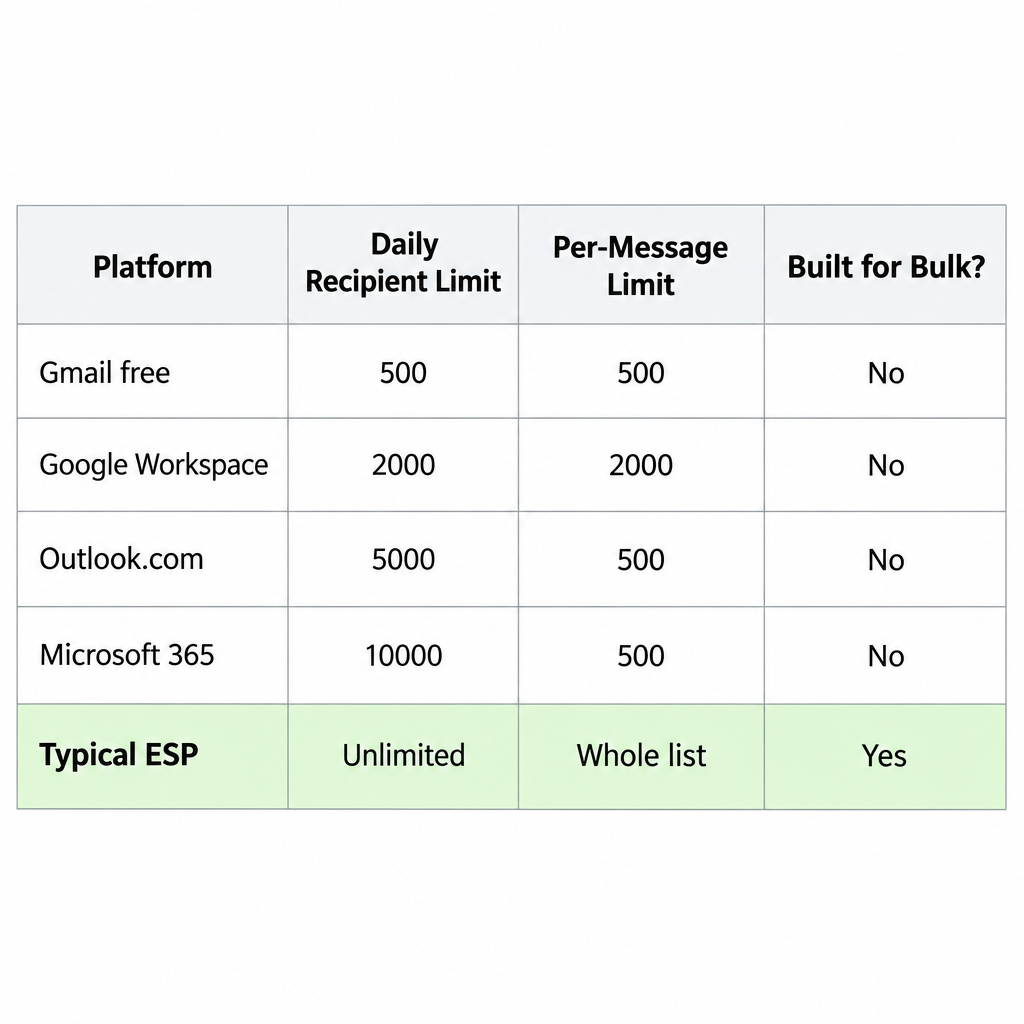
Each mailbox has a hard cap. Free Gmail allows 500 recipients per day. Google Workspace allows 2,000 messages per user per day. Microsoft 365 allows 10,000 recipients per day and 30 messages per minute.
Those caps are ceilings, not targets. For cold outreach, we keep each inbox to roughly 30 to 50 new cold emails a day, and we add inboxes rather than pushing one harder. A brand-new domain should start lower and ramp up over two to four weeks.
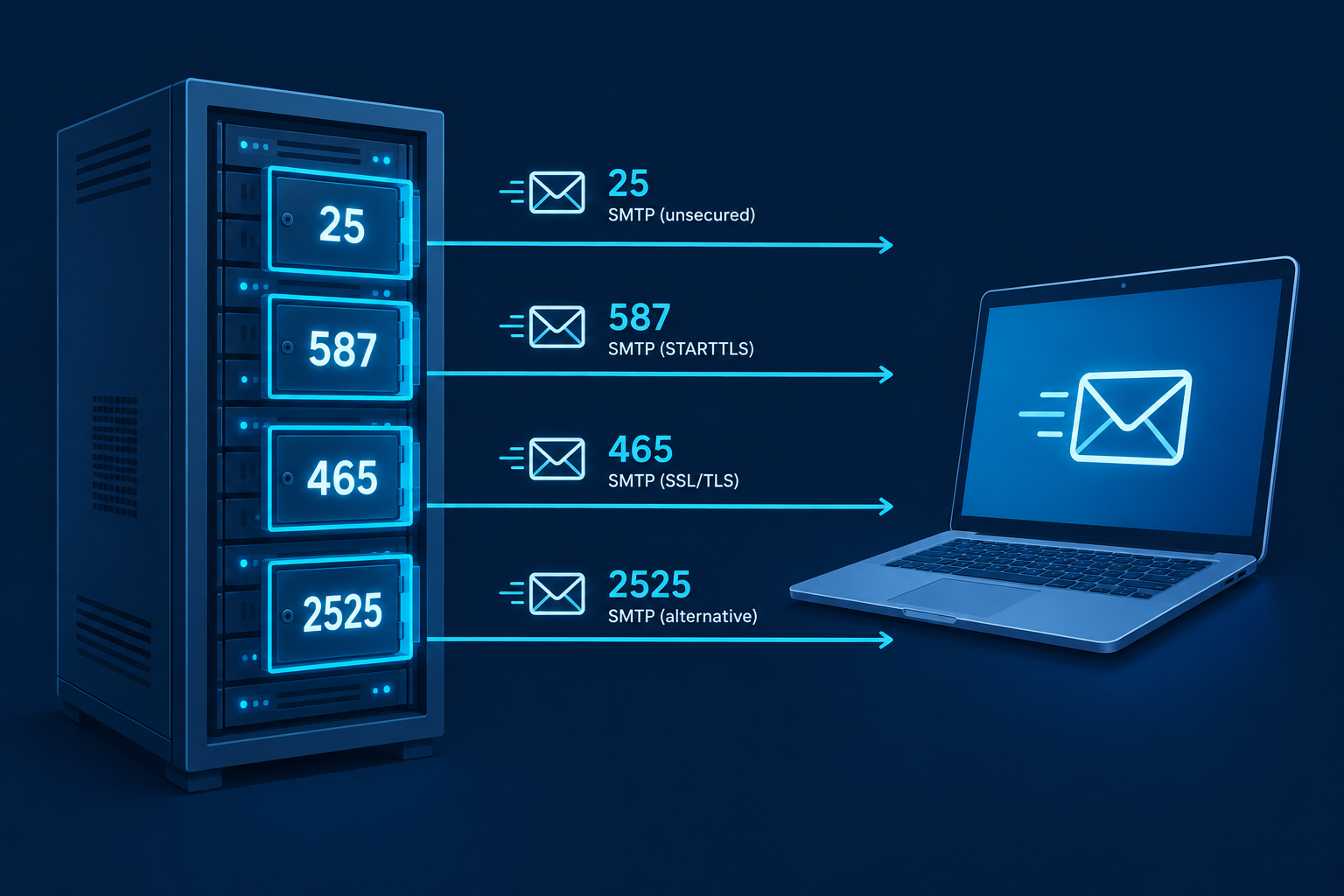
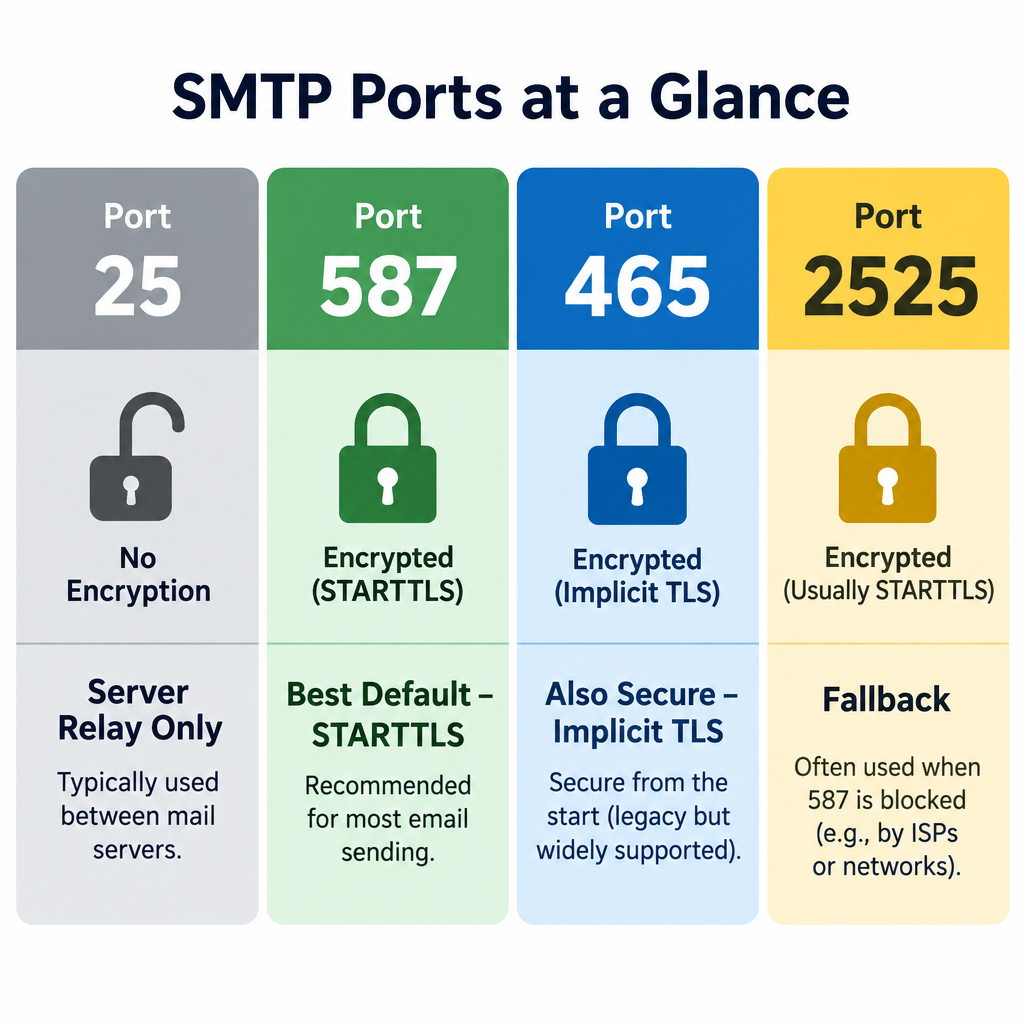
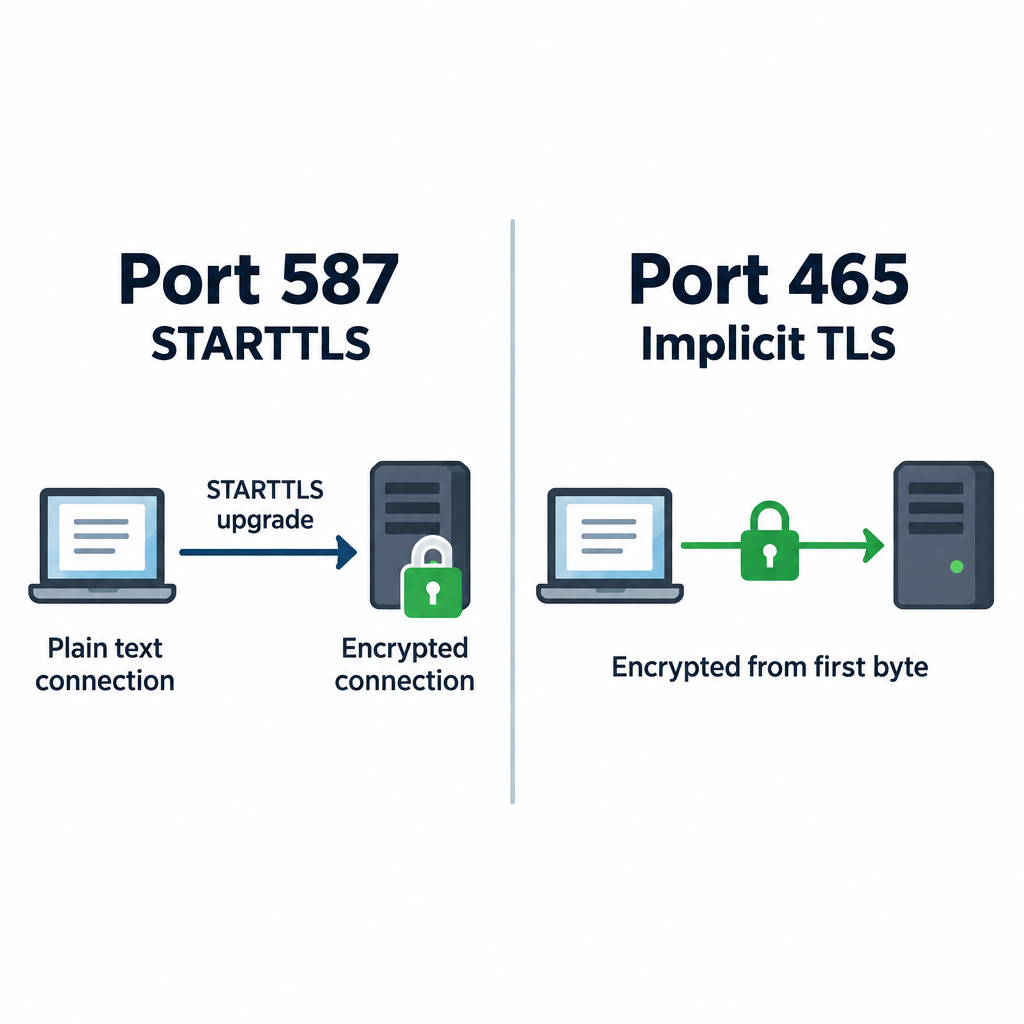
If you connect your inbox to a sending platform over SMTP, use port 587 with STARTTLS unless the tool specifies otherwise. Our explainer on which SMTP port you should use covers the options.
Setup steps
- Register a secondary domain tied to your brand.
- Create two or three real mailboxes on Google Workspace or Microsoft 365.
- Publish SPF, DKIM and DMARC records, then start DKIM signing.
- Point the domain’s website to your main site.
- Send normal, low-volume email from each inbox for two weeks.
- Ramp cold sends slowly, starting at 5 to 10 a day per inbox.
- Watch bounces, replies and spam complaints daily for the first month.
How to Write a Cold Email That Gets a Reply
Every good cold email answers three questions within about five seconds. Who are you? Why me? What do you want?
Here is the anatomy, part by part.
Subject line
Write it like a colleague would. Short, lowercase-friendly, specific. Three to six words is plenty.
Good: “question about your Q3 hiring”, “idea for {Company}’s onboarding”, “{Mutual contact} suggested I reach out”.
Bad: “Quick question!!!”, “Partnership Opportunity”, “Re:” on a first email. That last one is deceptive and it falls foul of CAN-SPAM’s rule against misleading subject lines.
Opening line
Drop “I hope this email finds you well.” Everyone skips it, and it signals a template. Open with them instead: something they wrote, launched, hired for or said.
The first line also shows as preview text in most inboxes. Treat it as a second subject line.
Relevance
One or two sentences connecting their situation to a problem you solve. Be specific. “Companies like yours struggle with churn” says nothing. “You’ve opened four CS roles since March, which usually means onboarding is straining” shows you did the work.
The offer
What do you bring? Keep it to one result, ideally with a number from a real customer. Skip feature lists. Nobody reads them in a cold email.
Call to action
Ask for one small thing. “Worth a 15-minute call next week?” works better than a calendar link in a first email, because it asks for a reply rather than a commitment. Interest-based CTAs (“Is this on your radar?”) work well for senior people.
Sign-off and footer
Your name, title, company and one link at most. Add an opt-out line and your postal address to stay on the right side of CAN-SPAM. Something as simple as “Not relevant? Reply ‘no thanks’ and I won’t follow up” works for the opt-out.
Format rules
- Plain text. No images, logos or HTML designs.
- Under 125 words for the first email. Shorter is usually better.
- One link at most. Zero is often safer on new domains.
- Turn off open tracking. Tracking pixels are tiny images that can hurt deliverability, and Apple Mail Privacy Protection has inflated open rates since 2021 anyway, so the data is unreliable.
- No attachments. Offer to send assets after they reply.
Inbox tip
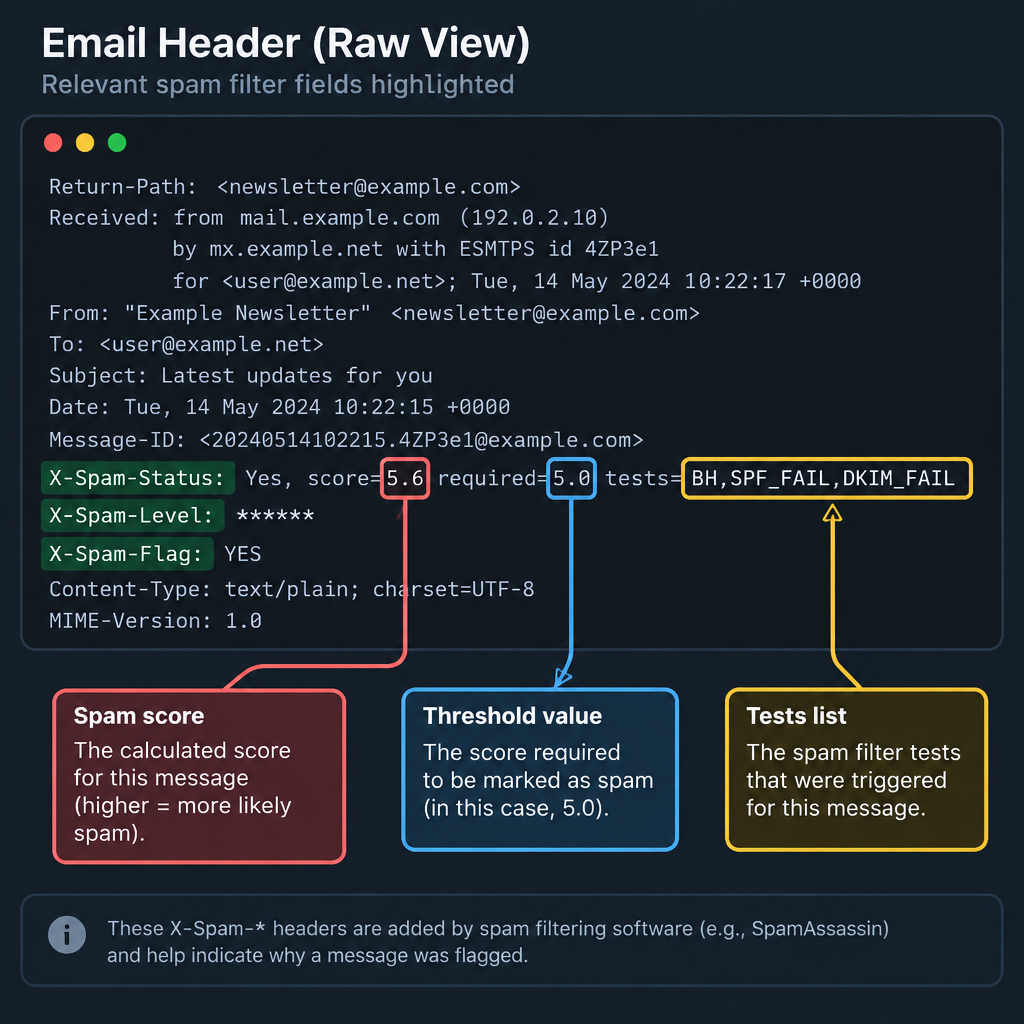
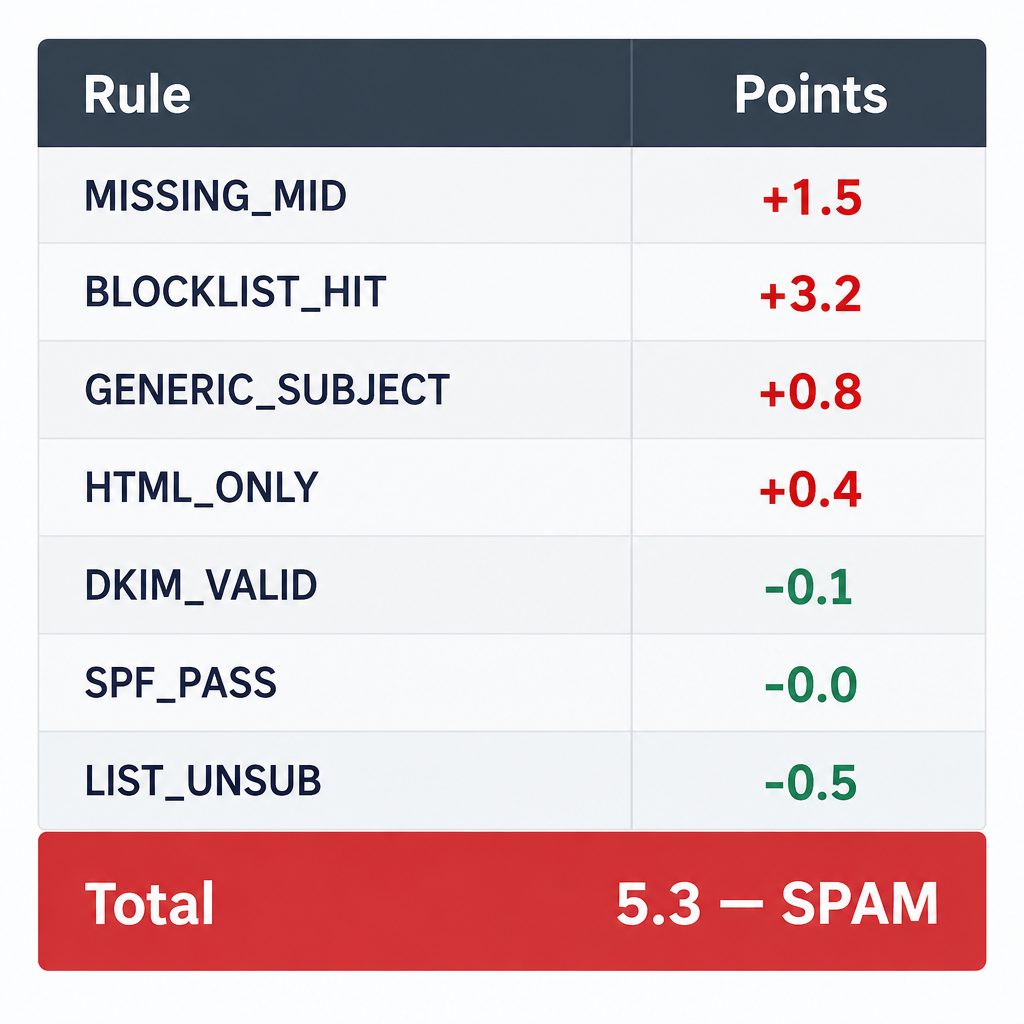
Before a campaign goes live, run one email through a spam checker and look at your SpamAssassin score. Spammy phrases, broken HTML and a missing DKIM signature all show up there before they show up in your results.
How to Pick the Right Cold Email Template
Templates save time, but the wrong one wastes a good prospect. Use these criteria to choose.
How much do you know about them? If you found a real trigger, such as a funding round, new hire or product launch, use a trigger template. If all you have is a job title, you need more research, not a cleverer template.
What relationship exists already? A mutual contact, a shared event or a past touchpoint beats any pitch. Always use the warmest angle you have.
How senior are they? Executives respond to short, outcome-led notes. Managers respond to specifics about their daily work.
What do you want? A meeting, an introduction, a piece of feedback or a partnership each need a different ask.
What proof can you offer? If you have a strong case study from their industry, lead with it. If you don’t, lead with insight about their business instead.
Quick-Reference: 12 Cold Email Templates Compared
| # | Template | Best use | Research needed | Ask size | Ideal length |
|---|---|---|---|---|---|
| 1 | Trigger-based opener | Sales, any industry | High | Small | 60-90 words |
| 2 | Observation and idea | Agencies, consultants | High | Small | 70-100 words |
| 3 | Right-person referral | Finding the decision maker | Low | Very small | 40-60 words |
| 4 | Mutual connection | Any warm-ish lead | Medium | Small | 50-80 words |
| 5 | Peer proof | Sales with strong case studies | Medium | Medium | 70-100 words |
| 6 | Value-first share | Long sales cycles | Medium | Very small | 60-80 words |
| 7 | Event follow-up | After conferences or webinars | Low | Small | 50-80 words |
| 8 | New role congrats | Leaders in their first 90 days | Medium | Small | 60-90 words |
| 9 | Partnership pitch | Co-marketing, integrations | High | Medium | 80-120 words |
| 10 | Media pitch | PR, guest posts | High | Medium | 80-120 words |
| 11 | Networking or job ask | Career outreach | Medium | Small | 60-100 words |
| 12 | Breakup follow-up | Final touch in a sequence | None | Very small | 30-50 words |
12 Cold Email Templates, Ranked
These are ranked by how reliably each one starts real conversations across the widest range of situations. Replace everything in curly brackets. If you can’t fill a bracket with something true and specific, skip that prospect or pick a different template.
1. The Trigger-Based Opener (Top Pick)
This is our top pick because it forces you to have a reason for every email. A trigger is a recent, public event that makes your offer timely: funding, hiring, a launch, an expansion, a tech change.
Subject: {Trigger} at {Company}
Hi {First name},
Saw {Company} just {trigger, e.g. “opened a Berlin office”}. Teams expanding into new markets usually hit {specific problem} in the first few months.
We help {type of company} {result}. {Customer} cut {metric} by {number} after a similar move.
Worth a short call to see if it applies to you?
{Your name}
Why it works: The timing feels natural, and the problem is one they are likely facing right now. Good sources of triggers include company press pages, job boards, funding announcements and the prospect’s own posts.
2. The Observation and Idea
Best for agencies, consultants and anyone selling expertise. You point out something specific you noticed and offer one idea for free.
Subject: idea for {Company}’s {area}
Hi {First name},
I was looking at {specific asset, e.g. “your pricing page”} and noticed {observation}.
One quick idea: {specific, useful suggestion in one sentence}. We did something similar for {client} and saw {result}.
Happy to send over two or three more ideas if this is useful. Want them?
{Your name}
Why it works: You give before you ask. The CTA is tiny, and a reply costs them nothing. Make sure the observation is accurate. Getting their product wrong ends the relationship before it starts.
3. The Right-Person Referral
Use this when you know the company is a fit but can’t tell who owns the decision.
Subject: who handles {area} at {Company}?
Hi {First name},
I’m trying to reach whoever looks after {area} at {Company}. Is that you, or would someone else be better?
Short version: we help {type of company} {result}.
Thanks either way,
Why it works: It is easy to answer, and a referral from inside the company (“Emma suggested I reach out”) warms up your next email. Send it to someone adjacent to the decision, not to the CEO of a 2,000-person company.
4. The Mutual Connection
If you share a contact, lead with it. Ask the mutual contact first whether you can use their name.
Subject: {Mutual contact} suggested I reach out
Hi {First name},
{Mutual contact} mentioned you’re working on {project or goal}. We’ve been helping {similar company} with exactly that.
{One line on result.}
Would you be open to a 15-minute chat next week?
{Your name}
Why it works: Borrowed trust is the fastest way to warm a cold lead. Never name-drop someone without permission. It gets checked more often than you’d think.
5. The Peer Proof
Lead with a customer they know or respect, ideally a direct competitor or peer.
Subject: how {Peer company} {result}
Hi {First name},
{Peer company} was dealing with {problem}. After switching to {product}, they {specific result with number} in {timeframe}.
Given {Company}’s {similar situation}, I suspect you might see something similar.
Open to seeing how they did it?
{Your name}
Why it works: Social proof from a peer lowers perceived risk. Only use customer names and numbers you have permission to share.
6. The Value-First Share
For long sales cycles or senior buyers who won’t take a meeting from a stranger. You share useful content with no strings.
Subject: {topic} data you might find useful
Hi {First name},
We just pulled together {content, e.g. “a breakdown of how 40 SaaS companies price annual plans”}. Given {Company}’s {relevant context}, figured it might be useful.
Want me to send it over?
{Your name}
Why it works: Asking before sending keeps the first email link-free, which helps deliverability on newer domains. Make sure the content is genuinely good. Recycled blog posts won’t earn a second email.
7. The Event Follow-Up
Use within a week of a conference, webinar or meetup where they spoke or attended.
Subject: your talk at {Event}
Hi {First name},
Caught your session on {topic} at {Event}. Your point about {specific detail} stuck with me, especially {why}.
We work on {related problem} with {type of company}. Would be good to compare notes for 15 minutes if you’re open to it.
{Your name}
Why it works: A shared experience makes the email feel lukewarm rather than cold. Quote something specific so it’s obvious you were really there.
8. The New Role Congrats
New leaders usually have budget, a mandate to change things and a 90-day window to show results.
Subject: congrats on the new role
Hi {First name},
Congrats on joining {Company} as {title}. The first few months in a role like that usually mean {common priority}.
We’ve helped {number or names} of new {titles} {result} in their first quarter.
Worth a quick chat once you’ve settled in?
{Your name}
Why it works: The timing is right, and the CTA respects that they’re busy. Wait two to three weeks after the announcement so they’re not buried in congratulations.
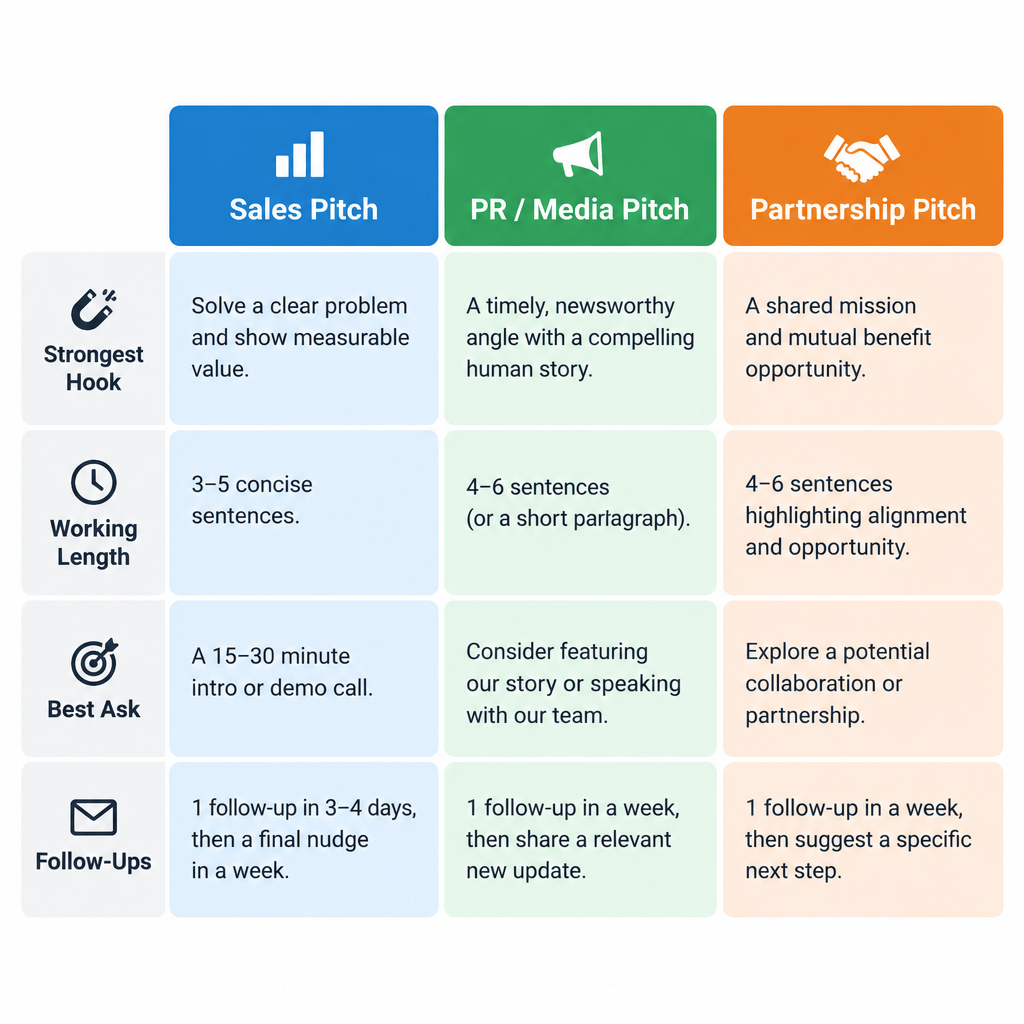
9. The Partnership Pitch
For integrations, co-marketing, affiliate deals and joint content.
Subject: {Your company} x {Their company}?
Hi {First name},
I run {role} at {Your company}. We serve {audience}, which overlaps heavily with {Their company}’s customers.
Idea: {specific partnership, e.g. “a joint webinar on X” or “a native integration between our platforms”}. For context, {proof of reach or traction}.
Is this something you’d explore? Happy to send a one-page outline.
{Your name}
Why it works: It frames mutual gain early and offers a concrete next step. Our guide to email pitch examples for sales, PR and partnerships has more variations on this one.
10. The Media Pitch
For PR, podcast guest spots and expert commentary. Journalists get buried in pitches, so relevance is everything.
Subject: data on {topic they cover}
Hi {First name},
Read your piece on {recent article}. We have {new data, story or expert} that adds {angle} to it.
Headline finding: {one striking, verifiable fact}.
Happy to share the full data or set up a call with {expert}. Would that be useful for an upcoming story?
{Your name}
Why it works: You’re offering material for their next story, not asking for a favour. Never pitch a journalist something outside their beat.
11. The Networking or Job Ask
For career outreach, informational interviews and reaching hiring managers directly.
Subject: question about {team} at {Company}
Hi {First name},
I’m a {role} with {experience} and I’ve followed {Company}’s work on {specific thing} for a while.
Would you be open to 15 minutes to share how your team approaches {topic}? I’d value the perspective, and I’ll keep it to the time.
{Your name}
Why it works: Asking for insight gets far more replies than asking for a job. If the conversation goes well, the job question follows naturally.
12. The Breakup Follow-Up
The last email in a sequence. It closes the loop politely and often gets the highest reply rate of any follow-up.
Subject: closing the loop
Hi {First name},
I’ve reached out a few times about {topic} and haven’t heard back, so I’ll assume the timing isn’t right.
If that changes, just reply here. Wishing you a good quarter.
{Your name}
Why it works: It removes pressure and gives an easy out. Some people reply simply to say “not now, try in Q2,” which is valuable information.
How to Follow Up Without Being Annoying
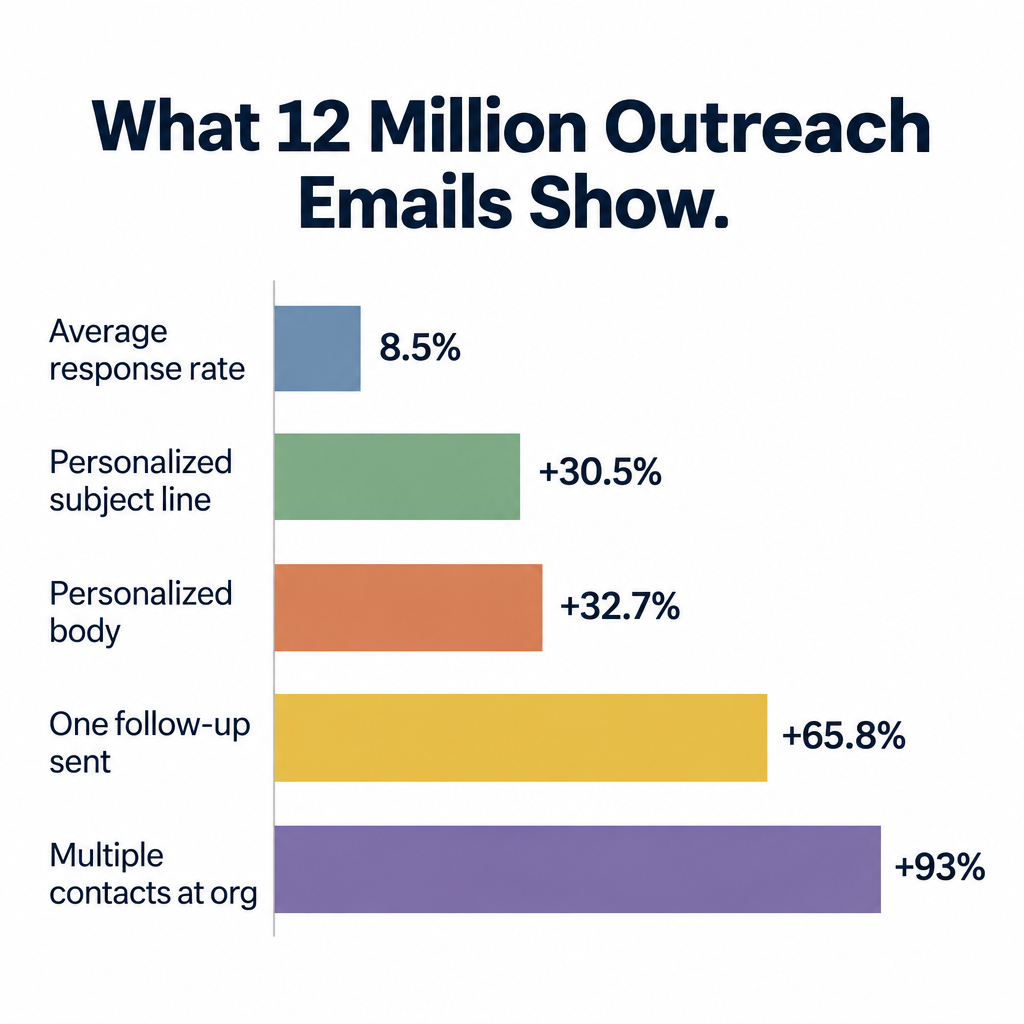
Most replies come after the first email, not from it. A short sequence of three to four emails total is our working standard.
| Timing | Purpose | |
|---|---|---|
| 1 | Day 1 | Main pitch using one of the templates above |
| 2 | Day 3-4 | Short bump in the same thread with one new detail |
| 3 | Day 8-10 | New angle: a case study, a question or a useful resource |
| 4 | Day 15-20 | Breakup email |
Rules for follow-ups:
- Reply in the same thread so context stays visible.
- Add something new each time. “Just bumping this to the top of your inbox” adds nothing.
- Stop immediately when someone replies, books, opts out or bounces. Good cold email platforms do this automatically.
- Never follow up after a “no.” Remove them and move on.
If you’re sending manually, you can schedule emails in Gmail to land at the start of the recipient’s workday in their own time zone. That small detail helps more than most subject line tweaks.
Manual Sending vs. a Cold Email Platform
Below about 20 emails a day, sending by hand from Gmail or Outlook is fine. You’ll write better emails because each one gets your full attention.
Past that, a dedicated cold email platform makes sense. Look for these features:
- Multiple inbox support so you can spread volume across mailboxes and domains.
- Automatic stop-on-reply across every step in a sequence.
- Sending windows and throttling to space emails out like a human would.
- Plain-text sending with open tracking off by default, or easy to disable.
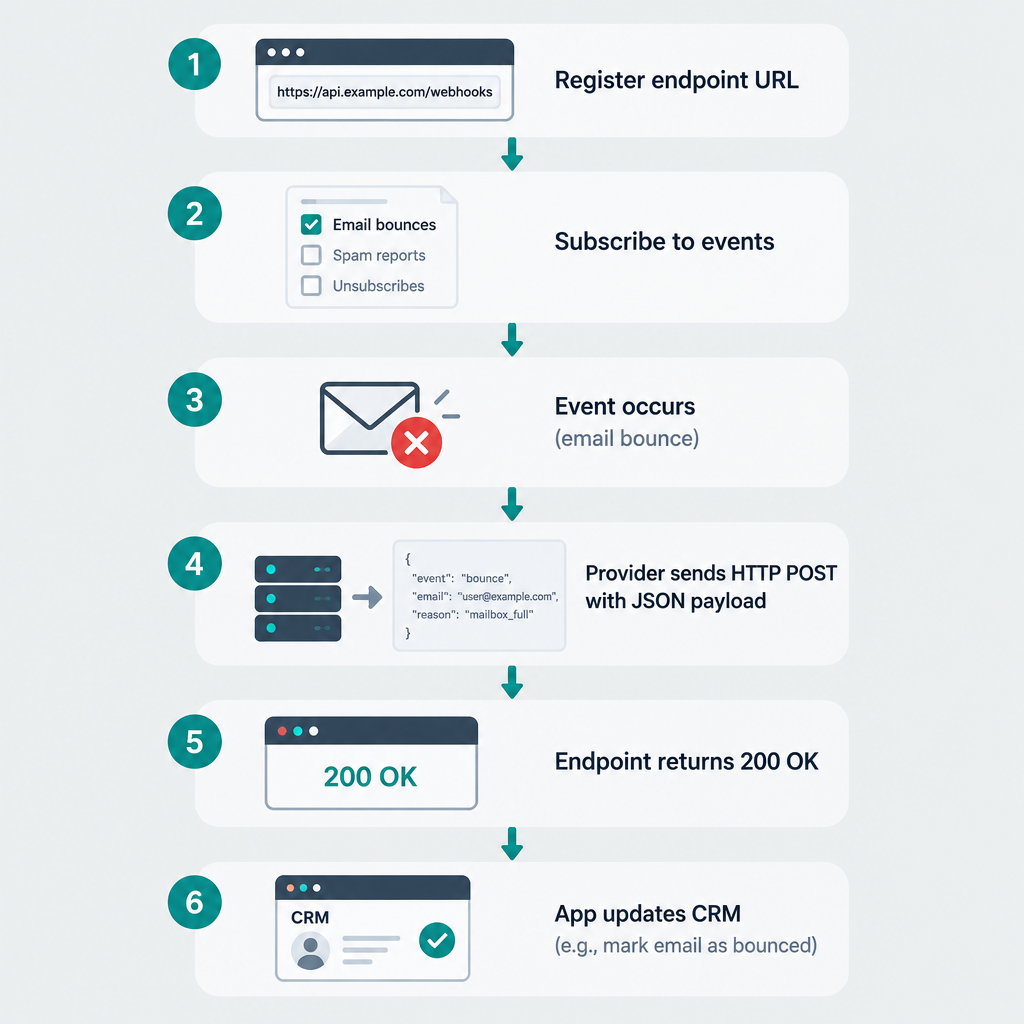
- CRM sync so replies and meetings land in your pipeline without manual entry.
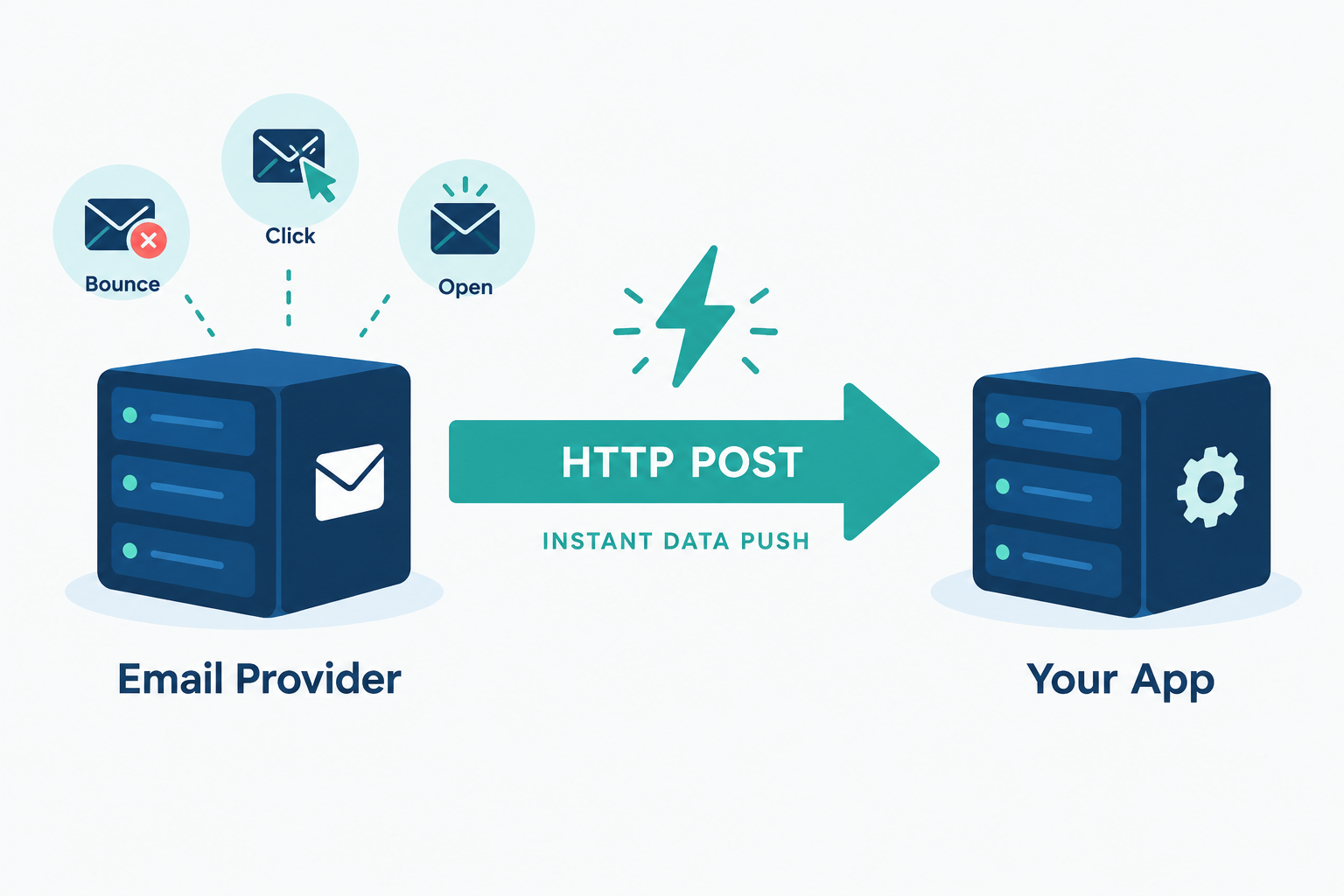
- Bounce handling that removes bad addresses after the first hard bounce.
Avoid any tool that sells you contact data scraped without a lawful basis, or that encourages huge volumes from a single inbox. Those are shortcuts that end with a blocklisted domain.
Metrics to Watch
Opens are no longer a reliable signal, so focus on what happens after delivery. These are the thresholds we work to.
| Metric | What it tells you | Where to check | Healthy range |
|---|---|---|---|
| Bounce rate | List quality | Your sending platform or inbox | Under 2%; pause and clean the list above that |
| Spam complaint rate | How recipients feel about you | Google Postmaster Tools, Yahoo Sender Hub | Under 0.1%; never reach 0.3% (Google’s limit) |
| Reply rate | Overall relevance | Sending platform | Track the trend by campaign |
| Positive reply rate | Real interest | Manual tagging or CRM | The number that matters most |
| Meetings booked | Business outcome | CRM or calendar | Measure per 100 prospects contacted |
Treat reply rate as relative, not absolute. Compare one campaign against another, not against a figure from someone else’s industry. When you want to know which subject line or opener works better, run proper A/B testing with only one variable changed and enough sends on each side to mean something.
Google Postmaster Tools only shows data once you send meaningful volume to Gmail users, so small senders may see nothing there. In that case, watch for a sudden drop in replies. It’s often the first sign you’ve slipped into spam.
Deliverability risk
A sudden spike in bounces is the fastest way to get a new domain flagged. Verify every address before it enters a sequence, and stop sending the moment bounces climb.
Common Cold Email Mistakes
Writing about yourself first. If the first two sentences are about your company, the reader has already gone. Open with them.
Faking personalisation. “I loved your recent post!” with no detail is worse than no personalisation at all. People can tell.
Asking for too much. A 45-minute demo request from a stranger rarely gets a yes. Ask for a reply, a short call or permission to send something.
Sending too fast on a new domain. Volume on day one is the most common reason new senders end up in spam. Ramp slowly.
Using HTML designs and images. Cold emails should look like a person typed them. Banners and logos make them look like campaigns, and filters treat them that way.
Ignoring opt-outs. Every “please remove me” must be honoured quickly and permanently, across every inbox and tool you use. CAN-SPAM gives you 10 business days. Gmail and Yahoo expect unsubscribes processed within 2 days for bulk senders. Aim for same-day.
Hiding where you found their data. Under GDPR, you owe recipients that information. A short line such as “I found your details on your company’s team page” handles it and builds trust.
FAQ
How to create a cold email?
Start with research: find one specific, recent reason to contact the person. Then write a short subject line, an opening line about them, one sentence on the problem you solve, one result as proof, and a single small ask. Keep it under 125 words, send it as plain text from an authenticated domain, and include an opt-out line and postal address.
What is the 60/40 rule in email?
It is an informal content guideline, not a formal standard, and different marketers define it slightly differently. The most common version says about 60% of your content should give value (insight, help, useful information) and 40% can promote your product or offers. In cold email, push it further: the first email should be almost entirely about the recipient’s situation, with only a line or two about you.
What are the 5 C’s of email?
The most widely used version is clear, concise, correct, courteous and complete. Some trainers swap in “compelling” or “conversational.” For cold email, concise and clear matter most: one idea, one ask, no jargon, and nothing the reader has to reread to understand.
What does “cold reach out” mean?
Cold reach out means contacting someone who has no prior relationship with you and hasn’t asked to hear from you. It can happen over email, LinkedIn or phone. Cold email is the most common form because it’s scalable, asynchronous and easy for the recipient to answer on their own time.
Is cold email the same as spam?
No. Cold email is targeted, honest and sent to people with a plausible reason to care. Spam is untargeted, often deceptive and sent at volume. The line is crossed when you mislead people, ignore opt-outs, use bought lists or send to people with no connection to your offer.
How many cold emails can I send per day?
Hard limits are 500 recipients per day for free Gmail, 2,000 messages and 10,000 total recipients per day per Google Workspace user, and 10,000 recipients per day on Microsoft 365 business plans (consumer Outlook.com accounts are capped at 5,000 recipients per day). For cold outreach, stay far below those. We recommend 30 to 50 new cold emails per inbox per day, after a warm-up period of two to four weeks on a new domain.