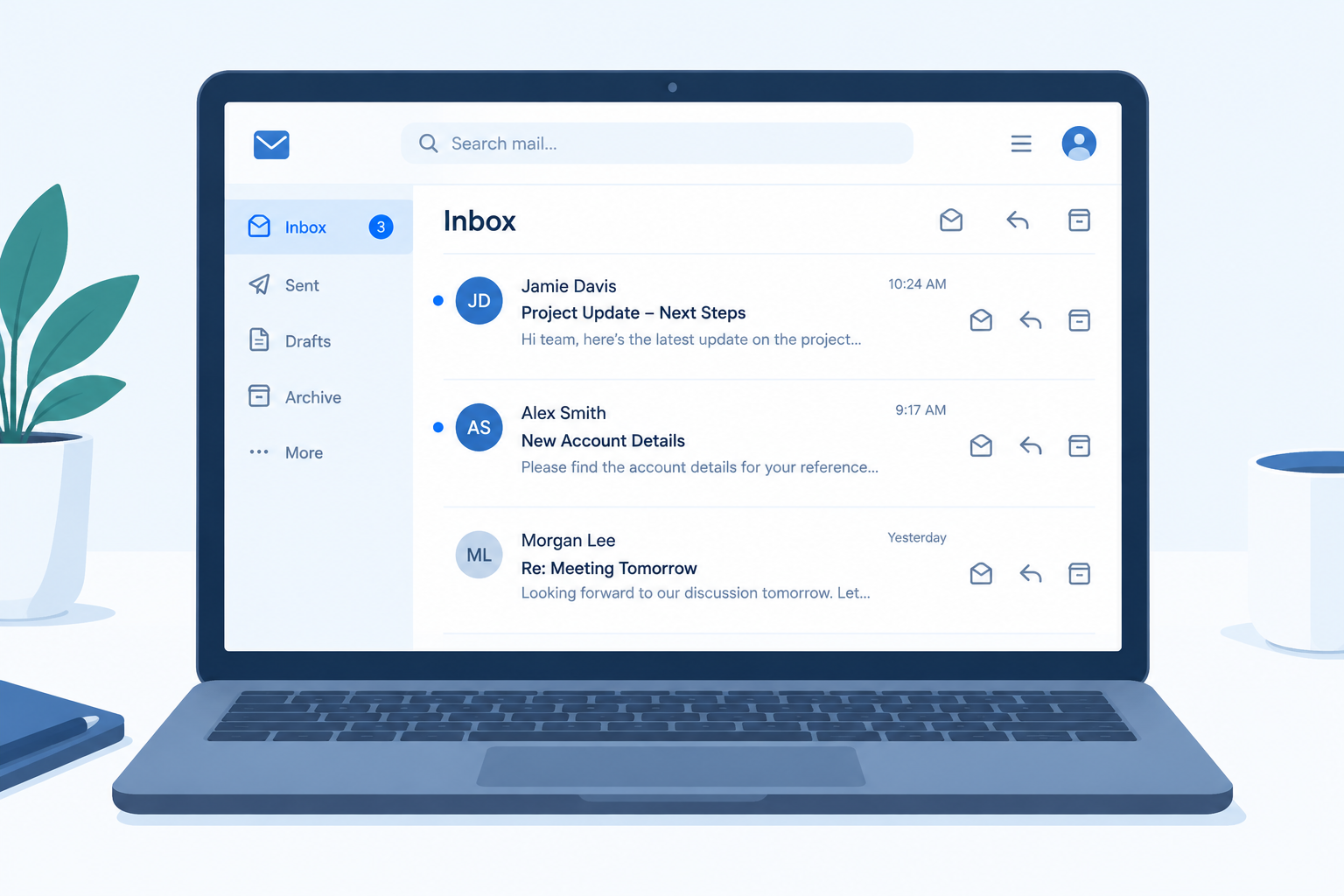
Your subject line decides whether a business email gets opened, filed or ignored. Below are 120 subject lines for business emails, sorted by goal, plus the formulas behind them, preview text pairings, and the inbox and legal rules that limit what you can write.
How We Picked and Ranked These Subject Lines
A good subject for business email is not judged by cleverness. It is judged by whether the reader knows what the email is about and what you need from them before they open it.
Every example on this list had to pass four tests:
- Clarity. The topic is obvious from the first few words.
- Honesty. The subject matches the content. That is a legal requirement under US and Canadian law, and Gmail’s sender guidelines warn against misleading subjects.
- Mobile fit. The main point survives truncation on a phone screen.
- Reusability. You can swap in your own names, dates and numbers without rewriting the line.
The categories are ranked by how often you need them in day-to-day business email. Types that work for almost any professional message rank higher. Types that need the right audience and timing, like humor, rank lower.
Quick-Reference Table: Subject Line Types Ranked
| Rank | Subject line type | Best for | Tone | Risk if misused |
|---|---|---|---|---|
| 1 | Professional (top pick) | Internal and client email | Direct, neutral | Low |
| 2 | Follow-up | Chasing replies, next steps | Polite, specific | Low |
| 3 | Meeting and scheduling | Invites, changes, recaps | Practical | Low |
| 4 | Thank you | After calls, orders, help | Warm | Low |
| 5 | Personalized | Clients, prospects, customers | Familiar | Medium (wrong merge data) |
| 6 | Cold outreach and introductions | First contact | Respectful, specific | Medium (spam complaints) |
| 7 | Sales | Quotes, offers, upgrades | Value-focused | Medium |
| 8 | Welcome | New customers, hires, users | Friendly | Low |
| 9 | Review and survey requests | Feedback after a purchase | Brief | Low |
| 10 | Event | Webinars, launches, summits | Informative | Low |
| 11 | Pain point | Prospects with a known problem | Empathetic | Medium |
| 12 | Curiosity | Newsletters, content | Intriguing | High (clickbait) |
| 13 | FOMO and urgency | Real deadlines, limited offers | Pressing | High (fake urgency) |
| 14 | Catchy | Marketing campaigns | Playful | Medium |
| 15 | Funny | Warm audiences, culture emails | Light | High (tone misread) |
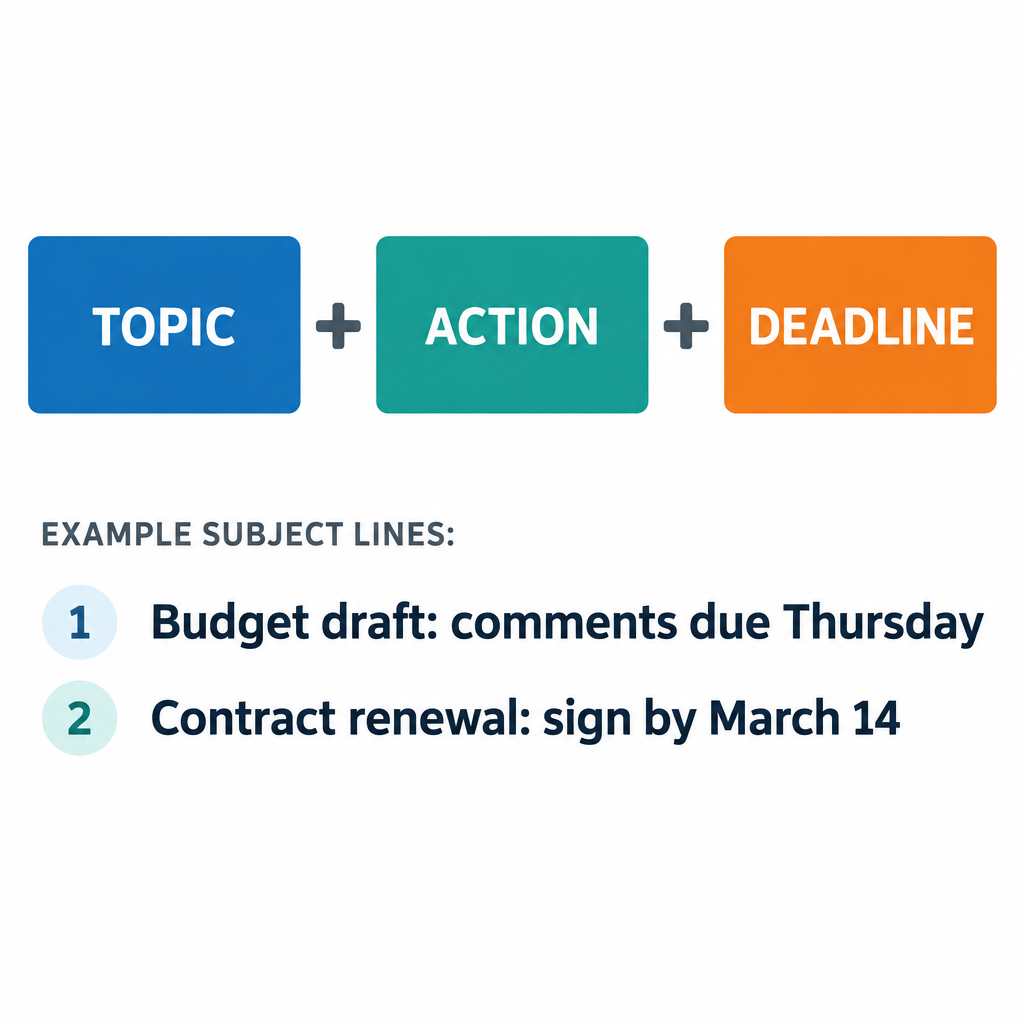
Our top pick is the professional subject line built on a simple formula: topic + action + deadline. It works for colleagues, clients, vendors and executives, and you will never have to explain or apologize for it.
What Makes a Good Subject Line for a Business Email
The best subject lines for business emails share three traits. They front-load the main point, they are specific, and they tell the reader what to do.
Front-load the important words
Phones cut subject lines short. On most screens you see roughly the first 30 to 40 characters, depending on device size and font settings. Desktop clients show more, but Gmail’s desktop inbox puts the subject and the preview snippet on one line, so a long subject crowds out everything else.
Put the topic and action first. “Signature needed: Q3 vendor contract” beats “I wanted to touch base about the vendor contract that needs a signature.”
Be specific enough to search later
Business email gets searched months after it was sent. “Update” tells the reader nothing. “Update: Acme rollout moved to May 12” is findable and useful. Treat your subject line like a file label.
Signal the action
Readers triage their inbox. Labels like “Action required:”, “FYI:”, “Approved:” and “Decision needed:” let them sort your message in seconds. Use them honestly. If everything is “Urgent,” nothing is.
Technical limits that affect subject lines
| Limit | What it is | Why it matters |
|---|---|---|
| 998 characters per header line | Maximum line length in RFC 5322, the email message standard | Long subjects get folded across lines; no client displays anything close to this |
| ~30 to 40 visible characters on phones | Typical mobile truncation (varies by device and settings) | Your main point must sit at the front |
| 102 KB message size | Gmail clips message bodies larger than this | Clipped emails can hide your unsubscribe link and content |
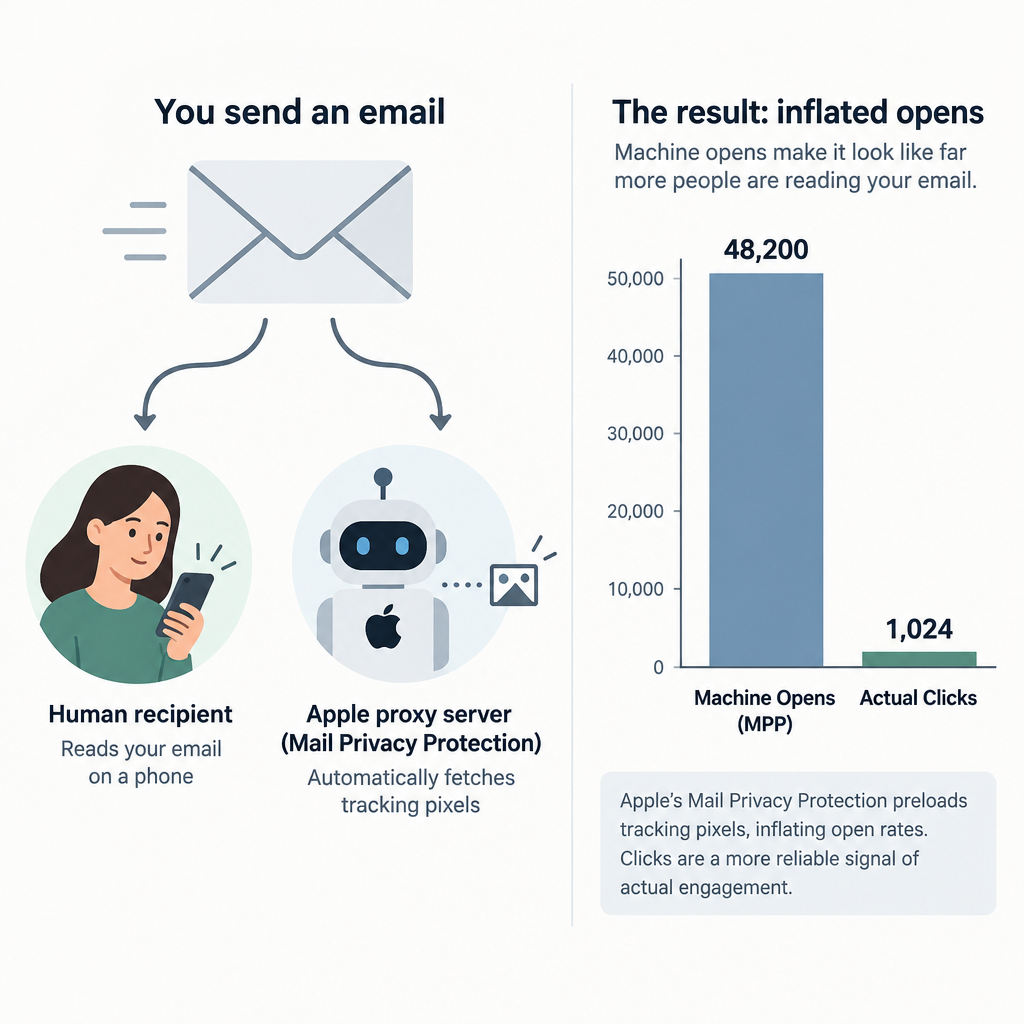
| September 2021 | Apple Mail Privacy Protection launched with iOS 15 | Open rates from Apple Mail users are inflated, so subject tests need other metrics |
Write a business subject line in five steps
- Name the topic in two to four words.
- Add the action you need, if any.
- Add a date or deadline when one exists.
- Cut filler words like “just,” “quick note” and “hello.”
- Read it on your phone before you send.
Six Subject Line Formulas That Increase Opens
These six formulas cover almost every professional email you will send. Each one gives the reader a reason to open now rather than later.
1. Topic + action + deadline
The workhorse formula for internal and client email.
- “Budget draft: comments due Thursday”
- “Contract renewal: sign by March 14”
2. Name + specific benefit
Personalization only works when the benefit is real and specific to that person.
- “[Name], your onboarding checklist is ready”
- “[Company]’s revised quote saves 12% on shipping”
3. A question the reader can answer quickly
Questions invite replies. Keep them answerable in one line.
- “Can you review the deck by noon?”
- “Tuesday or Wednesday for the site visit?”
4. Number + outcome
Numbers set expectations about effort and length.
- “3 changes to next week’s schedule”
- “2 questions before we finalize the order”
5. Mutual connection or shared context
The fastest way to earn trust from a stranger.
- “[Mutual contact] suggested I write to you”
- “Following up from the SaaStr panel”
6. Status label + topic
Ideal for threads where the reader needs to know what changed.
- “Approved: marketing budget for Q4”
- “Resolved: login issue on the client portal”
Inbox tip
Write the subject line last. Once the email is finished, you know its main point, and the subject usually writes itself from your first or last sentence.
How to Pair Your Subject Line With Preview Text
Preview text is the snippet shown next to or below the subject in the inbox. If you don’t set it, the email client grabs the first text it finds in the body. That is often “View this email in your browser” or a line of your signature, which wastes valuable space.
Think of the subject and preview as one sentence split in two. The subject states the topic. The preview gives the detail, the reason, or the next step. Never repeat the same words in both.
| Subject line | Preview text |
|---|---|
| Q3 report: 2 figures need your sign-off | Revenue and churn are final. Margin needs a decision by Friday. |
| Welcome to [Company], [Name] | Your login link and a 5-minute setup guide are inside. |
| Your quote for 50 licenses | Valid until June 30. Includes onboarding and priority support. |
| Rescheduled: client kickoff now Wednesday | Same room, same agenda. New time is 10 a.m. |
Most email marketing platforms have a dedicated preview text field next to the subject line in the campaign editor. If yours doesn’t, add a hidden block at the very top of your HTML:
<div style="display:none; max-height:0; overflow:hidden;">
  Your preview text goes here.
</div>
For one-to-one email from Gmail or Outlook, you can’t set preview text directly. Your first sentence becomes the preview, so make it count. Open with the request, not “Hope you’re well.”
1. Professional Email Subject Lines (Top Pick)
Professional email subject lines are short, factual and action-oriented. Use them for colleagues, managers, clients, vendors and anyone you need a clear response from.
- Agenda for Thursday’s budget review
- Q3 vendor contract: signature needed by Friday
- Updated proposal for [Company], v2 attached
- Request: access to the shared sales dashboard
- Action required: approve March invoices by 5 p.m.
- Notes and next steps from today’s call
- Question about the [Project] launch timeline
- FYI: office closed Monday for the holiday
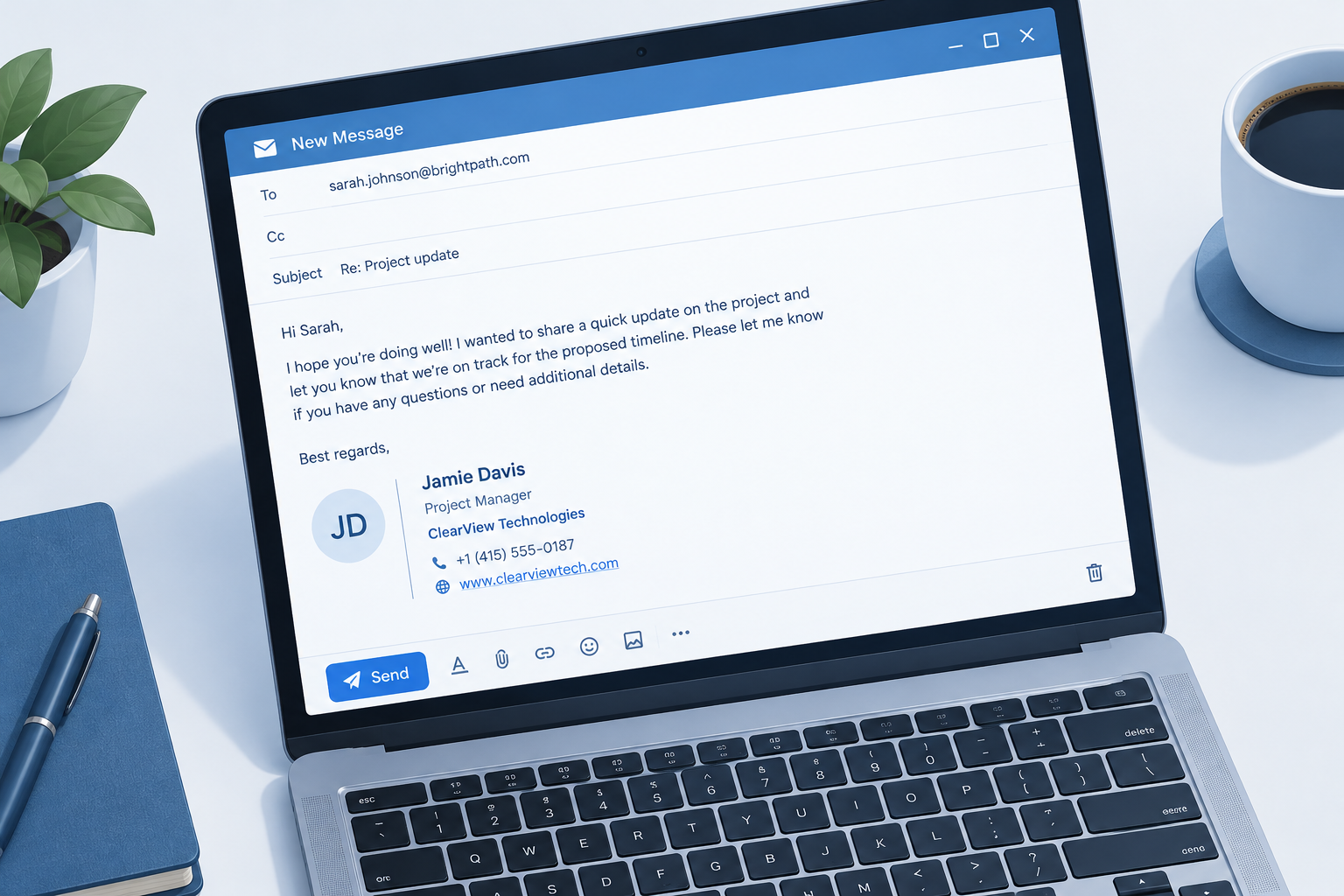
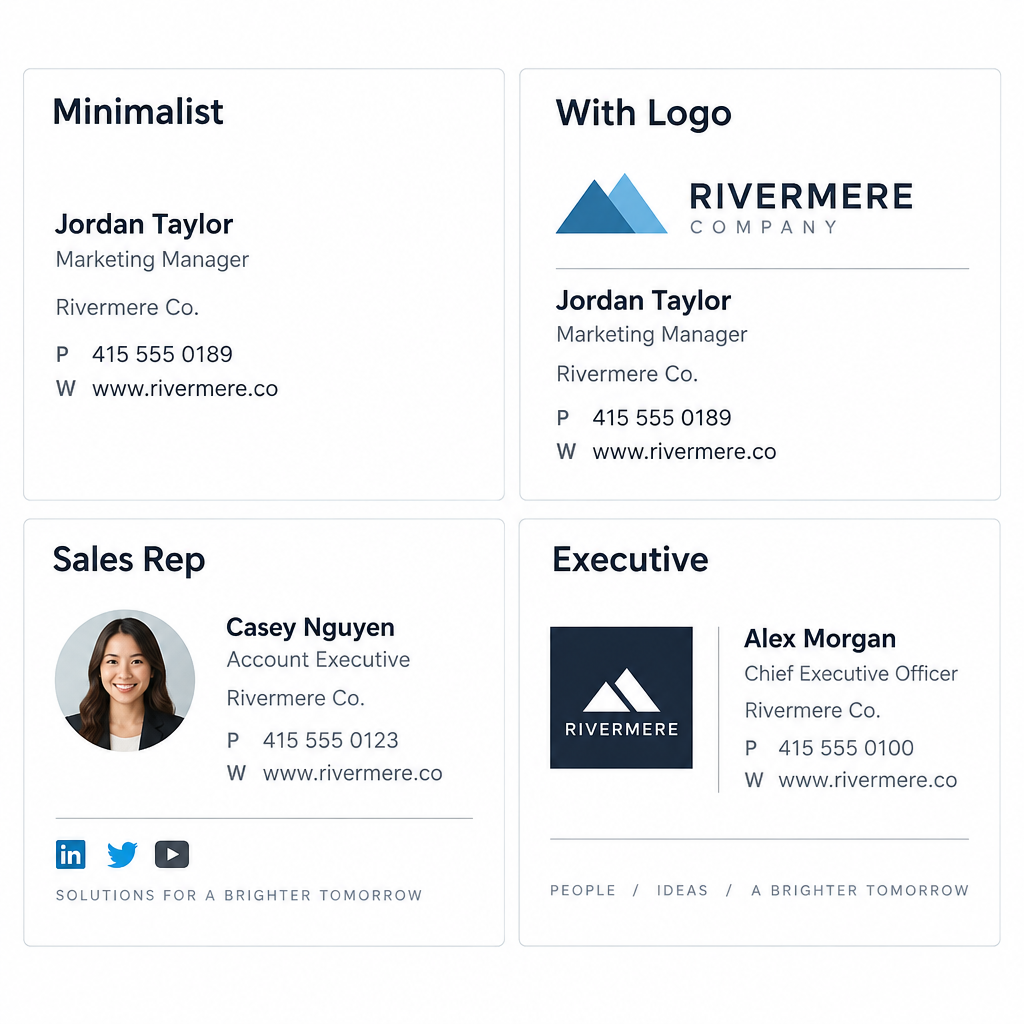
A professional subject line gets the email opened. A clean sign-off finishes the job, so it is worth looking at a few email signature examples and settling on one before your next client email.
2. Follow-Up Email Subject Lines
Most replies come after a follow-up, not the first message. A good follow-up subject reminds the reader of the context and makes the next step easy.
- Following up on Tuesday’s proposal
- Quick follow-up: pricing questions from our call
- Checking in on the [Project] timeline
- Still interested in a demo, [Name]?
- Next steps after our meeting on [date]
- Any update on the contract review?
- Resending: invoice #4471 (due June 10)
- Closing the loop on [topic]
Keep follow-ups in the original thread when the context matters. Start a new subject when the topic has changed. If you are writing after a sales conversation, a dedicated follow-up template after the sales call will save you time and keep your recap consistent.
Deliverability risk
Adding “Re:” or “Fwd:” to a first-contact email to fake a prior conversation is deceptive. It annoys readers, drives spam complaints and can breach CAN-SPAM’s ban on misleading subject lines.
3. Meeting and Scheduling Subject Lines
Calendar emails need to be scannable. Lead with the status (invite, change, cancellation), then the meeting, then the time.
- Meeting request: 30 minutes to review Q4 targets
- Can we move Friday’s 1:1 to 3 p.m.?
- Invitation: product roadmap review, Oct 14
- Rescheduled: client kickoff now Wednesday at 10
- Cancelled: weekly standup on Monday
- Availability for a call next week?
- Prep for tomorrow’s board meeting: 3 slides to review
- Recap: decisions from the planning session
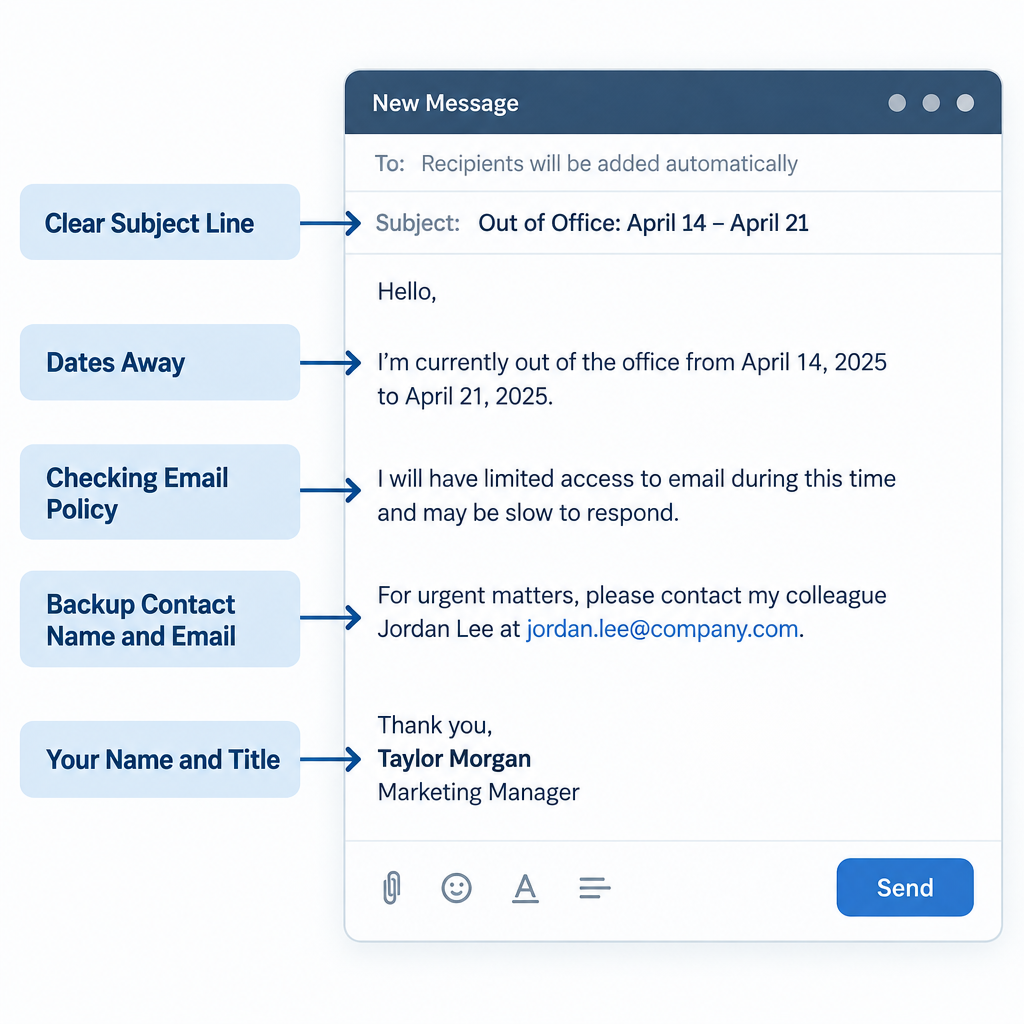
When you’re away and meetings pile up, your auto-reply does the scheduling work for you. Our collection of out-of-office message examples covers how to redirect requests without leaving people stuck.
4. Thank You Email Subject Lines
Thank-you emails get high engagement because people like reading them. Be specific about what you’re thanking them for, and add the next step when there is one.
- Thank you for your time today, [Name]
- Thanks for the referral to [Company]
- Thank you for your order #20931
- Grateful for your help on the audit
- Thanks for choosing [Company]: here’s what happens next
- Thank you for attending [Event]: slides inside
- A thank-you from our team (and a small gift)
- Thanks for your feedback on [Product]
Send a thank-you within 24 hours of a meeting or interview. After that, it reads like an afterthought.
5. Personalized Email Subject Lines
Personalization means more than a first-name merge tag. The strongest personalized subject lines reference something specific to the reader: their company, their last purchase, their location or a recent event.
- [Name], your renewal date is coming up
- [Company]’s quote is ready
- Ideas for [Company]’s spring hiring push
- [Name], quick question about your Shopify store
- Your [City] store’s monthly report
- Recommended for you, based on your last order
- [Mutual contact] suggested I reach out
- Congrats on the Series A, [Name]
Always set a fallback value for merge fields. “Hi ,” or “Hi FNAME” in a subject line tells the reader they’re on a mass list and wipes out any trust the personalization was meant to build.
Inbox tip
Test your merge tags by sending a preview to a contact with missing fields. Set the fallback to something natural like “there” or remove the name entirely from the subject.
6. Cold Outreach and Introduction Subject Lines
Cold subject lines have one job: look like a relevant message from a real person, not a campaign. Short, lowercase-friendly, and specific to the reader’s business.
- Introduction: [Your name] from [Company]
- [Mutual contact] recommended we connect
- Idea to cut [Company]’s onboarding time
- Question about [Company]’s support process
- Saw your talk at [Event], one question
- Partnership idea: [Your company] x [Their company]
- 15 minutes next week to compare notes?
- Helping teams like [Peer company] reduce churn
Cold outreach only works when the targeting is right and the sending is legal. Our guide to cold email explains how to do it properly, including list sourcing you can defend. Never buy lists or scrape addresses. For pitches to journalists or partners, our email pitch examples show how the subject and opening line work together.
7. Sales Email Subject Lines
Sales subject lines work best when they point to something concrete the reader asked for or will clearly benefit from. Vague hype (“Amazing opportunity!”) gets filtered by readers before spam filters even look at it.
- Your quote for 50 licenses (valid until June 30)
- Pricing options for [Company]
- Case study: how [Client] cut shipping costs
- New: annual plan with two months free
- Your trial ends in 3 days
- Ready to upgrade your plan?
- The [Product] demo you asked about
- Bundle offer for current customers
Put the number or offer in the subject when it is real. “Your quote” outperforms “Following up” for a prospect waiting on pricing, because the reader knows exactly what they will find inside.
8. Welcome Email Subject Lines
Welcome emails are expected, which makes them some of the most-read emails you send. Use the subject to confirm the signup and promise one useful next step.
- Welcome to [Company], [Name]
- Your account is ready: here’s how to log in
- Welcome aboard: 3 steps to get started
- You’re in. Here’s what to expect from us
- Welcome to the team, [Name]! Your first-week schedule
- Getting started with [Product]
- Your welcome kit is on its way
- Meet your account manager, [Name]
Send the welcome email immediately after signup. A delay of a day or more breaks the connection between the action and the message, and the reader may not remember signing up.
9. Review and Survey Request Subject Lines
Feedback requests compete with everything else in the inbox, so state the effort required. “2 questions” or “one click” lowers the barrier.
- How did we do, [Name]?
- 2 questions about your recent order
- Quick survey: help us improve [Product]
- Would you recommend us? (one click)
- Your feedback shapes our next release
- Rate your support experience with [Agent]
- Take our 3-minute survey
- How is [Product] working for you so far?
Time review requests to when the customer has actually used the product: after delivery for physical goods, after the first week or two for software. Asking before they’ve had a chance to use it produces weak, empty reviews.
Deliverability risk
Don’t tie a discount or gift to a positive review. The FTC’s 2024 rule on fake reviews bans incentives conditioned on a review’s sentiment. Incentives for honest survey feedback are a different matter.
10. Event Email Subject Lines
Event subject lines need the what and the when. Readers sort event emails by date, so put it in the subject whenever you can.
- You’re invited: [Event] on [date]
- Save the date: annual client summit, Sept 18
- Registration closes Friday for [Webinar]
- Your ticket for [Event] (add to calendar)
- Starting in 1 hour: [Webinar title]
- Missed the webinar? Here’s the recording
- Agenda and speakers for [Event]
- Last 20 seats for the Chicago workshop
A typical event sequence uses four emails: the invite, a reminder the day before, a “starting soon” email, and the recording or recap afterward. Change the subject format for each so they don’t look like duplicates.
11. Pain Point Email Subject Lines
Pain point subject lines name a problem the reader already knows they have. They work in prospecting and nurture campaigns when you’ve segmented well enough to know the problem is real.
- Spending too long on monthly reporting?
- Fix late invoices without chasing clients
- Tired of manual data entry?
- Why your emails land in spam (and the fix)
- Cut onboarding time without adding staff
- Missed deadlines costing you clients?
- A faster way to approve expenses
- Stop losing leads after the first call
Name the problem, not the reader’s failure. “Spending too long on reporting?” is empathetic. “Your reporting is a mess” is insulting, even if it’s true.
12. Curiosity-Inducing Email Subject Lines
Curiosity subject lines open a gap the reader wants to close. They suit newsletters and content emails. They don’t suit transactional or internal business email, where clarity wins every time.
- The one metric our best clients track
- What we learned from [number] support tickets
- Is your onboarding missing this step?
- We were wrong about pricing
- A question I get every week
- The mistake in most proposals
- Here’s what your competitors are testing
- Before you renew, read this
The email has to pay off the curiosity in the first paragraph. If the reader opens and can’t find what the subject promised, you’ve taught them to ignore your next email. Use real figures only: if you claim lessons from 1,000 tickets, you need 1,000 tickets.
13. FOMO and Urgency Email Subject Lines
Urgency works because deadlines are real motivators. Fake urgency works once and then destroys trust. Only use these when the deadline, stock limit or price change actually exists.
- Ends tonight: 20% off annual plans
- Last chance to lock in this year’s pricing
- Only 5 onboarding slots left in June
- Early-bird pricing ends Friday
- Deadline: submit Q2 expenses by noon
- Price increase on July 1: renew now at today’s rate
- 48 hours left to register
- Your cart will expire soon
If an offer “ends tonight,” it must end tonight. Extending a deadline once is fine. Doing it every month turns your urgency language into noise, and readers learn to wait you out.
14. Catchy Email Subject Lines
Catchy subject lines lean on rhythm, wordplay or a fresh angle. They fit marketing campaigns and brand newsletters where you have some personality to spend.
- Your inbox, minus the clutter
- Small change, big savings
- Meet the new dashboard
- New month, new numbers
- Coffee’s on us this Friday
- Spring cleaning for your CRM
- Good news about your account
- Less admin, more selling
Catchy lines should still hint at the topic. “Small change, big savings” works best when the preview text explains the change.
A note on emojis
Emojis can help a marketing subject line stand out in a crowded promotions tab. In formal business email to clients, executives or people you haven’t met, leave them out. Emojis also render differently across devices and can show as an empty box on older clients. If you use one, put it at the end, use only one, and make sure the subject still makes sense without it.
15. Funny Email Subject Lines
Humor works with audiences who already know and like you: existing customers, newsletter subscribers, your own team. It rarely works in cold outreach or with senior stakeholders you’ve never met.
- Not another boring newsletter (okay, slightly less boring)
- Our printer finally works. Celebrate with us
- Plot twist: your invoice is already paid
- We miss you (in a totally normal way)
- This email contains zero buzzwords
- Pizza Friday is back. Bring your appetite
- Our CEO wrote this one. Be nice
- Monday called. We let it go to voicemail
Read funny subject lines out loud before sending. If a joke needs the email body to make sense, or could be read as sarcastic, rewrite it.
Before and After: Rewriting Weak Business Subject Lines
Most bad subject lines fail in the same few ways. They are vague, too long, or bury the request. Here is how to fix the common ones.
| Weak subject line | Problem | Stronger version |
|---|---|---|
| Hello | No topic | Question about your March invoice |
| Quick question | Vague, overused | Can you confirm the delivery address? |
| Update | Unsearchable | Update: Acme launch moved to May 12 |
| Touching base | No reason to open | Next steps on the [Company] proposal |
| URGENT!!! PLEASE READ | Shouty, spam-like | Action required: approve payroll by 3 p.m. |
| I wanted to reach out about a potential partnership opportunity | Too long, truncated on mobile | Partnership idea: [Brand] x [Brand] |
| Re: our conversation (when there wasn’t one) | Deceptive | [Mutual contact] suggested I write to you |
| Newsletter #47 | No value signal | 3 pricing tests that worked this quarter |
The pattern holds across all four fixes you’ll make most often: replace the generic word with the topic, move the action to the front, cut anything a phone would truncate, and never imply a relationship that doesn’t exist.
Subject Lines, Spam Filters and the Law
A perfect subject line is useless if the email never reaches the inbox. Mailbox providers and regulators both care about what you put in that field.
What Gmail, Yahoo and Microsoft require from senders
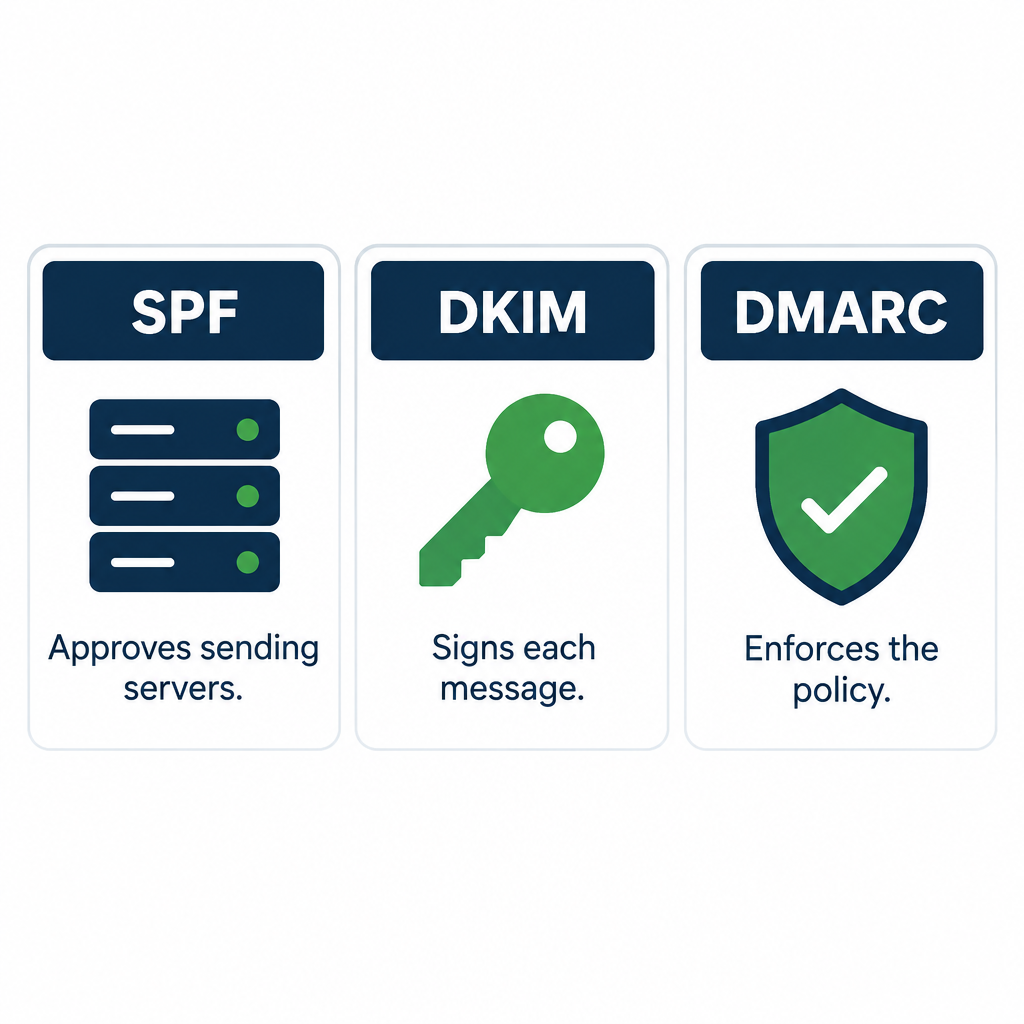
Since February 2024, Gmail and Yahoo have required bulk senders to authenticate their mail and keep complaint rates low. Microsoft followed for Outlook.com consumer addresses in May 2025. These rules don’t police wording directly, but misleading subjects drive spam complaints, and complaints are measured.
| Provider | Applies to | Start date | Key requirements |
|---|---|---|---|
| Gmail | Senders of about 5,000+ messages a day to personal Gmail accounts | February 1, 2024 (one-click unsubscribe by June 1, 2024) | SPF and DKIM, DMARC (p=none minimum) aligned with From domain, one-click unsubscribe, spam rate kept below 0.3% (target under 0.1%) |
| Yahoo | Bulk senders to Yahoo addresses | February 2024 | SPF and DKIM, DMARC policy, one-click unsubscribe honored within 2 days, spam rate below 0.3% |
| Microsoft | Senders of 5,000+ emails a day to Outlook.com, Hotmail.com and Live.com | May 5, 2025 | SPF, DKIM and DMARC (at least p=none, aligned with SPF or DKIM); non-compliant mail routed to Junk, with rejection to follow |
If you send business email from a free webmail address, these checks work against you. Sending from your own domain lets you set up the authentication records properly; our guide to custom domain email walks through it. A basic DMARC record looks like this:
_dmarc.example.com. TXT "v=DMARC1; p=none; rua=mailto:[email protected]"
Start at p=none to collect reports, then move to quarantine or reject once you’ve confirmed all your legitimate senders pass.
What the law says about subject lines
| Law | Region | Subject line rule | Maximum penalty |
|---|---|---|---|
| CAN-SPAM Act | United States | Subject line must not mislead the recipient about the message’s content | Up to $53,088 per violating email (FTC, 2025 inflation adjustment) |
| CASL | Canada | Bans false or misleading representations in the subject line, sender information or URL | Up to C$1 million for individuals and C$10 million for businesses per violation |
| GDPR (with national ePrivacy rules such as the UK’s PECR) | EU and UK | Marketing email generally needs consent; deceptive practices undermine lawful processing | GDPR fines up to €20 million or 4% of global annual turnover, whichever is higher |
The practical takeaway is simple. Your subject line must describe what’s inside. “Your order has shipped” on a promotional email, or “Re:” on a first-contact message, is the kind of thing these laws were written to stop.
Deliverability risk
Spam complaints above 0.3% in Gmail Postmaster Tools put your domain at risk of filtering. Misleading subject lines are one of the fastest ways to get there.
What to Avoid in Business Email Subject Lines
These habits hurt opens, trust or deliverability. Most of them signal “mass email” to both readers and filters.
- All caps and stacked punctuation. “FREE!!!” reads as spam to everyone.
- Blank subject lines. They look like mistakes and are easy to skip or delete.
- Fake replies and forwards. “Re:” and “Fwd:” on a new message are deceptive.
- Overused filler. “Quick question,” “Touching base” and “Checking in” with no topic attached.
- Spam-trigger phrasing. “Act now,” “Guaranteed,” “100% free” and “Risk-free” invite suspicion.
- Clickbait with no payoff. Curiosity that the email doesn’t resolve trains people to ignore you.
- Excessive length. Anything past about nine words loses its ending on a phone.
- Inconsistent sender names. The From name is read before the subject. Use a recognizable person or brand every time.
Modern filters weigh sender reputation and engagement far more than individual words. A single “free” in an honest subject won’t sink you. A pattern of hype, complaints and poor authentication will.
How to Test and Measure Subject Lines
Open rate used to be the main subject line metric. Since Apple launched Mail Privacy Protection with iOS 15 in September 2021, Apple Mail pre-loads tracking pixels for many users, which registers an “open” whether a person read the email or not. Open rates are now inflated and noisy.
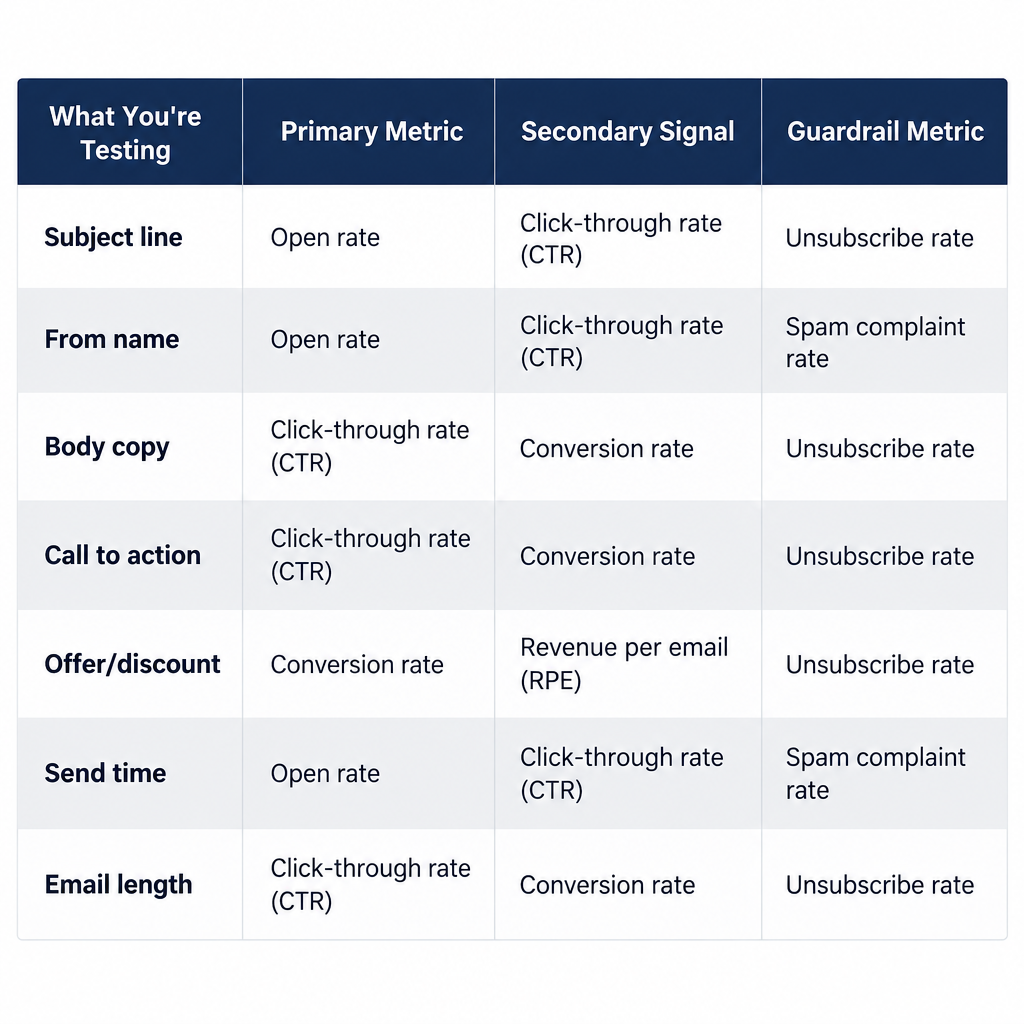
Use opens only for rough comparisons within the same list. For decisions, watch metrics tied to real action:
- Reply rate for one-to-one, sales and cold email.
- Click rate for newsletters and campaign emails.
- Conversions (bookings, purchases, survey completions) for sales and feedback emails.
- Spam complaint rate in Gmail Postmaster Tools and your ESP’s reports.
- Unsubscribe rate after each send, which shows if a subject over-promised.
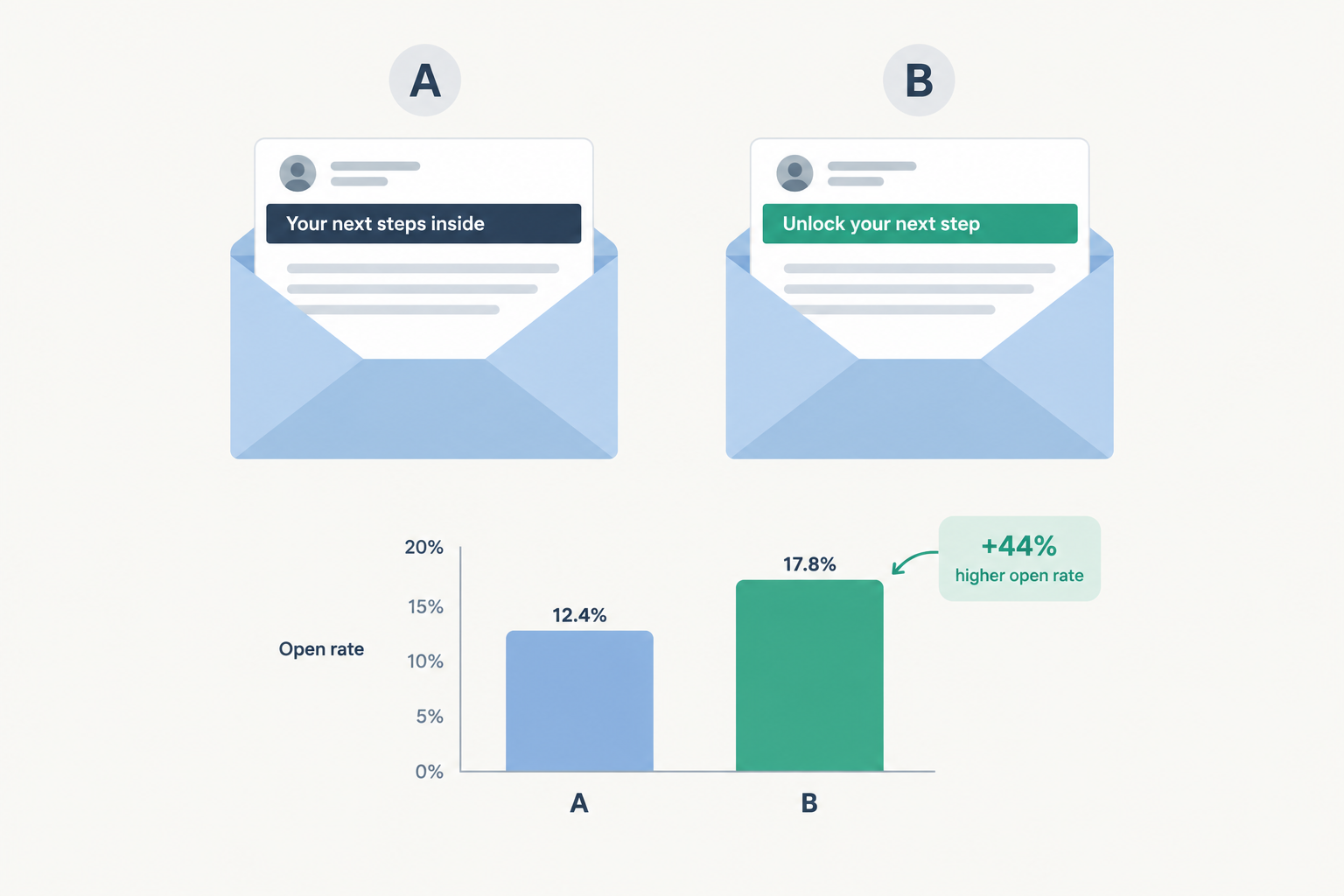
Most email platforms include A/B testing for subject lines on paid plans. Test one change at a time (a question versus a statement, with or without a number) and send each version to a large enough sample to mean something. If you’re choosing a tool, our roundup of email marketing platforms for small businesses compares which ones include subject line testing.
Inbox tip
Keep a swipe file of your own subject lines with their click and reply rates. After a few months, your best patterns become obvious and you stop guessing.
FAQ
How do you introduce your business via email?
Use a subject line that names you, your company and a reason the reader should care, such as “Introduction: [Your name] from [Company]” or “[Mutual contact] suggested we connect.” In the body, state who you are in one sentence, explain the specific value for their business in two or three more, and close with a single low-effort ask like a 15-minute call. Keep it under about 150 words and send from your own domain.
What is a subject line in an email example?
The subject line is the short summary shown in the inbox before someone opens your email. Examples include “Agenda for Thursday’s budget review,” “Your quote for 50 licenses (valid until June 30)” and “Thank you for your time today, [Name].” Each one tells the reader the topic and, where needed, the action or deadline.
What are some professional words to use when writing an email?
Words that signal purpose and respect work well: “request,” “approve,” “confirm,” “review,” “update,” “next steps,” “agenda,” “recap,” “deadline,” “attached” and “thank you.” In subject lines, short status labels like “Action required,” “FYI,” “Approved” and “Decision needed” help the reader triage. Avoid vague filler like “just,” “touching base” and “circling back.”
What to avoid in email subject lines?
Avoid all caps, excessive punctuation, blank subjects, fake “Re:” or “Fwd:” prefixes, clickbait that the email doesn’t deliver on, and false urgency. Also avoid length: keep the main point in the first 30 to 40 characters so it survives on phones. Most importantly, never write a subject that misrepresents the content, since that breaches CAN-SPAM and CASL and drives spam complaints.
How long should a subject for business email be?
Aim for six to nine words, and make sure the topic and any action appear in the first few. Short subjects display fully on phones and are easier to search later.
Should I use emojis in business email subject lines?
Not in formal business email to clients, executives or new contacts. In marketing campaigns to an audience that knows your brand, a single emoji at the end can work, as long as the subject reads clearly without it.